
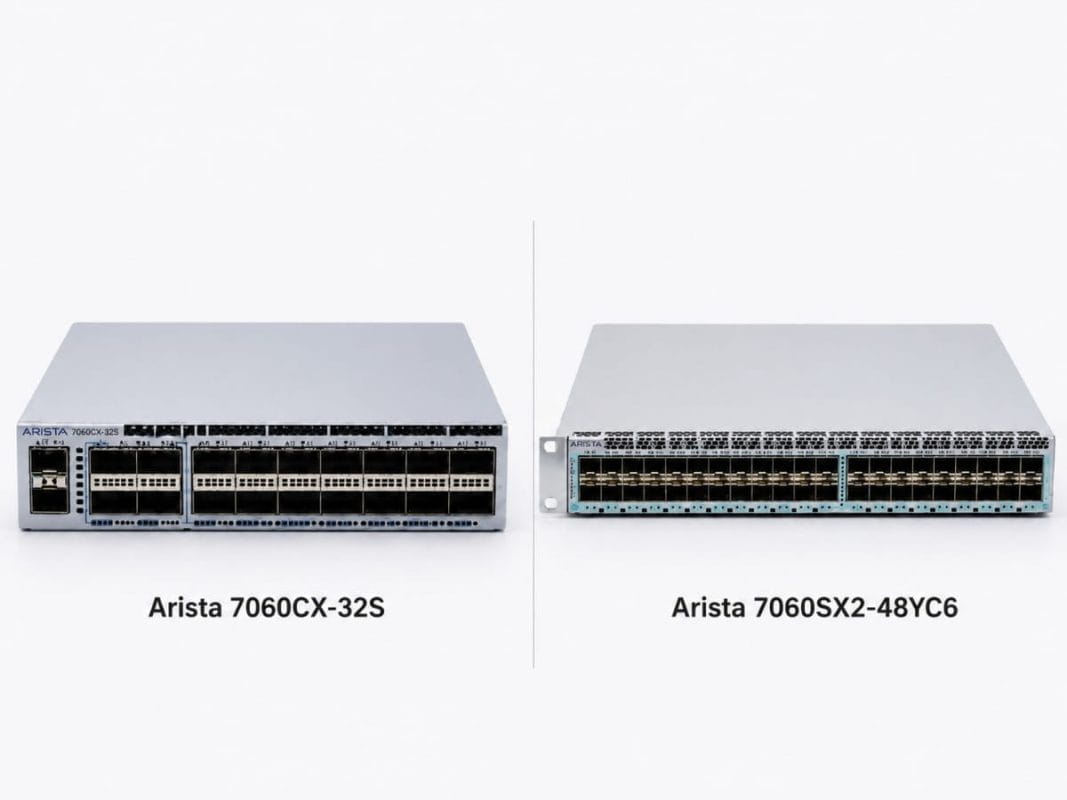
Modern data centers face a hard choice. Teams need more bandwidth, but they also need to control cost, reduce lead-time risk, and avoid buying more switch capacity than the rack can use.
That is why the Arista 7060CX-32S vs 7060SX2-48YC6 comparison matters. These switches can work in the same 7060 family design, but they solve different problems. One fits 100G-heavy spine and aggregation needs. The other fits 25G server access with 100G uplinks.
For buyers under refresh pressure, the right answer is not always the fastest switch. The right answer depends on where the switch sits, how traffic moves, and how the final bundle supports optics, airflow, cables, and growth. A clear plan can help teams reduce network costs without weakening performance.
What Is the Main Difference Between Arista 7060CX-32S and 7060SX2-48YC6?
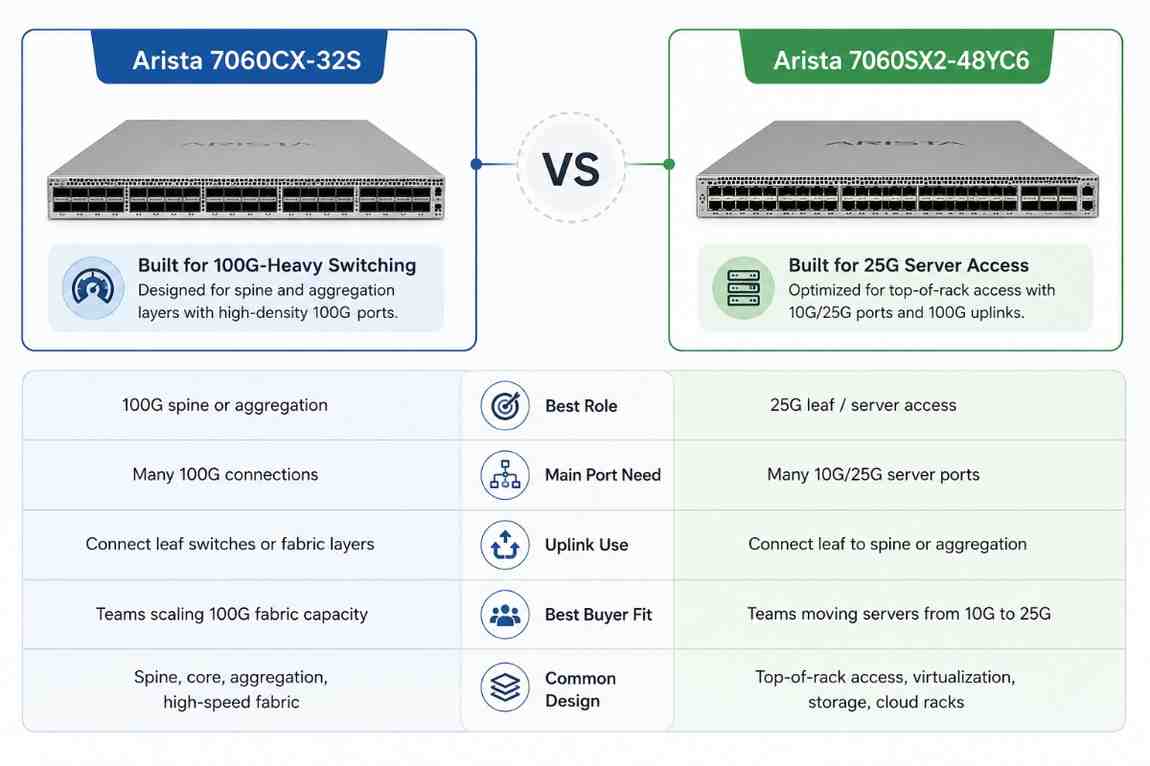
The main difference is role. The DCS-7060CX-32S-F is better for 100G-heavy switching. The DCS-7060SX2-48YC6-F and DCS-7060SX2-48YC6-R are better for 25G server access with 100G uplinks.
In a leaf-spine network, the 7060CX-32S fits well as a spine or high-speed aggregation switch. It gives buyers many 100G ports for leaf-to-spine links, storage paths, or dense fabric traffic.
The 7060SX2-48YC6 fits well as a leaf switch. It connects servers through 10G/25G SFP28 ports and sends traffic upstream through 100G QSFP ports.
| Buyer Question | DCS-7060CX-32S-F | DCS-7060SX2-48YC6-F / R |
| Best role | 100G spine or aggregation | 25G leaf / server access |
| Main port need | Many 100G connections | Many 10G/25G server ports |
| Uplink use | Connect leaf switches or fabric layers | Connect leaf to spine or aggregation |
| Best buyer fit | Teams scaling 100G fabric capacity | Teams moving servers from 10G to 25G |
| Common design | Spine, core, aggregation, high-speed fabric | Top-of-rack access, virtualization, storage, cloud racks |
This split matters in real purchasing. Many teams search for a “100G switch” or “25G/100G switch” and compare products that do different jobs. That can lead to overspend, airflow mistakes, or missing optics.
A better path starts with the network role. Buyers should ask: “Do we need more server access ports, or do we need more 100G fabric ports?”
When Should Buyers Choose 7060CX-32S for 100G-Heavy Requirements?
Buyers should choose the DCS-7060CX-32S-F when the network needs dense 100G switching. This model fits environments where traffic must move between many racks, leaf switches, storage systems, or high-speed compute groups.
It works well when the switch needs to handle fabric-wide movement instead of direct server access. In that role, the 7060CX-32S can sit above leaf switches and carry traffic across the data center.
Best Fit for Spine and Aggregation Layers
A spine switch connects leaf switches together. It should have enough 100G ports to support current racks and near-term growth.
The 7060CX-32S makes sense when buyers need:
- 100G leaf-to-spine links
- High-speed rack-to-rack movement
- Dense fabric paths for east-west traffic
- Strong uplink capacity for storage or compute clusters
- A cleaner path to scale 100G aggregation
This model can support cloud-style traffic patterns where applications do not stay inside one rack. Virtual machines, containers, databases, storage nodes, and backup systems often move large amounts of data across the fabric.
For AI and high-performance computing support networks, 100G-heavy switching also helps reduce fabric pressure. These projects often need careful planning because cost can rise fast. Many teams now use AI network planning to size traffic paths before buying new hardware.
The 7060CX-32S is not the first choice when the main need is dense 25G server access. It can support 100G-heavy designs, but buyers should avoid using a spine-class switch when a leaf switch would solve the access problem at a better cost point.
When Should Buyers Choose 7060SX2-48YC6 for 25G Access and 100G Uplinks?
Buyers should choose the DCS-7060SX2-48YC6-F or DCS-7060SX2-48YC6-R when the rack needs 25G server access and 100G uplinks.
This switch gives buyers a strong path from 10G to 25G without forcing every server or rack into a 100G access design. That balance can help teams modernize faster while keeping the bill of materials under control.
The 7060SX2-48YC6 fits buyers who need:
- 10G/25G server-facing ports
- 100G uplinks to spine or aggregation
- Top-of-rack switching
- Virtualized rack support
- Storage-heavy access layers
- Cloud-style east-west traffic support
- Better cost control during refresh projects
This switch is useful when a rack has many servers that need more than 10G, but the network does not require 100G to every endpoint. It gives each server more bandwidth and gives the rack strong uplink paths.
For many enterprises, this is the practical upgrade path. They can refresh server access from 10G to 25G, then use 100G uplinks to feed the spine layer. That design supports growth without buying a 100G-heavy switch for every rack.
Choosing -F or -R Airflow Choosing -F or -R Airflow Models
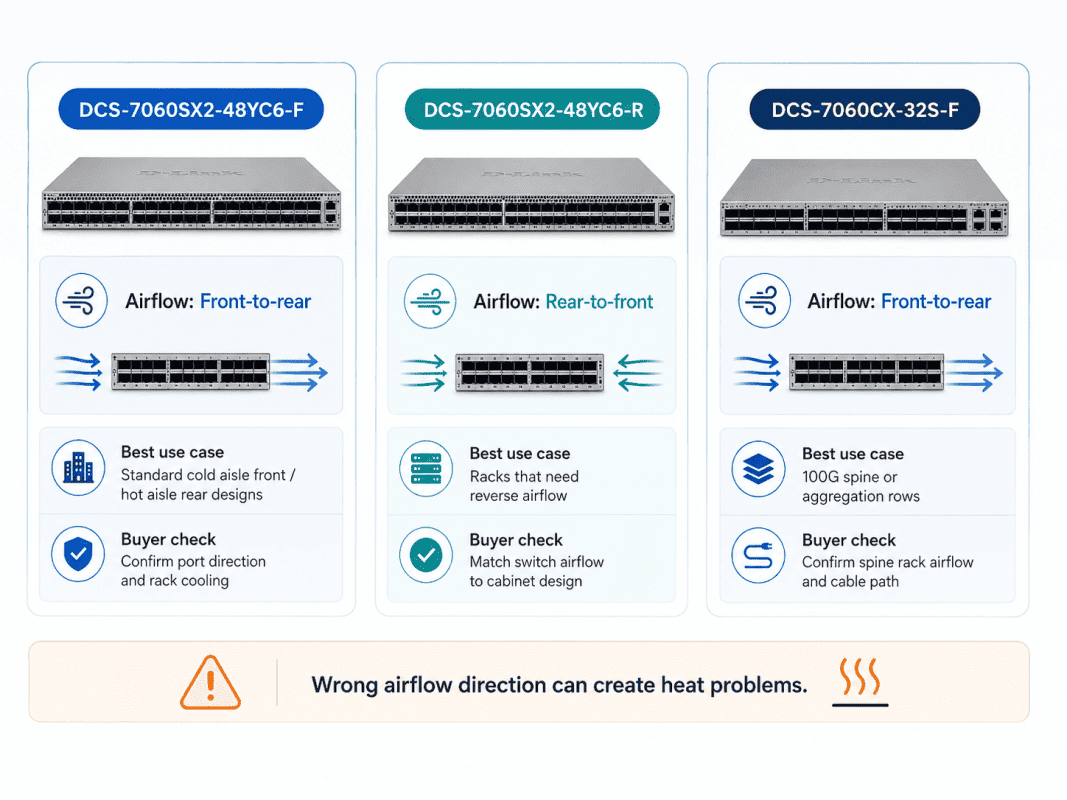
The 7060SX2-48YC6 comes in two key airflow versions. The -F model uses front-to-rear airflow. The -R model uses rear-to-front airflow.
Buyers should not treat airflow as a small detail. The wrong airflow direction can create heat problems, even when the switch model and optics are correct.
| Model | Airflow Direction | Best Use Case | Buyer Check |
| DCS-7060SX2-48YC6-F | Front-to-rear | Standard cold aisle front / hot aisle rear designs | Confirm port direction and rack cooling |
| DCS-7060SX2-48YC6-R | Rear-to-front | Racks that need reverse airflow | Match switch airflow to cabinet design |
| DCS-7060CX-32S-F | Front-to-rear | 100G spine or aggregation rows | Confirm spine rack airflow and cable path |
Airflow also affects service work. A switch that faces the wrong aisle may make cabling cleaner but cooling worse. Buyers should check rack design, switch orientation, and hot aisle / cold aisle rules before quoting.
Where Does Each Switch Fit in a Leaf-Spine Design?
In a leaf-spine design, leaf switches connect to servers. Spine switches connect leaf switches together. This design helps traffic move across the data center with fewer choke points than older three-tier models.
The 7060SX2-48YC6 fits the leaf role because it has many 25G server-facing ports and 100G uplinks. It sits close to the server rack and gives the rack a fast path into the network fabric.
The 7060CX-32S fits the spine role because it focuses on 100G connectivity. It can connect multiple leaf switches and help move traffic across racks.
| Network Layer | Better Fit | Why It Fits |
| Server access leaf | DCS-7060SX2-48YC6-F / R | Provides dense 10G/25G SFP28 server access and 100G uplinks |
| Spine layer | DCS-7060CX-32S-F | Provides 100G-heavy ports for fabric-wide movement |
| Storage aggregation | DCS-7060CX-32S-F or 7060SX2-48YC6 | Depends on whether storage needs 100G fabric or 25G access |
| Virtualized racks | DCS-7060SX2-48YC6-F / R | Gives servers higher access speed and strong uplinks |
| Multi-rack east-west traffic | DCS-7060CX-32S-F | Helps leaf switches communicate across the fabric |
This split gives buyers a cleaner design. The leaf handles server access. The spine handles high-speed fabric movement.
It also helps procurement teams avoid waste. When teams match each switch to the right role, they can build a stronger network without buying spine-class capacity for every access rack. This supports cost-aware IT planning during refresh cycles.
How Do These Switches Support AI/HPC, Storage, Virtualization, and Cloud Networks?
AI/HPC, storage, virtualization, and cloud networks all create heavy east-west traffic. That means data moves between servers, storage systems, compute nodes, virtual machines, containers, and services inside the data center.
The Arista 7060CX-32S vs 7060SX2-48YC6 decision depends on where that traffic needs help. The 7060SX2-48YC6 supports the access layer with 25G server ports and 100G uplinks. The 7060CX-32S supports the spine or aggregation layer with dense 100G switching.
| Workload Type | Best Switch Role | Recommended Fit | Why It Matters |
| AI/HPC support networks | Spine / aggregation + leaf access | 7060CX-32S for 100G fabric, 7060SX2-48YC6 for 25G access | Helps move large data sets between compute, storage, and services |
| Storage-heavy racks | Leaf with strong uplinks | 7060SX2-48YC6 | Gives servers 25G access and sends storage traffic upstream over 100G |
| Virtualization clusters | Top-of-rack leaf | 7060SX2-48YC6-F or 7060SX2-48YC6-R | Supports many VMs per host and higher traffic per server |
| Private cloud networks | Leaf-spine design | 7060SX2-48YC6 as leaf, 7060CX-32S as spine | Creates a cleaner path for east-west traffic between racks |
| Backup and replication | Uplink-heavy access and spine | Both models together | Reduces bottlenecks when many servers send data at the same time |
Key Support Areas
- AI/HPC: The 7060CX-32S helps when the network needs more 100G paths across the fabric. The 7060SX2-48YC6 helps connect 25G servers that support AI, analytics, and compute-heavy workloads.
- Storage: Storage traffic can create sudden spikes during replication, backup, or database sync jobs. The 7060SX2-48YC6 gives storage-heavy racks 25G server access and 100G uplinks to reduce access-layer pressure.
- Virtualization: One physical host may carry traffic for many virtual machines. A 25G access switch gives each server more room than older 10G designs.
- Cloud networking: Private cloud and container platforms depend on fast server-to-server communication. A 7060SX2 leaf and 7060CX spine design helps traffic move across racks with fewer weak points.
Practical Design Process
- Map the workload first
Identify whether the rack supports AI/HPC, storage, virtualization, backup, private cloud, or mixed workloads.
- Separate access traffic from fabric traffic
Use the 7060SX2-48YC6 when the main need is 25G server access. Use the 7060CX-32S when the main need is 100G spine or aggregation capacity.
- Check east-west traffic demand
If traffic often moves between racks, storage nodes, or compute clusters, the spine layer needs enough 100G capacity.
- Match optics and cables
Use SFP-25G-SR for 25G server access over multimode fiber. Use QSFP-100G-SR4 or QSFP-100G-LR4 for 100G uplinks based on distance. Add 25G DAC or 100G DAC / AOC where short links make sense.
- Validate airflow and rack layout
Choose DCS-7060SX2-48YC6-F or DCS-7060SX2-48YC6-R based on the rack cooling path. Use DCS-7060CX-32S-F where front-to-rear airflow fits the spine or aggregation rack.
- Build the bundle around the real design
A strong setup may use DCS-7060SX2-48YC6 switches as leaves, DCS-7060CX-32S switches as spines, and matching optics, DAC, AOC, and fiber for the full deployment.
This approach helps buyers avoid overspending on the wrong layer. It also helps the network team build a cleaner design for AI/HPC, storage, virtualization, and cloud workloads.
Which Optics and Cables Fit a 7060 Leaf-Spine Bundle?
The switch choice is only part of the design. Buyers also need the right optics and cables. A strong bill of materials should match port type, distance, rack layout, and lead time.
For 25G server access over multimode fiber, buyers can use SFP-25G-SR. This works well for many rack and row-level server links.
For 100G short-reach uplinks over multimode fiber, buyers can use QSFP-100G-SR4. For longer 100G links, buyers can use QSFP-100G-LR4.
| Need | Product or Cable Type | Best Fit |
| 25G server access over fiber | SFP-25G-SR | Short-reach multimode server links |
| 100G uplinks over multimode fiber | QSFP-100G-SR4 | Short-reach leaf-to-spine uplinks |
| 100G longer fiber links | QSFP-100G-LR4 | Longer 100G paths where LR optics fit |
| Short 25G server links | 25G DAC | Add later for same-rack server links |
| Short 100G switch links | 100G DAC | Add later for short rack-to-rack links |
| Short-to-mid 100G active links | 100G AOC | Add later where DAC is not ideal |
DAC and AOC options can help reduce cost or simplify cabling in the right setting. But buyers should confirm distance, port support, bend radius, and physical routing before they order.
The lowest-cost cable does not always lead to the lowest-cost deployment. If the cable type does not fit the rack path, the project can slow down. This is one reason buyers often pair switch sourcing with optics and cable validation.
How Should Buyers Plan Airflow, Rack Layout, and Sourcing?
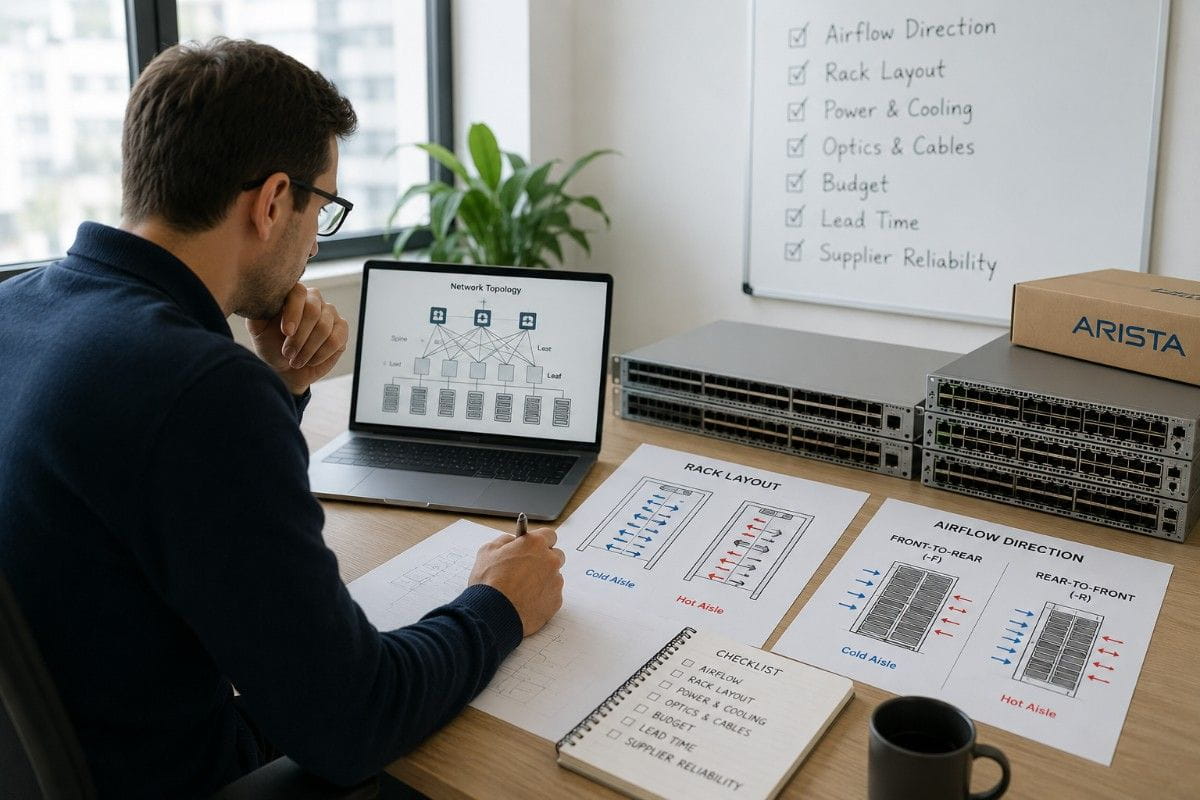
Airflow, rack layout, and sourcing often decide whether a network refresh runs smoothly. A switch may look correct on paper, but the wrong airflow model or missing optics can delay deployment.
Buyers should confirm airflow before price comparison. For the 7060SX2-48YC6, the -F and -R versions support different cooling paths. For the 7060CX-32S-F, buyers should confirm that front-to-rear airflow fits the spine or aggregation rack.
Rack layout also affects optics and cable choice. Short server links may fit DAC. Structured cabling may need SR optics. Longer paths may need LR optics.
Sourcing matters because enterprise network hardware can face long lead times. Refurbished options may help buyers source faster, control cost, or match existing environments. A good refurbished buying plan should still check testing, warranty, model accuracy, and return terms.
Procurement Checks Before Quoting
Before quoting a 7060CX-32S or 7060SX2-48YC6 bundle, buyers should confirm:
- Switch role: spine, leaf, or aggregation
- Airflow model and rack cooling path
- Required port speeds
- Server count and uplink count
- Fiber distance and cable route
- SR vs LR optic needs
- DAC or AOC use cases
- New or refurbished preference
- Lead time and project deadline
- Warranty, testing, and return policy
These checks help teams avoid buying the right switch in the wrong form. They also help procurement align with the network team before the order reaches staging.
Sustainability can also shape the decision. Tested refurbished hardware can extend asset life and support a circular IT model when it fits the risk profile and support needs.
What Should Be Included in a 7060 Leaf-Spine Bundle?
A practical 7060 Leaf-Spine Bundle should include both switch roles and the connectivity needed to deploy them.
The leaf layer can use the DCS-7060SX2-48YC6. The spine layer can use the DCS-7060CX-32S. Server optics can use SFP-25G-SR. Uplinks can use QSFP-100G-SR4 or QSFP-100G-LR4 based on distance.
A complete bundle may include:
- Leaf switch: DCS-7060SX2-48YC6-F or DCS-7060SX2-48YC6-R
- Spine switch: DCS-7060CX-32S-F
- Server optics: SFP-25G-SR
- 100G uplink optics: QSFP-100G-SR4 or QSFP-100G-LR4
- Add later: 25G DAC for short server links
- Add later: 100G DAC or AOC for short-to-mid switch links
- Fiber cabling based on rack distance
- Power and airflow validation
- Refurbished availability review when needed
This bundle gives buyers a cleaner design than buying switches alone. It also reduces the risk of missing optics, mixing airflow models, or choosing a cable type that does not fit the rack.
For supply-constrained projects, this bundle view matters. A switch may be available, but the right optics may not. Or the right model may exist, but not in the airflow direction the rack needs.
Catalyst Data Solutions can help buyers compare new, refurbished, and hard-to-find hardware while matching optics, cables, and airflow to the deployment plan. This supports both the technical team and the procurement team.
Final Verdict: Should You Choose a 100G Spine or a 25G Leaf?
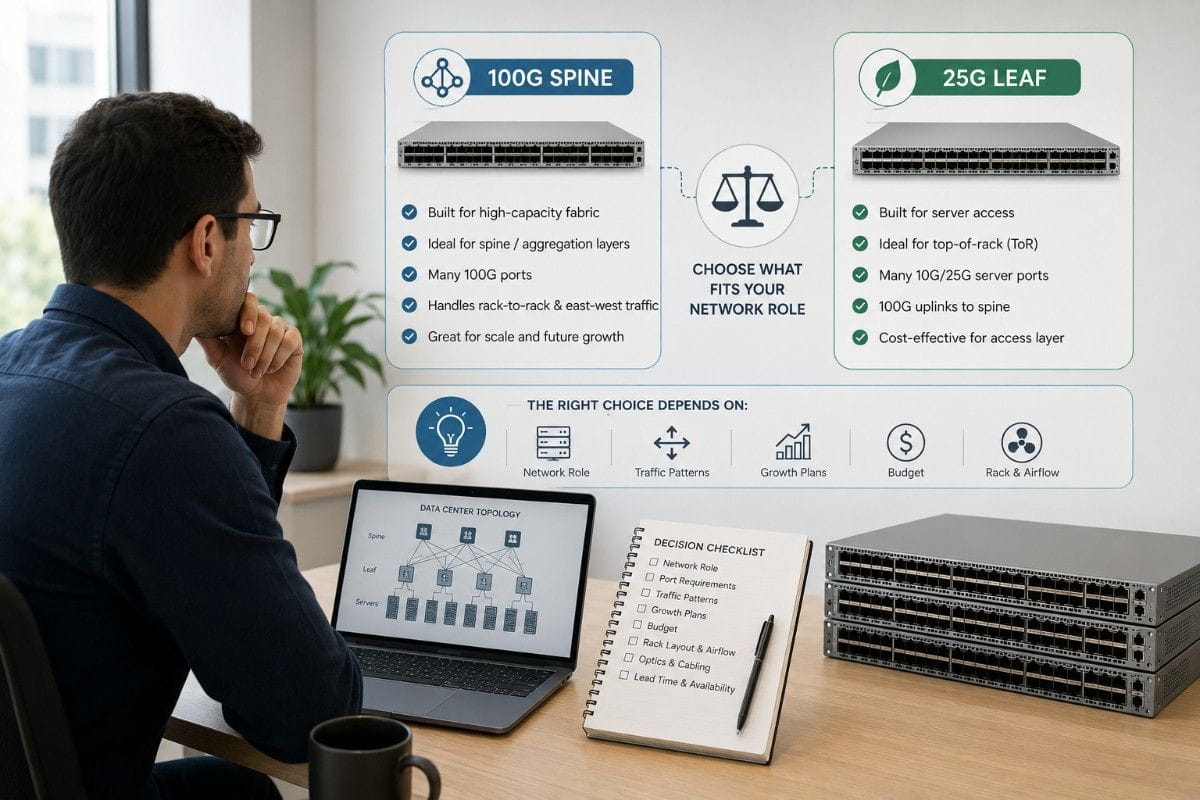
Choose the 7060CX-32S when you need 100G-heavy switching for spine, aggregation, or high-speed fabric roles. It fits networks that need more 100G paths across racks and between leaf switches.
Choose the 7060SX2-48YC6 when you need 25G server access with 100G uplinks. It fits top-of-rack designs, virtualized racks, storage-heavy access layers, and cloud-style server environments.
In many networks, buyers need both. The 7060SX2-48YC6 can serve as the leaf layer, while the 7060CX-32S can serve as the spine. That split gives the network a cleaner structure and a better cost profile.
The best decision comes from role clarity. Buyers should define the switch layer first, then match airflow, optics, DAC or AOC cables, and sourcing strategy to the real deployment.
Need Help Building a 7060 Leaf-Spine Bundle?
Catalyst Data Solutions helps enterprise buyers compare switch roles, airflow models, optics, lead times, and refurbished availability. That support matters when the project needs more than a part number.
A strong sourcing plan can help teams buy the right hardware, avoid delays, and keep the refresh aligned with budget and performance goals.
FAQs
What is the main difference between Arista 7060CX-32S and 7060SX2-48YC6?
The 7060CX-32S fits 100G-heavy spine or aggregation needs. The 7060SX2-48YC6 fits 25G server access with 100G uplinks.
Is the 7060SX2-48YC6 a leaf switch?
Yes. It works best as a leaf or top-of-rack switch because it has many 10G/25G SFP28 server ports and 100G uplink ports.
Is the 7060CX-32S a spine switch?
Yes, it can fit spine or aggregation roles where the network needs many 100G links across the fabric.
Which optics fit the 7060SX2-48YC6 server access design?
For 25G server access over multimode fiber, SFP-25G-SR is a common fit. For 100G uplinks, QSFP-100G-SR4 or QSFP-100G-LR4 may fit depending on distance.
Should buyers choose new or refurbished 7060 switches?
It depends on budget, lead time, support needs, and risk profile. Refurbished switches can help with cost control and faster sourcing, but buyers should verify testing, warranty, airflow, fans, power supplies, and return terms.