
Modern data centers need faster server access, stronger uplinks, and better support for east-west traffic. At the same time, buyers must manage rising hardware costs, long lead times, and network refresh pressure without overbuilding.
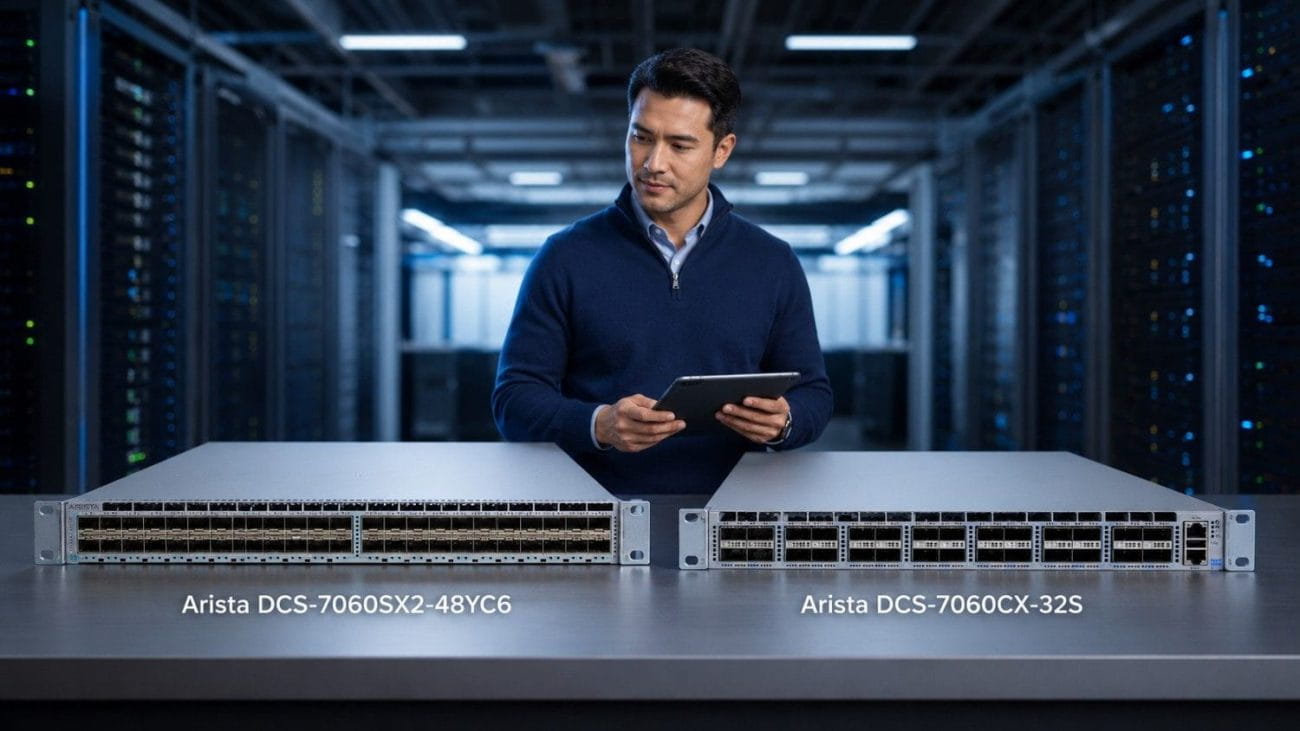
This Arista DCS-7060SX2-48YC6 Review explains where this switch fits, who should consider it, and how it compares with a 100G spine switch. The 7060SX2-48YC6 is mainly a 25G server access switch with 100G uplinks, making it useful for cloud-style leaf-spine networks, virtualized data centers, storage traffic, and high-throughput server racks.
What Is the Arista DCS-7060SX2-48YC6?
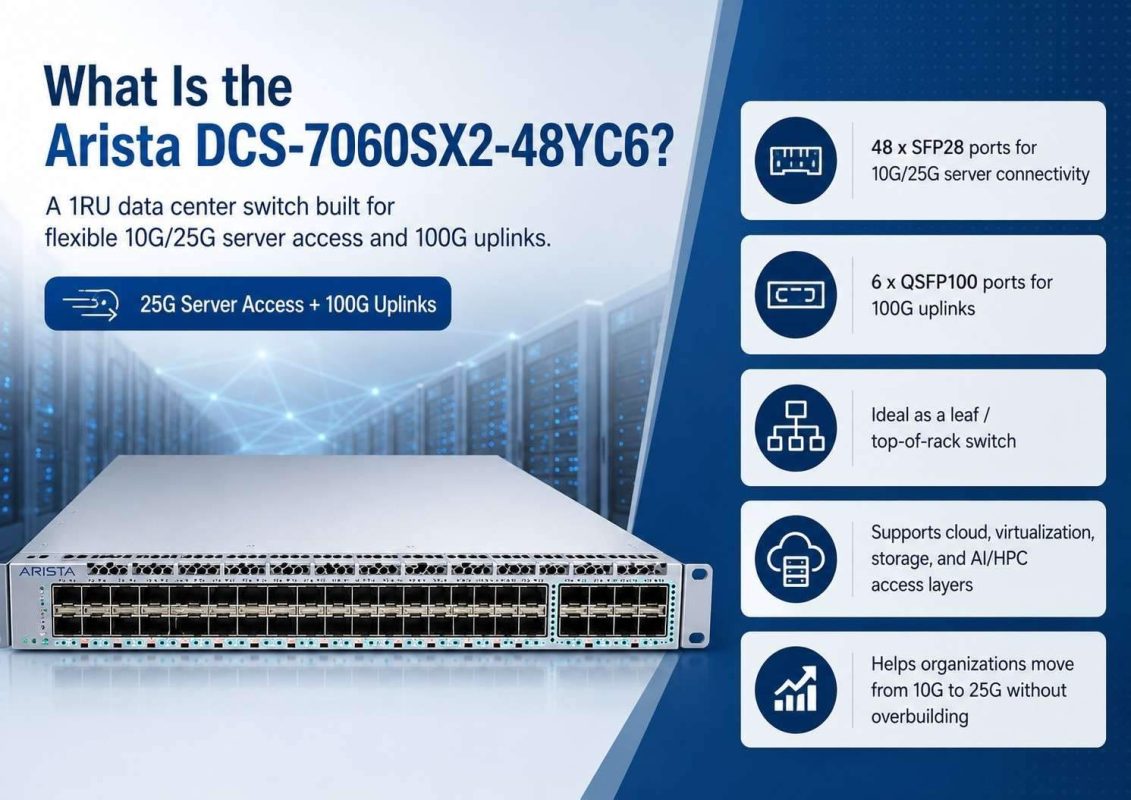
The Arista DCS-7060SX2-48YC6 is a 1RU data center switch built for flexible 10G/25G server access and 100G uplinks. It gives buyers a clear path from older 10G designs toward faster 25G server connectivity.
In a typical design, servers connect to the 48 SFP28 ports. The six QSFP100 ports then connect upstream to spine switches, aggregation switches, or other high-speed network layers.
That layout makes the switch useful for cloud-style environments where traffic does not only move north-south between users and applications. It also moves east-west between servers, storage, virtual machines, containers, and services.
Many data center refresh projects focus on cost reduction without creating a weak network. A practical network cost control plan often starts with choosing the right role for each switch, rather than buying the highest-speed model for every layer.
| Area | Arista DCS-7060SX2-48YC6 Fit |
| Main role | 25G leaf / server access switch |
| Server access | 10G/25G through SFP28 ports |
| Uplinks | 100G through QSFP100 ports |
| Best fit | Cloud-style data centers, virtualization, storage, AI/HPC access layers |
| Airflow options | Front-to-rear or rear-to-front, depending on model |
| Buying angle | New or refurbished, based on budget, lead time, and lifecycle needs |
Who Should Consider the Arista DCS-7060SX2-48YC6?
The Arista 7060SX2-48YC6 makes sense for buyers who need more than basic top-of-rack switching. It fits teams moving from 10G to 25G server access, or teams standardizing a leaf-spine fabric around 25G servers and 100G uplinks.
This switch can support:
- Virtualized server racks
- Storage-heavy applications
- Private cloud networks
- Cloud-style east-west traffic
- GPU and AI support networks
- Enterprise data center refresh projects
- Lab, staging, and secondary environments
It may not be the right choice if the rack needs only low-speed access. It may also not be enough if the device must act as a full 100G spine layer. In those cases, a 100G-heavy switch may fit better.
The value of the 7060SX2-48YC6 comes from balance. It gives buyers dense server access and enough 100G uplink capacity for many modern racks, without forcing every port into a 100G design.
Is the Arista DCS-7060SX2-48YC6 a Leaf Switch or a Spine Switch?
The Arista DCS-7060SX2-48YC6 is best viewed as a leaf switch. It connects servers at 10G or 25G and uses its 100G ports for uplinks into the spine layer.
In a leaf-spine design, the leaf layer sits close to servers. The spine layer sits above the leaf layer and moves traffic across the fabric. This design helps data centers scale better than older three-tier networks.
A 100G spine switch usually has more 100G ports and fewer, if any, 25G server-facing ports. That makes it better for fabric aggregation. The 7060SX2-48YC6 is different. Its port mix points toward server access first.
| Buyer Question | 7060SX2-48YC6 Answer |
| Do I need 25G server access? | Yes, this is a strong fit. |
| Do I need 100G uplinks from the rack? | Yes, the switch includes 100G uplink capacity. |
| Do I need a full 100G spine switch? | Consider a 100G-heavy model instead. |
| Am I building a leaf-spine network? | This switch fits well as a leaf. |
| Do I need airflow choice? | Yes, choose -F or -R based on rack airflow. |
This distinction matters during procurement. Many buyers search for “25G/100G switch” and compare devices that serve different roles. A 25G leaf switch and a 100G spine switch do not solve the same problem.
A leaf switch should match server port needs. A spine switch should match fabric scale and uplink demand. When buyers separate those roles, they make better choices and avoid overspending.
How Does the 7060SX2-48YC6 Support 25G Server Access?
25G server access gives data centers a practical upgrade path from 10G. It increases bandwidth per server without forcing a full move to 100G at the server edge.
The 7060SX2-48YC6 supports dense 25G access through its SFP28 ports. This matters for modern racks where one server may host many virtual machines, containers, databases, storage processes, or AI-related workloads.
For optical server connections, the Arista SFP-25G-SR supports short-reach 25G links over multimode fiber. It fits many rack and row-level designs where fiber distance stays within the right range.
For short server links inside the same rack, 25G SFP28 DAC cables can also make sense. These are planned as add-later products in the bundle strategy. DAC can reduce cost and keep cabling simple when distance is short.
The best choice depends on distance, cable path, port type, and current inventory. Fiber often fits structured cabling plans. DAC often fits short direct links. A buyer should confirm both compatibility and physical layout before quoting.
Why Do 100G Uplinks Matter in This Switch?
100G uplinks matter because they move traffic from 25G server ports into the wider network fabric. Without enough uplink capacity, a leaf switch can become a bottleneck during busy east-west traffic periods.
- They support high-density 25G server racks
The 7060SX2-48YC6 connects many 25G servers, so its uplinks must carry traffic to spine, storage, and aggregation layers. - They improve east-west traffic flow
Cloud-style data centers rely on fast server-to-server communication. 100G uplinks help support virtualization, storage, backup, and distributed application traffic. - They reduce access-layer congestion
Strong uplinks help traffic leave the rack faster, especially when many servers send data at the same time. - They support flexible cabling options
Buyers can use 100G SR4 optics for short-reach multimode fiber uplinks, while 100G DAC or AOC cables can fit short-to-mid distance links.
Why Is East-West Traffic Important in Cloud-Style Data Centers?
Older networks often focused on north-south traffic. That means traffic moved from users to applications and back out. Modern cloud-style data centers work differently.
Applications now split across many systems. Virtual machines, storage nodes, containers, backup tools, databases, and monitoring systems all talk to each other. That creates heavy east-west traffic inside the data center.
A switch like the 7060SX2-48YC6 helps because it supports higher-speed server access and strong uplinks in the same platform. This supports rack designs where many servers need fast paths to other parts of the data center.
East-west traffic matters most in:
- Virtualized clusters
- Private cloud environments
- Hyperconverged infrastructure
- Storage replication
- Backup and recovery networks
- AI and analytics support systems
- Distributed application stacks
Buyers should not size a switch only by port count. They should also look at traffic patterns. A rack with heavy storage or virtualization traffic may need more uplink capacity than a rack with simple application servers.
This is where Catalyst’s experience with real sourcing and deployment needs becomes useful. Network design, optics choice, airflow, and availability all affect whether the final bundle works as planned.
What Is the Difference Between DCS-7060SX2-48YC6-F and DCS-7060SX2-48YC6-R?
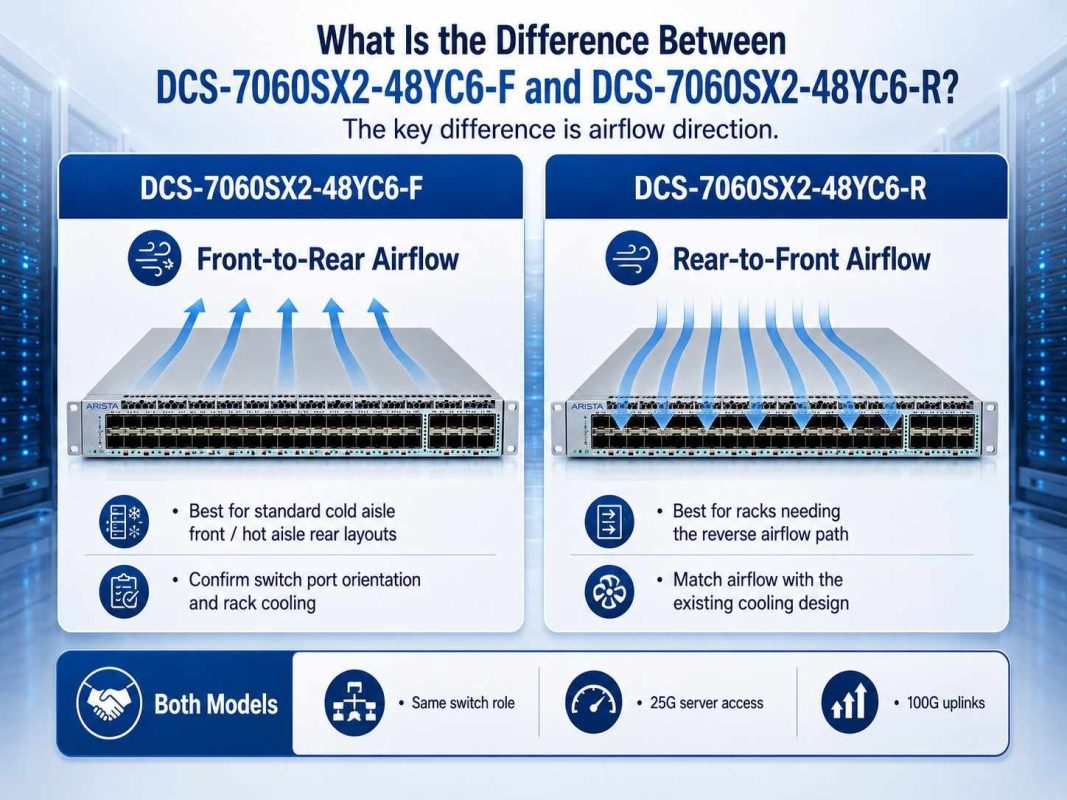
The main practical difference between the -F and -R models is airflow direction. That detail can affect rack planning, cooling, and data center operations.
DCS-7060SX2-48YC6-F
The DCS-7060SX2-48YC6-F is the front-to-rear airflow model. This means airflow direction should match racks designed to pull cool air from the front and exhaust hot air to the rear.
This model often fits standard hot aisle / cold aisle layouts where switch ports face the cold aisle. Buyers should still confirm their rack layout before ordering.
DCS-7060SX2-48YC6-R
The DCS-7060SX2-48YC6-R is the rear-to-front airflow model. This airflow direction can fit designs where the switch orientation or cabling plan requires the opposite cooling path.
This model can be the right choice when port-side exhaust or intake needs differ from a standard rack layout. The wrong airflow model can create avoidable heat issues, even when the switch itself is the right platform.
| Model | Airflow Direction | Best Use Case | Buyer Check |
| DCS-7060SX2-48YC6-F | Front-to-rear | Standard cold aisle front / hot aisle rear designs | Confirm switch port orientation and rack cooling |
| DCS-7060SX2-48YC6-R | Rear-to-front | Racks that need the reverse airflow path | Confirm airflow match before purchase |
| Both models | Same general switch role | 25G server access with 100G uplinks | Match optics, cables, and power needs |
Airflow should never be an afterthought. It affects reliability, thermal performance, and long-term operations. Buyers should confirm airflow before comparing only price or availability.
How Should Buyers Compare a 25G Leaf Switch vs a 100G Spine Switch?
The buyer intent behind this article is a common one: teams compare 25G leaf switches against 100G spine switches during a refresh. The right choice depends on where the switch will sit.
Choose a 25G leaf switch like the 7060SX2-48YC6 when the main need is server access. It gives servers 10G/25G connections and sends traffic upstream through 100G ports.
Choose a 100G spine switch when the main need is fabric-wide aggregation. Spine switches connect leaf switches together. They should have enough 100G ports to support growth across many racks.
A 25G leaf switch answers these needs:
- “I need to connect many servers.”
- “I need a top-of-rack switch.”
- “I need 100G uplinks, not all-100G access.”
- “I want a cost-aware path from 10G to 25G.”
- “I need airflow options for rack planning.”
A 100G spine switch answers these needs:
- “I need to connect many leaf switches.”
- “I need high-speed fabric aggregation.”
- “I need more 100G ports across the network core.”
- “I need to scale east-west traffic between racks.”
In many real networks, buyers need both. The 7060SX2-48YC6 can serve as the leaf layer, while a 100G-heavy switch can serve as the spine. This split gives the network a cleaner design and a better cost structure.
What Optics and Cables Fit a 7060SX2 Server Access Design?
The switch is only one part of the design. Buyers also need the right optics, DAC cables, AOC cables, and fiber. A switch quote without the right connectivity plan can delay deployment.
For 25G server access, buyers can use SFP-25G-SR optics for multimode fiber links. They can also use 25G SFP28 DAC cables for short server links when supported and available.
For 100G uplinks, QSFP-100G-SR4 supports short-reach multimode fiber. For short rack-to-rack links, 100G QSFP28 DAC can reduce cost. For short-to-mid distance links, 100G AOC can offer a clean active optical option.
| Connectivity Need | Product / Cable Type | Best Fit |
| 25G server access over fiber | Arista SFP-25G-SR | Short-reach multimode fiber links |
| 25G short server links | 25G SFP28 DAC | Same-rack or short direct server links |
| 100G uplinks over fiber | Arista QSFP-100G-SR4 | Short-reach multimode uplinks |
| 100G short links | 100G QSFP28 DAC | Short rack-to-rack or nearby switch links |
| 100G short-to-mid links | AOC cables | Active optical links where DAC is not ideal |
Before buying, teams should verify port type, speed, cable distance, airflow, and switch model. They should also check whether the final design supports current workloads and near-term growth.
This is also where broader IT optimization strategy matters. The lowest-cost switch is not always the lowest-cost deployment if optics, cables, airflow, or compatibility cause delays.
What Is Included in a 7060SX2 Server Access Bundle?
7060SX2 Server Access Bundle
A practical 7060SX2 bundle should include the switch, server access optics or DAC, uplink optics or DAC/AOC, and the right cable plan.
A strong bundle can include:
- DCS-7060SX2-48YC6-F or DCS-7060SX2-48YC6-R
- SFP-25G-SR for 25G server access over multimode fiber
- 25G DAC cables for short server links
- QSFP-100G-SR4 for 100G uplinks
- 100G DAC or AOC cables for short-to-mid distance links
- Fiber cabling based on rack layout and distance
- Power and airflow validation
- Refurbished availability review when needed
This bundle fits buyers who want a complete access-layer solution instead of a standalone switch. It reduces the chance of missing optics, ordering the wrong airflow model, or choosing the wrong cable type.
Catalyst Data Solutions can also help buyers compare new, refurbished, and hard-to-find inventory. That matters when lead times change or when a project needs fast delivery.
Should You Buy a New or Refurbished Arista DCS-7060SX2-48YC6?
A new switch may fit best when the buyer needs the latest lifecycle position, a specific support path, or strict warranty alignment. New hardware can also make sense for core production environments where policy requires it.
A refurbished Arista DCS-7060SX2-48YC6 can make sense when buyers need cost control, faster sourcing, or expansion hardware that matches an existing environment. Many organizations use refurbished switches for secondary sites, labs, staging, refresh projects, and cost-sensitive production upgrades.
The key is not only price. Buyers should inspect the full purchase conditions.
Before buying refurbished, check:
- Exact model and airflow direction
- Port condition
- Power supplies and fans
- Optics compatibility
- Software and lifecycle needs
- Testing process
- Warranty terms
- Return policy
- Available matching optics and cables
A refurbished buying plan can also support sustainability goals. Reusing tested enterprise hardware can reduce waste and extend the value of existing infrastructure.
For some buyers, the best plan combines new and refurbished hardware. A critical new deployment may use new switches, while a lab, expansion rack, or cost-controlled refresh may use refurbished units.
What Should Buyers Check Before Ordering?
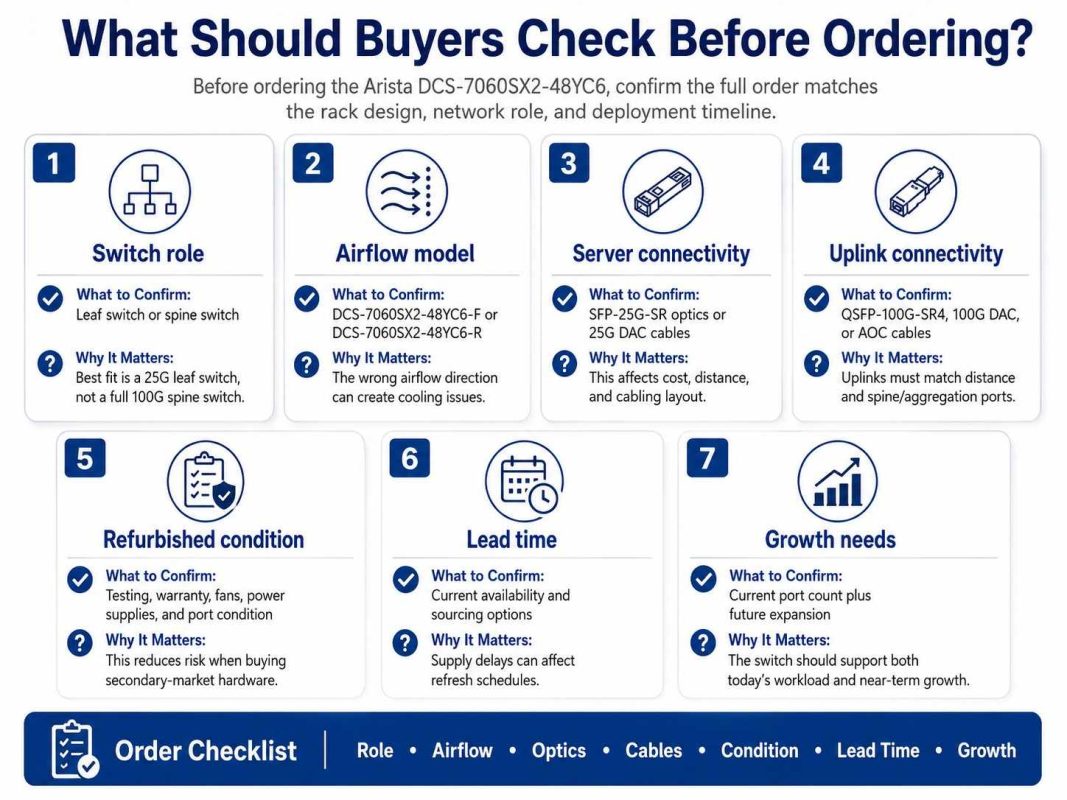
Before ordering the Arista DCS-7060SX2-48YC6, buyers should confirm the switch role, airflow direction, optics, cables, and refurbished condition. A correct part number is important, but it is not enough. The full order must match the rack design, network role, and deployment timeline.
| Checkpoint | What to Confirm | Why It Matters |
| Switch role | Leaf switch or spine switch | The 7060SX2-48YC6 fits best as a 25G leaf switch, not a full 100G spine switch. |
| Airflow model | DCS-7060SX2-48YC6-F or DCS-7060SX2-48YC6-R | The wrong airflow direction can create cooling issues. |
| Server connectivity | SFP-25G-SR optics or 25G DAC cables | This affects cost, distance, and cabling layout. |
| Uplink connectivity | QSFP-100G-SR4, 100G DAC, or AOC cables | Uplinks must match distance and spine/aggregation ports. |
| Refurbished condition | Testing, warranty, fans, power supplies, and port condition | This reduces risk when buying secondary-market hardware. |
| Lead time | Current availability and sourcing options | Supply delays can affect refresh schedules. |
| Growth needs | Current port count plus future expansion | The switch should support both today’s workload and near-term growth. |
Before ordering the Arista DCS-7060SX2-48YC6, buyers should confirm the switch role, airflow direction, optics, cables, and refurbished condition.
The switch fits best as a 25G leaf switch with 100G uplinks, so it should match the rack design and traffic needs. Buyers should also choose the correct -F or -R airflow model, confirm 25G and 100G connectivity, and check testing, warranty, fans, and power supplies for refurbished units. These steps help align the order with the project’s network cost plan and deployment timeline.
Final Verdict: Is the Arista DCS-7060SX2-48YC6 a Good Fit?
The Arista DCS-7060SX2-48YC6 is a strong choice for buyers who need 25G server access with 100G uplinks in a flexible cloud-style data center. It fits the leaf layer well and supports modern east-west traffic patterns across virtualization, storage, private cloud, and high-throughput server environments.
It is not the same as a full 100G spine switch. Buyers should choose it when they need dense server-facing ports with high-speed uplinks. They should choose a 100G-heavy spine model when the network needs fabric aggregation across many leaf switches.
The -F and -R models make airflow planning important. The optics and cable plan also matters, especially when combining SFP-25G-SR, QSFP-100G-SR4, DAC, AOC, and fiber.
For buyers trying to reduce cost, source faster, or refresh older data center networks, the 7060SX2-48YC6 deserves a close look. With the right bundle and validation, it can support a clean 25G/100G access-layer design without forcing every part of the network into a higher-cost spine-class switch.
Need Help Building a 7060SX2 Server Access Bundle?
Request a quote for a 7060SX2 server access bundle with the switch, airflow-matched hardware, 25G server connectivity, 100G uplinks, DAC or AOC options, and fiber based on your rack layout.
Catalyst Data Solutions can help compare the DCS-7060SX2-48YC6-F and DCS-7060SX2-48YC6-R, check optics and cable fit, review refurbished availability, and build a bundle that matches your workload, budget, and timeline.
This support is useful when buyers need more than a part number. Real deployments depend on airflow, distance, compatibility, lead time, and the right mix of new or refurbished hardware.
FAQs
Is the Arista DCS-7060SX2-48YC6 good for 25G server access?
Yes. The Arista DCS-7060SX2-48YC6 is well suited for 25G server access because it provides dense SFP28 connectivity for servers and 100G uplinks for the fabric layer.
Can the 7060SX2-48YC6 be used as a spine switch?
It is better as a leaf switch. It has 100G uplinks, but its 48 SFP28 ports make it more useful for server access. A 100G-heavy switch usually fits the spine role better.
What is the difference between DCS-7060SX2-48YC6-F and DCS-7060SX2-48YC6-R?
The key difference is airflow. The -F model uses front-to-rear airflow, while the -R model uses rear-to-front airflow. Buyers should match the model to the rack cooling design.
What optics work with the 7060SX2-48YC6?
Common bundle options include Arista SFP-25G-SR for 25G server links and Arista QSFP-100G-SR4 for 100G short-reach uplinks. DAC and AOC cables may also fit depending on distance and design.
Should buyers consider refurbished 7060SX2 switches?
Yes, refurbished units can make sense for cost control, faster sourcing, labs, refresh projects, and expansion racks. Buyers should verify testing, warranty, airflow, power supplies, fans, and compatibility before purchase.