
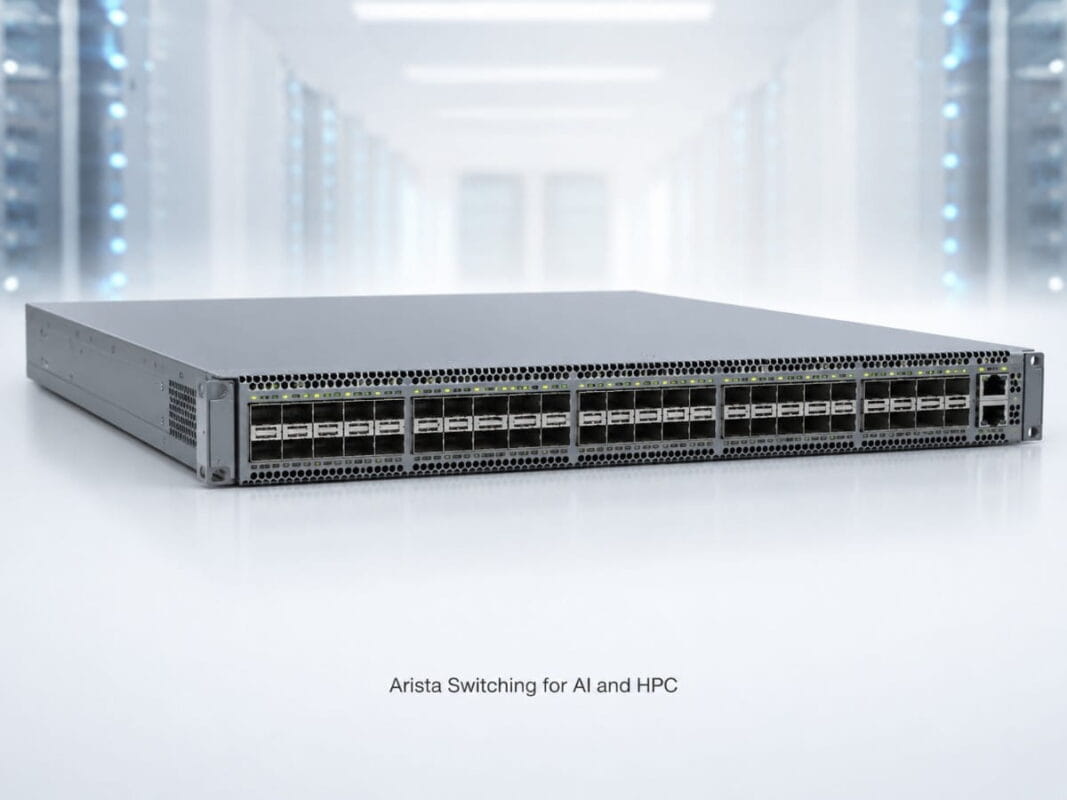
AI and HPC clusters place heavy pressure on the data center network. GPU servers, storage systems, and compute nodes need to move large datasets with low delay. If the switching layer cannot keep up, expensive GPUs may wait on the network instead of processing workloads.
This is why Arista switching for AI and HPC is often evaluated for 25G and 100G Ethernet designs. Teams need enough speed for modern workloads, but they also need a plan that fits budget, lead time, rack layout, and future growth.
The decision should not start with price alone. The better question is whether the switch, optics, cabling, airflow, and support plan match the AI or HPC workload.
A good network design helps teams reduce bottlenecks, control cost, and build a cluster that can scale in stages.
Why Do AI and HPC Clusters Need High-Throughput, Low-Latency Networking?
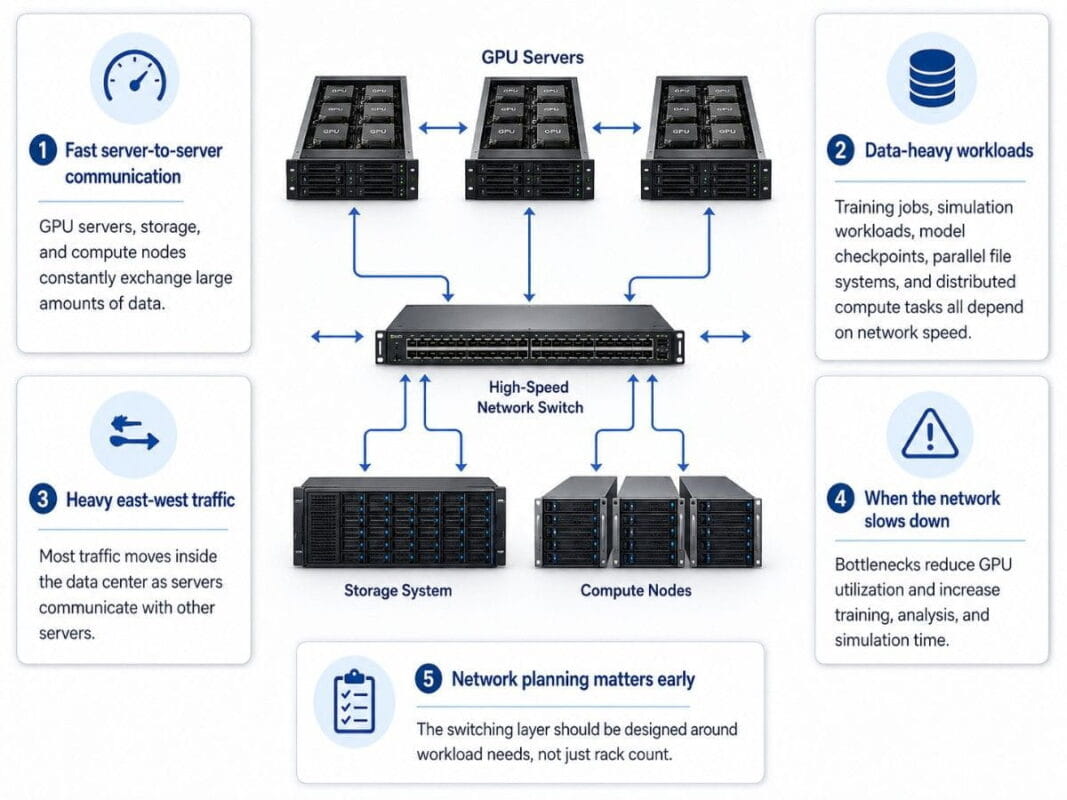
AI and HPC systems depend on fast communication between servers. Training jobs, simulation workloads, model checkpoints, parallel file systems, and distributed compute tasks all move data across the network.
A standard enterprise network may not handle this traffic well. AI and HPC clusters create large east-west traffic flows, where servers talk to other servers inside the data center.
When the network slows down, the workload slows down too. This can reduce GPU utilization and increase the time needed to complete training, analysis, or simulation jobs.
Teams dealing with AI network pressure often need to plan the switching layer before the server purchase is complete. The network must support the workload, not just the rack count.
| AI/HPC Requirement | Why It Matters | Network Design Impact |
| High throughput | Moves large datasets faster | Use 25G access and 100G uplinks |
| Low latency | Reduces wait time between nodes | Keep paths short and predictable |
| East-west traffic support | Connects GPU, storage, and compute nodes | Use leaf-spine architecture |
| Reliable connectivity | Prevents link errors under load | Validate optics, DACs, AOCs, and fiber |
| Flexible sourcing | Helps meet budget and lead-time targets | Compare new and refurbished options |
A strong AI/HPC network does not only add more ports. It matches switch capacity, cable distance, optics type, and uplink design to the actual workload.
What Is a Practical 25G/100G Network Design for GPU Clusters?
A common AI and HPC network design uses 25G connections at the server access layer and 100G connections for uplinks or spine switching.
This approach gives teams a useful balance. GPU servers and storage nodes connect at 25G, while leaf switches send traffic upstream through 100G links.
The design can scale well because it separates access needs from fabric needs. Teams can add more leaf switches as the cluster grows and expand spine capacity when traffic increases.
A 25G/100G design often includes:
- 25G links from servers to leaf switches
- 100G uplinks from leaf switches to spine switches
- Short-reach optics for nearby racks
- Long-reach optics for longer fiber paths
- DAC or AOC cables for short switch and server links
- Breakout cables where supported and useful
The 7050SX3 leaf option fits many designs that need dense 25G server access with 100G uplinks. It can serve GPU servers, storage systems, virtualization hosts, and other high-throughput nodes.
For 100G-heavy roles, the 7050CX3 spine switch gives buyers a stronger fit for fabric, spine, or high-density interconnect use cases.
This model also helps with cost control. Teams do not always need 100G at every server port. In many environments, 25G server access with 100G fabric links gives enough performance while keeping the design more practical.
How Does East-West Traffic Affect GPU Cluster Planning?
East-west traffic is a major design factor in AI and HPC networks. It describes traffic that moves between systems inside the data center instead of moving in and out through the edge.
GPU clusters often create heavy east-west traffic because training and compute jobs split work across many systems. Servers may exchange data with storage, other GPU nodes, orchestration systems, and management tools throughout the job.
If the leaf-spine fabric cannot handle that traffic, the cluster may create congestion. Congestion can increase delay, reduce throughput, and make workload performance less predictable.
Teams working on AI network cost should avoid cutting capacity in the wrong place. A lower-cost design may cost more later if it limits GPU performance or blocks expansion.
East-west traffic planning should review:
- Number of GPU servers per rack
- Storage traffic patterns
- Expected training or simulation scale
- Leaf-to-spine uplink count
- Oversubscription tolerance
- Redundancy needs
- Rack and row layout
- Fiber distance between switches
Not every AI cluster needs the same design. A small inference cluster, a training cluster, a research lab, and a large HPC environment may each need a different balance of access speed, uplink speed, and spine density.
Which Arista Switches Fit 25G/100G AI and HPC Designs?
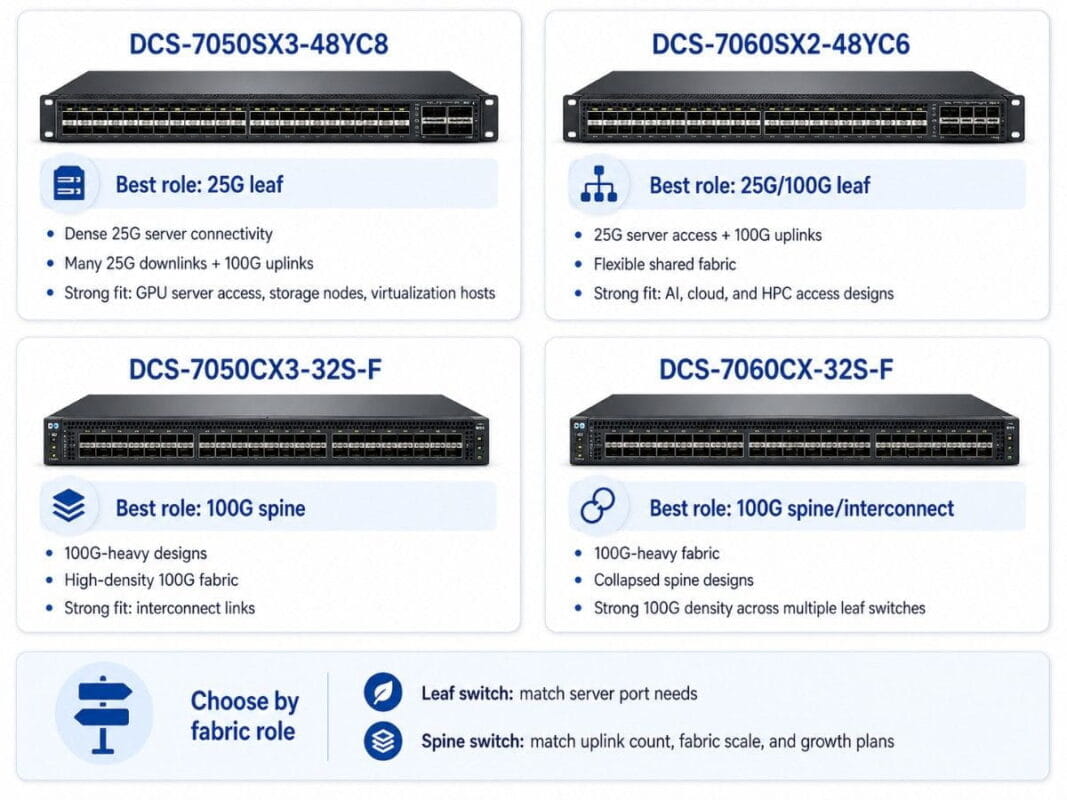
Arista switches can support several roles in a GPU cluster fabric. The right model depends on whether the buyer needs 25G server access, 100G spine capacity, or a flexible mix of both.
The DCS-7050SX3-48YC8 works well as a 25G leaf switch for dense server connectivity. It is useful when the design needs many 25G downlinks and 100G uplinks in a compact platform.
The DCS-7060SX2-48YC6 also fits 25G server access and 100G uplink designs. The 7060SX2 access switch can support flexible cloud-style traffic where compute, storage, and virtualization systems share the same fabric.
The DCS-7050CX3-32S-F and DCS-7060CX-32S-F fit 100G-heavy designs. These models often make more sense for spine, collapsed spine, or interconnect roles.
The 7060CX spine platform can help when a design needs strong 100G density across multiple leaf switches.
| Product | Best Network Role | Strong Fit For |
| DCS-7050SX3-48YC8 | 25G leaf | GPU server access, storage nodes, virtualization hosts |
| DCS-7050CX3-32S-F | 100G spine | High-density 100G fabric and interconnect links |
| DCS-7060SX2-48YC6 | 25G/100G leaf | Flexible AI, cloud, and HPC access designs |
| DCS-7060CX-32S-F | 100G spine/interconnect | 100G-heavy fabric and collapsed spine designs |
Switch choice should follow the fabric role. A leaf switch should match server port needs. A spine switch should match uplink count, fabric scale, and growth plans.
This is especially important when buying refurbished Arista switches. Buyers should confirm the exact model, airflow, power supplies, and port requirements before comparing price.
What Optics and Cables Are Needed for AI/HPC Arista Networks?
Optics and cables are not small details in an AI/HPC network. They affect distance, link stability, rack layout, and deployment time.
A 25G/100G Arista design may use SFP-25G-SR, QSFP-100G-SR4, QSFP-100G-LR4, 25G DAC, 100G DAC, 100G AOC, breakout cables, and fiber patch cables.
The 25G SR transceiver supports short-reach 25G links over multimode fiber. This can work well for server-to-leaf connections inside or near the same row.
The 100G SR4 module supports short-reach 100G multimode fiber links. The 100G LR4 optic fits longer single-mode fiber paths.
| Connectivity Item | Common Use | Best Fit |
| SFP-25G-SR | 25G server access | Short-reach multimode fiber |
| 25G DAC | Short server links | Same rack or nearby rack links |
| QSFP-100G-SR4 | 100G uplinks | Short-reach multimode fiber |
| QSFP-100G-LR4 | Longer 100G links | Single-mode fiber paths |
| 100G DAC | Short 100G links | Close switch-to-switch connections |
| 100G AOC | Active optical 100G links | Short-to-mid distance cable runs |
| Breakout cables | 100G to 4x25G designs | Port flexibility where supported |
DAC cables can help reduce cost and complexity over short distances. AOC cables can work well when buyers want active optical cabling without separate transceivers and fiber patching.
Breakout cables can be useful when a 100G port needs to support multiple 25G links. Buyers should verify switch support before building the design around breakout use.
The safest approach is to plan optics and cables with the switch order. This reduces mismatch risk and prevents deployment delays.
How Should Buyers Build an AI/HPC Arista Network Bundle?
An AI/HPC network bundle should bring the switch layer, optics, cables, and fiber layout into one plan. This helps buyers source a complete design instead of chasing missing parts during deployment.
Leaf Layer
The leaf layer connects GPU servers, storage nodes, compute systems, and management infrastructure.
For many 25G designs, the DCS-7050SX3-48YC8 or DCS-7060SX2-48YC6 can fit this role. The buyer should confirm port count, uplink count, airflow direction, and spare capacity.
A leaf plan should define:
- Server count per rack
- 25G ports needed now
- Extra ports for growth
- 100G uplinks per switch
- Redundant path requirements
- Airflow direction
- Power supply needs
Spine Layer
The spine layer connects leaf switches and carries much of the east-west traffic.
The DCS-7050CX3-32S-F or DCS-7060CX-32S-F can fit 100G spine or interconnect roles. These models make sense when the design needs higher 100G density.
A spine plan should define:
- Number of leaf switches
- Number of 100G uplinks
- Redundancy requirements
- Future leaf expansion
- Rack or row placement
- Fiber distance between switches
Optics and Cable Layer
The optics and cable layer should match the rack layout and link distance.
A practical AI/HPC bundle may include:
- Leaf: DCS-7050SX3 or DCS-7060SX2
- Spine: DCS-7050CX3 or DCS-7060CX
- Server optics: SFP-25G-SR or 25G DAC
- Spine/uplink optics: QSFP-100G-SR4 or QSFP-100G-LR4
- Short links: 100G DAC or 100G AOC
- Breakout cables where supported
- MMF or SMF fiber based on distance
This bundle approach helps buyers check cost, compatibility, and lead time as one project. It also makes it easier to compare new hardware, refurbished hardware, or a mixed-source option.
Should AI/HPC Teams Buy New or Refurbished Arista Switches?
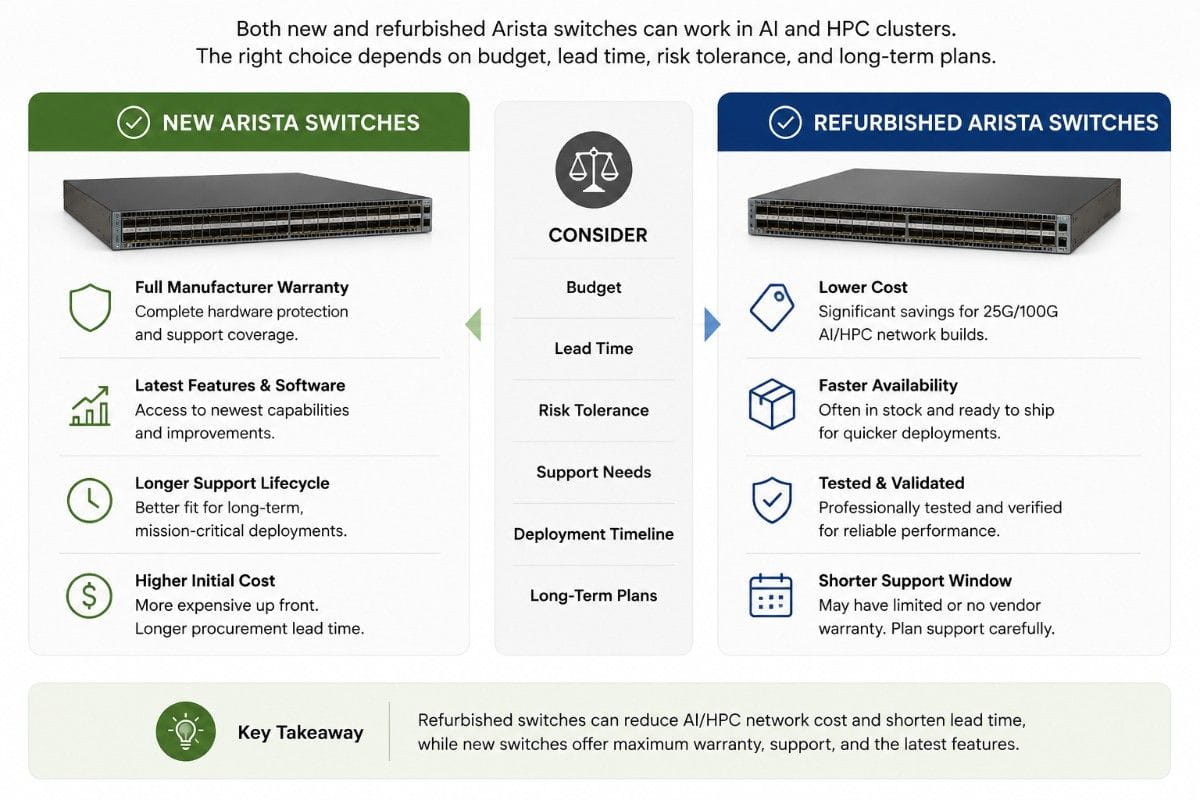
New and refurbished Arista switches can both make sense for AI and HPC networks. The right choice depends on project goals, support needs, availability, and budget.
New hardware may fit projects that need the latest lifecycle, strict warranty alignment, or a long-term standard platform. Refurbished hardware may fit expansion racks, lab clusters, secondary AI environments, urgent replacements, and cost-controlled refresh projects.
Buying refurbished Arista switches requires a clear inspection process. Buyers should not rely only on the model number or price.
The refurbished buying process should include condition, testing, airflow, optics compatibility, software planning, and warranty terms.
| Buying Factor | New Arista Switches | Refurbished Arista Switches |
| Upfront cost | Higher | Often lower |
| Lead time | Can vary by supply | Often faster when in stock |
| Lifecycle | Strong for long-term standardization | Strong for expansion and refresh |
| Warranty path | Often more direct | Depends on seller terms |
| Fit for AI/HPC | Good for latest builds | Good for budget-aware builds |
| Risk control | Based on OEM process | Based on testing and sourcing quality |
Teams that need to reduce network costs should avoid choosing the cheapest available unit without a technical check. The switch must still fit the fabric role, cable plan, airflow direction, and workload demand.
Refurbished hardware can support AI/HPC buildouts when buyers control the risk. That means testing, documentation, compatible optics, correct airflow, and clear replacement options.
How Does Arista Switching Connect to NVIDIA A100, H100, and V100 Infrastructure?
AI infrastructure is not only about GPUs. NVIDIA A100, H100, and V100 systems also need the right network, storage, power, cooling, and rack layout.
A GPU server can only deliver strong results when the surrounding infrastructure supports it. If the network limits data movement, the GPU layer may not reach expected performance.
A 25G/100G Ethernet fabric can support several NVIDIA-related environments:
- H100 clusters for modern AI workloads
- A100 systems for training and inference
- V100 systems for legacy or cost-sensitive AI projects
- GPU servers connected to high-speed storage
- Expansion racks added to existing clusters
- Lab and test clusters with controlled budgets
Internal links should connect this article to NVIDIA A100, NVIDIA H100, and NVIDIA V100 content once those URLs are available. Those links should help readers move from GPU selection to network design without breaking topic flow.
The network plan should answer clear questions:
- How many GPU servers will connect per rack?
- Will servers use 25G, 100G, or mixed speeds?
- How much east-west traffic will the workload create?
- How many 100G uplinks does each leaf need?
- Which fiber type fits the rack layout?
- Does refurbished switching fit the risk profile?
Teams also need to consider hardware lifecycle. A refresh project may create retired switches, servers, or optics that still hold value. A circular IT plan can support reuse, resale, and responsible recovery while helping fund new infrastructure.
What Should Buyers Check Before Buying Refurbished Arista Switches?
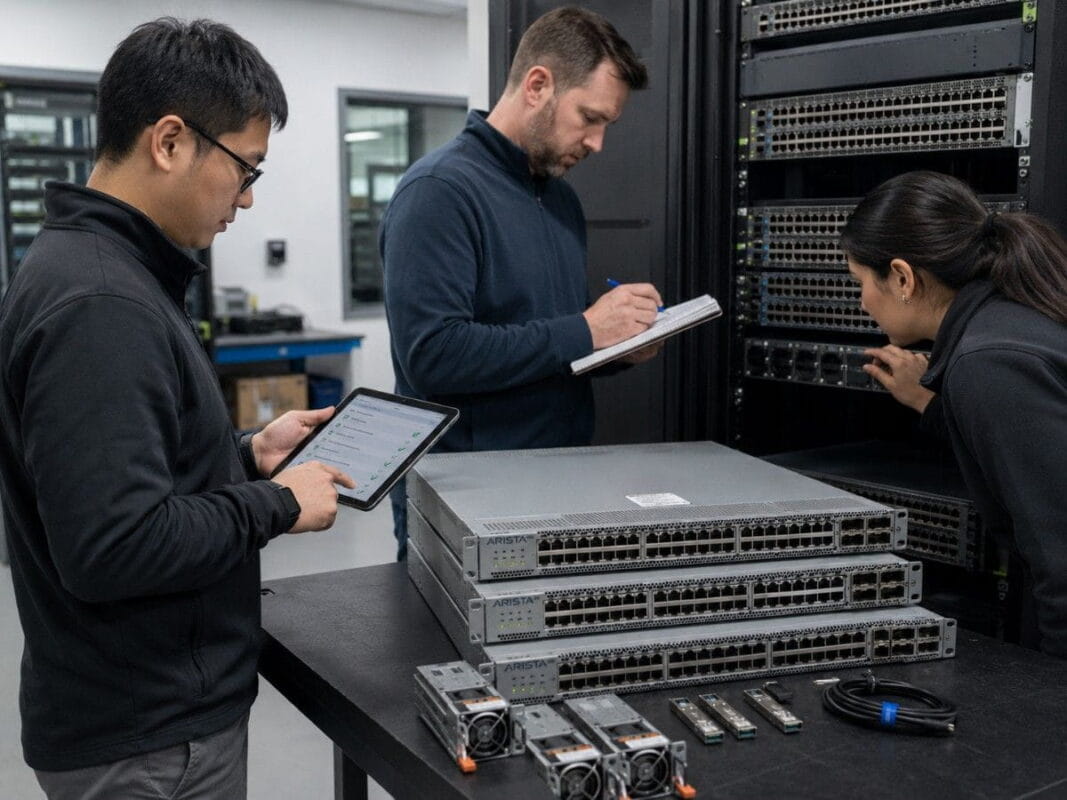
Buying refurbished Arista switches for AI/HPC workloads needs a careful checklist. These networks carry high-value workloads, so the switch must meet the design requirement.
Buyers should verify:
- Exact switch model and suffix
- Airflow direction
- Port count and port speed
- Power supply type and count
- Fan condition
- Port test status
- Optics compatibility
- DAC, AOC, and breakout support
- EOS/software planning
- Warranty and return terms
- Spare unit availability
- Shipping timeline
Airflow is one of the most common details buyers miss. GPU racks already create high heat. A switch with the wrong airflow direction can create cooling problems and reduce reliability.
Optics support also matters. Buyers should confirm that SFP-25G-SR, QSFP-100G-SR4, QSFP-100G-LR4, DACs, AOCs, and breakout cables match the switch and the intended design.
A refurbished purchase should feel structured, not uncertain. The buyer should know what has been tested, what accessories come with the unit, and what alternatives exist if inventory changes.
What Is the Best Outcome for AI/HPC Network Buyers?
The best AI/HPC network decision is not always the newest switch or the lowest price. The best decision is the one that fits the workload, ships on time, controls risk, and supports future growth.
A 25G/100G Arista design can give GPU clusters a practical path. The DCS-7050SX3-48YC8 and DCS-7060SX2-48YC6 can support 25G server access. The DCS-7050CX3-32S-F and DCS-7060CX-32S-F can support 100G spine or interconnect roles.
SFP-25G-SR, QSFP-100G-SR4, QSFP-100G-LR4, 25G DAC, 100G DAC/AOC, breakout cables, and fiber complete the design.
For buyers focused on buying refurbished Arista switches, the best result comes from matching the hardware to the fabric role. That means checking airflow, optics, port speeds, test status, and support terms before purchase.
A well-planned network helps the GPU layer perform as expected. It also gives buyers better control over cost, lead time, and future expansion.
Need Help Sourcing an AI/HPC Arista Network Bundle?
AI and HPC network projects involve more than choosing a switch model. Buyers need to align port count, 25G and 100G speed requirements, optics, DAC/AOC cables, breakout support, airflow direction, rack layout, lead time, and budget before placing an order.
Catalyst Data Solutions can help source new or refurbished Arista switches, compare models such as the DCS-7050SX3, DCS-7050CX3, DCS-7060SX2, and DCS-7060CX, and build a practical switch-and-optics bundle for the target environment.
Catalyst can also help check compatibility, review bundle pricing, and evaluate buyback or trade-in options for decommissioned hardware.
Frequently Asked Questions
What is the best Arista switch for 25G AI server access?
The DCS-7050SX3-48YC8 and DCS-7060SX2-48YC6 are strong options for 25G server access with 100G uplinks. The better choice depends on port count, airflow, availability, and rack design.
What is the best Arista switch for 100G spine networking?
The DCS-7050CX3-32S-F and DCS-7060CX-32S-F are stronger fits for 100G spine, collapsed spine, and high-density interconnect roles.
Can refurbished Arista switches support AI and HPC workloads?
Yes. Refurbished Arista switches can support AI and HPC workloads when they match the design and pass proper checks for ports, airflow, optics, power, fans, and support terms.
When should buyers use 25G DAC instead of SFP-25G-SR?
25G DAC works well for short server links in the same rack or nearby racks. SFP-25G-SR works better when the design needs short-reach multimode fiber.
When should buyers use QSFP-100G-SR4 or QSFP-100G-LR4?
QSFP-100G-SR4 fits short-reach 100G multimode fiber links. QSFP-100G-LR4 fits longer single-mode fiber links.
Do AI clusters need 100G on every server?
Not always. Many designs use 25G server access with 100G uplinks and spine links. This can balance performance and cost.
Why does east-west traffic matter in GPU clusters?
GPU clusters move large amounts of data between servers, storage, and compute nodes. A weak east-west fabric can slow workloads and reduce GPU value.
What should buyers check before buying refurbished Arista switches?
Buyers should check model, airflow, port condition, power supplies, fans, optics support, software planning, testing records, warranty terms, and available spares.