

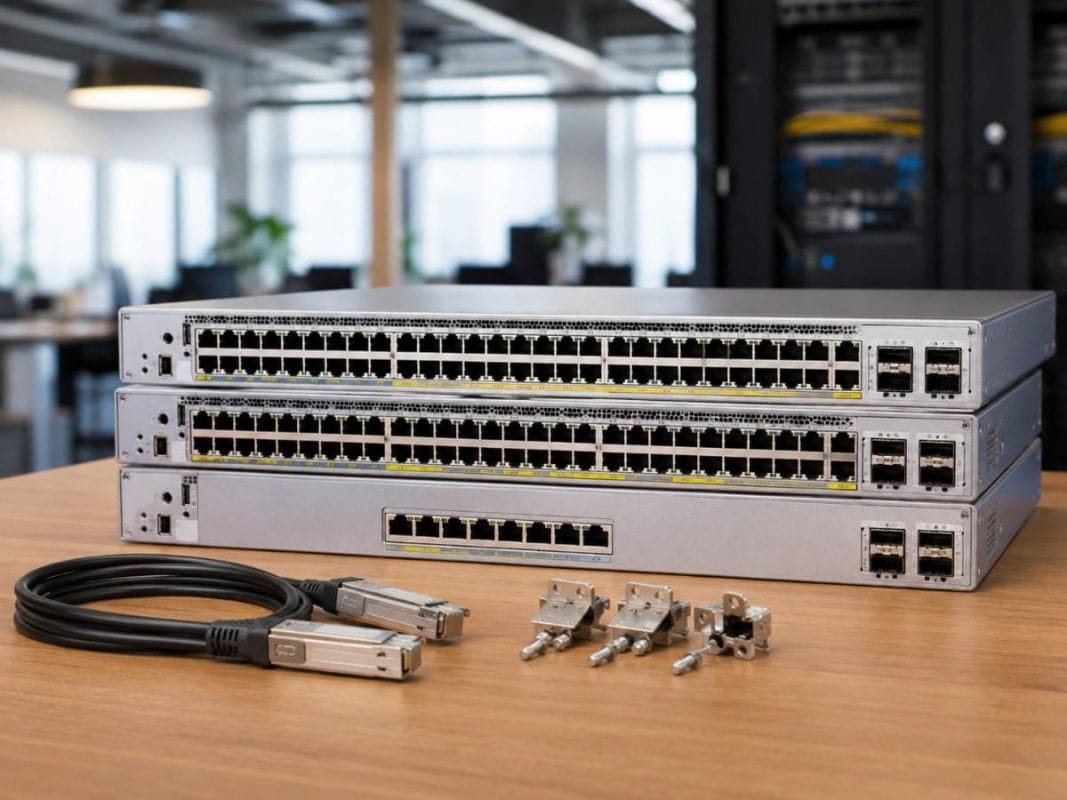
Buying the wrong access switch can create problems that do not show up on day one. A site may run fine at first, then slow down when more phones, cameras, access points, and user devices come online.
Many IT teams also have to manage tight budgets, long hardware lead times, and pressure to keep older locations running while new projects move forward. That makes the switch decision more than a simple price comparison.
This guide explains how to choose the right Cisco Catalyst 9200L PoE Switch for branch, office, and campus access networks. It compares the C9200L-48P-4X-E, C9200L-48P-4G-E, C9200L-24P-4G-E, and C9200L-STACK-KIT in practical buying terms.
What Is a Cisco Catalyst 9200L PoE Switch?
A Cisco Catalyst 9200L PoE Switch is an enterprise access switch used to connect and power devices at the network edge. It supports common workplace devices such as wireless access points, IP phones, cameras, badge readers, printers, IoT devices, and user workstations.
In most networks, these switches sit in access closets. They connect end users and devices to the wider network through uplinks that lead to distribution, core, or WAN infrastructure.
Cisco positions the Catalyst 9200 Series as a cost-effective branch and access switching platform with PoE+, Layer 3 support, Cisco IOS XE, and stacking options. The C9200L models use fixed uplinks, which means the uplink ports come built into the switch rather than through a separate uplink module.
For buyers, the key question is simple: which 9200L model gives the right mix of port count, PoE support, uplink speed, cost, and availability?
This guide covers four products:
- C9200L-48P-4X-E
- C9200L-48P-4G-E
- C9200L-24P-4G-E
- C9200L-STACK-KIT
The three switches serve the same general access-layer role, but they fit different site sizes and traffic needs.
Which Cisco Catalyst 9200L PoE Switch Should You Choose?
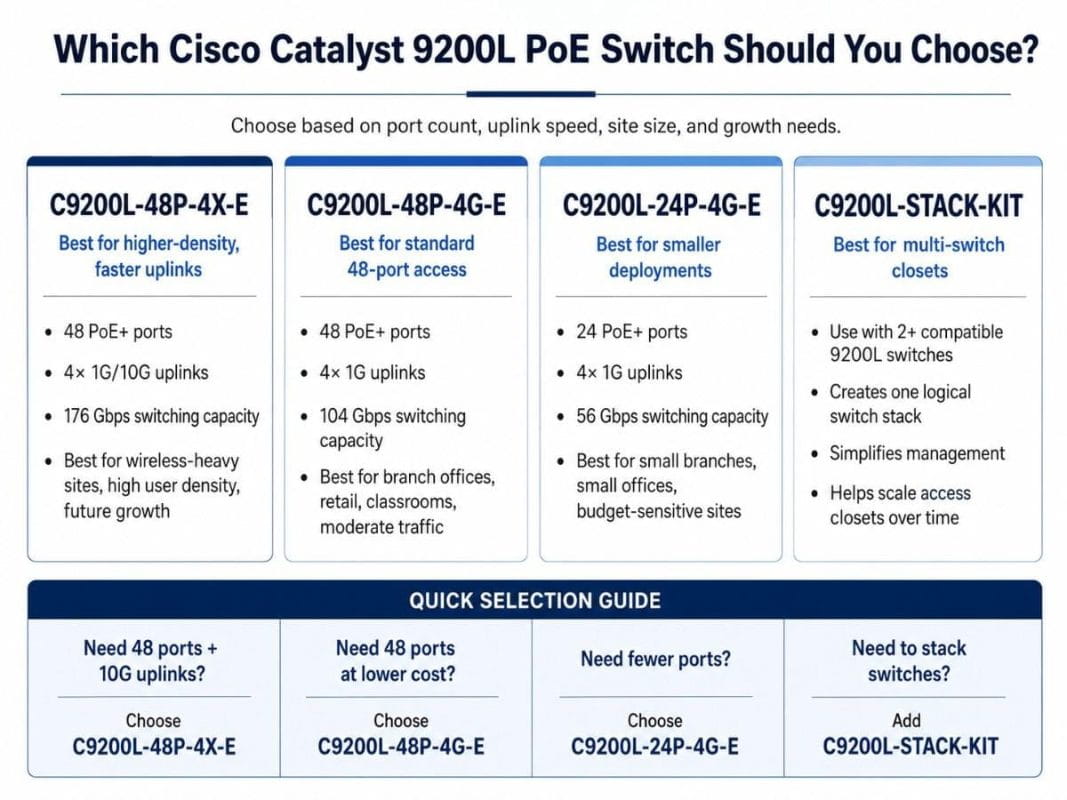
Choose the C9200L-48P-4X-E when the site needs 48 PoE+ ports and faster uplinks. This model fits offices with many wireless access points, high user density, or future growth plans. It gives more uplink headroom than the 4G models.
Choose the C9200L-48P-4G-E when the site needs 48 PoE+ ports but does not need 10G uplinks. This model works well for standard access closets, branch offices, retail sites, and moderate traffic environments.
Choose the C9200L-24P-4G-E when the site has fewer users or fewer powered devices. This model can reduce cost in small offices, small branches, and access closets where a 48-port switch would leave many unused ports.
The 48-port models provide 2× the access-port density of the C9200L-24P-4G-E. Both 48-port models include 48 PoE+ ports, while the C9200L-24P-4G-E includes 24 PoE+ ports.
Cisco’s current Catalyst 9200 Series data sheet lists these access-port and uplink configurations in its model table.
| Model | Access ports | Fixed uplinks | Switching capacity | Best fit |
| C9200L-48P-4X-E | 48 PoE+ ports | 4× 1G/10G | 176 Gbps | Higher-density access closets and wireless-heavy sites |
| C9200L-48P-4G-E | 48 PoE+ ports | 4× 1G | 104 Gbps | Standard 48-port branch or office access |
| C9200L-24P-4G-E | 24 PoE+ ports | 4× 1G | 56 Gbps | Small branches, small offices, and budget-sensitive closets |
The C9200L-48P-4X-E offers up to 10× more uplink bandwidth than the two 4G models because it supports 4× 1G/10G fixed uplinks. The C9200L-48P-4G-E and C9200L-24P-4G-E support 4× 1G fixed uplinks.
Switching capacity also changes by model. It ranges from 56 Gbps on the C9200L-24P-4G-E to 104 Gbps on the C9200L-48P-4G-E and 176 Gbps on the C9200L-48P-4X-E.
Who Is the Cisco Catalyst 9200L PoE Switch Best For?
A Cisco Catalyst 9200L PoE Switch is best for buyers who need dependable access switching without moving into a higher-tier campus or core platform. It fits organizations that need practical access-layer performance, PoE support, and manageable cost.
Common buyer groups include:
- IT teams refreshing branch office switches
- Network managers standardizing access closets
- Schools adding more wireless coverage
- Healthcare locations supporting phones, cameras, and connected devices
- Retail teams managing many small locations
- Warehouses using APs, scanners, cameras, and IoT devices
- Enterprises replacing older Catalyst access switches
A buyer may start with general network switch options and then narrow the choice based on port count, uplink speed, and sourcing needs.
The Catalyst 9200L line makes sense when the buyer wants a stable access switch for endpoint connectivity. It is not usually the right choice for data center top-of-rack switching, high-speed core routing, or very large campus aggregation.
It works best where the main need is clear: connect and power access devices while keeping the design simple.
How Do the Three Catalyst 9200L PoE Models Compare?
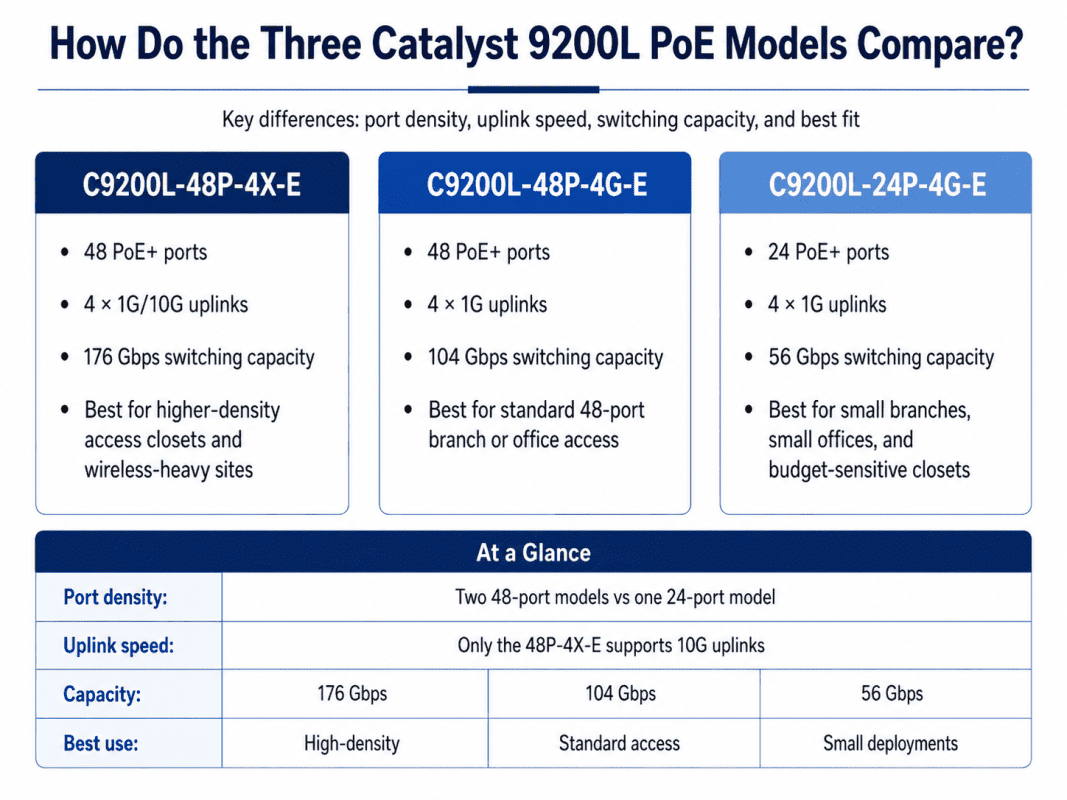
The C9200L-48P-4X-E, C9200L-48P-4G-E, and C9200L-24P-4G-E differ in three major ways: port density, uplink speed, and capacity.
Port density
Port density means how many access devices the switch can support. The two 48-port models support twice as many access ports as the 24-port model.
This matters when a site has many wired users, phones, APs, cameras, or IoT devices. A 24-port switch can fit a small office well, but it may become limiting if the site grows.
Uplink speed
Uplink speed matters because all connected devices send traffic upstream through the switch uplinks. If the access closet has many APs or high traffic demand, 1G uplinks can become a limit.
The C9200L-48P-4X-E gives more uplink flexibility because it supports 1G/10G uplinks. That makes it a better fit for wireless refreshes, larger access closets, and sites that already have 10G upstream infrastructure.
Stacking requirements
Stacking lets multiple switches operate as one logical unit. It can simplify management and make access closets easier to scale.
Cisco lists StackWise-80 support for C9200L models and states that C9200L fixed models can stack with other compatible C9200L models using the same license level. Cisco also notes that mixed stacking between C9200L fixed models and C9200 modular models is not supported.
When Should You Choose C9200L-48P-4X-E?
The C9200L-48P-4X-E is the strongest model in this comparison for higher-density access switching. It gives 48 PoE+ ports and 4× 1G/10G uplinks.
This model is best when the access closet supports many users, many APs, or traffic-heavy devices. It also fits buyers who want more headroom for future growth.
The 48-port 10G uplink model is often the better choice when a site already has 10G distribution or core connectivity. It helps avoid a situation where the switch has enough access ports but not enough uplink capacity.
Choose this model when:
- The site needs 48 PoE+ access ports
- Wi-Fi usage is increasing
- The buyer plans to connect several APs
- 10G uplinks are required now or soon
- The upstream network supports 10G
- The site has higher user density
- The buyer wants more growth room
This model may cost more than the 4G version, but it can prevent an early upgrade. That matters when labor, change windows, cabling, and downtime carry real cost.
When Should You Choose C9200L-48P-4G-E?
The C9200L-48P-4G-E is a practical choice for standard 48-port PoE access switching. It gives the same access-port count as the 4X model but uses 4× 1G uplinks.
This model fits locations where endpoint count matters more than uplink speed. Many branch offices, retail sites, classrooms, and small business locations still operate well with 1G uplinks.
The 48-port PoE switch can be a strong fit when the buyer wants 48 powered ports but does not want to pay for 10G uplink capacity they will not use.
Choose this model when:
- The site needs 48 PoE+ ports
- 1G uplinks match the upstream network
- The site has moderate traffic
- The budget does not support a 10G access design
- The deployment is for a standard branch or office
- The buyer wants a cost-conscious 48-port access switch
This model works best when the network plan is honest about traffic. If many APs, cameras, or high-bandwidth users share the switch, the 4X model may be the safer long-term choice.
When Should You Choose C9200L-24P-4G-E?
The C9200L-24P-4G-E is the right fit for smaller access deployments. It includes 24 PoE+ ports and 4× 1G uplinks.
This model helps buyers avoid overbuying. A small site with 12 to 20 devices may not need a 48-port switch. Paying for unused ports can waste a budget that could support optics, spares, services, or other refresh work.
The 24-port access model is well suited for small branches, small offices, telecom closets, retail locations, and backup hardware planning.
Choose this model when:
- The site has fewer powered devices
- 24 ports are enough for the current layout
- Growth is limited or predictable
- 1G uplinks are enough
- Cost control matters
- The switch will support a small branch or edge location
The main risk is future growth. If the location may add more APs, users, phones, cameras, or IoT devices, a 48-port model may prevent a second purchase later.
What Is the Best Catalyst 9200L Model by Buyer Need?
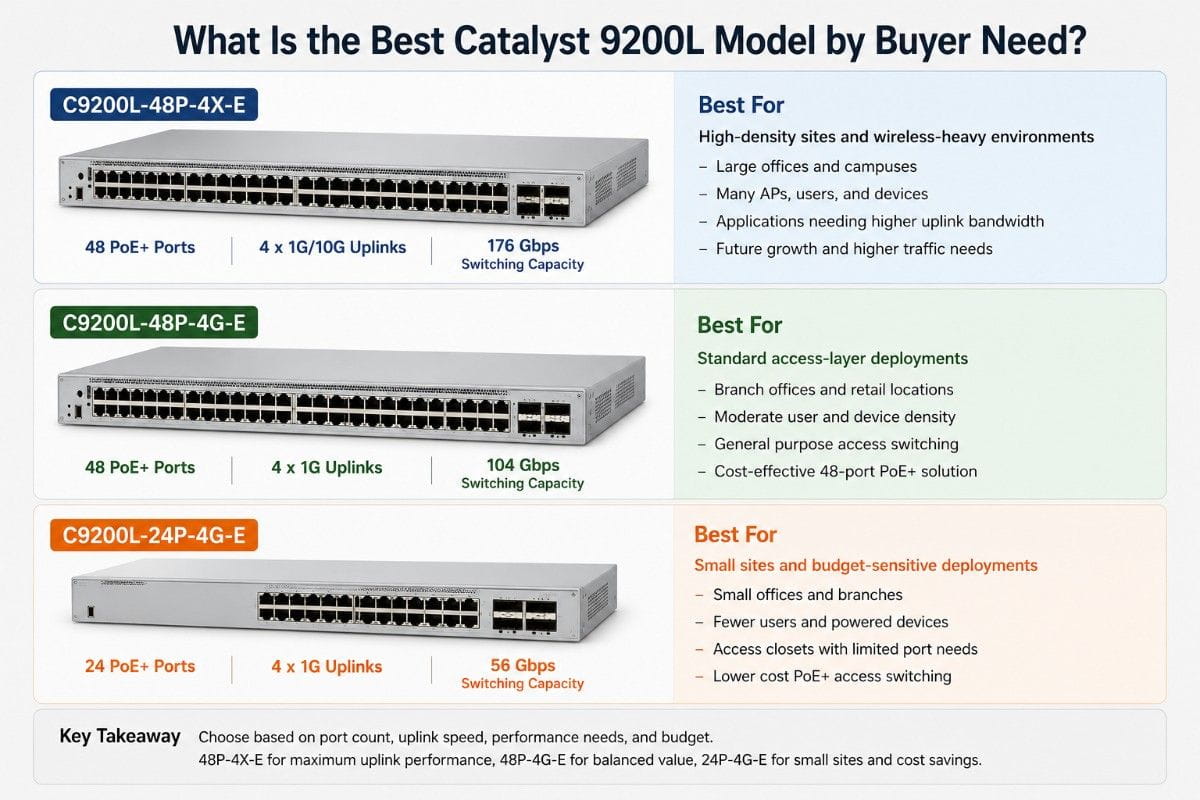
A good switch decision should start with the site need, not the SKU. Buyers should map the switch to the real environment: number of devices, power demand, uplink traffic, refresh timeline, and budget.
| Buyer need | Best choice | Why it fits |
| 48 PoE+ ports with 10G uplinks | C9200L-48P-4X-E | Best fit when AP count, user density, or uplink growth matters |
| 48 PoE+ ports at a lower cost | C9200L-48P-4G-E | Good fit when 1G uplinks still support the site |
| Smaller branch access closet | C9200L-24P-4G-E | Avoids paying for unused access ports |
| Wireless refresh project | C9200L-48P-4X-E | 10G uplinks give more room for AP traffic |
| Standard office refresh | C9200L-48P-4G-E | Balances port density and cost |
| Multi-switch access closet | Add C9200L-STACK-KIT | Helps manage multiple switches as one access stack |
For many organizations, the best choice comes down to total cost, not just hardware cost. A lower-cost switch can become expensive if it creates uplink limits, forces more service work, or needs replacement too soon.
When buyers plan around IT cost control, they should include labor, lead time, spares, optics, cabling, and future growth in the decision.
When Does the C9200L-STACK-KIT Make Sense?
The C9200L-STACK-KIT makes sense when two or more compatible Catalyst 9200L switches need to work together in the same access closet. It helps simplify management and can make the closet easier to scale.
A stack can help IT teams manage several switches as one unit instead of treating each switch separately. This can reduce daily admin work, especially for remote sites or busy campus closets.
The 9200L stack kit is useful when the buyer plans to add ports over time, simplify switch management, or build a cleaner access-layer design.
Use the C9200L-STACK-KIT when:
- The closet has two or more 9200L switches
- The buyer wants one logical switch stack
- The site needs easier access-port growth
- IT wants simpler management
- The network needs cross-stack uplink design
- A future switch may be added to the closet
Do not treat stacking as an afterthought. If the stack kit is missing from the bill of materials, the switches may arrive before the site can deploy the intended design.
Buyers should also confirm stack compatibility before purchase. C9200L stacking should stay within compatible C9200L models and the same license level. Cisco does not support mixed stacking between C9200L fixed models and C9200 modular models.
What Should You Bundle With a Cisco Catalyst 9200L PoE Switch?
A Cisco Catalyst 9200L PoE Switch should not be planned as a single standalone line item. Most access switch deployments need stack hardware, optics, cabling, power checks, and endpoint planning.
The bundle should match the site. A small branch may need only one 24-port switch and standard uplinks. A larger office may need two 48-port switches, stack kits, optics, and 10G uplink planning.
| Bundle | Recommended products | Best for | Buying note |
| Small Branch Bundle | C9200L-24P-4G-E, APs as needed, optional stack kit | Small office, retail site, small branch | Best when 24 PoE+ ports cover current and near-term needs |
| Standard Office Bundle | C9200L-48P-4G-E, 1G optics, stack kit if needed | Typical branch or office access closet | Good when 48 powered ports matter more than 10G uplinks |
| Higher Uplink Bundle | C9200L-48P-4X-E, 10G optics or DACs, stack kit if needed | Wireless refresh, dense office, larger access closet | Strong fit when uplink growth and AP traffic matter |
| Stacked Access Bundle | Two or more 9200L switches, C9200L-STACK-KIT, uplink optics, cables | Growing closet or campus access layer | Helps simplify management and port expansion |
The most common bundle mistake is missing small but required parts. A buyer may order the right switch but forget the stack kit, optics, or cable type. That can delay deployment even when the switch is in stock.
Buyers should confirm:
- Access-port count
- PoE load
- Stack kit need
- Uplink speed
- Optics or DAC type
- Fiber type and distance
- Rack power
- Software and license level
- Spare unit needs
A switch refresh also affects cost planning. Many teams review network cost reduction options before deciding whether to buy all new hardware, use refurbished units, or mix both.
Should You Buy a New or Refurbished Catalyst 9200L PoE Switch?
Choosing between new and refurbished equipment depends on several factors including budget, timing, and network requirements. Both options have their merits, but each should be considered in the context of your specific deployment needs.
Here’s a breakdown:
1. When to Choose New Hardware
- Predictable Lifecycle and Support: New equipment comes with full manufacturer warranties, providing peace of mind for long-term support and updates.
- Latest Technology: New switches will always have the latest features, capabilities, and the longest support lifecycle. This is ideal if you’re looking for cutting-edge performance.
- Standardization Across Sites: If you’re refreshing multiple sites or expanding a new deployment, choosing new equipment ensures consistency and uniformity in the network.
2. When to Choose Refurbished Hardware
- Cost Savings: Refurbished equipment is typically more affordable, making it a great option for projects with tighter budgets or when you’re looking to maximize your investment.
- Faster Sourcing: Refurbished models may be readily available when new models have long lead times, allowing for quicker deployment.
- Proven Reliability: Refurbished switches that are tested and certified can offer the same level of performance as new hardware, but at a lower price point.
3. When to Consider a Mixed Approach
- Blended Solution: Many businesses choose a combination of both new and refurbished equipment. For instance, new switches can be used for critical sites or larger deployments, while refurbished units are suitable for smaller sites or less demanding parts of the network.
- Flexibility in Budgeting: A mixed approach offers flexibility, allowing you to prioritize new equipment where it’s most needed (e.g., core network) and save on other areas (e.g., branch offices).
What Compatibility Checks Matter Before Buying?
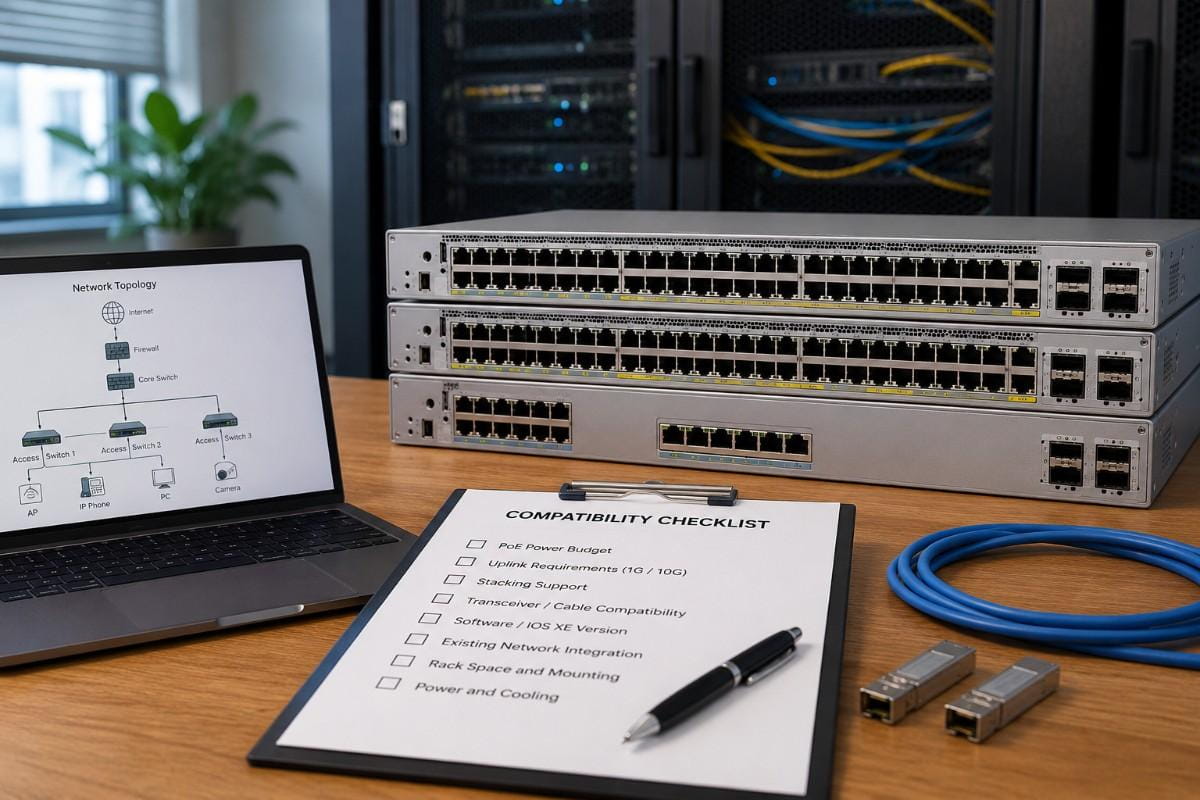
Compatibility checks should happen before the purchase order. Many switch deployment delays come from missing details, not from the switch itself.
Start with PoE demand. Count the devices that need power from the switch, including APs, IP phones, cameras, access readers, and IoT devices. Then allow room for growth.
Next, check uplink requirements. A 48-port switch with many APs may need 10G uplinks. A small branch with low traffic may work well with 1G uplinks.
Buyers should also confirm optics and cabling. The uplink speed is only useful if the optics, fiber, and upstream port support the same design.
Important checks include:
- Port count now and later
- PoE device count
- Uplink speed
- SFP or SFP+ optic type
- Fiber or copper distance
- Stack kit need
- License level
- IOS XE version standard
- Rack space and power
- Spare hardware plan
Access switches also support broader security planning. A switch refresh may connect to device visibility, segmentation, authentication, and monitoring. That makes the access layer part of a wider security strategy, not just a hardware replacement.
For organizations moving toward stronger identity-based access, switch planning should also align with zero trust access. The hardware, software, authentication design, and monitoring tools need to work together.
How Can Catalyst Help Build the Right 9200L Bundle?
Choosing the right switch is easier when the full deployment is clear. The lowest-cost SKU is not always the best choice if it creates uplink limits, delays deployment, or leaves out needed accessories.
Catalyst Data Solutions helps buyers review access switching needs in practical terms. That includes model selection, new vs refurbished sourcing, stack kit requirements, optics, cabling, availability, and quote timing.
Catalyst can help source, verify, bundle, and quote the right configuration across new, refurbished, and hard-to-find hardware options.
FAQs
What is included in a Cisco Catalyst 9300 Bundle?
A Cisco Catalyst 9300 Bundle may include a switch, uplink module, power supply, StackWise cable, StackPower cable, optics, and related accessories. The exact parts depend on the access design.
Is the C9300-24T-A a PoE switch?
No. The C9300-24T-A is a data-only access switch. It is better for wired endpoints that do not need switch-based power
When should I choose the C9300L-48P-4X-E?
Choose the C9300L-48P-4X-E when you need 48 PoE+ access ports and fixed 10G uplinks. It is a strong fit for APs, phones, cameras, and IoT devices.
What does the C9300-NM-8X do?
The C9300-NM-8X adds eight 10G SFP+ uplink ports to compatible modular Catalyst 9300 switches. It is useful for access closets that need more uplink flexibility.
Can CAB-SPWR-30CM be used with C9300L switches?
No. C9300L switches do not support StackPower. CAB-SPWR-30CM should only be used with supported StackPower designs.
How many switches can be in a Catalyst 9300 data stack?
Catalyst 9300 modular uplink models support up to eight switches in a StackWise-480 data stack, with up to 480 Gbps stacking bandwidth.
Should I buy new or refurbished Catalyst 9300 hardware?
Buy new when lifecycle, support, and standardization are the priority. Consider refurbished when cost, availability, replacement timing, or sustainability are key factors.
Can Catalyst Data Solutions verify bundle compatibility?
Yes. Catalyst Data Solutions can help verify switch models, uplink modules, power supplies, stacking cables, StackPower support, optics, and availability before purchase.