
Data center buying decisions are harder than they used to be. Teams need more speed, but they also need better cost control, faster delivery, and hardware that fits the network they already run.
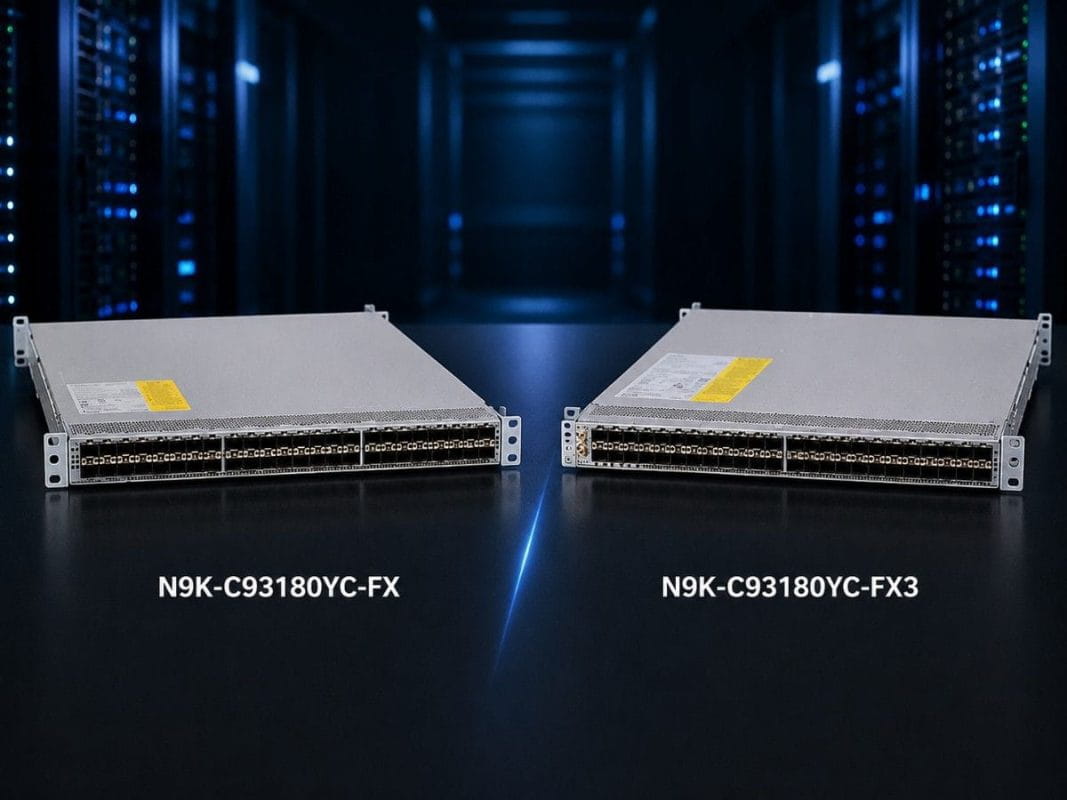
This is why many buyers compare the Cisco Nexus N9K-C93180YC-FX and N9K-C93180YC-FX3. Both switches look similar at first, but the right choice depends on your rack design, lifecycle plan, budget, and sourcing needs.
This guide explains the difference in a practical way. It will help you decide which model fits your data center, what optics to pair with it, and when refurbished hardware makes sense.
What Is the Cisco Nexus 93180YC Series Used For?
The Cisco Nexus 93180YC series is built for data center switching. These switches are often used at the top of a rack, where they connect servers, storage systems, and upstream data center fabric.
TheN9K-C93180YC-FX and N9K-C93180YC-FX3 both support high-density 25G server access and 100G uplink planning. That makes them useful for modern data center racks where 10G is no longer enough, but where 400G may not be required at every layer.
These switches are a fit for buyers who need:
- 25G server connectivity
- 100G uplinks to spine or aggregation switches
- Dense top-of-rack switching
- Support for virtualization, storage, and fabric designs
- A platform that can support mixed 1G, 10G, and 25G server environments
They are not campus access switches. A Cisco Catalyst 9200L PoE Switch supports branch and campus devices such as wireless access points, phones, cameras, and IoT devices. Nexus 93180YC switches support data center workloads, server racks, and high-speed east-west traffic.
For buyers planning a wider refresh, the switch choice should connect to the full data center roadmap, not only the unit price of one model.
N9K-C93180YC-FX vs N9K-C93180YC-FX3: What Is the Quick Answer?
Choose the N9K-C93180YC-FX3 if you are building a newer top-of-rack design, standardizing around current hardware, or planning a longer refresh cycle.
Choose the N9K-C93180YC-FX if you need a proven platform for replacement, expansion, spare inventory, or cost-controlled refurbished sourcing.
Both models have the same raw switching scale in the areas most buyers first check. Cisco lists both switches with 3.6 Tbps bandwidth and 1.2 Bpps forwarding performance. Both also provide 48 x 1/10/25G downlink ports and 6 x 40/100G uplink ports, for 54 total front-panel data ports.
That means this is not a simple performance contest. The better buying decision depends on lifecycle, support planning, software alignment, optics, deployment timing, and budget.
| Decision Factor | N9K-C93180YC-FX | N9K-C93180YC-FX3 | Best Buyer Decision |
| Switching bandwidth | 3.6 Tbps | 3.6 Tbps | Equal raw bandwidth |
| Forwarding performance | 1.2 Bpps | 1.2 Bpps | Equal forwarding scale |
| Downlink ports | 48 x 1/10/25G | 48 x 1/10/25G | Equal server access density |
| Uplink ports | 6 x 40/100G | 6 x 40/100G | Equal 100G uplink count |
| Platform stage | Older FX generation | Newer FX3 generation | FX3 fits newer refresh plans |
| Refurbished value | Strong | Possible, but often higher cost | FX is often stronger for cost control |
| Best fit | Spares, replacement, expansion | New ToR refresh and future planning | Choose by lifecycle, not port count |
Which Buyers Should Choose the N9K-C93180YC-FX?
The N9K-C93180YC-FX is a strong fit for buyers who already use Cisco Nexus FX switches and want to keep the same design stable.
This model is useful when the goal is not to redesign the full network. Many teams need to replace a failed switch, add capacity to an existing row, or keep spare units available for uptime planning.
The FX model is also important in the secondary market. Cisco lists the Nexus 93180YC-FX as end-of-sale, with an end-of-sale date of July 31, 2024 and an end-of-support date of July 31, 2029.
That lifecycle status changes the buying logic. The FX model may no longer be the default choice for a brand-new standard, but it can still be a practical option for environments that need matching hardware, predictable operations, and lower acquisition cost.
The N9K-C93180YC-FX is usually a good fit when you need:
- A replacement for an existing FX switch
- Refurbished hardware for cost control
- Spare units for data center uptime planning
- A consistent hardware base across several racks
- 25G server access without moving to a new platform
- Shorter sourcing timelines where new hardware is delayed
For many teams, the best decision is not always the newest model. It is the model that fits the current design with the least risk.
Which Buyers Should Choose the N9K-C93180YC-FX3?
The N9K-C93180YC-FX3 is the stronger choice when the buyer is planning a newer top-of-rack deployment or a longer-term refresh.
The FX3 model gives teams the same basic port structure as FX, but with a newer platform position. This matters for buyers who want stronger alignment with current software planning, automation, telemetry, security features, and future data center growth.
Cisco describes the FX3 series as part of its Nexus 9300-FX3 platform family for scalable data center deployments. It supports NX-OS and ACI deployment models, along with modern data center fabric needs.
The N9K-C93180YC-FX3 is usually a good fit when you need:
- A newer top-of-rack switch standard
- A longer lifecycle planning window
- Better alignment with current fabric designs
- A refresh path for higher-density 25G server racks
- Support for modern operations and telemetry
- A platform for AI, HPC, storage, or virtualization growth
For buyers comparing Cisco, Juniper, and Arista options, the decision should also account for the wider networking hardware environment. The right switch must fit the whole architecture, not only the rack where it will be installed.
How Are the Key Technical Features Different?
The most important point is that the N9K-C93180YC-FX and N9K-C93180YC-FX3 are very close in front-panel design.
Both provide the same core 25G and 100G layout. Both can support dense server access and high-speed uplinks. The difference comes from platform generation, feature planning, and how the switch fits into the buyer’s roadmap.
| Technical Area | What to Check | Why It Matters |
| Port layout | 48 x 1/10/25G and 6 x 40/100G | Confirms server and uplink capacity |
| Switching scale | 3.6 Tbps and 1.2 Bpps | Shows raw throughput is not the main difference |
| Fabric mode | NX-OS or ACI design | Impacts operations and policy control |
| Server speeds | 1G, 10G, and 25G needs | Helps support mixed rack environments |
| Uplinks | 40G or 100G design | Affects spine and aggregation planning |
| Optics | SFP28 and QSFP options | Prevents cabling and compatibility issues |
| Lifecycle | EoS, support, and refresh timing | Guides new vs refurbished buying |
| Power and airflow | PSU and fan direction | Avoids install delays in hot aisle / cold aisle layouts |
Cisco notes that the 48 downlink ports on the FX model can support 1G, 10G, or 25G Ethernet, and can also support 16G and 32G Fibre Channel in supported configurations.
For real buyers, the table above matters because most failed deployments do not fail over raw switch performance. They fail because of missing optics, wrong airflow, unsupported software, unavailable accessories, or a mismatch between the network design and the purchased bundle.
How Should You Plan 25G Server Access and 100G Uplinks?
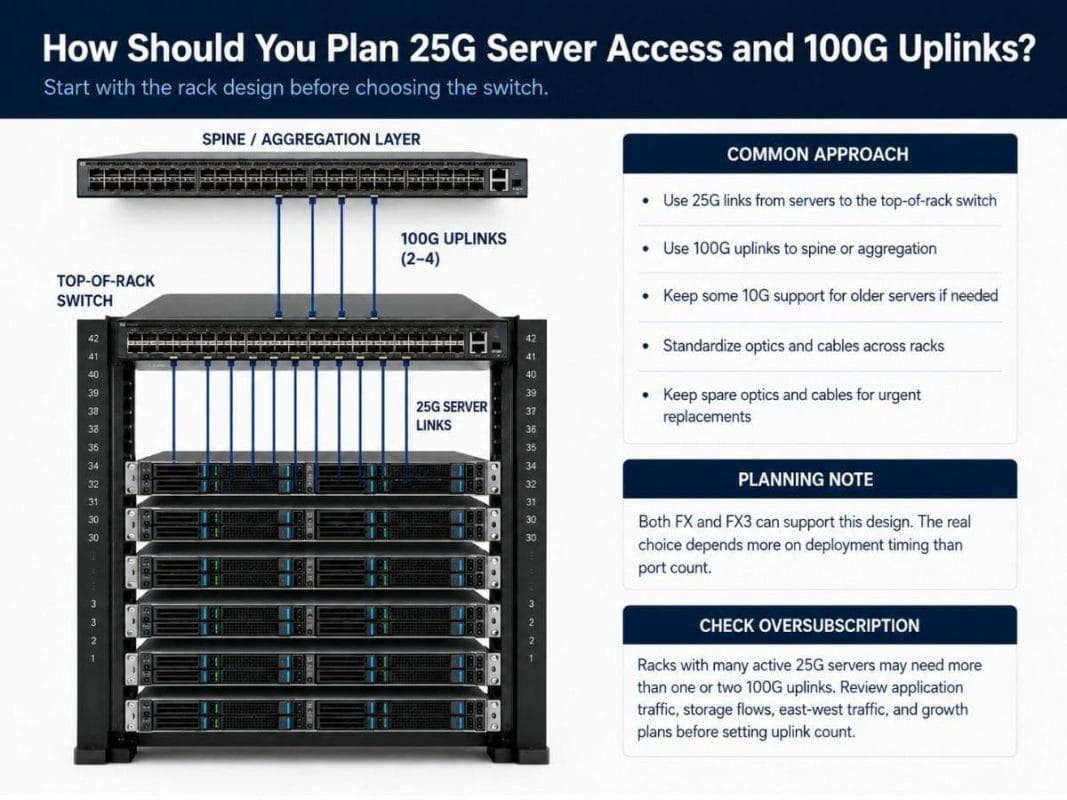
Start with the rack design before choosing the switch.
A 25G server access plan should define how many servers will connect per rack, which servers still need 10G, and how much uplink capacity the rack needs. The goal is to avoid overspending while still leaving room for growth.
A common approach is:
- Use 25G links from servers to the top-of-rack switch.
- Use 100G uplinks from the top-of-rack switch to spine or aggregation.
- Keep some 10G support for older servers if needed.
- Standardize optics and cables across racks.
- Keep spare optics and cables available for urgent replacements.
Both FX and FX3 can support this pattern. So the question becomes less about port count and more about deployment timing.
If the rack belongs to an older FX-based environment, refurbished FX may keep the design consistent. If the rack belongs to a new build or long-term refresh, FX3 may give the team a cleaner path forward.
Buyers should also consider oversubscription. A rack with many active 25G servers may need more than one or two 100G uplinks. Network teams should check application traffic, storage flows, east-west movement, and growth plans before setting the uplink count.
Where Do These Switches Fit Across Virtualization, Storage, AI, HPC, and Fabric Use Cases?
The Nexus 93180YC-FX and FX3 both fit high-density data center workloads, but each workload creates different buying concerns.
Virtualization and private cloud racks
Virtualized environments often need strong east-west traffic handling. Many virtual machines may move traffic between servers inside the data center instead of only sending traffic north-south to the internet or WAN.
For this use case, 25G server access helps reduce bottlenecks at the host layer. 100G uplinks help move traffic toward the spine or aggregation layer without forcing a full 400G redesign.
Storage and converged infrastructure
Storage traffic needs careful planning because packet loss, delay, and congestion can affect application performance. The switch, optics, cabling, and software settings should all match the storage design.
The FX model can be useful when the buyer already runs storage-connected racks on the same platform. FX3 may be better when the buyer wants a newer standard for future storage or converged infrastructure growth.
AI, HPC, and data center fabric
AI and HPC environments can create heavy east-west traffic. These workloads often need low delay, predictable transport, and careful uplink planning.
Cisco’s FX3 datasheet references capabilities such as VXLAN EVPN, ACI support, telemetry, and data center fabric use cases. For teams working through AI networking limits, the switch decision should connect to GPU density, storage access, congestion control, and the full leaf-spine design.
This is also where cost planning matters. Not every rack needs the newest hardware, but the racks carrying the heaviest workloads may need stronger lifecycle planning and more careful bundle validation.
How Should You Pair SFP-25G-SR-S Optics With Nexus 93180YC Switches?
The SFP-25G-SR-S optic is a common choice for short-reach 25G links over multimode fiber.
Cisco states that the Cisco 25GBASE-SR module supports 70 meters on OM3 multimode fiber and 100 meters on OM4 multimode fiber. Cisco also states that the module requires RS-FEC on host ports.
This makes SFP-25G-SR-S a strong fit for:
- Server-to-top-of-rack fiber links
- Short multimode fiber runs
- Dense 25G access designs
- Standardized 25G optics kits
- Racks where fiber is preferred over DAC
For very short in-rack links, DAC cables may also make sense. For adjacent racks or slightly longer short runs, active optical cables may be an option. Cisco describes SFP28 active optical cables as direct-attach fiber assemblies available in several short lengths.
The main point is simple: do not treat optics as an afterthought. A correct switch with the wrong optic, wrong fiber type, or wrong FEC setting can still delay the deployment.
What Nexus 93180YC Bundles Should Buyers Consider?
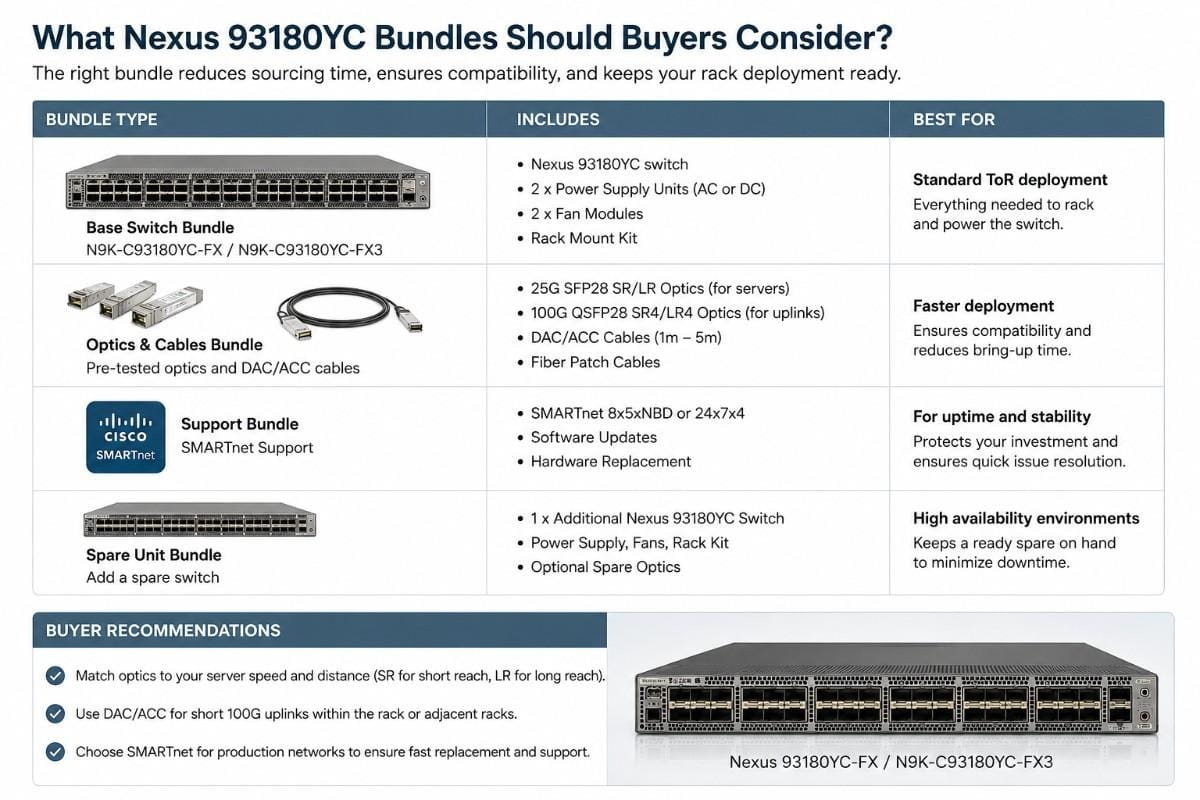
Most data center buyers do not need only a switch. They need a complete working bundle.
A full bundle should include the switch, optics, fiber or DAC cables, power supplies, fans, software and licensing checks, and compatibility review. This is especially important when a project mixes new and refurbished hardware.
| Bundle | Included Products | Best Fit | What Catalyst Should Verify |
| 25G Server Access Bundle | N9K-C93180YC-FX, SFP-25G-SR-S, MMF fiber | Existing FX racks and cost-controlled expansion | Optics, fiber type, airflow, software version |
| Modernized ToR Bundle | N9K-C93180YC-FX3, 25G optics, 100G uplinks | Newer top-of-rack refresh projects | Uplink optics, licensing, fan direction, lead time |
| Refurbished Data Center Expansion Bundle | N9K-C93180YC-FX, optics, fiber/DAC cables | Spares, replacements, and added rack capacity | Refurbished condition, test status, accessory match |
A bundle-based quote helps buyers compare total deployment cost instead of only switch cost. It also supports better network cost planning because the buyer can review all required parts together.
The most common procurement mistake is buying the switch first and solving optics, cabling, and accessories later. That approach can create avoidable delays. A better approach is to validate the full bill of materials before the order.
When Should You Buy Refurbished FX Instead of Newer FX3?
Refurbished FX makes sense when the buyer needs a practical match for an existing environment. It can reduce cost, shorten sourcing time, and help teams keep hardware standards consistent.
Choose refurbished FX when:
- You already run N9K-C93180YC-FX switches.
- You need replacement units or spare inventory.
- You want to add racks without redesigning the fabric.
- Your software requirements already match the FX platform.
- Budget pressure is stronger than the need for a newer model.
- You need hardware faster than new-channel lead times allow.
Choose newer FX3 when:
- You are building a new top-of-rack standard.
- You want a longer lifecycle runway.
- You need current software and fabric alignment.
- You are supporting future AI, HPC, or storage growth.
- Your team wants a cleaner long-term refresh plan.
Many enterprise buyers use both approaches. They may use refurbished FX for spares and expansion while using FX3 for new racks. This can lower cost without forcing every rack into the same upgrade schedule.
For buyers working under strict budgets, a mixed sourcing model can support performance and cost goals at the same time.
What Compatibility Checks Matter Before You Order?
Compatibility checks should happen before the purchase, not during installation.
Check these items before ordering FX or FX3 hardware:
- Software version: Confirm the required NX-OS or ACI release.
- Optics support: Match SFP28 and QSFP optics to the switch and software.
- Fiber type: Confirm OM3, OM4, single-mode fiber, DAC, or AOC needs.
- FEC settings: Validate RS-FEC requirements for 25G links.
- Airflow: Match port-side intake or exhaust to the rack design.
- Power: Confirm the correct power supplies and cords.
- Licensing: Check ACI, MACsec, storage, and feature requirements.
- Support policy: Match lifecycle status to internal risk rules.
- Spares: Include extra optics, cables, and replacement units if uptime is critical.
These details may look small, but they affect real deployment speed. A wrong fan direction, missing optic, or unsupported software version can stop a project even when the switch model is correct.
This is where a sourcing partner adds value. Buyers often need help matching hardware availability, technical fit, lead time, and budget in one decision.
Final Recommendation: Which Nexus 93180YC Switch Should You Choose?
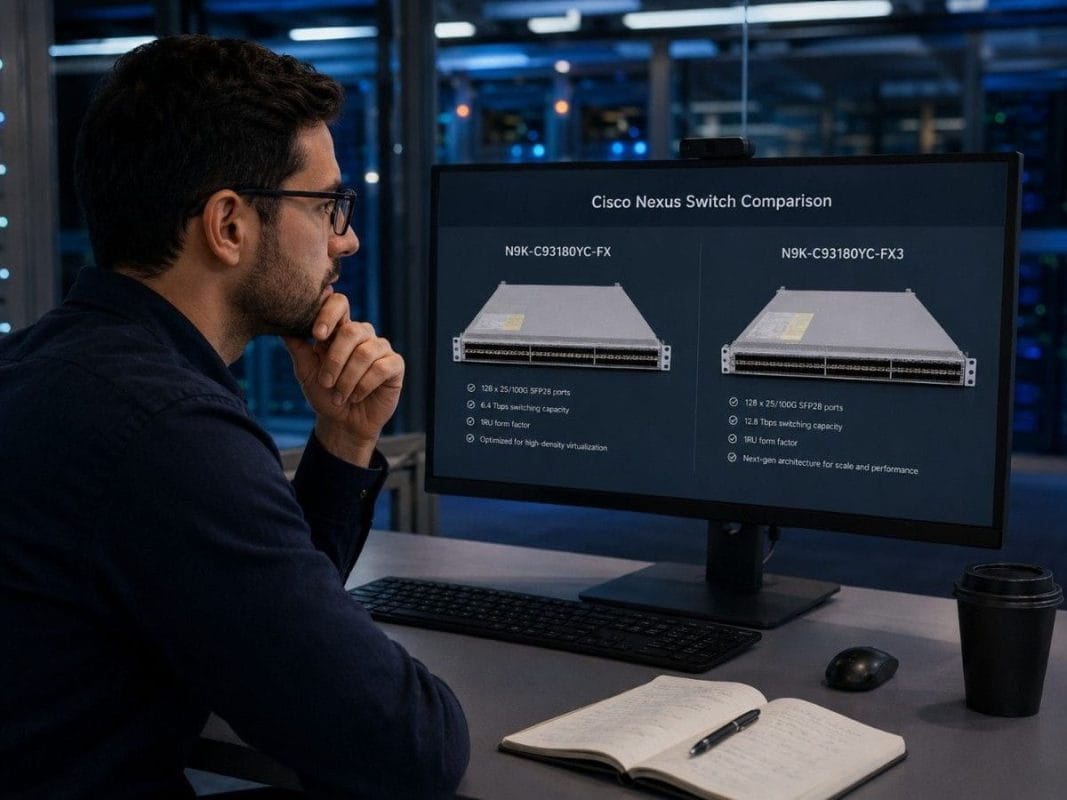
Choose the N9K-C93180YC-FX3 when your priority is a newer platform for current data center refresh projects, longer lifecycle planning, and modern top-of-rack designs.
Choose the N9K-C93180YC-FX when your priority is cost control, refurbished availability, spare units, replacement hardware, or expansion in an existing FX environment.
Both models support the same major port layout and the same listed switching performance. The best decision comes down to lifecycle, compatibility, availability, optics, cabling, and total deployment cost.
For most buyers, the safest path is to compare the full bundle, not only the switch. That includes the switch model, optics, fiber or DAC cables, software needs, airflow, power, support plan, and whether new or refurbished sourcing gives the best result.
Need Help Building the Right Nexus Switch Bundle?
Catalyst Data Solutions helps buyers compare FX and FX3 options, source new or refurbished hardware, and validate the full switch bundle before purchase.
That support can include switch availability, optics matching, fiber or DAC selection, airflow checks, power supply review, and replacement planning. This matters when buyers work in markets with long lead times, changing inventory, and pressure to reduce costs.
Catalyst can also help teams plan what to do with retired hardware. For refresh projects, trade-in and recovery planning can connect the new purchase to enterprise ITAD planning.
FAQs About Cisco Nexus N9K-C93180YC-FX vs N9K-C93180YC-FX3
Which is better: N9K-C93180YC-FX or N9K-C93180YC-FX3?
Choose FX3 for newer top-of-rack refresh projects. Choose FX for replacement, spare inventory, refurbished expansion, or matching an existing FX environment.
Do FX and FX3 have the same port density?
Yes. Both switches provide 48 x 1/10/25G downlink ports and 6 x 40/100G uplink ports, giving each model 54 total front-panel data ports.
Do FX and FX3 have the same switching performance?
Yes. Cisco lists both models with 3.6 Tbps bandwidth and 1.2 Bpps forwarding performance. This means raw throughput is largely equal between the two models.
Do FX and FX3 have the same switching performance?
Yes, when you need replacement units, spare inventory, or expansion hardware for an existing FX-based environment. Cisco lists the FX model with an end-of-support date of July 31, 2029.
What should the N9K-C93180YC-FX be bundled with?
A practical FX bundle should include the switch, SFP-25G-SR-S optics, multimode fiber or DAC cables, correct power supplies, matching airflow fans, and a compatibility check.
Do FX and FX3 have the same switching performance?
A practical FX3 bundle should include the switch, 25G optics, 100G uplink optics or DACs, power and airflow accessories, and validation against the planned NX-OS or ACI design.