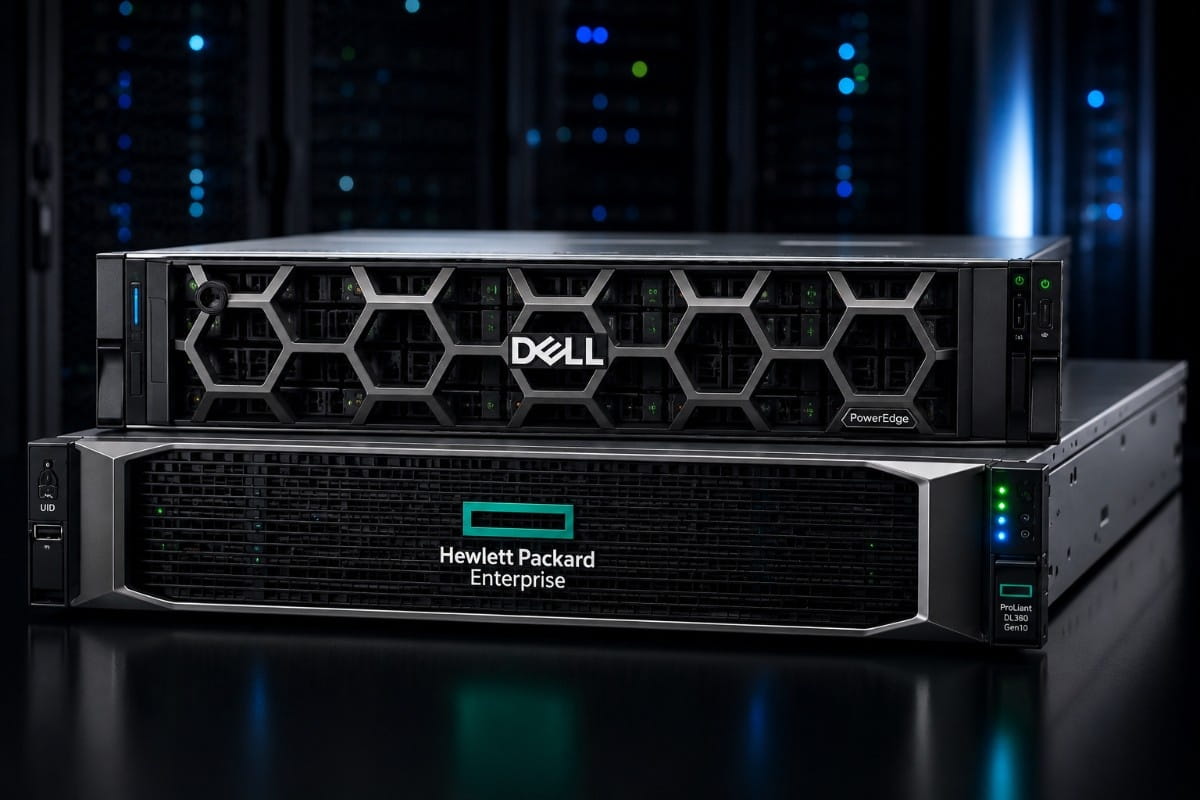
Buying a refurbished server is not only about choosing a lower price. It is about choosing hardware that can support your workloads, protect your data, and fit into your current IT environment without creating new problems. For many businesses, the choice often comes down to two trusted server families: Dell PowerEdge and HPE ProLiant.
Both brands are widely used in data centers, branch offices, labs, and small business server rooms. They support virtualization, databases, storage, backup, web hosting, and many other business applications. The right choice depends on how much performance you need, how you manage your servers, and how the system will connect with your storage and network equipment.
This guide compares Dell PowerEdge and HPE ProLiant from a practical refurbished buying point of view. It explains key differences, common use cases, model recommendations, upgrade factors, and what to check before buying.
Dell PowerEdge or HPE ProLiant?
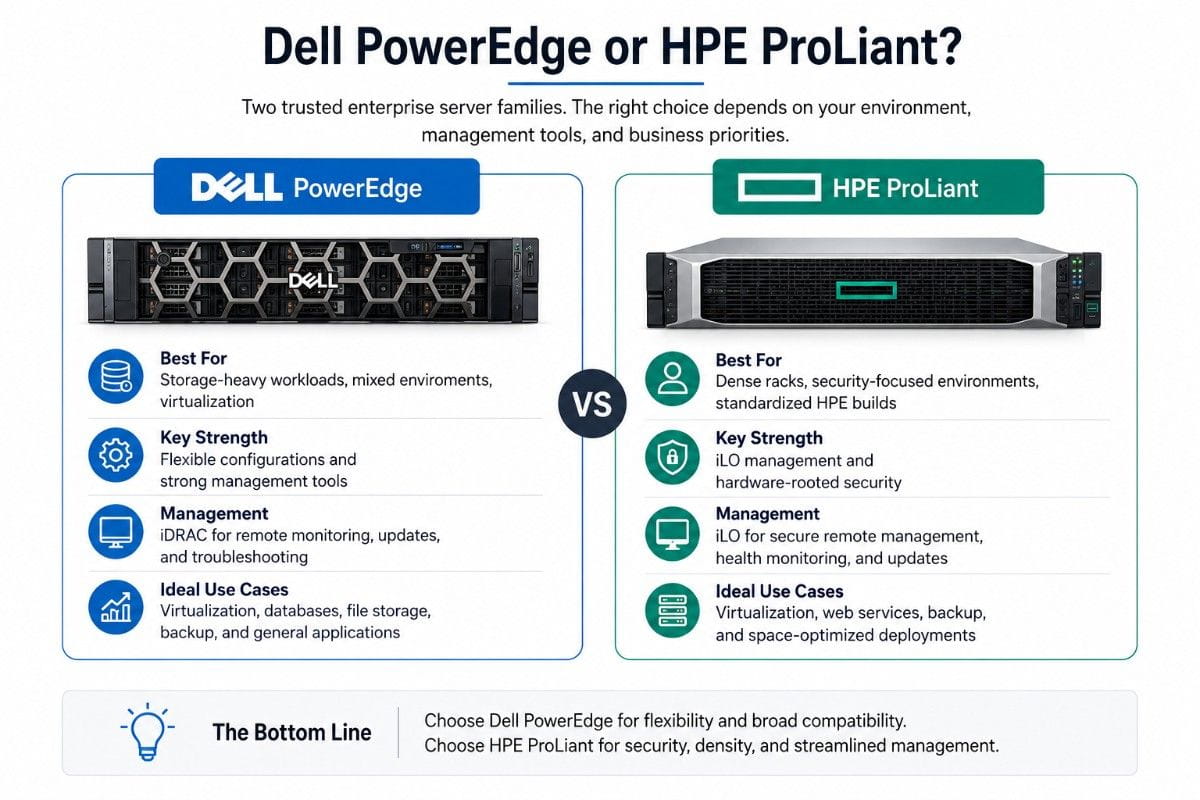
Dell PowerEdge is often the better fit for buyers who want broad compatibility, strong storage options, and familiar remote management through iDRAC. HPE ProLiant is often the better fit for buyers who value compact density, strong platform security, and HPE’s iLO management tools.
Many businesses already have a brand preference based on their current environment. If your team already manages Dell systems, staying with PowerEdge can reduce training and support friction. If your data center already uses HPE servers, HPE memory, and HPE Smart Array storage controllers, ProLiant may be easier to standardize.
A compact system like the HPE DL360 Gen10 can work well for virtualization, web services, backup, and general business workloads where rack space matters.
| Server Family | Best Fit | Key Strength |
| Dell PowerEdge | Storage-heavy workloads, mixed environments, virtualization | Flexible configurations and strong management tools |
| HPE ProLiant | Dense racks, security-focused environments, standardized HPE builds | iLO management and hardware-rooted security |
| Both | Refurbished IT upgrades, lab environments, SMB infrastructure | Enterprise performance at lower cost |
Dell PowerEdge vs HPE ProLiant: Key Differences
Performance and Workload Support
Both Dell PowerEdge and HPE ProLiant servers are built for enterprise workloads. The real difference is not that one brand is always faster. The difference is how each model is configured.
For virtualization, the most important factors are CPU core count, RAM capacity, storage speed, and network bandwidth. A server with more memory and fast storage will usually perform better than a newer server with limited RAM. This is why refurbished buyers should compare full configurations instead of only comparing brand names.
Dell PowerEdge rack servers are popular for VMware, Hyper-V, file storage, backup, and database workloads. HPE ProLiant DL-series servers are also common in the same areas, especially where businesses want dense 1U or 2U systems with strong lifecycle management.
When choosing between the two, start with the workload. A file server needs capacity and reliable drives. A database server needs memory and fast storage. A virtualization host needs balanced CPU, RAM, storage, and network ports.
Remote Management: iDRAC vs HPE iLO
Remote management is one of the biggest reasons businesses buy enterprise servers instead of basic desktop-class hardware. Dell uses iDRAC, while HPE uses iLO.
Dell iDRAC helps administrators monitor, update, and manage PowerEdge servers remotely. It can help with power control, health monitoring, firmware updates, and remote troubleshooting. This is useful when servers are located in a data center, remote office, or locked server room.
HPE iLO provides similar remote management for ProLiant servers. It also helps IT teams monitor hardware health, access the server remotely, and manage system updates. HPE’s security features, including Silicon Root of Trust on supported generations, are a major reason many buyers choose ProLiant.
| Feature | Dell iDRAC | HPE iLO |
| Main Purpose | Remote PowerEdge management | Remote ProLiant management |
| Common Use | Monitoring, updates, remote access | Monitoring, updates, remote access |
| Security Focus | Secure management and system control | Firmware protection and hardware-rooted trust |
| Best For | Dell-standard environments | HPE-standard environments |
Security Features and Firmware Protection
Security matters even when buying refurbished hardware. A refurbished server should be tested, cleaned, reset, and checked for firmware and hardware condition before it is sold.
HPE ProLiant systems are known for security features tied to HPE iLO and Silicon Root of Trust on supported models. This helps protect the server boot process and firmware integrity. Dell PowerEdge servers also include strong security and management features through iDRAC and Dell OpenManage tools.
For buyers, the practical question is simple: can the server be updated, monitored, and managed securely after deployment? Before buying, confirm that firmware access, management licensing, and security settings match your IT policies.
Scalability, Expansion, and Upgrade Flexibility
Dell PowerEdge servers are often chosen for flexible storage, PCIe expansion, and a wide range of configurations. HPE ProLiant servers also scale well, especially in dense rack environments where space, power, and cooling are important.
Memory upgrades are one of the most common ways to extend the useful life of a refurbished server. For HPE Gen10 systems, compatible HPE server memory can help increase virtualization capacity, database performance, and application headroom.
Storage expansion is also important. Dell and HPE both support SAS, SATA, SSD, and NVMe options depending on the server generation and backplane. Always check the drive bay type, controller support, and form factor before ordering parts.
Refurbished Server Buying Factors
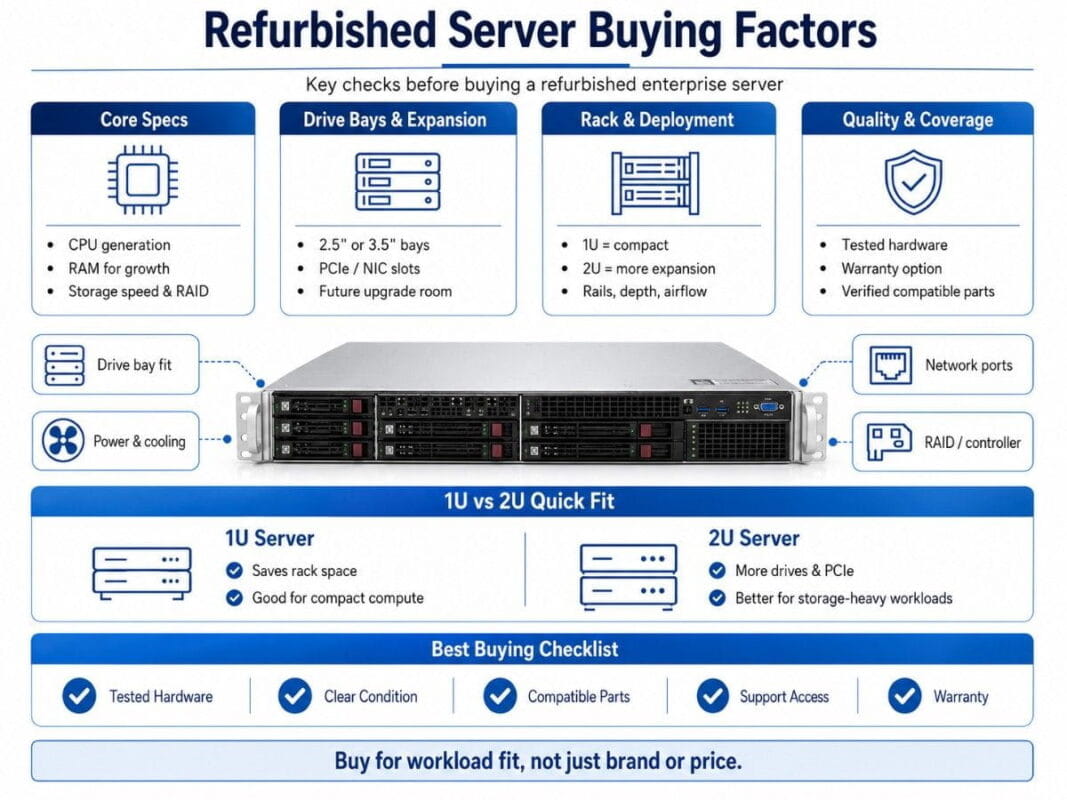
Processor, RAM, Storage, and Drive Bays
The best refurbished server is the one that matches your workload. Do not buy only by brand or model name. Check the actual CPU, memory, storage controller, drive bays, and network ports.
For virtualization, RAM is often the first limit. More memory allows more virtual machines to run at the same time. For databases, memory and storage speed are both important. For backup, drive capacity and RAID support matter more than raw CPU speed.
If a system needs a larger memory footprint, a 64GB memory kit can help support heavier workloads while keeping the server platform in service longer.
Rack Size: 1U vs 2U Servers
A 1U server is thinner and saves rack space. It is a good fit when density matters. The tradeoff is that 1U systems can have fewer drive bays and less room for expansion.
A 2U server takes more rack space but often provides better storage flexibility, more PCIe expansion, and easier cooling. This makes 2U systems popular for storage-heavy workloads, virtualization hosts, and GPU-ready configurations.
Choose 1U when you need compact compute. Choose 2U when you need more drives, more cards, or easier growth.
Power, Cooling, and Data Center Fit
Refurbished enterprise servers are powerful, but they are not silent desktop machines. They need proper airflow, enough power, and a rack or server room designed for business equipment.
Before buying, check power supply ratings, input requirements, noise expectations, and cooling needs. If the server will be used in an office, confirm whether noise and heat are acceptable. If the server will be placed in a data center, confirm rack depth, rail compatibility, and power connections.
Warranty, Testing, and Refurbishment Quality
A used server and a refurbished server are not the same. A used server may be sold as removed from service. A refurbished server should be inspected, tested, cleaned, and prepared for reuse.
A good refurbished hardware supplier should provide clear condition details, testing information, warranty options, and support availability. This matters because a low-cost server is not a good deal if it arrives with failed drives, missing trays, bad memory, or unsupported firmware.
| Buying Factor | Why It Matters |
| Tested Hardware | Reduces failure risk after deployment |
| Warranty Option | Protects the buyer after purchase |
| Clear Condition | Helps avoid surprises |
| Compatible Parts | Prevents upgrade issues |
| Support Access | Makes sourcing easier |
Popular Refurbished Dell PowerEdge Models
Dell PowerEdge R640
The Dell PowerEdge R640 is a popular 1U rack server for virtualization, software-defined storage, web hosting, and business applications. It is compact but powerful, making it a good choice when rack space is limited.
It is often selected by businesses that need compute density and strong remote management. For buyers comparing Dell and HPE, the R640 competes closely with systems like the HPE DL360 Gen10.
Dell PowerEdge R740 and R740xd
The Dell PowerEdge R740 and R740xd are 2U servers built for heavier workloads. They can support more drives and more expansion than many 1U systems. This makes them a strong choice for virtualization, databases, backup, and storage-heavy environments.
If your workload depends on capacity, the R740xd is often worth considering because of its storage-focused design. Buyers expanding Dell storage environments may also pair systems with compatible drives like a Dell SAS drive for backup, archive, and nearline storage needs.
Dell PowerEdge R650 and R750
The Dell PowerEdge R650 and R750 are newer-generation options for businesses that want higher performance and a longer runway. They may cost more than older refurbished models, but they can provide better CPU support, faster memory, and improved platform features.
Choose these when your workload is growing and you want a stronger long-term platform.
Popular Refurbished HPE ProLiant Models
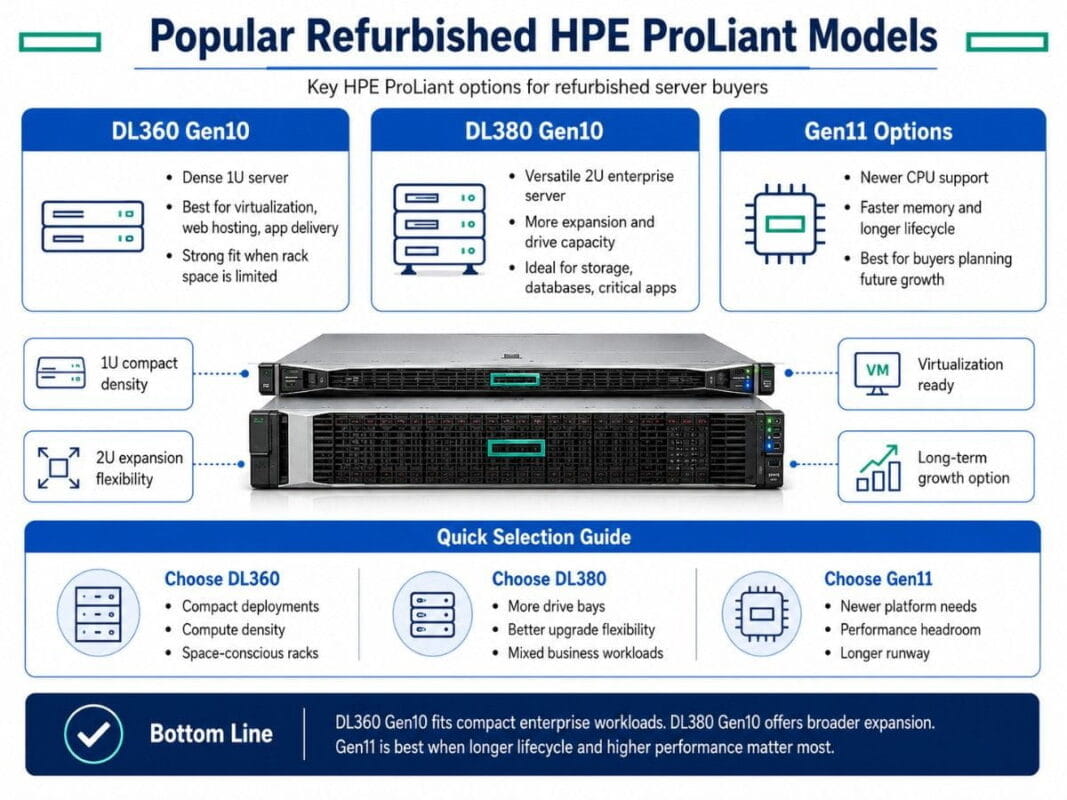
HPE ProLiant DL360 Gen10
The HPE ProLiant DL360 Gen10 is a dense 1U server built for enterprise workloads. It is often used for virtualization, web hosting, application delivery, and compute-heavy tasks where rack space is limited.
Its compact design makes it attractive for businesses that need reliable performance without using much rack space. It is also a strong option for standardizing HPE environments.
HPE ProLiant DL380 Gen10
The HPE ProLiant DL380 Gen10 is one of the most common 2U enterprise servers. It offers more expansion room than the DL360 and is often used for virtualization, storage, databases, and business-critical applications.
If you need more drive bays or more upgrade flexibility, the DL380 is often a better choice than a 1U system.
For storage-focused HPE builds, an HPE RAID controller can support resilient internal storage configurations when matched with compatible drives and server platforms.
HPE ProLiant Gen11 Options
HPE Gen11 systems are a stronger fit for buyers who want newer CPU support, faster memory options, and a longer lifecycle. They may cost more than Gen10 refurbished systems, but they can be a better fit for businesses planning several years of growth.
Gen10 remains a strong value choice. Gen11 is better when performance headroom and longer platform life are more important than the lowest upfront cost.
Dell PowerEdge vs HPE ProLiant for Common Use Cases
Virtualization and VMware Environments
Both Dell PowerEdge and HPE ProLiant work well for virtualization. Focus on memory capacity, CPU cores, storage type, RAID support, and network ports.
For VMware, Hyper-V, or Proxmox, avoid underconfiguring RAM. A server with enough memory will usually deliver a smoother experience than a server with a slightly newer CPU but limited RAM.
Databases and Business Applications
Database workloads need reliable storage and enough memory to reduce slow disk access. Dell PowerEdge R740-class systems and HPE DL380-class systems are strong choices because they provide more room for drives and expansion.
For business applications, match the server to uptime needs. If the application is critical, prioritize redundant power supplies, RAID protection, tested memory, and a warranty-backed system.
File Storage and Backup
For file storage and backup, drive capacity and RAID support matter most. A 2U system often makes more sense than a 1U system because it usually offers more room for storage.
Nearline SAS drives can be useful for backup repositories and archive storage. SSDs are better for workloads that need fast read and write performance.
AI, GPU, and High-Performance Workloads
AI and GPU workloads need more careful planning. Not every refurbished server can support high-power GPUs. You must check chassis support, PCIe slots, power supplies, cooling, and firmware compatibility.
For serious GPU workloads, do not guess. Confirm the exact server model, GPU support, riser configuration, and power requirements before buying.
| Use Case | Better Fit | Reason |
| Compact Virtualization | Dell R640 or HPE DL360 | Strong 1U compute density |
| Storage Expansion | Dell R740xd or HPE DL380 | More drive and expansion options |
| General SMB Server | Either Brand | Depends on budget and support preference |
| Backup Repository | 2U Server | Better drive capacity |
| Security-Focused Builds | HPE ProLiant | Strong iLO security features |
Refurbished vs Used Servers: What Buyers Should Know
Refurbished Server Meaning
A refurbished server is a pre-owned system that has been inspected, tested, cleaned, and prepared for resale. It may include replaced parts, verified components, and warranty options.
The goal is to provide reliable hardware at a lower cost than new equipment.
Used Server Meaning
A used server may be sold with little testing or no clear condition report. It may work, but the buyer carries more risk. Missing trays, failed drives, unsupported parts, and outdated firmware can raise the total cost after purchase.
Why Testing, Warranty, and Vendor Support Matter
Testing and warranty support help protect your budget. They also reduce deployment delays. If your IT team is replacing failed infrastructure, you do not want to discover missing parts after the server arrives.
A trusted refurbished supplier should help confirm compatibility, condition, and part availability before the order is placed.
Server and Network Compatibility
Matching Servers with Refurbished Cisco Switches
Servers do not operate alone. They need the right network switches, cables, transceivers, and uplinks. A strong server can still perform poorly if it is connected to a slow or overloaded switch.
This is where the keyword best refurbished Cisco switch becomes relevant. The best option depends on port count, speed, PoE needs, Layer 2 or Layer 3 features, and uplink requirements. A virtualization host may need 10GbE or 25GbE uplinks, while a small office server may work well with 1GbE or 10GbE switching.
When to Upgrade Network Switches with Server Hardware
Upgrade the switch when the server has faster network cards than your current switch can support. Also consider upgrading if backups are slow, virtual machines compete for bandwidth, or storage traffic uses the same network as users.
For growing infrastructure, the Dell technology guide can support planning around Dell servers, storage, and data center systems.
Internal Infrastructure Planning
A refurbished server purchase should fit into a full infrastructure plan. That includes compute, memory, storage, networking, warranty, and future expansion.
If your business is comparing Dell storage options with server upgrades, this Dell storage comparison can help align server decisions with storage strategy.
Dell PowerEdge vs HPE ProLiant: Final Buying Checklist
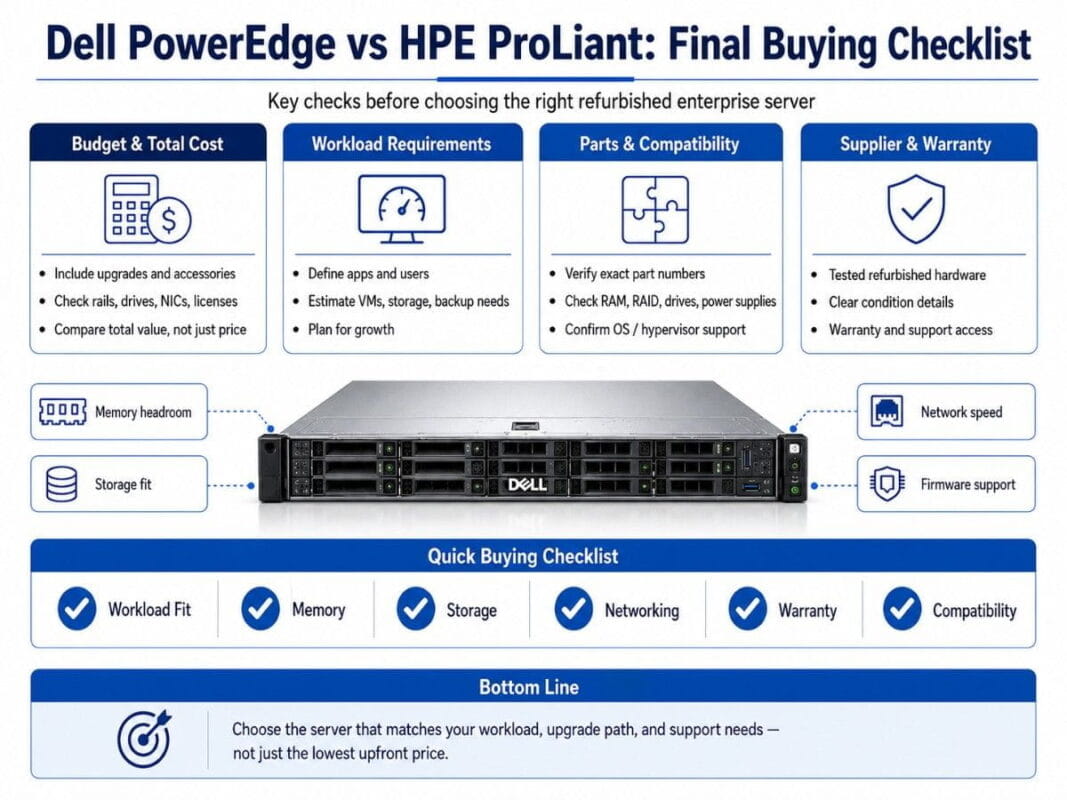
Budget and Total Cost
The purchase price is only one part of the cost. Also consider memory upgrades, drives, rails, power supplies, controllers, network cards, licenses, and warranty coverage.
A slightly more expensive refurbished server may be the better value if it includes the right parts and needs fewer upgrades.
Workload Requirements
Write down the workload before comparing models. Include the number of users, virtual machines, storage needs, backup window, and growth plans.
This makes it easier to choose between Dell PowerEdge and HPE ProLiant without guessing.
Support and Replacement Parts
Dell and HPE both have strong parts availability in the refurbished market. Still, buyers should confirm part compatibility before ordering upgrades.
Use exact part numbers when possible. This is especially important for memory, RAID controllers, drives, power supplies, trays, and network cards.
Trusted Refurbished Hardware Supplier
A trusted supplier should understand enterprise hardware, not just list products. Look for testing, condition transparency, support access, and clear communication.
For HPE-specific planning, this DL360 Gen10 review can help buyers understand the platform before choosing a configuration.
| Checklist Item | Ask Before Buying |
| Workload Fit | What will the server run? |
| Memory | Is there enough RAM for growth? |
| Storage | Are the drive bays and controller correct? |
| Networking | Are the ports fast enough? |
| Warranty | What coverage is available? |
| Compatibility | Are parts verified for this model? |
Need Help Choosing the Right Refurbished Server?
Catalyst Data Solutions Inc can help you compare Dell PowerEdge and HPE ProLiant servers, validate compatible memory, storage, RAID controllers, drives, and network hardware, and plan a refurbished server upgrade that fits your workload, budget, and growth goals.
Whether you are building a virtualization host, upgrading business storage, replacing aging infrastructure, or matching servers with refurbished Cisco switches, our team can help you source reliable enterprise hardware with the right specifications for your environment.
FAQs
Is Dell PowerEdge better than HPE ProLiant?
Dell PowerEdge is not always better than HPE ProLiant. It depends on the workload, budget, and current IT environment. Dell is often strong for flexible configurations and storage-heavy builds. HPE is often strong for dense enterprise deployments and security-focused management.
Are refurbished Dell and HPE servers reliable?
Yes, refurbished Dell and HPE servers can be reliable when they are tested, cleaned, configured correctly, and sold with clear warranty options. Reliability depends more on the refurbishment process and part condition than the brand alone.
Which is better for virtualization: Dell PowerEdge or HPE ProLiant?
Both are strong choices for virtualization. Dell PowerEdge R640 and R740 models are popular, and HPE ProLiant DL360 and DL380 models are also widely used. Choose based on CPU, RAM, storage, network ports, and expansion needs.
What should I check before buying a refurbished server?
Check CPU generation, memory capacity, drive bays, RAID controller, storage type, network ports, power supplies, rails, firmware support, warranty, and vendor testing. Also confirm that the system supports your operating system or hypervisor.
Is HPE iLO better than Dell iDRAC?
HPE iLO and Dell iDRAC both provide strong remote server management. HPE iLO is often valued for its security features, while Dell iDRAC is widely used for PowerEdge management and monitoring. The better choice depends on your team’s tools and server environment.
Can refurbished servers work with Cisco switches?
Yes, refurbished servers can work with Cisco switches when the network ports, transceivers, cables, and speeds are compatible. Check whether your server uses 1GbE, 10GbE, 25GbE, or faster networking before choosing a switch.
What is the best refurbished server for small business?
For many small businesses, a Dell PowerEdge R640, Dell PowerEdge R740, HPE ProLiant DL360 Gen10, or HPE ProLiant DL380 Gen10 can be a strong choice. The best model depends on workload size, rack space, storage needs, and budget.
Should I buy a refurbished server or a new server?
Buy refurbished when you want enterprise-grade hardware at a lower cost and your workload does not require the newest platform. Buy new when you need the latest generation, full vendor lifecycle, or strict compliance requirements.