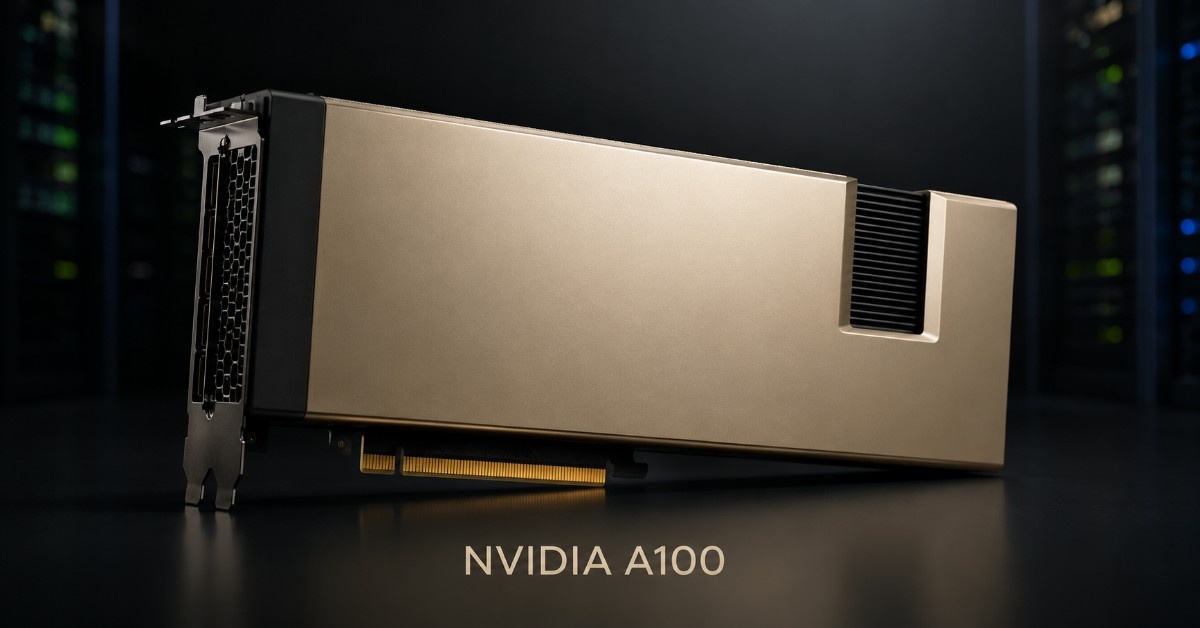
The NVIDIA A100 is still a strong choice for AI, HPC, inference, and enterprise workloads when buyers need proven GPU performance without the full cost of an H100-class platform. This NVIDIA A100 Review explains where the A100 still fits, why it remains useful after H100, and how buyers should compare the A100 40GB PCIe, A100 80GB PCIe, A100 40GB SXM4, and A100 80GB SXM4.
The real question is not only whether A100 is powerful enough. Buyers also need to know which server supports it, whether 40GB or 80GB memory is the better fit, whether PCIe or SXM4 matches the platform, and what storage, networking, optics, cabling, power, and cooling the deployment needs.
This guide helps teams choose the right A100 version and prepare a quote-ready GPU server configuration.
Is the NVIDIA A100 Still a Good GPU for AI, HPC, and Enterprise Workloads?
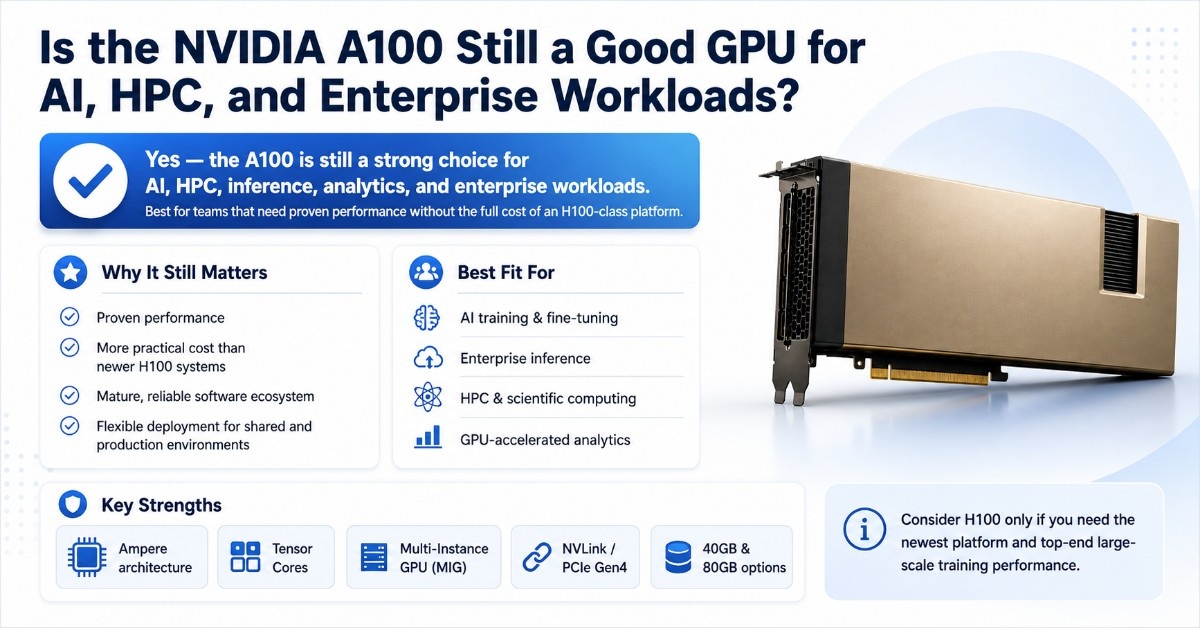
Yes. The NVIDIA A100 is still a good GPU for AI, HPC, inference, analytics, and enterprise workloads when buyers need strong performance at a more practical cost than newer H100 systems.
The A100 uses NVIDIA Ampere architecture and supports high-bandwidth memory, Tensor Cores, Multi-Instance GPU, NVLink, and PCIe Gen4. These features still matter for organizations running AI training, shared inference, scientific computing, and GPU-accelerated analytics.
H100 is faster and newer, but that does not make A100 obsolete. Many enterprise workloads do not need the highest current GPU generation. A100 can still deliver strong value when the workload fits the GPU memory, the server supports the card or module, and the infrastructure around the GPU is sized correctly.
A100 is a strong fit for:
- AI model training and fine-tuning
- Enterprise inference and model serving
- HPC simulation and scientific computing
- GPU-accelerated analytics
- Research labs and university clusters
- Shared GPU servers using MIG
- Budget-sensitive AI infrastructure
- Refurbished GPU server expansion
The A100 should still be planned as part of a complete system. Buyers need to confirm the GPU server, CPU lane layout, system memory, NVMe storage, high-speed NICs, switch fabric, optics, DAC or AOC cables, rack power, and cooling before purchase.
What Is the NVIDIA A100 GPU?
The NVIDIA A100 is a data center accelerator built for AI, HPC, and analytics. It was designed to run many types of accelerated workloads, including training, inference, simulation, analytics, and multi-user GPU environments.
The A100 comes in PCIe and SXM4 versions, with 40GB and 80GB memory options. The PCIe versions fit qualified PCIe GPU servers. The SXM4 versions fit HGX-style systems and other dense platforms designed for SXM modules.
| NVIDIA A100 version | Memory | Form factor | Best fit |
| A100 40GB PCIe | 40GB HBM2 | Dual-slot PCIe | Flexible AI, HPC, and enterprise GPU servers |
| A100 80GB PCIe | 80GB HBM2e | Dual-slot PCIe | Larger models, analytics, and shared GPU use |
| A100 40GB SXM4 | 40GB HBM2 | SXM4 module | Dense HGX A100 systems and scale-up workloads |
| A100 80GB SXM4 | 80GB HBM2e | SXM4 module | High-memory HGX builds and larger AI training jobs |
The A100 also supports Multi-Instance GPU, often called MIG. MIG allows one A100 GPU to split into up to seven isolated GPU instances. This helps shared environments serve different users, teams, or workloads from one physical GPU.
That flexibility is one reason A100 remains useful. A team may use the same A100 server for training during one project, inference during another, and shared development workloads through MIG when the software and scheduler support that setup.
NVIDIA A100 40GB vs 80GB: Which Memory Size Should You Choose?
The main difference between A100 40GB and A100 80GB is GPU memory capacity. The 80GB version gives buyers more room for larger models, bigger datasets, higher batch sizes, and larger MIG partitions.
The 40GB version still works well for many AI, HPC, and analytics workloads. It often makes sense when the workload already fits within 40GB, when budget matters, or when the buyer wants more GPUs instead of fewer high-memory GPUs.
The 40GB PCIe card can be a practical choice for flexible server builds where memory needs are clear and controlled. It can also support teams that need A100-class acceleration without paying for the larger memory option.
The 80GB PCIe option makes more sense when the workload needs more memory headroom. It is often the better fit for larger AI models, memory-heavy analytics, and shared environments where MIG partitions need more capacity.
| Buying question | A100 40GB | A100 80GB |
| Do models fit under 40GB? | Strong value | May be more than needed |
| Are models memory-heavy? | May limit growth | Better fit |
| Is MIG important? | Smaller GPU slices | Larger GPU slices |
| Is budget the top concern? | Usually better | Usually higher cost |
| Is future workload growth likely? | Good for known workloads | Better headroom |
Choose A100 40GB when the workload is known, the budget is tight, and the server plan does not need more GPU memory. Choose A100 80GB when the team needs more room for model growth, larger datasets, or higher utilization from shared GPU instances.
NVIDIA A100 PCIe vs SXM4: Which Form Factor Fits Your Server?
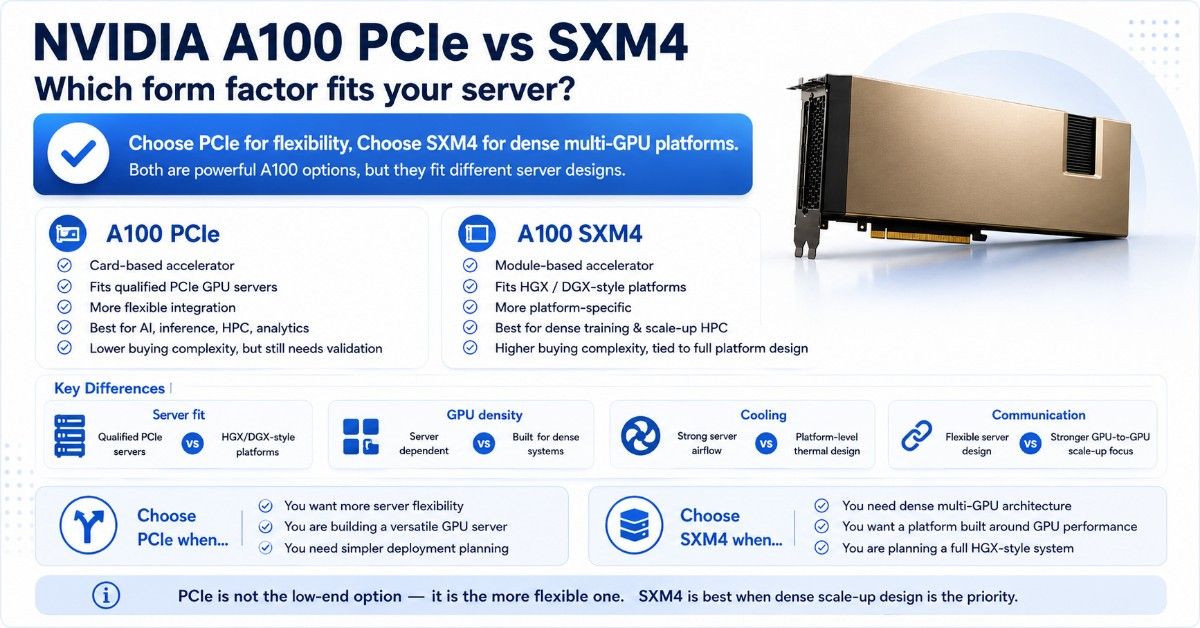
A100 PCIe and A100 SXM4 serve different server designs. A100 PCIe is a card-based accelerator for qualified PCIe GPU servers. A100 SXM4 is a module used in HGX-style platforms and other dense GPU systems.
PCIe gives buyers more server flexibility. Many validated GPU servers can support A100 PCIe, depending on power, airflow, slot spacing, BIOS, firmware, and GPU count. Buyers still need to confirm the exact server model before ordering.
SXM4 is more platform-specific. It is usually the better fit for dense AI and HPC systems that need high GPU density and strong GPU-to-GPU communication. Buyers should treat SXM4 as part of a complete platform decision, not a simple GPU part swap.
The 40GB SXM4 module belongs in systems designed for SXM4 support. It should not be compared with PCIe only by GPU name, because the server architecture is different.
The 80GB SXM4 version is the stronger option for dense platforms that need both higher GPU memory and SXM-based system design.
| Decision point | A100 PCIe | A100 SXM4 |
| Server fit | Qualified PCIe GPU servers | HGX/DGX-style platforms |
| Integration | More flexible | More platform-specific |
| GPU density | Server dependent | Built for dense systems |
| Cooling | Strong server airflow required | Platform-level thermal design |
| Best use | Flexible AI, inference, HPC, analytics | Dense training and scale-up HPC |
| Buying complexity | Lower, but still needs validation | Higher, tied to full system design |
PCIe is not a low-end A100 choice. It is the more flexible form factor. SXM4 is the better fit when the project needs dense multi-GPU architecture and the buyer plans the full server platform around that design.
How Does A100 Perform for AI Training, Inference, and HPC?
A100 remains useful because it supports several workload types on one data center platform. It can handle AI training, inference, HPC, analytics, and shared GPU use when the server design supports the workload.
AI Training and Fine-Tuning
A100 is a strong GPU for model training, fine-tuning, recommendation systems, computer vision, natural language processing, and scientific AI. The 80GB version gives more room for larger models and bigger batch sizes.
Teams moving from V100, T4, or CPU-only environments can see a major upgrade with A100. The real gain depends on the model, software framework, storage speed, network design, CPU balance, and GPU count.
Training workloads also need strong data movement. A fast GPU can sit underused if the server has slow storage, limited memory, weak CPU support, or low network bandwidth.
AI Inference and Shared GPU Use
A100 can run production inference for larger or more demanding models. It works well when latency, throughput, model size, or multi-user scheduling matters.
MIG support makes A100 useful for shared environments. A single GPU can support multiple isolated GPU instances, which can improve utilization for development teams, inference services, and mixed production workloads.
A100 may be more than needed for light inference. If the workload only needs modest throughput or lower power, A30, L40S, L4, or T4 may offer better value.
HPC, Analytics, and Enterprise Workloads
A100 still fits simulation, scientific computing, engineering, genomics, finance, materials science, and GPU-accelerated analytics. These workloads often depend on memory bandwidth, CPU balance, and fast access to data.
A100 also works well for enterprise teams that need one GPU platform for multiple workloads. The same server may support AI, analytics, and technical computing if the CPU, memory, storage, and network design are balanced.
Catalyst’s GPU deployment guide supports this planning approach because the GPU is only one part of the full infrastructure stack.
Why Does A100 Still Matter After H100?
A100 still matters because many teams do not need H100 for every workload. H100 is newer and faster, but it also changes the cost, power, cooling, and platform decision.
For many buyers, A100 offers a better balance of performance, availability, and budget. It also has mature software support across AI, HPC, analytics, and enterprise applications. That maturity can reduce risk for teams that want proven performance.
A100 can also fit organizations that want to expand GPU capacity without rebuilding around a newer platform. If the workload already runs well on Ampere GPUs, A100 may provide enough performance at a lower total project cost.
The H100 upgrade path makes sense when the workload needs newer Hopper features, stronger AI training performance, or a high-end dense GPU platform. But A100 remains practical when the goal is cost-effective AI and HPC capacity.
A100 still makes sense when:
- The workload already runs well on Ampere GPUs.
- The server platform already supports A100.
- The workload fits within 40GB or 80GB of GPU memory.
- The buyer wants refurbished or mixed-condition options.
- The project values proven software support.
A100 is not the right choice for every new AI build. Very large training workloads may justify H100 or newer platforms. But for many enterprise AI, HPC, and analytics teams, A100 still offers strong value.
Which GPUs Should You Compare With NVIDIA A100?
Buyers should compare A100 with H100, V100, A30, and L40S before purchase. These GPUs do not serve the same buyer need, but each one can be a better fit in the right environment.
A100 is usually a stronger upgrade from V100 when buyers need more memory, newer Tensor Core support, MIG, and better performance. The V100 legacy option can still work for budget labs or older workloads, but it does not offer the same platform flexibility as A100.
A30 may be a better fit when the workload needs lower-power enterprise acceleration instead of full A100 capability. The A30 enterprise GPU can support inference, analytics, and mixed workloads where A100 may be too much.
L40S is different from A100 because it fits mixed AI, rendering, and visualization use cases. The L40S accelerator can make more sense when graphics and visualization matter alongside inference.
| GPU | Best reason to compare | When it may be better than A100 |
| H100 | Newer high-end AI platform | Large AI training and Hopper-optimized workloads |
| V100 | Lower-cost legacy acceleration | Budget labs with mature workloads |
| A30 | Lower-power enterprise acceleration | Inference and mixed compute with lower memory needs |
| L40S | Inference and visualization | Rendering, graphics, and AI visualization workloads |
A practical comparison should focus on workload fit, not only raw performance. The best GPU depends on model size, memory needs, server support, power budget, cooling, software stack, and total infrastructure cost.
What Server Platforms and Components Must Support NVIDIA A100?
The NVIDIA A100 must run in a server platform designed for data center GPUs. A physical PCIe slot or a matching module type is not enough. Buyers need to confirm server support before ordering.
For A100 PCIe, the server must support the card size, power draw, airflow path, PCIe topology, firmware, BIOS, GPU count, and NIC placement. The chassis also needs enough room for storage controllers or high-speed network adapters.
For A100 SXM4, the server must support SXM4 modules through a compatible platform. This usually means HGX-style architecture or another system designed for dense GPU use.
Key compatibility checks before buying:
- Confirm the exact server model supports the selected A100 version.
- Verify PCIe or SXM4 form factor support.
- Match GPU count to chassis power and airflow.
- Confirm PCIe lane layout and CPU support.
- Check BIOS, firmware, NVIDIA driver, and CUDA support.
The Catalyst GPU server planning resource aligns with this process because a GPU server build must balance CPU, memory, storage, networking, power, cooling, and cabling.
Buyers working with HPE platforms may also need to match the GPU decision with an HPE AI server path that supports the chosen A100 form factor and target workload.
What Should You Buy With an A100 GPU Server Bundle?
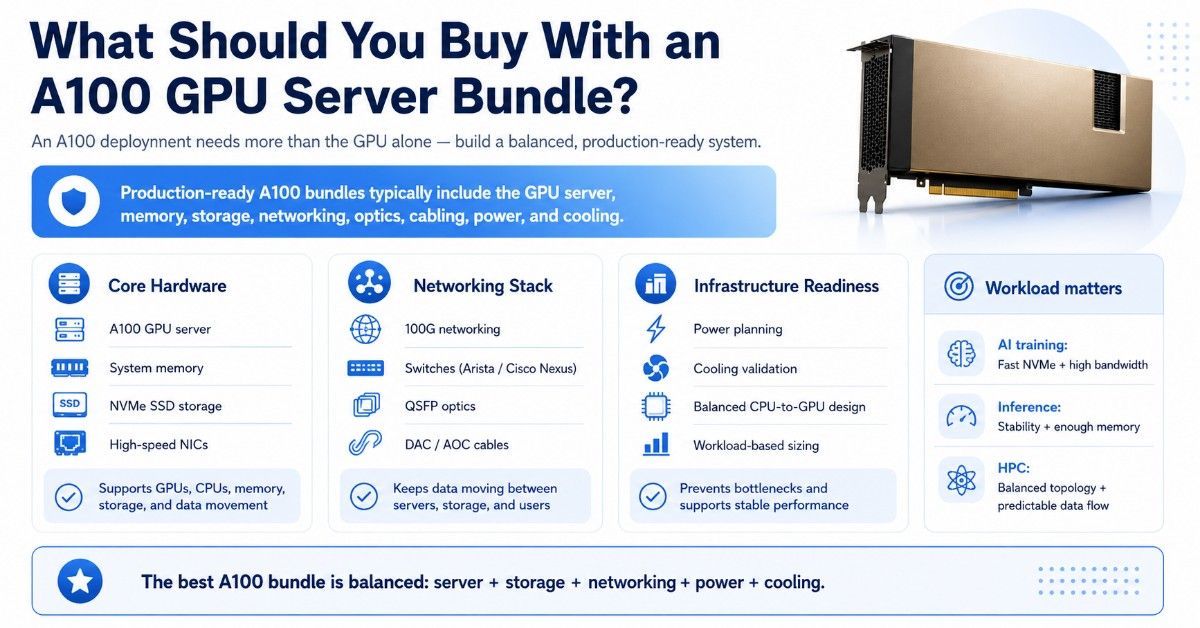
An A100 purchase usually needs more than the GPU. A production-ready build may include the A100 GPU server, system memory, NVMe SSDs, high-speed NICs, 100G networking, Arista or Cisco Nexus switches, QSFP optics, DAC cables, AOC cables, rack power planning, and cooling validation.
The exact bundle depends on workload. AI training often needs fast NVMe storage and high network bandwidth. Inference may need service stability, redundancy, and enough memory for model hosting. HPC may need balanced CPU-to-GPU topology and predictable data movement.
| Bundle layer | Why it matters | Buying guidance |
| A100 GPU server | Hosts GPUs, CPUs, memory, NICs, and storage | Use a qualified platform |
| System memory | Supports preprocessing and CPU-side tasks | Match CPU channels and workload size |
| NVMe storage | Reduces dataset and checkpoint bottlenecks | Use enterprise SSDs for production |
| 100G networking | Supports data movement and cluster traffic | Strong baseline for many AI builds |
| Arista / Cisco Nexus switches | Connect GPU servers and storage | Match speed, port count, and growth plan |
| QSFP optics | Supports fiber network links | Match speed, reach, and switch type |
| DAC / AOC cables | Handles short rack and row links | Confirm port speed and length |
| Power and cooling | Keeps GPUs stable under load | Validate before shipment |
Networking should not be an afterthought. A100 servers can move large amounts of data between storage, users, and other GPU nodes. Catalyst’s article on networking challenges explains why GPU infrastructure needs careful network planning.
Cooling also matters. A server may appear compatible on paper but still struggle under sustained GPU load if airflow and rack cooling are not ready. Catalyst’s cooling strategy guide supports this part of the deployment plan.
When Is NVIDIA A100 Overkill or the Wrong Fit?
A100 is overkill when the workload does not need its memory, Tensor Core performance, MIG support, or HPC capability. Many teams can save budget by choosing a smaller or more workload-specific GPU.
A100 may be more than needed when:
- The team only runs light inference.
- Models fit well on lower-cost GPUs.
- The server cannot feed the GPU with data fast enough.
- The network is limited to low-speed links.
- Storage cannot keep up with training jobs.
- The workload mainly needs rendering or visualization.
- Power and cooling are tight.
- The budget would be better spent on more balanced nodes.
A100 can also be the wrong choice when the buyer needs the newest platform path. Very large AI training jobs may make more sense on H100 or H200-class systems. Rendering and visualization-heavy workloads may make more sense on L40S.
A practical buying decision should compare cost per workload, not only peak performance. The best GPU is the one that gives the right result inside the full server, storage, and network design.
Should Buyers Choose New or Refurbished A100 GPUs?
New A100 hardware makes sense when buyers need standardized fleet builds, predictable lifecycle planning, formal support terms, and clean procurement records. It may also fit regulated environments or production deployments with strict vendor requirements.
Refurbished A100 can make sense when budget, lead time, or availability matters. A tested refurbished GPU can help teams expand AI or HPC capacity without paying for the newest generation.
Buyers should not treat all refurbished GPUs the same. Testing, condition, firmware status, warranty, seller credibility, and server validation all matter.
The Catalyst refurbished testing process helps buyers understand what should be checked before used hardware enters a deployment. Buyers comparing budget options can also use a refurbished hardware source when availability and price matter.
Enterprises replacing older V100, T4, or server platforms should also plan the hardware lifecycle. An ITAD planning guide can help connect GPU upgrades with asset recovery, reuse, and responsible disposition.
A refurbished A100 can be a smart purchase when:
- The workload does not need H100 performance.
- The seller can provide testing details.
- The GPU condition is clear.
- Firmware and driver support are verified.
- The server platform supports the exact A100 version.
- Warranty and return terms are acceptable.
- The buyer needs capacity faster or at lower cost.
New and refurbished A100 options can both make sense. The right choice depends on workload risk, budget, timeline, support needs, and how the GPU will be used.
How Can Buyers Build a Quote-Ready A100 Configuration?
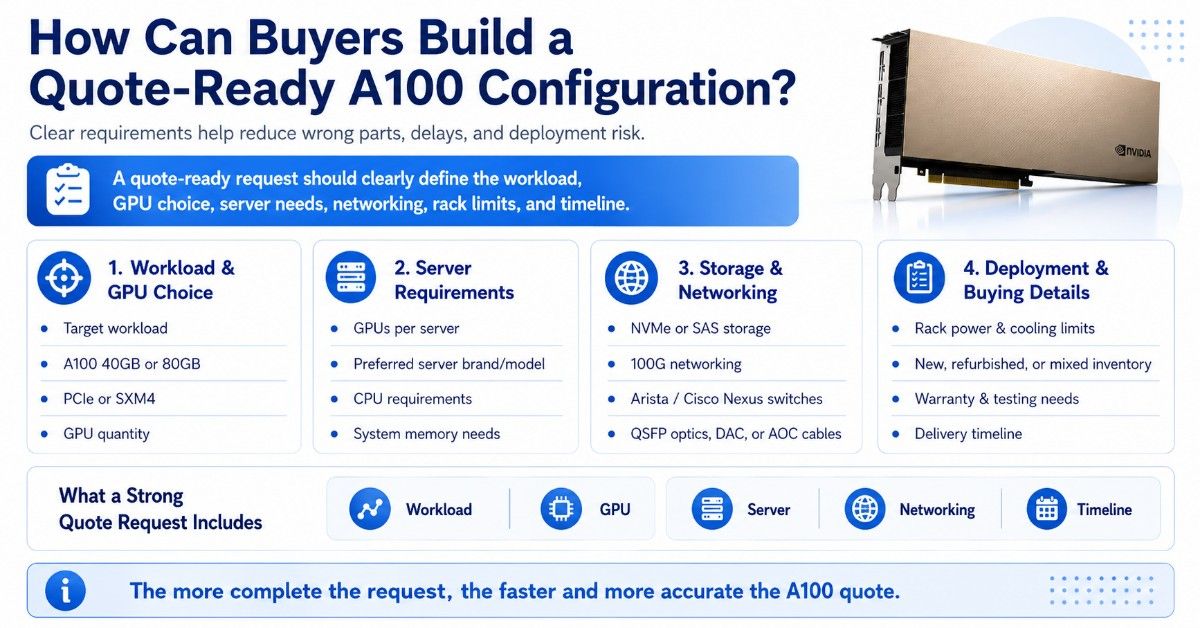
A quote-ready A100 request should include the workload, GPU version, server preference, GPU count, storage needs, networking speed, rack limits, condition preference, and timeline. Clear details reduce the risk of wrong parts or delayed deployment.
A useful A100 quote request includes:
- NVIDIA A100 40GB or 80GB preference.
- PCIe or SXM4 form factor.
- GPU quantity.
- GPU count per server.
- Preferred server brand or model.
- CPU and system memory requirements.
- NVMe or SAS storage needs.
- 100G networking requirements.
- Arista or Cisco Nexus switch needs.
- QSFP optic, DAC, or AOC cable needs.
- Rack power and cooling limits.
- New, refurbished, or mixed inventory preference.
- Warranty, testing, and delivery timeline.
Need a Complete NVIDIA A100 GPU Server Bundle?
Selecting the NVIDIA A100 is only part of the deployment. Buyers must also confirm server compatibility, GPU form factor, CPU and memory, storage, networking, power, and cooling. A typical A100 bundle includes GPUs, a qualified server, system memory, NVMe SSDs, NICs, 100G networking, switches, optics, and cables.
Catalyst Data Solutions Inc supports full infrastructure sourcing, from A100 PCIe and SXM4 options to comparisons with H100, V100, A30, and L40S.
The team can provide GPUs, servers, storage, networking, and cabling for AI and HPC workloads. For used hardware, the refurbished testing process helps verify condition and readiness. Request a quote, confirm compatibility, or contact Catalyst for a complete A100 GPU server bundle.
FAQs
Is the NVIDIA A100 still good for AI training?
Yes. The NVIDIA A100 is still a strong GPU for AI training when the workload fits within 40GB or 80GB of GPU memory. It remains useful for model training, fine-tuning, computer vision, recommendation systems, and scientific AI.
Is A100 still useful after H100?
Yes. H100 is newer and faster, but A100 can still deliver strong value for many AI, HPC, inference, and analytics workloads. A100 is often more practical when budget, availability, or refurbished sourcing matters.
Should I choose A100 40GB or A100 80GB?
Choose A100 40GB when the workload fits within 40GB and cost matters. Choose A100 80GB when models, datasets, batch sizes, or MIG partitions need more memory.
What is the difference between A100 PCIe and A100 SXM4?
A100 PCIe is a card-based GPU for qualified PCIe servers. A100 SXM4 is a module for HGX or DGX-style systems. PCIe gives more server flexibility, while SXM4 fits denser GPU platforms.
Can I install an A100 PCIe GPU in any server?
No. The server must support the GPU’s size, power, cooling, PCIe layout, BIOS, firmware, drivers, and airflow needs. Always verify server compatibility before ordering.
What should I buy with an A100 GPU?
Most deployments need a qualified GPU server, system memory, NVMe storage, high-speed NICs, 100G networking, switches, optics, DAC or AOC cables, power planning, and cooling validation.
Is a refurbished A100 worth buying?
A refurbished A100 can be worth buying when budget or availability matters. Buyers should verify testing, condition, firmware, warranty, return terms, and seller credibility before purchase.
When is A100 overkill?
A100 may be overkill for light inference, small models, basic analytics, rendering-first workloads, or environments with limited storage and networking. A30, L40S, T4, or L4 may offer better value in those cases.