Buying the NVIDIA L40S is not just a GPU decision. The right setup depends on workload type, server support, memory, NVMe storage, networking, power, and cooling. A strong GPU can still underperform if the system around it is not planned correctly.
This NVIDIA L40S Review helps buyers understand where the L40S 48GB fits. It covers AI inference, rendering, enterprise visualization, workstation and server use, L40S vs A40 and L40, and when L40S is a better fit than H100.
What Is the NVIDIA L40S GPU?
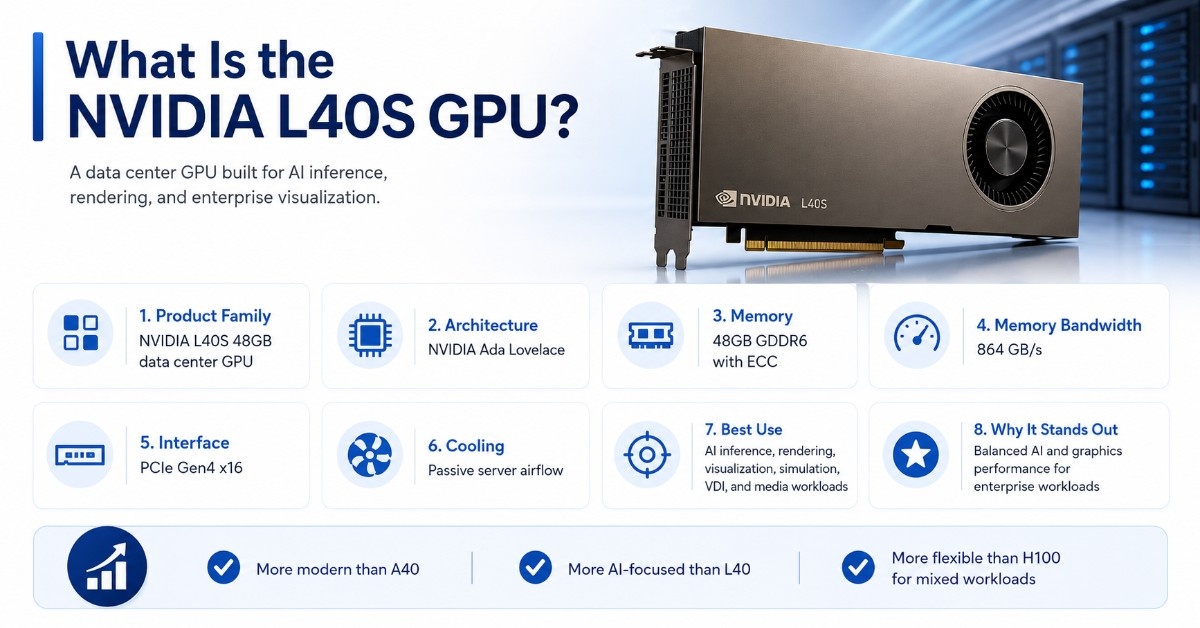
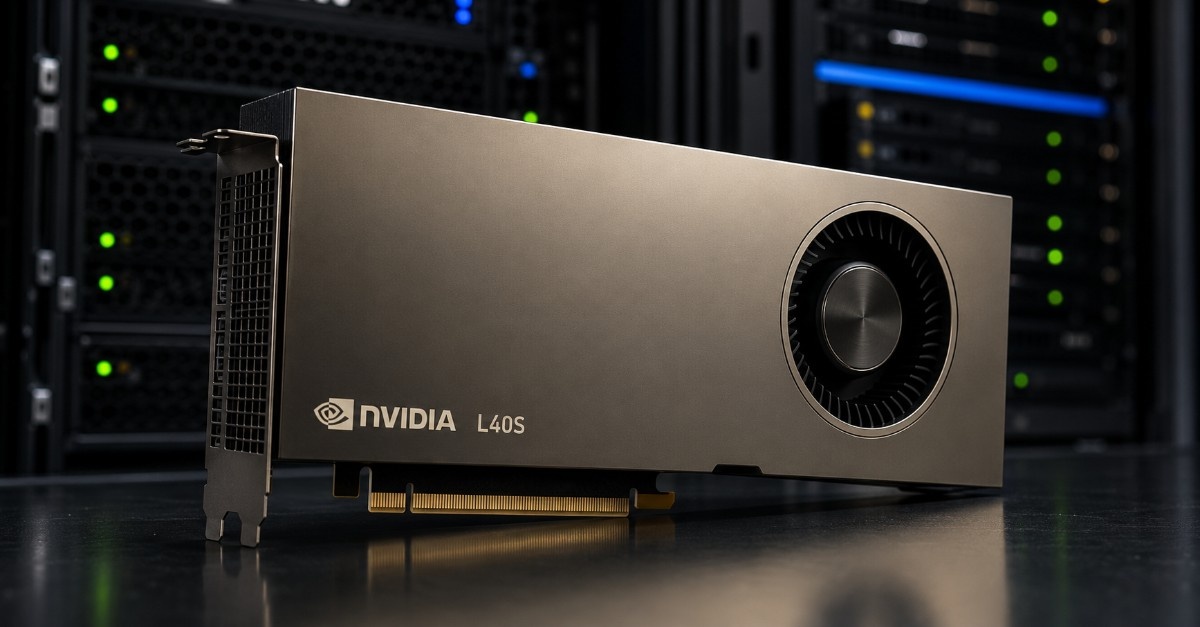
The NVIDIA L40S 48GB is a data center GPU based on NVIDIA Ada Lovelace architecture. It combines CUDA cores, Tensor Cores, RT Cores, and 48GB of GDDR6 memory with ECC. That mix makes it useful for AI, graphics, rendering, and visualization workloads.
The L40S sits between several common choices. It is more modern than A40, more AI-focused than L40, less specialized than H100, and more server-oriented than RTX 6000 Ada. That position makes it strong for teams that need one GPU type for several enterprise workloads.
| L40S buying point | Practical meaning for buyers |
| Product family | NVIDIA L40S 48GB data center GPU |
| Architecture | NVIDIA Ada Lovelace |
| GPU memory | 48GB GDDR6 with ECC |
| Memory bandwidth | 864 GB/s |
| Interface | PCIe Gen4 x16 |
| Cooling | Passive server airflow |
| Common fit | Data center servers and qualified GPU workstations |
| Best use | AI inference, rendering, visualization, simulation, VDI, media workloads |
The L40S can support AI models, 3D graphics, real-time rendering, professional visualization, and virtual workstations. It is not the same type of GPU as H100. H100 targets high-end AI training and dense GPU clusters, while L40S is better for balanced AI and graphics workloads.
Is the NVIDIA L40S Good for AI Inference?
Yes. The NVIDIA L40S is a strong GPU for AI inference when buyers need large memory, modern Tensor Cores, and better value than a top-end training GPU. It can support generative AI, computer vision, embeddings, speech AI, document AI, and recommendation workloads.
The L40S makes the most sense when the model fits within 48GB of GPU memory and the workload does not require the higher memory bandwidth found in H100. Many inference teams care more about throughput, cost per user, rack density, and service stability than peak training performance.
The GPU can also work well for AI development and testing. Teams can use it for model tuning, proof-of-concept projects, internal AI tools, and inference serving before deciding whether a larger H100 or H200 platform is needed.
AI inference workloads that fit L40S
L40S works best when the buyer needs a practical mix of AI speed, memory, and cost control. It can handle many enterprise inference tasks without forcing the buyer into a full HGX-style system.
Good fits include:
- LLM inference for internal tools
- Vision AI and image analysis
- RAG and document intelligence
- Speech, media, and transcription workloads
- Mixed AI development and testing
The full system still matters. A weak CPU, limited RAM, slow storage, or small network link can hold back the GPU. Buyers should size the platform around the whole workload, not only the accelerator.
How Does L40S Perform for Rendering and Graphics Workloads?
The NVIDIA L40S is also a strong choice for rendering, graphics, and enterprise visualization. Its Ada architecture, RT Cores, and 48GB memory make it useful for 3D design, simulation, digital twins, visual effects, virtual production, and GPU rendering.
This is where L40S stands apart from pure AI accelerators. A buyer running both AI inference and rendering may get more practical value from L40S than from a GPU that focuses mainly on training. The L40S can support rendering engines, engineering software, visualization tools, and AI-assisted creative workflows.
For graphics-heavy infrastructure, buyers may compare L40S with the NVIDIA L40 option. L40 is also based on Ada architecture and targets visual computing, while L40S is positioned more strongly for combined AI and graphics performance.
Rendering and visualization uses
L40S can support teams that need graphics acceleration in a shared environment. It can help with design review, product visualization, virtual production, simulation, and GPU rendering.
| Workload | L40S fit | Why it fits |
| AI inference | Strong | 48GB memory and modern Tensor Cores |
| GPU rendering | Strong | RT Cores and large frame buffer |
| Enterprise visualization | Strong | Good for shared visual workloads |
| AI training | Limited to moderate | Useful for smaller jobs, not dense clusters |
| VDI and virtual workstations | Good | Works with supported virtual GPU software |
| High-end LLM training | Usually not ideal | H100 or HGX systems fit better |
L40S can also help teams reduce GPU sprawl. Instead of buying one GPU class for inference and another for visualization, some teams can standardize around L40S for mixed enterprise workloads.
Who Should Buy the NVIDIA L40S?
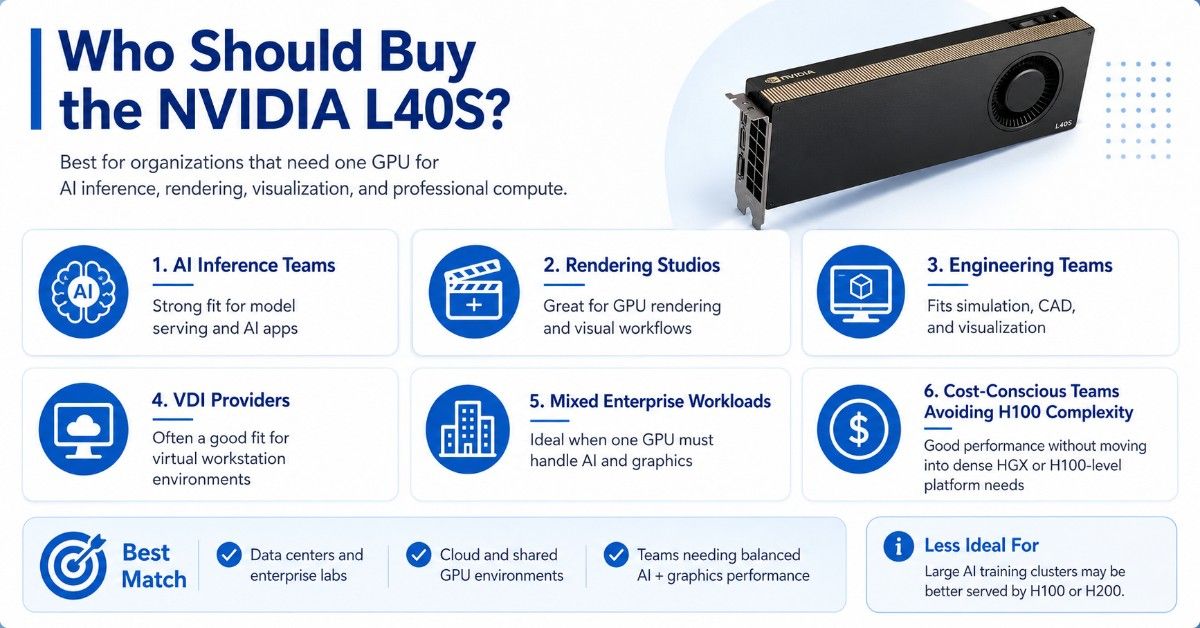
The NVIDIA L40S is best for organizations that need one GPU for AI inference, rendering, visualization, and professional compute. It fits buyers who want strong performance without moving into the cost and platform needs of H100.
It can work in data centers, enterprise labs, cloud service environments, rendering farms, engineering teams, and AI development groups. It is also a good option when teams need GPU acceleration but cannot justify a dense HGX platform.
| Buyer type | Good L40S fit? | Why it fits |
| AI inference team | Yes | Strong for model serving and AI apps |
| Rendering studio | Yes | Useful for GPU rendering and visual workflows |
| Engineering team | Yes | Fits simulation, CAD, and visualization |
| VDI provider | Often | Good for virtual workstation environments |
| Large AI training cluster | Usually no | H100 or H200 may be better |
| Budget legacy upgrade | Sometimes | A40 may cost less, but L40S is newer |
The L40S is not the best answer for every project. If the goal is large-scale AI training, H100 SXM may be the better platform. If the goal is only light VDI or simple inference, a lower-power GPU may be enough.
What Server or Workstation Does NVIDIA L40S Need?
The NVIDIA L40S is a passive PCIe GPU, so the server or workstation must provide the right airflow, power, slot spacing, and firmware support. A PCIe slot alone does not make a system ready for L40S.
Buyers should confirm the exact server model, GPU count, riser layout, power supply capacity, and thermal design before ordering. The platform should also have enough CPU performance, memory, storage, and networking to keep the GPU useful under load.
A high-memory server is often a smart match. AI inference, rendering, simulation, and virtual workstation workloads can use large system memory for preprocessing, user sessions, scene files, datasets, and application services.
For deeper planning, a GPU server guide can help buyers connect GPU choice with CPUs, RAM, storage, PCIe layout, cooling, and expansion needs.
Key checks before buying:
- Confirm L40S power and cooling support.
- Check full-height, full-length, dual-slot PCIe space.
- Verify BIOS, firmware, driver, and vGPU support.
- Leave room for NICs, storage, and other cards.
- Confirm rack power and airflow before deployment.
These checks become more important when buyers want two, four, or more GPUs in one server. More GPUs create more heat, draw more power, and need better airflow planning.
What Should You Buy With an NVIDIA L40S?
An L40S purchase often needs more than the GPU. A production build may include a qualified GPU server or workstation, high-capacity system memory, NVMe storage, fast networking, and the right software stack.
The bundle depends on the workload. Rendering needs fast storage for large scene files and project assets. AI inference needs enough RAM, CPU performance, and network bandwidth to serve users. Virtual workstation platforms need stable remote access, licensing, and profile planning.
L40S bundle checklist
A strong L40S bundle should balance the GPU with the rest of the system. The goal is to avoid bottlenecks that reduce GPU value.
| Component | Why it matters with L40S | Buying guidance |
| GPU server or workstation | Hosts the card and supports airflow | Use a qualified platform |
| High-capacity RAM | Supports users, datasets, and preprocessing | Size memory by workload |
| NVMe storage | Speeds model, scene, and dataset access | Use enterprise SSDs |
| 25G networking | Fits many rendering and inference deployments | Good baseline where relevant |
| 100G networking | Better for larger shared systems | Consider for clusters |
| Power and cooling | Keeps the GPU stable under load | Confirm before installation |
A buyer building a rendering or AI development workstation may compare L40S with the RTX 6000 Ada card. RTX 6000 Ada is often a better fit for a local professional workstation with active cooling and display needs.
L40S is stronger when the buyer needs server-side GPU resources. RTX 6000 Ada is stronger when the buyer needs a professional desktop workstation experience.
Does NVIDIA L40S Need Special Networking, Storage, or Cabling?
L40S does not always need the same network design as a large H100 training cluster. Many L40S deployments can work well with 25G networking, especially for rendering farms, virtual workstations, AI development systems, and single-node inference servers.
Larger shared environments may need 100G networking. This applies when several GPU servers connect to shared storage, serve many users, or exchange large datasets. The right network depends on user count, file size, storage location, and latency needs.
NVMe storage is often important. Rendering jobs, model files, image datasets, video files, and simulation outputs can create storage bottlenecks. Slow disks can make the GPU wait, which reduces the value of the hardware.
For larger deployments, AI network planning should include NIC speed, switch ports, optics, DAC cables, rack layout, and growth plans. Cabling should not wait until the end of the order.
When Does NVIDIA L40S Make More Sense Than H100?
NVIDIA L40S makes more sense than H100 when the workload needs a balanced mix of AI inference, graphics, rendering, and visualization instead of maximum AI training performance. H100 is the stronger GPU for large-scale AI training, but that does not make it the right buy for every team.
H100 uses higher-end memory and targets dense AI systems. It also requires more serious platform planning, especially in SXM and HGX configurations. That can be the right choice for advanced training clusters, but it can be too much for inference, rendering, VDI, and mixed enterprise workloads.
L40S may be the better choice when:
- The workload fits within 48GB of GPU memory.
- The main need is inference, not large training.
- Rendering and visualization also matter.
- The buyer wants PCIe server flexibility.
- Budget must cover storage, memory, and networking too.
For teams that need dense AI training, the H100 SXM platform may still be the better path. For teams that need mixed AI and graphics infrastructure, L40S can offer a more balanced deployment.
How Does NVIDIA L40S Compare With A40 and L40?
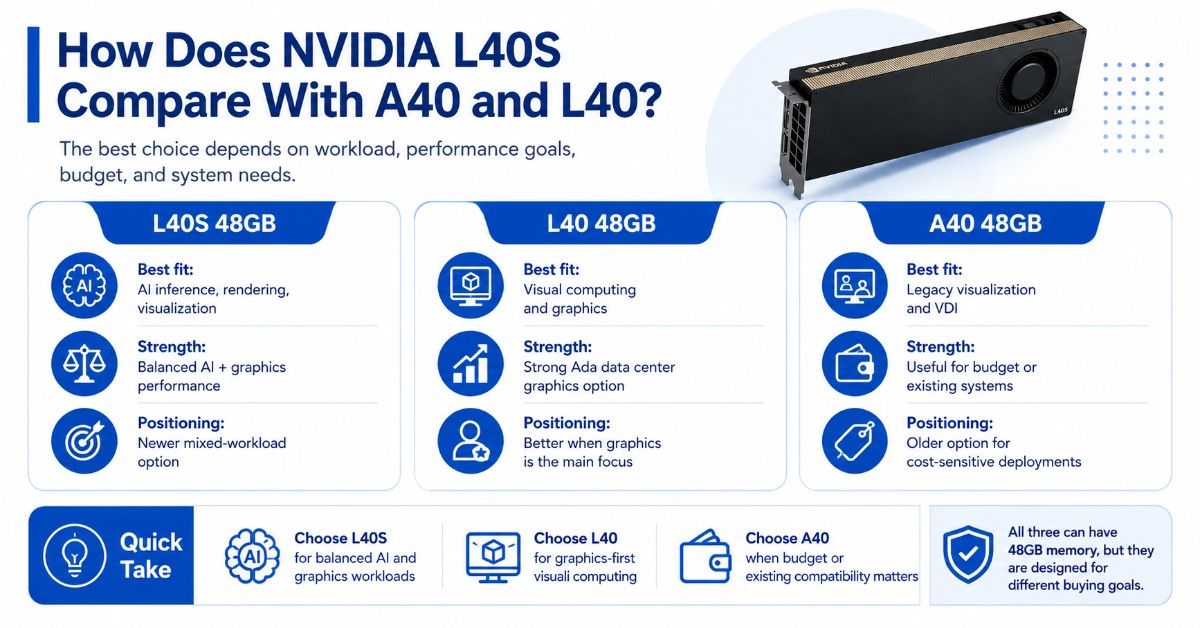
L40S, L40, and A40 all serve buyers who care about graphics, visualization, and GPU acceleration. The best choice depends on age, performance target, software needs, budget, and availability.
A40 is an older data center GPU with 48GB of memory. It remains useful for visualization, virtual workstations, rendering, and some AI workloads. It may make sense when price matters and the workload does not need the newer Ada-generation advantages of L40S.
L40 is closer to L40S because both use Ada architecture and 48GB memory. L40 is strong for visual computing, while L40S is positioned as a stronger mixed AI and graphics option. Buyers should compare both when the workload includes rendering, media, simulation, and inference.
The Dell A40 GPU can still be practical for cost-sensitive deployments, especially when the software stack already runs well on A40.
| GPU | Best fit | Main reason to compare |
| L40S 48GB | AI inference, rendering, visualization | Balanced AI and graphics performance |
| L40 48GB | Visual computing and graphics | Strong Ada data center graphics option |
| A40 48GB | Legacy visualization and VDI | Often useful for budget or existing systems |
| H100 | Large AI training and HPC | Much stronger for training-focused systems |
| RTX 6000 Ada | Professional workstation use | Better local workstation fit |
Buyers should not choose only by memory size. L40S, L40, A40, and RTX 6000 Ada can all have 48GB memory, but they target different systems and buying goals.
Should Buyers Choose New or Refurbished L40S Hardware?
New L40S hardware makes sense when buyers need a clean lifecycle, predictable support, standardized deployment, and production confidence. It is often the best path for enterprise AI platforms, service providers, and controlled data center builds.
Refurbished options may make sense when budgets, timelines, or availability matter. Buyers should still verify testing, condition, firmware, warranty, accessories, and seller credibility. Not every used GPU has the same risk level.
A strong refurbished testing process helps buyers understand how hardware is checked before it enters a deployment. This matters for GPUs because heat, firmware, memory health, and server compatibility all affect reliability.
Buyers should ask for:
- Exact product model and condition
- Testing and warranty details
- Firmware and driver readiness
- Server compatibility support
- Return terms and lead time
A used or hard-to-find GPU can be a good business decision when the seller can support the full configuration. It becomes risky when the buyer only receives a card with no testing history or compatibility review.
How Do Buyers Build a Quote-Ready NVIDIA L40S Configuration?
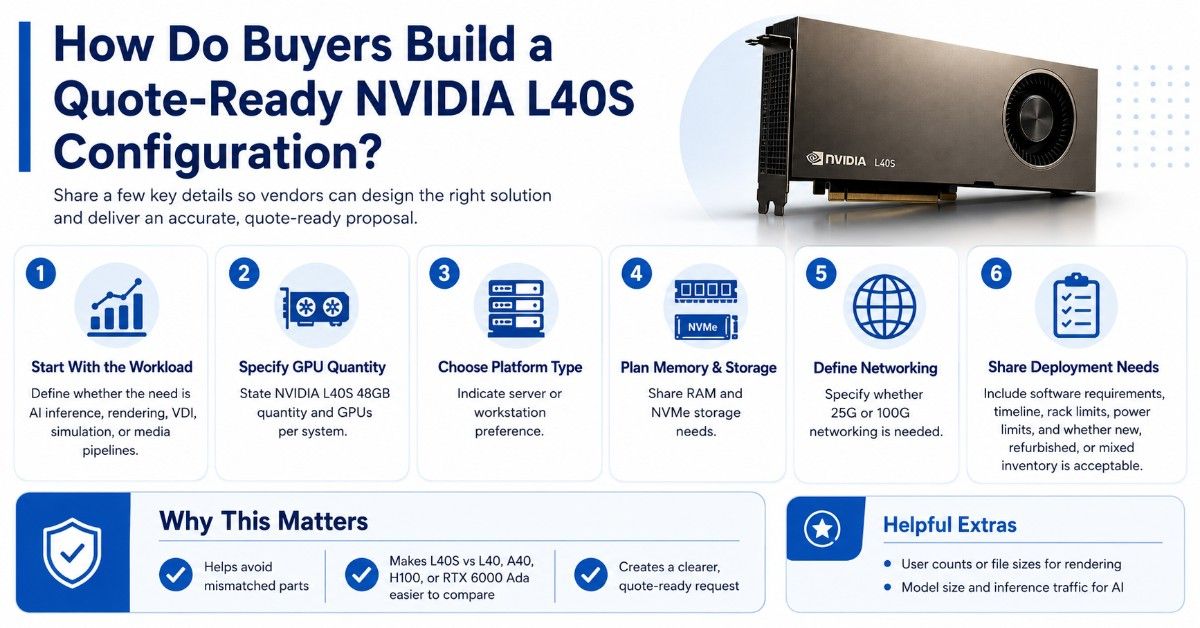
A quote-ready L40S request should describe the workload first. The same GPU can serve AI inference, rendering, virtual workstations, simulation, or media pipelines, but each use case needs a different platform balance.
A clear request helps the sourcing team avoid mismatched parts. It also helps compare L40S with L40, A40, H100, or RTX 6000 Ada before the buyer commits budget.
Useful details include:
- NVIDIA L40S 48GB quantity
- Server or workstation preference
- GPU count per system
- RAM and NVMe storage needs
- 25G or 100G networking needs
Buyers should also share software requirements, timeline, rack limits, power limits, and whether new, refurbished, or mixed inventory is acceptable. For rendering teams, file sizes and user counts matter. For AI teams, model size and inference traffic matter.
Catalyst Data Solutions can help buyers turn a general GPU request into a complete bill of materials. That may include L40S GPUs, high-memory servers, rendering workstations, NVMe SSDs, NICs, switches, optics, cables, and related infrastructure.
Need a Complete NVIDIA L40S Server or Workstation Bundle?
Selecting NVIDIA L40S is only one part of the deployment. Buyers still need to verify the server or workstation platform, airflow, power, memory, storage, networking, and software support. They also need to decide whether L40S, L40, A40, H100, or RTX 6000 Ada is the best fit.
Catalyst Data Solutions Inc helps organizations source NVIDIA GPUs, GPU servers, rendering workstations, storage, networking, and supporting infrastructure across new, refurbished, and hard-to-find inventory. Because L40S deployments often need more than the accelerator itself, Catalyst can help build complete configurations around workload, budget, compatibility, and availability.
FAQs
Is the NVIDIA L40S good for AI inference?
Yes. NVIDIA L40S is a strong GPU for AI inference when the workload needs 48GB of memory, modern Tensor Cores, and a balance of performance and cost. It fits generative AI, vision AI, document AI, embeddings, and internal AI tools.
Is L40S good for rendering?
Yes. L40S is useful for GPU rendering, 3D design, virtual production, simulation, and enterprise visualization. Its RT Cores and large memory help with graphics-heavy workloads and shared visual computing environments.
Is L40S better than H100?
Not for large AI training. H100 is stronger for high-end training and dense AI clusters. L40S can be the better choice for AI inference, rendering, visualization, and mixed workloads where H100 would be too expensive or too specialized.
What should I buy with NVIDIA L40S?
Most buyers need a compatible GPU server or workstation, high-capacity RAM, NVMe storage, strong power and cooling, and 25G or 100G networking where relevant. Larger builds may also need switches, optics, DAC cables, and rack planning.
Can NVIDIA L40S replace A40?
Often, yes. L40S is a newer option for buyers upgrading from A40 for AI inference, rendering, and visualization. A40 may still make sense for budget-sensitive deployments or existing systems that already support it well.
Is RTX 6000 Ada better than L40S for workstations?
RTX 6000 Ada is often better for local professional workstations because it uses active cooling and supports workstation display needs. L40S is usually better for server-side GPU deployments, shared infrastructure, and data center environments.
Should I buy new or refurbished NVIDIA L40S?
New is best for production standards, lifecycle planning, and support needs. Refurbished may make sense when budget or availability matters. Buyers should verify testing, warranty, condition, firmware, and server compatibility before purchasing.