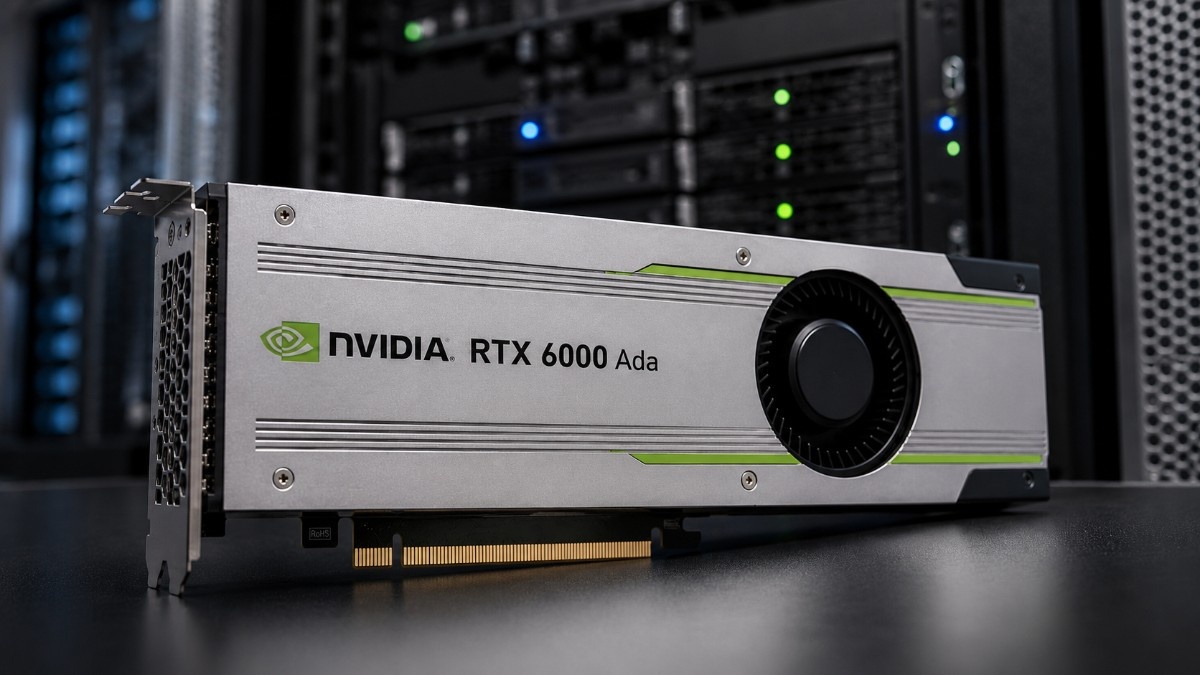
Choosing the NVIDIA RTX 6000 Ada is not just about buying a faster GPU. Buyers also need to know if it fits their workstation, software, workload, power supply, cooling, memory, and storage needs. The right setup matters for AI development, rendering, CAD, simulation, and visualization.
This NVIDIA RTX 6000 Ada Review gives a practical buying guide for professional users. It explains who should buy RTX 6000 Ada, how it compares with RTX A6000 and RTX PRO 6000 Blackwell, and when a workstation GPU makes more sense than a data center GPU.
What Is the NVIDIA RTX 6000 Ada?
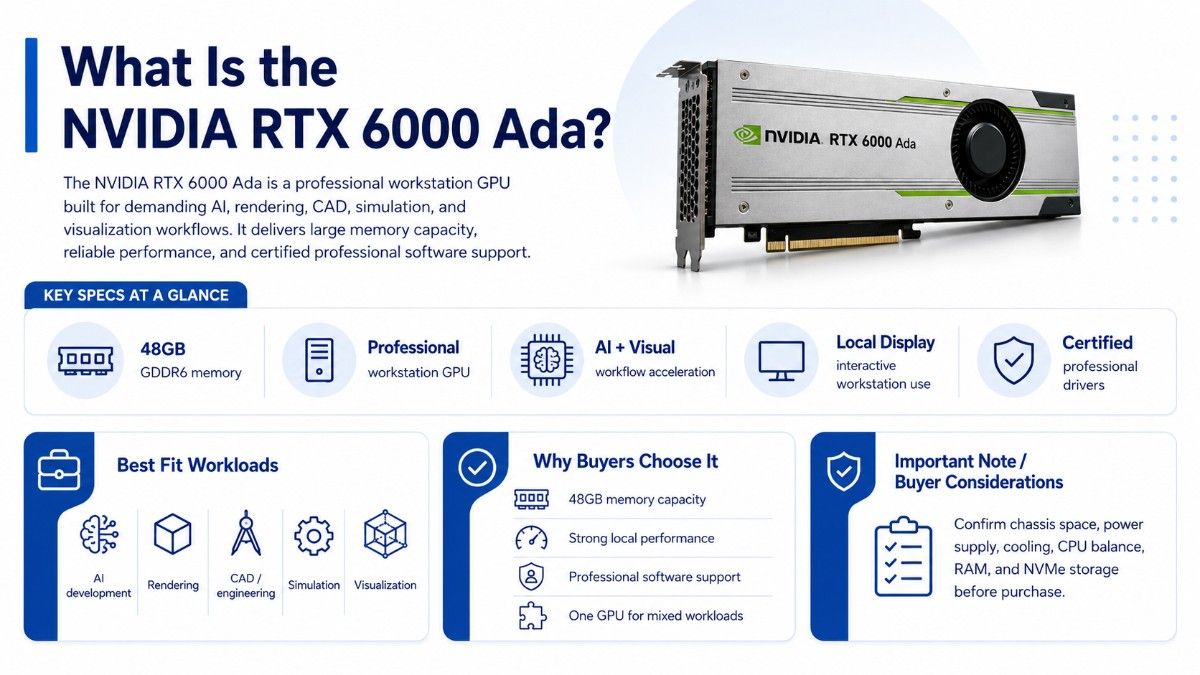
The NVIDIA RTX 6000 Ada is a professional workstation GPU built for demanding visual, compute, and AI workflows. It is designed for users who need more reliability, memory capacity, and professional software support than a standard consumer graphics card can provide.
The RTX 6000 Ada 48GB gives engineers, designers, AI developers, 3D artists, and visualization teams a powerful single-GPU option. It can support large scenes, complex assemblies, GPU rendering, simulation previews, AI model development, and multi-application workflows.
It also gives buyers a workstation path that is different from data center GPUs. A data center GPU may be better for rack servers and shared AI infrastructure. A workstation GPU is often better when the user needs local display output, certified professional drivers, and interactive design performance.
| RTX 6000 Ada buying point | Practical meaning for buyers |
| Product type | Professional workstation GPU |
| Memory | 48GB GDDR6 class professional GPU memory |
| Best fit | AI development, rendering, CAD, simulation, visualization |
| Workstation role | Local GPU acceleration for professional users |
| Related upgrade option | RTX PRO 6000 Blackwell |
| Related value option | RTX A6000 |
| Related alternatives | RTX A5000, A40, L40S |
The RTX 6000 Ada works best when the full workstation supports the GPU properly. Buyers should confirm chassis space, power supply capacity, cooling, CPU balance, RAM capacity, storage speed, and software requirements before ordering.
Is the NVIDIA RTX 6000 Ada Good for AI Development?
Yes. The NVIDIA RTX 6000 Ada is a strong GPU for AI development when teams need a local workstation for model testing, fine-tuning, prototyping, inference testing, and AI-assisted creative workflows.
AI teams often use workstation GPUs before moving work to larger servers or clusters. A local workstation gives developers faster control over experiments, datasets, scripts, and visual outputs. It also helps teams avoid using shared server resources for every early-stage test.
The RTX 6000 Ada is useful for:
- AI model prototyping
- Local inference testing
- Computer vision workflows
- Generative AI development
- AI-assisted rendering and design
The GPU is especially useful when AI work overlaps with visual work. For example, a team may use the same workstation for 3D rendering, image generation, model testing, and simulation visualization. In that case, a workstation GPU can make more sense than a data center accelerator.
The RTX PRO 6000 Blackwell is the newer high-end option for buyers planning a next-generation workstation build. RTX 6000 Ada remains important for teams that want strong professional performance, broad software support, and more flexible sourcing.
Who Should Buy the NVIDIA RTX 6000 Ada?
The RTX 6000 Ada is best for users who need a high-end workstation GPU for interactive professional work. It is not just for one workload. It fits buyers who move between design, AI, rendering, simulation, and visualization tools during the same project.
Engineering teams can use it for large assemblies, design reviews, simulation previews, and visual validation. Creative studios can use it for GPU rendering, animation, virtual production, and real-time scene work. AI developers can use it for model testing, computer vision, and local inference.
| Buyer type | Good fit? | Why it fits |
| CAD engineer | Yes | Strong for large models and interactive design |
| Rendering studio | Yes | Useful for GPU rendering and scene-heavy work |
| AI developer | Yes | Good for local AI testing and visual AI workflows |
| Simulation user | Yes | Helps with GPU-accelerated previews and analysis |
| Basic office user | No | More GPU than needed |
| Large AI cluster buyer | Sometimes | L40S or data center GPUs may fit better |
The RTX 6000 Ada is a premium card. Buyers should choose it when the workload can use its memory, driver support, and professional acceleration. If the project only needs basic display output or light GPU work, a lower-cost GPU may make more sense.
How Does RTX 6000 Ada Fit Into a Professional Workstation?
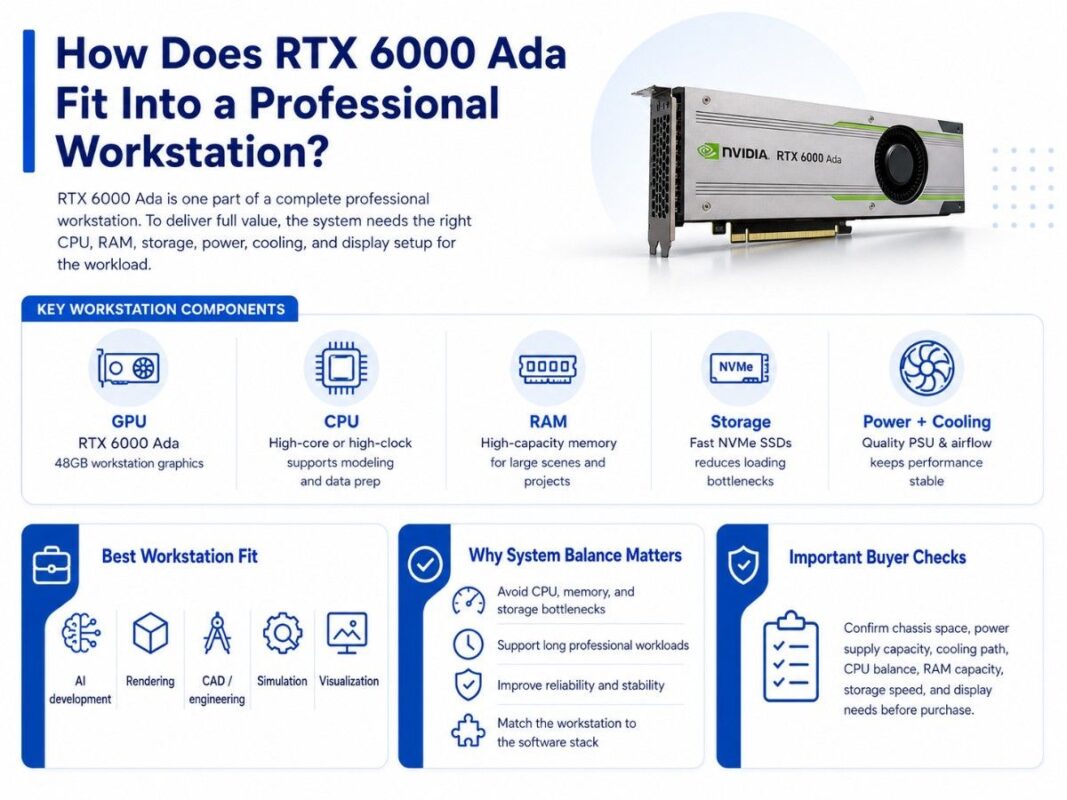
The RTX 6000 Ada is only one part of a complete workstation build. The rest of the system must support the GPU and feed it with enough data. A weak workstation can reduce the value of a strong GPU.
A proper workstation should include a strong CPU, high-capacity RAM, fast NVMe SSDs, a suitable motherboard, a high-quality power supply, and strong cooling. The system should also match the user’s software stack and display needs.
Many professional users also need reliability. That means stable drivers, clean airflow, correct power connectors, quality storage, and tested memory. A workstation that looks powerful on paper may still perform poorly if the parts do not work well together.
| Workstation layer | What to confirm | Why it matters |
| GPU | RTX 6000 Ada 48GB | Accelerates AI, rendering, CAD, and visualization |
| CPU | High-core or high-clock workstation CPU | Supports modeling, simulation, and data prep |
| RAM | High-capacity system memory | Helps with large scenes and complex projects |
| Storage | NVMe SSDs | Reduces loading and cache bottlenecks |
| Power supply | Enough wattage and connectors | Keeps system stable under load |
| Cooling | Strong case airflow | Protects GPU and workstation performance |
| Displays | Correct ports and monitors | Supports professional visual workflows |
A strong workstation often starts with the GPU, but the final build depends on the workload. Rendering users may need more GPU focus. Simulation users may need more CPU and RAM. AI developers may need more NVMe storage and memory for datasets.
A balanced GPU workstation setup helps avoid bottlenecks across compute, memory, storage, and power.
What Workstation Use Cases Fit RTX 6000 Ada Best?
The RTX 6000 Ada fits professional workloads where time, visual quality, memory capacity, and software stability matter. It is a strong choice for users who work with large models, heavy scenes, and GPU-accelerated tools every day.
For CAD, the GPU can help with large assemblies, model navigation, viewport performance, and visual review. For rendering, it can help reduce wait times and improve real-time previews. For simulation, it can support GPU-assisted visualization and technical workflows.
Professional visualization teams may use RTX 6000 Ada for architecture, product design, medical imaging, digital twins, engineering reviews, and virtual production. These teams often need both graphics performance and stable workstation behavior.
AI Development Workloads
AI developers can use RTX 6000 Ada for local model testing, inference workflows, data preparation, and computer vision projects. It can also support generative AI tools used in design, media, and research.
The card is not a replacement for every AI server. Large training jobs may still need H100, H200, or multi-GPU data center systems. But for local development, the RTX 6000 Ada gives teams a strong workstation platform before scaling to server infrastructure.
CAD, Rendering, and Simulation Workloads
CAD and engineering users often need fast viewport performance and reliable handling of large files. RTX 6000 Ada supports the kind of interactive work that makes local workstations valuable.
Rendering teams can use the GPU for GPU render engines, real-time previews, lighting work, animation, and production review. Simulation users can benefit when their tools use GPU acceleration or when they need to visualize complex results smoothly.
Professional Visualization Workloads
Professional visualization often mixes design, rendering, video, and real-time graphics. RTX 6000 Ada can serve users who need one workstation for many visual tasks.
This is where a high-end workstation GPU can be better than a data center GPU. The user needs displays, certified workflows, interactive performance, and strong local control instead of only remote compute.
RTX 6000 Ada vs RTX A6000: Which GPU Should You Choose?
The RTX 6000 Ada is the newer and stronger option for many professional workstation users. The RTX A6000 48GB remains useful when buyers want a proven 48GB workstation GPU with strong value, wide software support, and refurbished availability.
The right choice depends on workload, budget, software needs, and availability. Buyers moving from older Quadro or RTX A-series cards may see RTX 6000 Ada as a major upgrade. Buyers with mature workflows may still find RTX A6000 enough.
| Decision point | RTX 6000 Ada | RTX A6000 |
| Generation | Newer Ada workstation GPU | Previous Ampere workstation GPU |
| Memory class | 48GB professional GPU memory | 48GB professional GPU memory |
| Best fit | Newer rendering, AI, and visualization workflows | Cost-aware professional workstations |
| Buying angle | Stronger upgrade path | Better value when refurbished |
| Good for AI development | Yes | Yes, for many mature workflows |
| Good for rendering | Yes | Yes, depending on scene and engine |
Choose RTX 6000 Ada when performance, newer architecture, and longer workstation life matter more than lowest cost. Choose RTX A6000 when budget, availability, or a proven platform matters more.
The refurbished buying process becomes important when teams compare used RTX A6000 options against newer RTX 6000 Ada inventory.
How Does RTX 6000 Ada Compare With RTX PRO 6000 Blackwell?
RTX PRO 6000 Blackwell is the future-facing option for high-end workstation buyers. It targets users who need the newest RTX professional platform, larger memory capacity, and next-generation AI and rendering performance.
RTX 6000 Ada still makes sense for many buyers because it offers strong professional performance and may be easier to source depending on timing, budget, and workstation requirements. Not every team needs the newest flagship GPU on day one.
Buyers should compare RTX 6000 Ada and RTX PRO 6000 Blackwell based on three questions:
- Does the workload need the newer platform?
- Does the budget support the upgrade?
- Does the workstation support the power and cooling needs?
RTX PRO 6000 Blackwell can be the better choice for new flagship builds. RTX 6000 Ada can be the better fit when teams want strong performance, 48GB class memory, and a more established workstation option.
What Related GPUs Should Buyers Compare?
The RTX 6000 Ada should not be reviewed in isolation. Buyers should compare it with lower-cost workstation GPUs, older professional cards, and data center alternatives.
The RTX A5000 workstation GPU may fit users who need professional graphics performance but do not need 48GB of GPU memory. It can be a practical choice for lighter CAD, design, and visualization workloads.
The NVIDIA A40 GPU can make sense for data center visualization, virtual workstations, and server-based graphics. It is not the same type of buyer decision as a desktop workstation card.
The NVIDIA L40S option may fit teams that need AI inference, rendering, and visualization inside a server platform instead of a desktop workstation.
| GPU | Best fit | Main reason to compare |
| RTX 6000 Ada | High-end workstation users | Strong balance of AI, rendering, and visualization |
| RTX A6000 | Value workstation builds | 48GB memory with mature platform support |
| RTX PRO 6000 Blackwell | New flagship workstations | Newer platform and upgrade path |
| RTX A5000 | Midrange professional workstations | Lower-cost option for lighter workloads |
| A40 | Data center visualization | Better for server-based graphics |
| L40S | Server AI and rendering | Better for data center inference and rendering |
The best GPU depends on where the work happens. A desktop user may need RTX 6000 Ada. A shared infrastructure team may need A40 or L40S. A budget-sensitive workstation buyer may compare RTX A6000 or RTX A5000.
When Is a Workstation GPU Better Than a Data Center GPU?
A workstation GPU is better when the user needs local display output, interactive application performance, workstation drivers, and direct control of the machine. This matters for engineers, artists, researchers, and developers who work inside local software all day.
A data center GPU is better when the workload runs in a server, supports many users, or needs rack-scale deployment. It may also be better for shared AI inference, virtualization, or centralized rendering farms.
RTX 6000 Ada is better when the buyer needs:
- Local workstation performance
- Professional display support
- CAD and rendering software workflows
- AI development near the user
- One machine for mixed professional tasks
Data center GPUs become better when the team needs remote access, multi-user scheduling, centralized management, or server density. That is where products like A40, L40S, H100, or H200 may enter the plan.
The AI deployment guide can support broader planning when teams need to connect workstation development with server or cluster deployment.
What Should You Buy With RTX 6000 Ada?
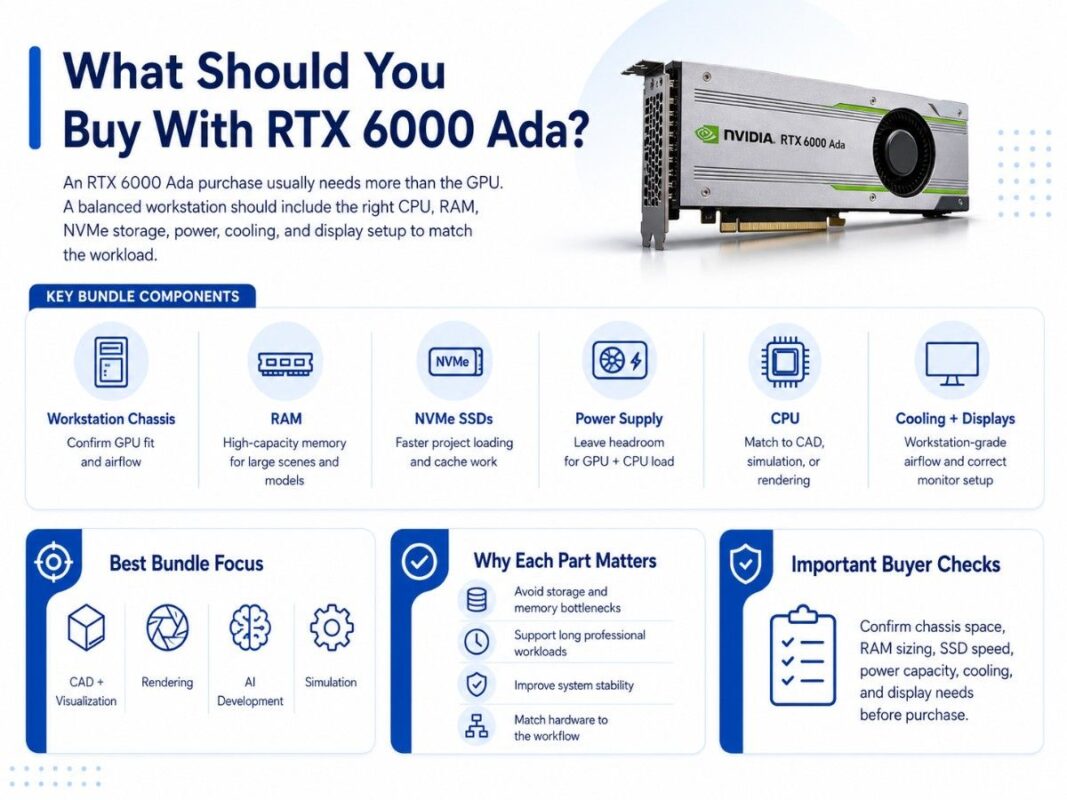
An RTX 6000 Ada purchase usually needs more than the GPU. The workstation should include enough CPU performance, RAM, NVMe storage, power, cooling, and professional software support to match the workload.
For CAD and visualization, buyers should focus on CPU performance, RAM, GPU memory, and display setup. For rendering, they should size GPU power, storage speed, and cooling. For AI development, they should consider dataset storage, RAM, and workstation expandability.
| Component | Why it matters | Buying guidance |
| Workstation chassis | Holds GPU and keeps airflow stable | Confirm GPU length, width, and cooling path |
| High-capacity RAM | Supports large scenes and models | Size RAM for project files and multitasking |
| NVMe SSDs | Speeds project loading and cache work | Use fast SSDs for active projects |
| Power supply | Supports GPU and CPU under load | Leave headroom for peak workload |
| CPU | Feeds GPU and handles modeling tasks | Match CPU to CAD, simulation, or rendering |
| Cooling | Protects performance under long runs | Use workstation-grade airflow |
| Displays | Supports visual review and production | Match ports, resolution, and color needs |
The workstation should match the actual workflow. A 3D artist, CAD engineer, AI developer, and simulation user may all buy the same GPU, but they may need different supporting parts.
A strong professional hardware setup should account for power, cooling, and long workload sessions before the system ships.
When Is RTX 6000 Ada Overkill?
RTX 6000 Ada is overkill when the workload does not need high-end GPU memory, professional drivers, or advanced rendering and AI performance. Many users can complete lighter work with RTX A5000, RTX A4000-class cards, or other lower-cost options.
It may also be more GPU than needed if the system has weak CPU support, limited RAM, slow storage, or poor airflow. A powerful GPU cannot fix every workstation bottleneck.
RTX 6000 Ada may be too much when:
- Projects fit on smaller GPU memory
- Workloads are mostly 2D or basic CAD
- Rendering happens on a server farm
- AI work runs in the cloud
- Budget matters more than peak speed
A practical buying decision should compare total workstation value, not just GPU performance. In many cases, the right upgrade may include RAM, NVMe SSDs, CPU, cooling, or a better workstation chassis along with the GPU.
Should Buyers Choose New, Refurbished, or Previous-Generation GPUs?
New RTX 6000 Ada hardware makes sense when buyers need clean procurement, longer lifecycle planning, and high confidence for production workstations. New hardware may also fit teams with standard warranty and support requirements.
Refurbished or previous-generation GPUs can make sense when budgets matter. RTX A6000 and RTX A5000 may still support many professional workflows at a lower cost. Buyers should verify condition, testing, warranty, and compatibility before choosing used hardware.
A refurbished workstation path can help teams stretch budget while still building useful professional systems.
Buyers should ask about:
- GPU condition and part number
- Testing and return terms
- Warranty coverage
- Workstation compatibility
- Driver and software support
The right buying path depends on workload risk. A production studio with deadline-heavy work may prefer new hardware. A lab, training room, or secondary workstation may accept refurbished options if testing and warranty terms are clear.
How Do Buyers Build a Quote-Ready RTX 6000 Ada Configuration?
A quote-ready request should include more than “we need an RTX 6000 Ada.” Buyers should explain the workload, workstation type, software stack, memory needs, storage requirements, display setup, timeline, and condition preference.
A clear request helps avoid mismatched parts. It also helps the sourcing team compare RTX 6000 Ada with RTX A6000, RTX PRO 6000 Blackwell, RTX A5000, A40, or L40S when another GPU may fit better.
A useful quote request includes:
- GPU model and quantity
- Workstation brand or chassis preference
- CAD, rendering, AI, or simulation software
- RAM and NVMe storage needs
- New or refurbished preference
Catalyst Data Solutions can help turn a general workstation GPU need into a complete configuration. That may include the GPU, workstation, memory, SSDs, power supply, cooling guidance, and related infrastructure.
The same planning also helps teams that need to connect local workstations to servers, storage, backup systems, or IT asset planning. For lifecycle needs, an enterprise ITAD plan can support refresh cycles when older workstation hardware leaves production.
Need a Complete NVIDIA RTX 6000 Ada Workstation Bundle?
Selecting the NVIDIA RTX 6000 Ada is only one part of the workstation buying process. Buyers also need to confirm system compatibility, workload requirements, power supply capacity, airflow, memory sizing, storage performance, display needs, and whether new or refurbished hardware makes sense.
Catalyst Data Solutions Inc helps organizations source NVIDIA workstation GPUs, professional workstations, memory, NVMe SSDs, storage, and supporting infrastructure across new, refurbished, and hard-to-find inventory.
Catalyst can help buyers build complete configurations based on workload, budget, compatibility, and availability. Request a quote for NVIDIA RTX 6000 Ada availability or ask Catalyst to verify workstation compatibility for a complete professional GPU workstation bundle.
FAQs
Is the NVIDIA RTX 6000 Ada good for AI development?
Yes. RTX 6000 Ada is a strong workstation GPU for AI development, local inference testing, computer vision, model prototyping, and AI-assisted creative workflows. Larger training projects may still need server GPUs or GPU clusters.
Is RTX 6000 Ada good for rendering?
Yes. RTX 6000 Ada is a strong choice for GPU rendering, real-time previews, 3D scenes, animation, and professional visualization. It works best in a balanced workstation with enough RAM, NVMe storage, power, and cooling.
Is RTX 6000 Ada better than RTX A6000?
For many newer workloads, RTX 6000 Ada is the stronger workstation GPU. RTX A6000 can still make sense for buyers who want 48GB professional GPU memory at a lower cost, especially when refurbished inventory is available.
Should I buy RTX 6000 Ada or RTX PRO 6000 Blackwell?
Choose RTX PRO 6000 Blackwell when you need the newest flagship workstation platform and your budget supports it. Choose RTX 6000 Ada when you need strong professional performance, 48GB class memory, and a more established sourcing path.
Can RTX 6000 Ada replace a data center GPU?
Sometimes, but not always. RTX 6000 Ada is better for local workstation use, display output, CAD, rendering, and AI development. Data center GPUs are better for rack servers, shared infrastructure, virtualization, and large AI deployments.
What should I buy with RTX 6000 Ada?
Most buyers need a compatible workstation, high-capacity RAM, NVMe SSDs, a strong power supply, proper cooling, and the right display setup. The exact bundle depends on CAD, rendering, AI, simulation, or visualization workload needs.
When is RTX 6000 Ada overkill?
RTX 6000 Ada may be overkill for basic CAD, 2D design, light visualization, small AI tests, or users who do not need 48GB class GPU memory. RTX A5000, RTX A6000, or another GPU may offer better value in those cases.