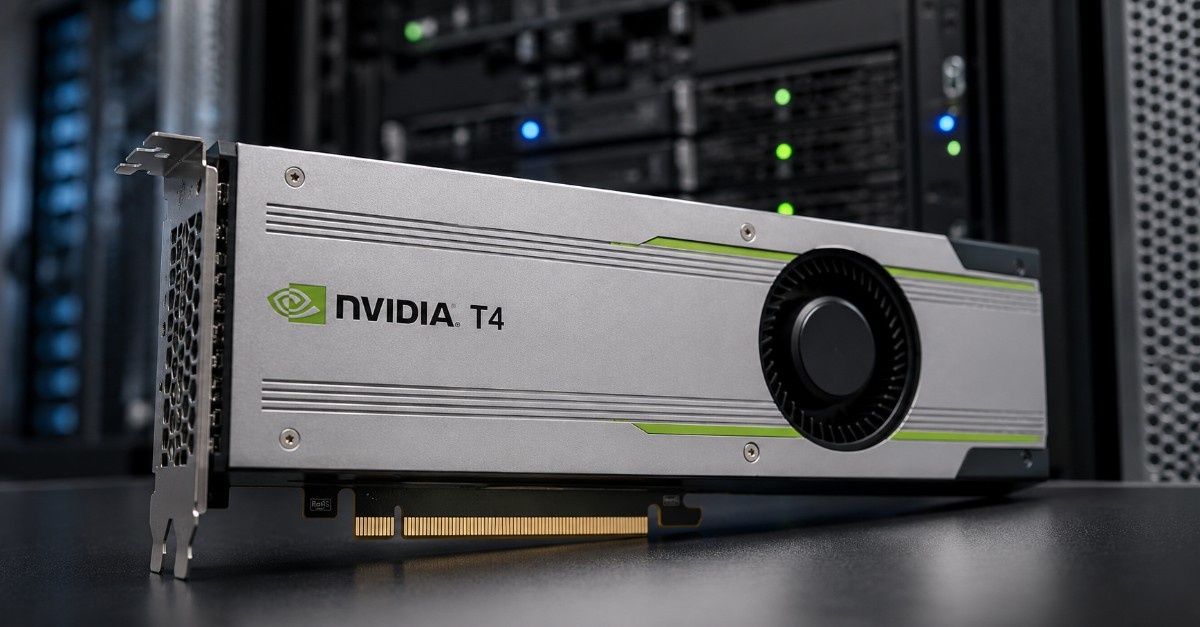
The NVIDIA T4 Review should not start and end with GPU specs. Buyers need to know where the T4 fits, what workloads it handles well, what server platform can support it, and what supporting parts are usually needed.
The NVIDIA T4 is a compact data center GPU built for AI inference, virtual desktop infrastructure, video workloads, and lower-power acceleration. It is not the best choice for every AI project, but it can still make sense when space, power, cost, and server flexibility matter.
A strong T4 deployment usually includes more than the GPU. Buyers may also need a compact GPU server, virtualization server, system memory, SSD storage, 10G or 25G networking, compatible vGPU software, and enough airflow for passive cooling.
Some buyers may also see NVIDIA T4G inventory or closely related T4 listings. In those cases, the safest step is to confirm the exact part number, server support, firmware status, and included accessories before purchase.
What Is the NVIDIA T4 GPU?
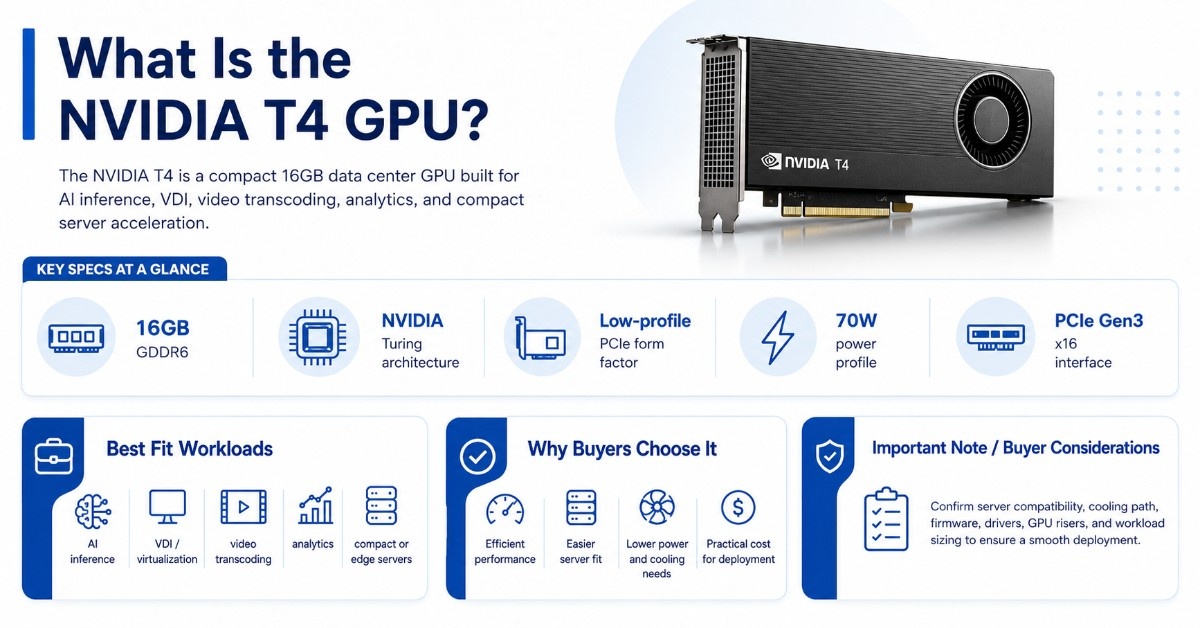
The NVIDIA T4 is a 16GB data center GPU for AI inference, VDI, video transcoding, analytics, and compact server acceleration. It works best when buyers need efficient GPU performance without the power, cooling, or budget requirements of larger GPUs.
The T4 uses NVIDIA Turing architecture and fits into a low-profile PCIe form factor. Its 70W power profile makes it easier to place in more servers than larger dual-slot or high-power accelerators.
This does not mean any server with a PCIe slot can run T4 well. The server still needs the right PCIe support, cooling path, firmware, GPU risers, drivers, and workload sizing.
NVIDIA T4 Specs
| NVIDIA T4 buying point | Practical meaning for buyers |
| GPU memory | 16GB GDDR6 for inference, VDI, and video workloads |
| Architecture | NVIDIA Turing for Tensor Core and RT Core acceleration |
| Form factor | Low-profile PCIe card for compact server designs |
| Power | 70W, useful where power and cooling are limited |
| Interface | PCIe Gen3 x16 support |
| Best fit | Inference, VDI, transcoding, analytics, and light GPU sharing |
| Buying concern | Server compatibility, vGPU licensing, cooling, and driver support |
The NVIDIA T4 is strongest when the buyer wants useful acceleration at a practical cost. It is often a better fit than larger GPUs for smaller AI nodes, edge servers, VDI hosts, and media pipelines.
Practical Use Cases and Solutions
| Use case | What problem it solves | Why T4 works |
| AI inference deployment | Need to run trained models in production with stable cost and power | T4 delivers efficient inference performance without requiring high-end GPUs |
| Virtual desktop (VDI) | Users face slow desktops, poor graphics, or limited scalability | T4 enables shared GPU acceleration for smoother user experience |
| Video transcoding | CPU-based video processing is slow and expensive | T4 offloads encoding and decoding to improve speed and reduce CPU load |
| Edge or compact servers | Limited space, power, or cooling in edge locations | Low-profile design and 70W power make T4 easy to deploy |
| Budget GPU expansion | Need GPU acceleration without large capital investment | Refurbished T4 offers cost-effective scaling for existing infrastructure |
| Mixed workloads | Need one GPU for inference, VDI, and video tasks | T4 supports multiple workloads in a single compact system |
Is NVIDIA T4 Good for AI Inference?
Yes. NVIDIA T4 is good for AI inference when the workload needs efficient acceleration, moderate GPU memory, and low-power deployment. It can support computer vision, speech AI, recommendation models, document processing, image classification, object detection, and smaller language model inference.
T4 is often useful after a model has moved past development and into production serving. Inference buyers care about latency, throughput, uptime, power cost, and the number of requests each server can handle.
A T4 server may support several inference services if the models are sized correctly. The best results come when the full system supports the GPU with enough CPU, memory, storage, and network speed.
T4 can make sense for:
- Computer vision and image recognition
- Document intelligence and OCR pipelines
- Speech-to-text and text-to-speech services
- Recommendation and ranking models
- Batch inference for business analytics
The key question is not only whether T4 can run the model. Buyers should ask whether T4 can meet the needed latency, batch size, uptime, and cost target.
For larger generative AI inference, the NVIDIA L4 may be a stronger option. L4 has newer architecture, more memory, better video features, and a more modern path for AI and graphics workloads.
How Does NVIDIA T4 Support VDI and Virtualization?
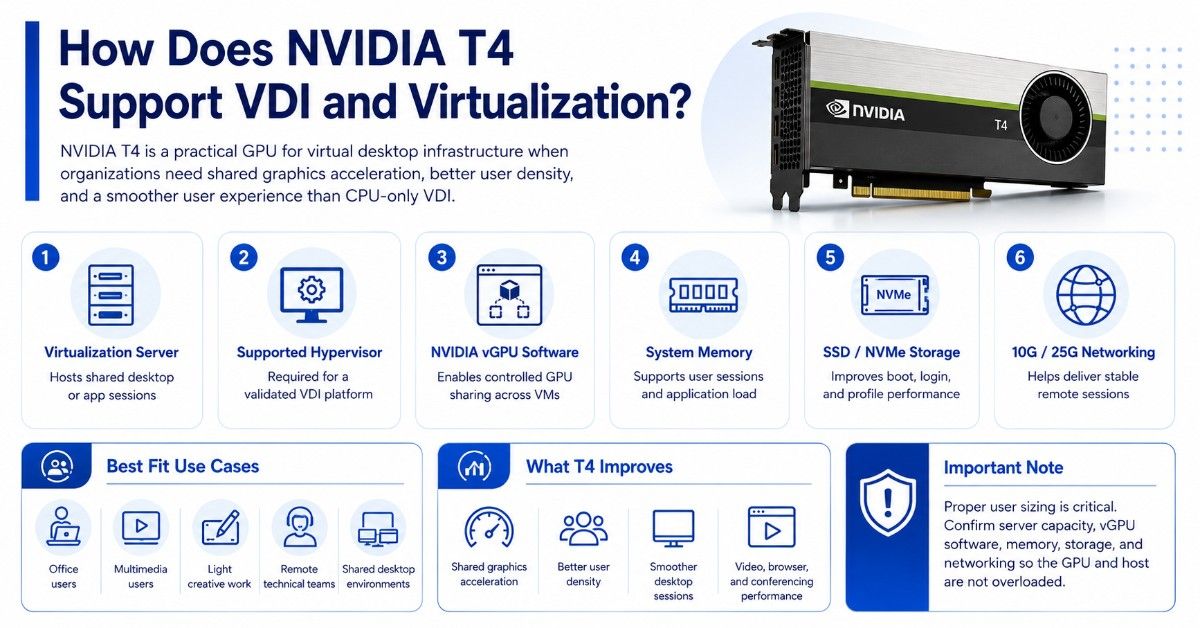
NVIDIA T4 is a practical GPU for virtual desktop infrastructure when buyers need shared graphics acceleration, better user density, and improved user experience compared with CPU-only VDI. It can support office users, multimedia users, light creative users, and some remote technical workloads.
A T4 VDI build must include more than the GPU. Buyers need a virtualization server, a supported hypervisor, NVIDIA virtual GPU software, enough system memory, fast storage, and stable networking.
T4 works well when users need smooth desktop sessions, video playback, browser acceleration, conferencing tools, and common business applications. It can also help with light design, basic visualization, and shared GPU compute use.
| VDI requirement | Why it matters with T4 |
| Virtualization server | Hosts shared desktop or app sessions |
| NVIDIA vGPU software | Allows controlled GPU sharing across virtual machines |
| System memory | Supports user sessions and application load |
| SSD or NVMe storage | Improves boot, login, and profile performance |
| 10G/25G networking | Helps deliver stable remote sessions |
| User sizing | Prevents overloading the GPU or host server |
Older GRID products may still appear in legacy environments. A NVIDIA GRID card may fit older virtual graphics use cases, but most buyers should compare it carefully against T4, A2, or L4 before expanding an older platform.
T4 can also work in mixed infrastructure. A company may use T4 for VDI, A2 for entry-level edge inference, and L4 for newer AI video or graphics workloads.
Can NVIDIA T4 Help With Video Transcoding?
Yes. NVIDIA T4 is useful for video transcoding and AI video pipelines. It can help platforms process video streams, run computer vision models, support content analysis, and reduce CPU load.
Video workloads can become expensive when they run only on CPUs. T4 can help with encoding, decoding, and AI-assisted video tasks in media, surveillance, education, retail, and streaming services.
A T4 video server may need fast storage and steady network capacity. Video files, live streams, and analytics outputs can move a lot of data through the system.
Common video use cases include:
- Live stream transcoding
- Video search and classification
- Smart camera analytics
- Content moderation workflows
- Low-power media processing
For newer video deployments, buyers should compare T4 with L4. L4 is usually the better choice when the project needs a newer GPU, stronger AI video performance, AV1 support, or longer lifecycle planning.
T4 still makes sense when cost, availability, server fit, and proven software support matter more than having the newest platform.
What Server and Infrastructure Does NVIDIA T4 Need?
NVIDIA T4 needs a compatible server that can support the card’s physical size, PCIe interface, passive cooling, power profile, firmware, BIOS, and GPU driver stack. A T4 card is compact, but the server still needs validation.
A compact GPU server may support one or more T4 cards depending on chassis design. A virtualization host may use T4 for shared VDI users. An inference node may use several T4 cards for model serving.
The GPU also depends on the rest of the infrastructure. Slow storage, limited system memory, weak networking, or poor airflow can reduce the value of the card.
| System layer | What to include | Buying guidance |
| Compact GPU server | PCIe slots, risers, fans, power supplies | Confirm exact T4 support before ordering |
| Virtualization server | CPU, RAM, hypervisor, vGPU software | Size by user count and workload type |
| Storage | SSD or NVMe storage | Match storage speed to boot, data, and model needs |
| Memory | DDR4 or DDR5 server memory | Size for users, VMs, and CPU-side workloads |
| Networking | 10G or 25G NICs and switches | Use stable links for VDI and inference services |
| Cabling | SFP/QSFP optics, DAC, or AOC cables | Match port speed, reach, and switch type |
T4 deployments often use 10G networking for smaller VDI and inference environments. Larger VDI clusters, shared storage designs, and multi-host platforms may need 25G networking.
The server should also match the software stack. Buyers should confirm NVIDIA driver support, CUDA needs, vGPU licensing, hypervisor support, and application requirements before buying hardware.
A balanced deployment may start with a compact server, T4 GPUs, server memory, SSD storage, and 10G or 25G networking. For larger environments, the design may also need rack planning, backup networking, and cooling checks.
The broader GPU server build approach matters because the GPU is only one part of the full platform.
How Does NVIDIA T4 Compare With L4, A2, P4, and GRID?
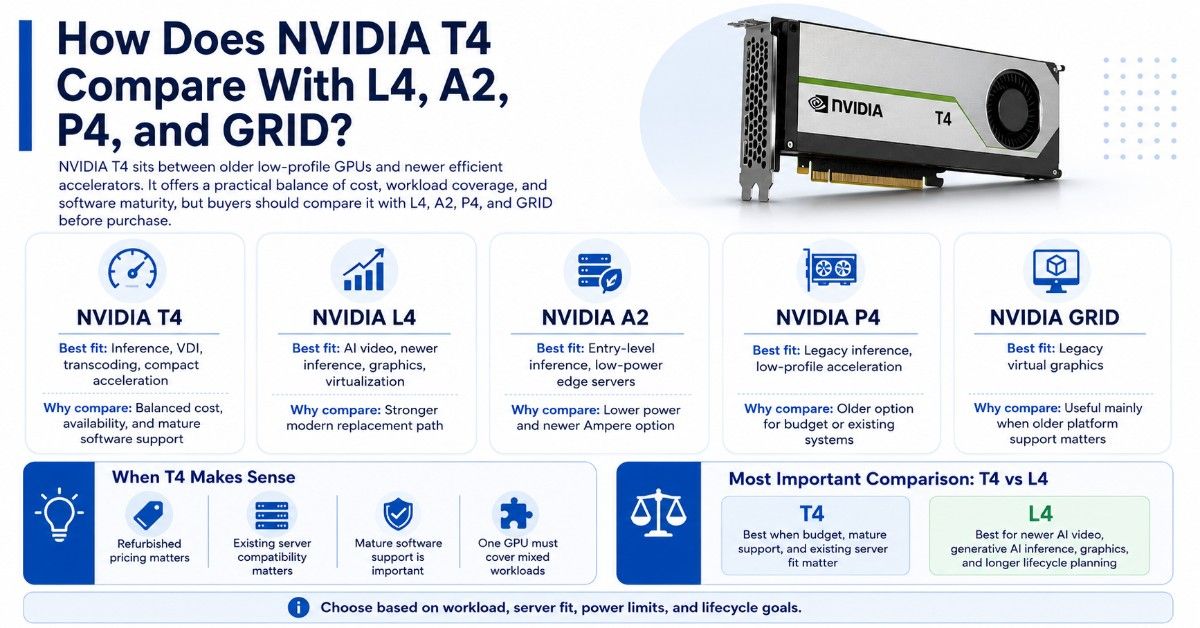
T4 sits between older low-profile GPUs and newer efficient accelerators. It offers a useful balance of cost, maturity, and workload coverage, but buyers should compare it against L4, A2, P4, and GRID before purchase.
| GPU option | Best fit | Main reason to compare |
| NVIDIA T4 | Inference, VDI, transcoding, compact acceleration | Balanced cost, availability, and software maturity |
| NVIDIA T4G | T4-related inventory or listing variant | Confirm exact SKU and server fit |
| NVIDIA A2 | Entry-level inference and low-power edge servers | Lower power and newer Ampere option |
| NVIDIA L4 | AI video, newer inference, graphics, virtualization | Stronger modern replacement path |
| NVIDIA P4 | Legacy inference and low-profile acceleration | Older option for budget or existing systems |
| NVIDIA GRID | Legacy virtual graphics | Useful only when older platform support matters |
The NVIDIA A2 can make sense for entry-level inference and edge use cases where low power matters more than broad T4 availability.
The NVIDIA P4 may still appear in legacy inference environments. It can be useful for very cost-sensitive projects, but buyers should check software support, driver needs, and performance limits.
T4 vs L4 is the most important comparison for many buyers. T4 is often attractive when refurbished pricing, mature support, and existing server compatibility matter. L4 is stronger when the buyer wants a newer GPU for AI video, generative AI inference, graphics, and longer-term planning.
When Is NVIDIA T4 the Wrong Choice?
NVIDIA T4 is not the right GPU when the workload needs high-end AI training, large model memory, dense multi-GPU scaling, or the latest AI video features. In those cases, buyers should look at larger or newer GPUs.
T4 may be too limited when the model needs more than 16GB of GPU memory. It may also be a poor fit if the project needs very high throughput for modern generative AI workloads.
T4 may not be the best choice when:
- The workload needs large-scale AI training
- Model size exceeds practical 16GB limits
- The project needs newer video features
- User density targets are too high for the host
- The buyer wants a longer modern lifecycle
A practical buyer should compare cost per workload, not only the price of the GPU. A cheaper card can become expensive if it needs too many servers, too much power, or too much support effort.
For AI infrastructure planning, a broader GPU deployment guide can help buyers compare workload needs against server, storage, networking, and cooling requirements.
Should Buyers Choose New or Refurbished NVIDIA T4?
Refurbished NVIDIA T4 GPUs can make sense when buyers need cost-efficient inference, VDI expansion, lab capacity, or replacement inventory. Since T4 is a mature product, refurbished supply may offer a strong value path for the right workload.
Newer GPUs may be better for long lifecycle planning, standardized production fleets, and projects that need current platform support. Refurbished T4 may be better when budget, availability, and compatibility with existing servers matter most.
Buyers should not treat every refurbished T4 the same. They should confirm testing, condition, warranty, firmware, part number, and seller credibility.
A strong refurbished buying process should check:
- Exact NVIDIA part number and memory size
- Physical condition and bracket type
- Firmware, driver, and vGPU support
- Server compatibility and airflow needs
- Warranty, return terms, and test results
The refurbished testing process matters because it helps buyers reduce risk before deployment. For companies replacing or retiring older hardware, an IT asset disposition plan can also help manage lifecycle, resale, and responsible hardware handling.
Buyers looking across multiple used options may compare T4 with P4, A2, L4, and older GRID inventory. The best choice depends on workload, server fit, budget, and support needs.
How Do Buyers Build a Quote-Ready NVIDIA T4 Configuration?
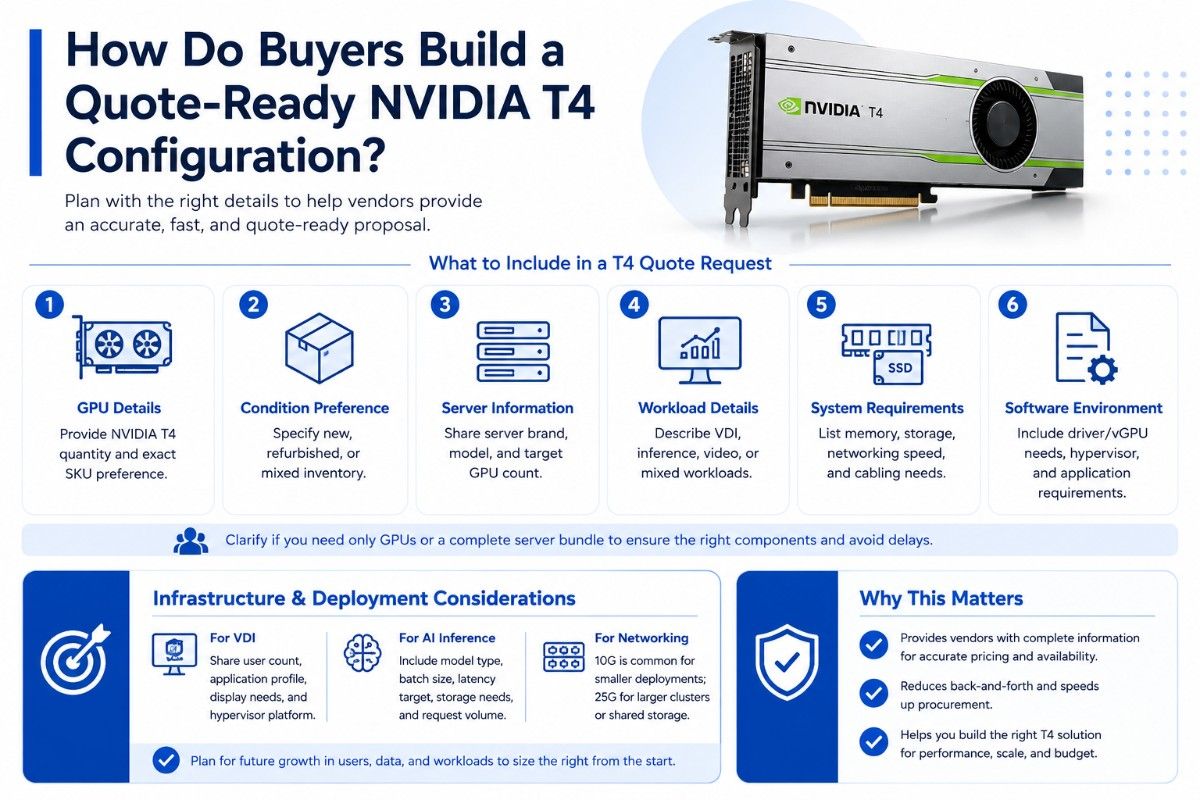
Planning a quote-ready NVIDIA T4 setup is easier when you organize your requirements clearly. Buyers should focus on workload needs, system compatibility, and supporting infrastructure before requesting pricing or availability.
What to Include in a T4 Quote Request
A strong NVIDIA T4 request should include the workload, target server model, GPU quantity, condition preference, storage needs, memory requirements, networking speed, and software environment.
Buyers should also clarify whether they need only GPUs or a complete server bundle. This helps avoid mismatched hardware and delays during deployment.
A useful T4 quote request includes:
- NVIDIA T4 quantity and exact SKU preference
- New, refurbished, or mixed inventory preference
- Server brand, model, and GPU count target
- VDI, inference, video, or mixed workload details
- Memory, storage, networking, and cabling needs
Infrastructure and Deployment Considerations
For VDI, buyers should share user count, application profile, display needs, and hypervisor platform. For AI inference, they should include model type, batch size, latency target, storage needs, and expected request volume.
For networking, smaller T4 deployments often start with 10G. Larger VDI clusters or shared storage environments may require 25G. Network design should consider user load, storage traffic, host count, and future growth.
The AI networking challenges behind GPU projects can affect even compact deployments. Missing NICs, switch ports, optics, or cables can delay rollout.
Cooling also matters. T4 uses a low-power design, but dense servers still need airflow planning. The data center cooling plan should account for GPU count, server density, rack limits, and room capacity.
Need a Complete NVIDIA T4 Server or VDI Bundle?
Selecting NVIDIA T4 is only one part of the buying process. Buyers still need to confirm server compatibility, memory sizing, storage performance, vGPU software, 10G or 25G networking, and cooling before deployment.
Catalyst Data Solutions Inc supports sourcing NVIDIA GPUs, compact servers, virtualization platforms, and related components. Buyers planning HPE-based infrastructure can include HPE AI planning in their setup, while those comparing options can review refurbished NVIDIA inventory when budget and lead time matter.
FAQs
Is NVIDIA T4 still good for AI inference?
Yes. NVIDIA T4 is still useful for AI inference when the model fits within its memory and performance limits. It works well for computer vision, speech AI, recommendation models, document workflows, and smaller production inference services.
Is NVIDIA T4 good for VDI?
Yes. T4 can support virtual desktop infrastructure when paired with the right virtualization server, vGPU software, memory, storage, and networking. User sizing is important because each environment has different application and display needs.
Can NVIDIA T4 handle video transcoding?
Yes. T4 is useful for video transcoding, video analytics, and AI video pipelines. Buyers should size storage, CPU, and networking around the number of streams and the type of video workload.
What should I buy with an NVIDIA T4 GPU?
Most deployments need a compatible compact GPU server or virtualization server, enough system memory, SSD or NVMe storage, NVIDIA drivers or vGPU software, and 10G or 25G networking. Some builds also need switches, optics, DAC cables, or AOC cables.
Is NVIDIA T4 better than NVIDIA L4?
Not usually for newer workloads. L4 is the stronger modern option for AI video, newer inference, graphics, and longer lifecycle planning. T4 can still be better when budget, refurbished availability, and existing server compatibility matter more.
Should I buy a refurbished NVIDIA T4?
A refurbished T4 can make sense for budget-sensitive inference, VDI, lab, and replacement projects. Buyers should verify part number, testing, condition, firmware, warranty, and server compatibility before ordering.
Can NVIDIA T4 fit in any server?
No. T4 is compact and low power, but the server must still support the card, PCIe layout, cooling, firmware, drivers, and intended GPU count. Always verify server compatibility before purchase.