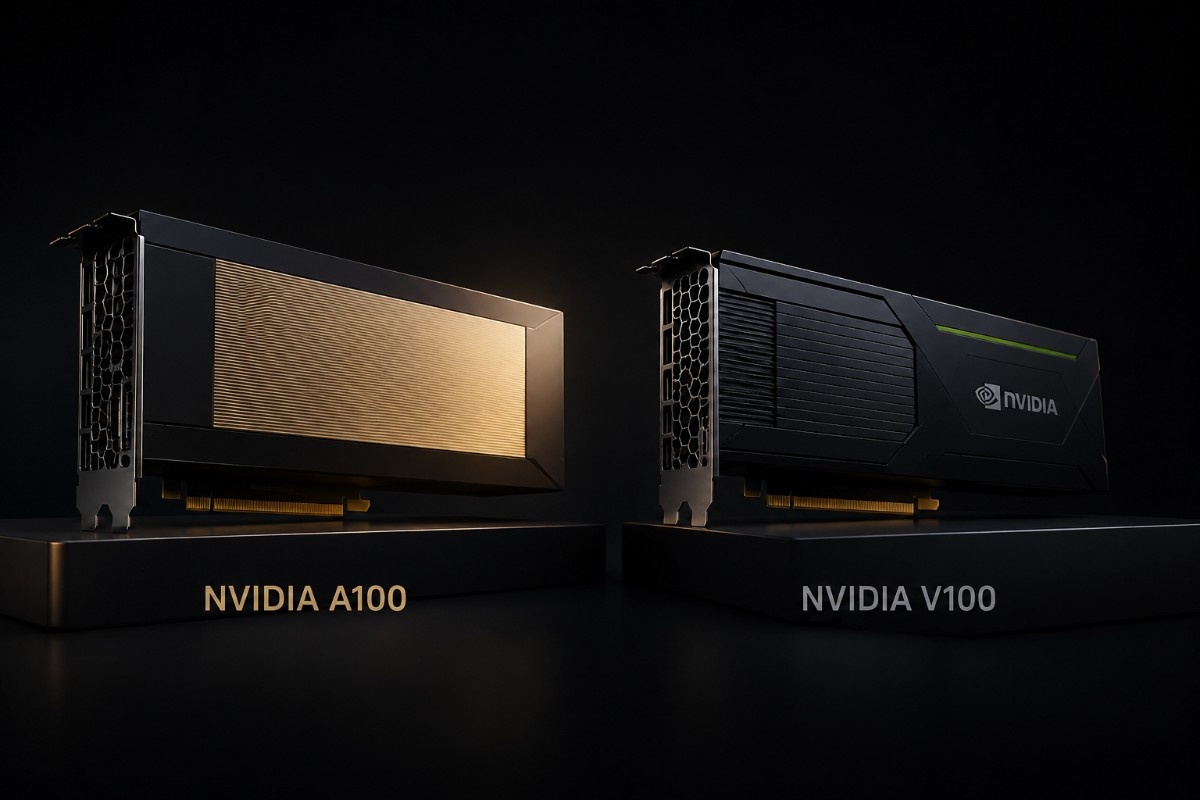
The NVIDIA A100 is the better choice for most modern AI and HPC deployments. It offers more memory, faster bandwidth, newer Tensor Core features, PCIe Gen4, and Multi-Instance GPU support. The NVIDIA V100 still makes sense for older CUDA workloads, established HPC codes, and budget AI labs that value lower acquisition cost over peak speed.
In many real deployments, the choice depends on more than GPU performance. Buyers must also confirm server support, CPU lanes, memory, storage speed, networking, power, cooling, and software fit. A lower-cost V100 can be a smart purchase when the full system already supports it, while an A100 may provide a better long-term platform for growing workloads.
Is the NVIDIA A100 Better Than the V100?
Yes. The A100 is better for new AI training, large-model inference, shared GPU services, and demanding HPC. The Ampere-based A100 raises compute speed and adds TF32 and BF16 support. It can also divide one GPU into as many as seven isolated MIG instances. NVIDIA offers 40GB and 80GB PCIe versions for varied memory needs.
Buyers can compare the A100 40GB PCIe with the 80GB PCIe model when model size, batch size, or dataset scale drives the decision. The 80GB version is the stronger fit for memory-heavy AI and scientific workloads.
| Decision point | NVIDIA A100 | NVIDIA V100 | Practical meaning |
| Architecture | Ampere | Volta | A100 supports newer AI and HPC data types |
| Memory options | 40GB or 80GB | 16GB or 32GB | A100 fits larger models and datasets |
| PCIe generation | PCIe Gen4 | PCIe Gen3 | A100 offers more host-to-GPU bandwidth |
| GPU partitioning | Up to seven MIG instances | No MIG | A100 is better for shared infrastructure |
| Best fit | Modern AI, HPC, analytics | Older AI, established HPC, labs | V100 can lower entry cost |
V100 remains capable. A V100 16GB accelerator may suit compact datasets and older applications, while the 32GB PCIe version provides more room for larger simulations, training jobs, and scientific data.
What Is the Main Difference Between A100 and V100?
The main difference is generation. V100 introduced first-generation Tensor Cores. It helped move deep learning into business and research data centers. A100 builds on that base. It adds third-generation Tensor Cores, more data types, higher memory capacity, faster links, and better workload isolation.
How do A100 40GB and 80GB differ?
The A100 40GB is enough for proven training pipelines, medium models, analytics, and HPC jobs that fit in its memory. Its 1,555 GB/s memory bandwidth also gives it a large step up from standard V100 PCIe cards.
The A100 80GB PCIe raises memory capacity to 80GB. It provides 1,935 GB/s of memory bandwidth. It is a better choice when memory limits batch size, forces heavy checkpointing, or requires workloads to split across more GPUs than desired.
Where do V100 16GB, 32GB, and V100S fit?
The V100 16GB is best for smaller older models, CUDA development, and HPC code with limited memory needs. The 32GB V100 gives more room for larger meshes, tensors, and science data. It keeps the same Volta software base.
V100S is a PCIe option in the Volta family. It can be useful when a buyer wants to remain on a known V100 platform and needs a separate PCIe SKU. Server firmware, power, and thermal support still require validation.
How Do A100 and V100 Compare for AI Workloads?
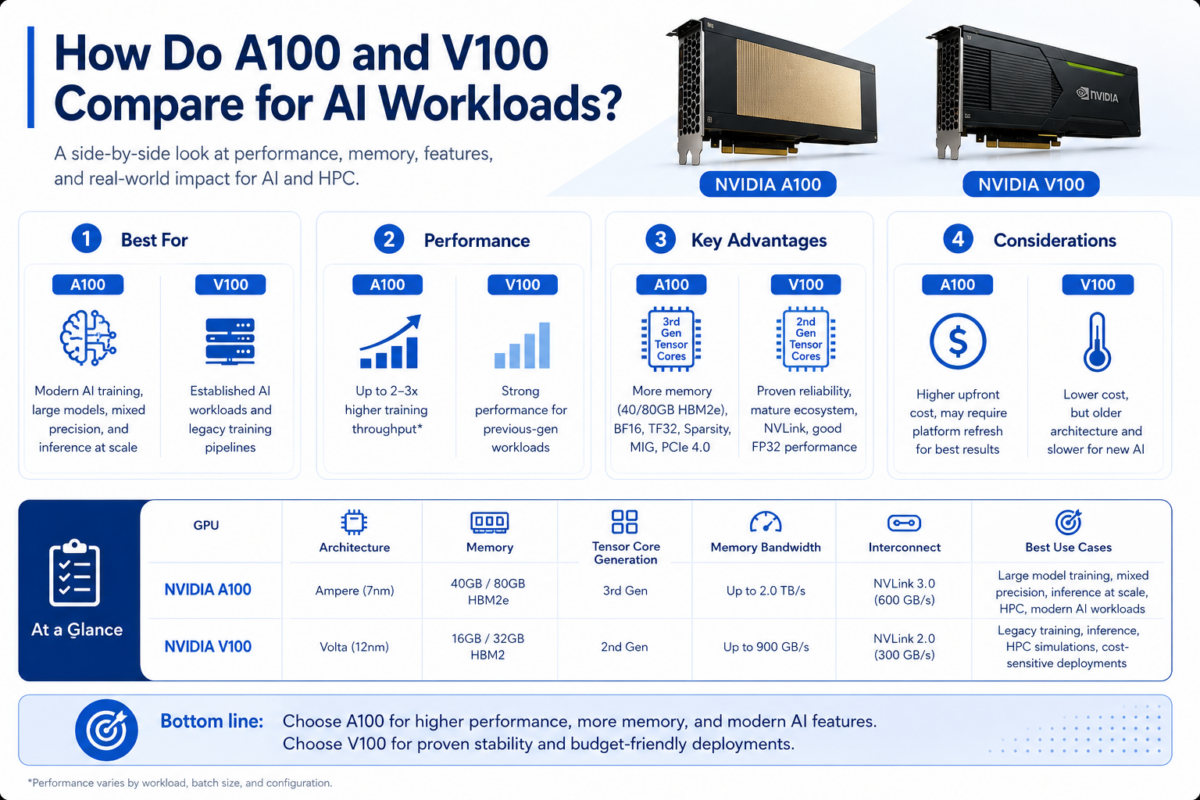
A100 has a clear lead for modern AI. TF32 can speed many FP32 training jobs with little code change. BF16 and better mixed-precision support fit newer frameworks. Structured sparsity can add speed when the model and software use it well. NVIDIA reports major generational gains over V100 across AI and HPC workloads.
| AI workload | Better choice | Why |
| Large-model training | A100 80GB | More memory and stronger Tensor Core throughput |
| General model training | A100 40GB | Modern precision support and strong performance |
| Older TensorFlow or PyTorch pipeline | V100 or A100 | V100 may work if the code is already tuned |
| Shared inference services | A100 | MIG improves isolation and utilization |
| Budget research lab | V100 32GB | Lower cost can outweigh slower speed |
Older AI workloads may not gain from A100 to justify a full system change. A stable FP32 or FP16 model may still meet its training target on V100. This is more likely with a fixed dataset and a known software image.
A100 becomes more useful when teams move to larger language models, higher batch sizes, shared services, or newer precision formats. Organizations planning broader GPU deployment infrastructure should measure end-to-end time, not only GPU benchmark results.
Which GPU Is Better for HPC?
A100 is the stronger HPC GPU. It adds FP64 Tensor Cores, faster memory, larger cache, and better multi-GPU links. NVIDIA lists 9.7 TFLOPS of standard FP64 and 19.5 TFLOPS of FP64 Tensor Core performance for A100, compared with 7.8 TFLOPS of standard FP64 for V100 in its architecture comparison.
V100 still works well for mature apps in molecular dynamics, chemistry, weather, engineering, finance, and science. Results depend on code tuning, memory access, CPU-to-GPU traffic, and scaling across nodes.
| HPC factor | A100 advantage | When V100 remains reasonable |
| Double-precision work | FP64 Tensor Cores and higher throughput | Existing code already meets targets |
| Large datasets | 40GB or 80GB memory | 16GB or 32GB is sufficient |
| Multi-node scaling | Newer NVLink and PCIe Gen4 | Current cluster uses stable PCIe Gen3 |
| Shared research use | MIG can split resources | Jobs need full-GPU access |
| Budget control | More output per node | Lower hardware cost matters more |
HPC buyers should test their own solver, grid size, precision, and node design. A100 may shorten job time. The gain can shrink when storage, MPI traffic, CPU speed, or network design is the main limit.
When Does the NVIDIA V100 Still Make Sense?
V100 still makes sense when the workload is stable and the software already supports Volta. It fits cases where price matters more than top speed. It is useful for universities, research groups, test labs, and budget AI labs that need CUDA speed without a newer platform.
A V100 can remain practical in these cases:
- Older AI models fit within 16GB or 32GB.
- HPC jobs already meet required completion times.
- The server is validated for V100 PCIe or SXM2.
- A refurbished system reduces total project cost.
- The lab values more GPUs over fewer faster GPUs.
The buying decision must include condition and testing. A clear refurbished testing process can help buyers assess function, firmware, memory health, cooling readiness, and warranty before placing older GPUs into production or research systems.
V100S may make sense as another option in a Volta environment. It avoids a larger architecture change, but buyers should not assume it fits every standard V100 configuration without checking server qualification and power limits.
When Is the NVIDIA A100 the Better Upgrade?
A100 is the better upgrade when V100 memory limits the job or training takes too long. It helps when several teams need controlled access to one GPU. It fits a move to PCIe Gen4 servers, faster networks, and newer CUDA software.
Upgrade to A100 when:
- Models or datasets exceed V100 memory capacity.
- New AI frameworks benefit from TF32 or BF16.
- Multi-tenant services need MIG isolation.
- HPC applications can use FP64 Tensor Cores.
- Power and rack limits favor fewer, faster nodes.
The upgrade must include the server platform. Moving from V100 to A100 may require new risers, firmware, power cables, airflow, or CPU support. Buyers planning a complete GPU server should validate every component before ordering.
What Server, Storage, and Networking Do A100 and V100 Need?
Neither GPU should be a standalone purchase. A qualified server must support the GPU size, power draw, passive airflow, PCIe generation, slot spacing, firmware, and drivers.
A100 PCIe systems can use PCIe Gen4 bandwidth. The server CPU and platform must also support it. V100 PCIe uses PCIe Gen3 and may fit older approved servers. This can make a used build easier.
| System layer | A100 planning | V100 planning | Why it matters |
| GPU server | Confirm A100 PCIe support and GPU count | Confirm V100 PCIe, SXM2, or V100S support | Physical fit does not prove qualification |
| System memory | Size for larger AI and HPC pipelines | Match existing code and dataset needs | Low RAM can starve the GPU |
| Storage | Enterprise NVMe for active data | NVMe or SAS based on workload | Slow loading reduces utilization |
| Networking | 100G or 200G for scale-out work | 25G or 100G may fit older clusters | Node traffic affects scaling |
| Power and cooling | Validate higher-density configurations | Check aging server airflow and PSUs | Thermal limits cause instability |
Large clusters may need leaf-spine switches, low-latency NICs, optics, and the right cable lengths. Teams facing AI network limits should map traffic between compute, storage, and management networks before choosing GPU count.
Cooling affects reliability. Passive data center GPUs depend on chassis airflow. Dense nodes can raise rack heat. An AI cooling plan should account for inlet temperature, fan capacity, rack power, and facility limits.
What Should You Buy With an A100 or V100?
A complete build may include an approved GPU server, CPUs, memory, enterprise SSDs, fast NICs, switches, optics, and cables. The balance should match the workload, not a fixed bundle.
Training clusters often need fast NVMe and strong east-west networking. Single-node HPC may need more CPU lanes, memory, and local storage. Shared labs also need scheduling, remote management, and clear resource controls.
For dense multi-GPU systems, buyers may compare PCIe servers with DGX and HGX platforms. HPE-focused environments may also align the GPU choice with existing HPE AI infrastructure and support standards.
Should You Buy New or Refurbished A100 and V100 GPUs?
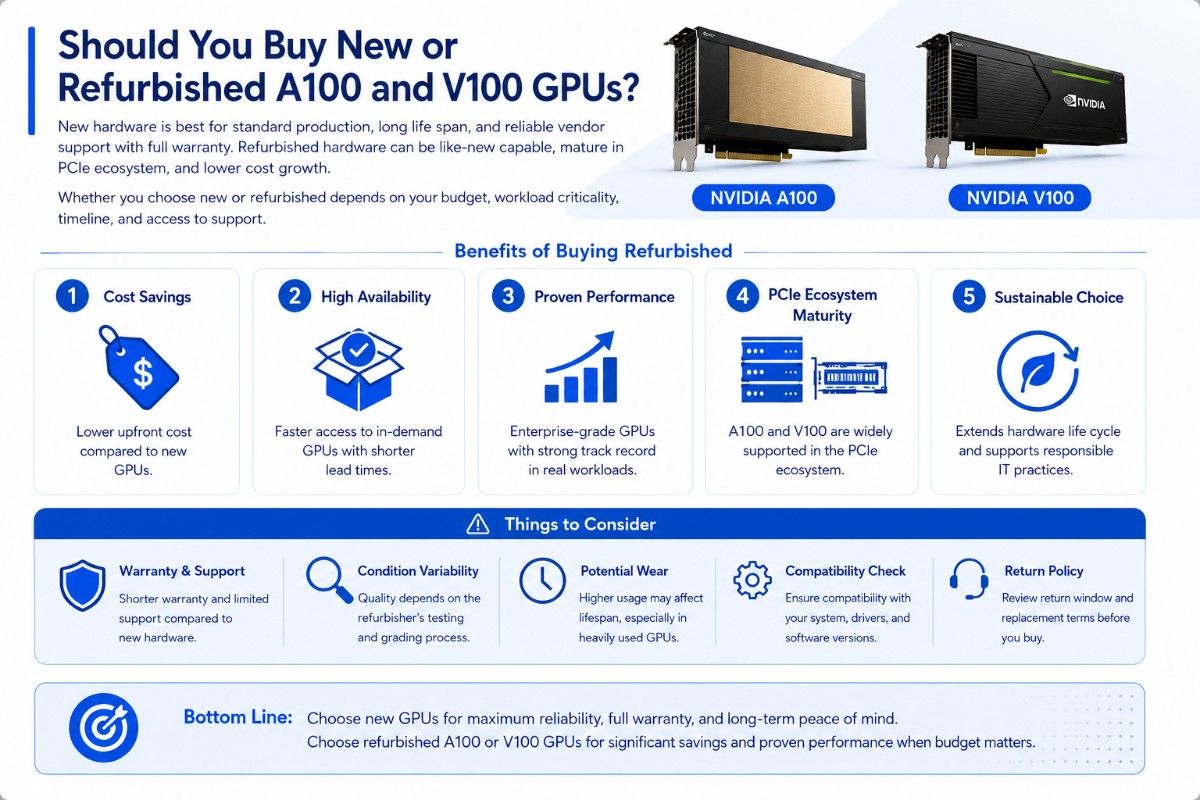
New hardware is best for standard production, long life plans, and projects that need current OEM support. Refurbished hardware can fit labs, spare capacity, mature HPC code, and low-cost growth.
V100 has a strong used value case because many workloads still run well on Volta. A100 may offer savings when tested stock is available. Buyers should confirm memory size, SKU, firmware, condition, and server fit.
Before buying, request:
- Exact part number and form factor.
- Test results and warranty terms.
- Firmware and driver requirements.
- Included cables or accessories.
- Validation in the target server.
Teams comparing refurbished hardware options should weigh purchase price against energy use, job completion time, support life, and the cost of keeping older servers in service.
Which GPU Makes More Sense for Each Buyer?
Choose A100 80GB for large AI models, heavy analytics, and HPC data that exceeds 40GB. Choose A100 40GB for modern training, inference, and science that needs Ampere features without 80GB.
Choose V100 32GB or V100S for proven Volta systems, budget labs, and mature HPC apps that need more than 16GB. Choose V100 16GB when the workload is small, tested, and highly cost-sensitive.
A100 is the safer long-term platform. V100 is the value option when software, server support, and workload size are already known.
NVIDIA A100 vs V100: Final Verdict
For most new AI and HPC projects, A100 makes more sense overall after full workload and system review. It supports more memory, newer precision formats, MIG, faster I/O, and stronger compute.
V100 still has a clear role. It can provide low-cost speed for older AI, mature HPC, university labs, and used servers where the workload fits.
The best purchase fits the full system. Confirm server qualification, storage, networking, cabling, power, cooling, software, and warranty before choosing A100 or V100.
How Do Buyers Build a Quote-Ready Configuration?
A useful quote request should state the workload, GPU model, GPUs per server, server brand, memory, storage, network speed, rack limits, condition, and delivery target.
Catalyst Data Solutions can help source A100 and V100 GPUs with compatible servers, memory, storage, networking, switches, optics, and cables. The goal is to build a full system around workload, budget, compatibility, and stock. The GPU should not arrive without the parts it needs.
Frequently Asked Questions
Is A100 faster than V100?
Yes. A100 provides higher AI and HPC throughput, faster memory, newer Tensor Cores, and improved interconnect support. Actual gains depend on software, precision, model size, and system design.
Is V100 still good for AI?
Yes. V100 remains useful for older FP32 and FP16 models, research, development, and stable inference or training pipelines. It is less suitable for very large models and newer workloads that benefit from A100 features.
Is A100 40GB enough for AI training?
It is enough for many training, fine-tuning, analytics, and HPC jobs. A100 80GB is better when memory limits batch size, model size, or dataset handling.
What is the V100S GPU?
V100S is a PCIe model in the Volta family. It suits buyers who want to stay with a known Volta platform and can verify exact server support.
Can A100 replace V100 in the same server?
Not automatically. The server must support A100 power, cooling, slot layout, firmware, BIOS, and PCIe requirements. Check the exact server qualification before upgrading.
Should a budget AI lab buy A100 or V100?
A refurbished V100 32GB may offer better value for smaller, established workloads. A100 is better when the lab needs larger memory, faster iteration, MIG, or a longer upgrade path.