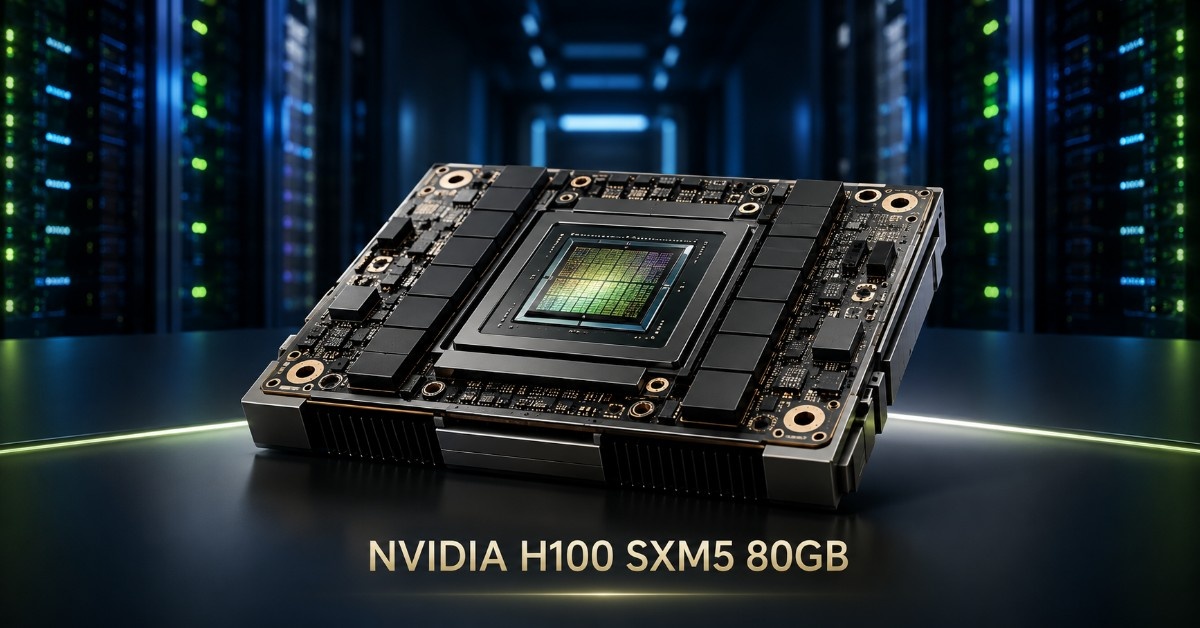
The NVIDIA H100 SXM is one of the strongest GPU options for dense AI servers, HGX platforms, and large-scale data center systems. Buyers should not treat it as a simple GPU card purchase. The H100 SXM is part of a larger system design that includes the GPU baseboard, server chassis, CPUs, memory, NVMe storage, networking, switches, optics, cables, power, and cooling.
This NVIDIA H100 SXM Review explains where the SXM version fits, how it compares with H100 PCIe, and what buyers need to confirm before building an HGX-based AI system. For teams planning dense training clusters or high-performance AI infrastructure, the H100 SXM5 GPU can be the right choice when the platform supports it.
The key point is simple: H100 SXM is not usually selected for maximum flexibility. It is selected for higher-density systems, strong GPU-to-GPU communication, and HGX-class architecture. That makes it a strong fit for AI training, HPC, model tuning, and high-throughput workloads that need more than a standard PCIe GPU server.
What Is the NVIDIA H100 SXM?
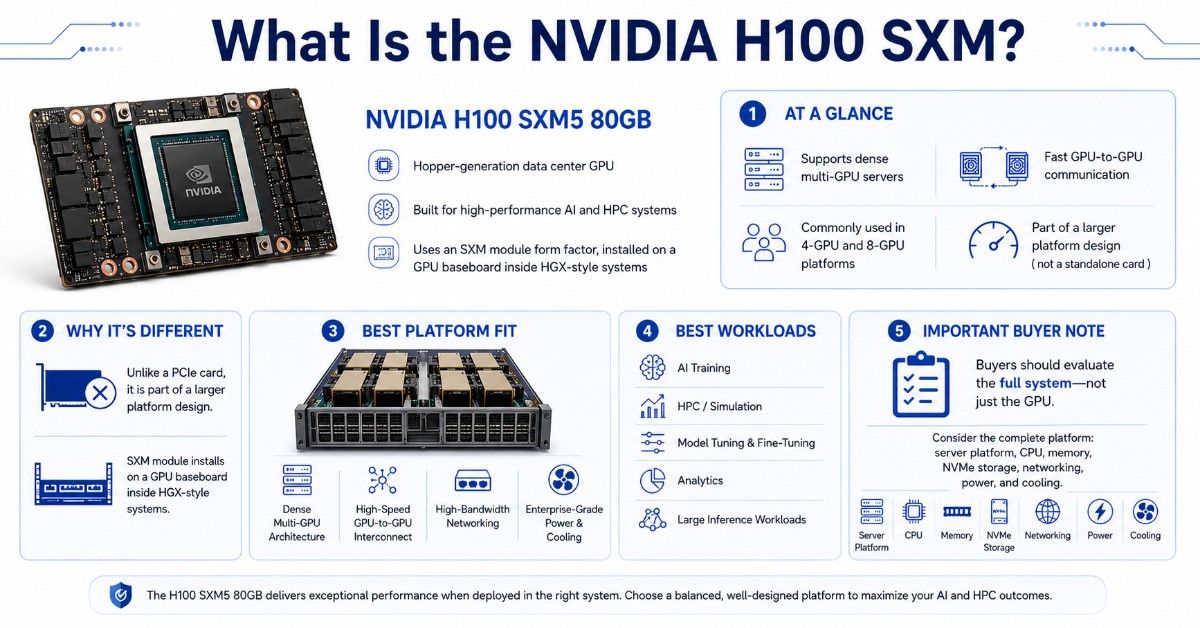
The NVIDIA H100 SXM5 80GB is a Hopper-generation data center GPU designed for high-performance AI and HPC systems. Unlike a PCIe card, the SXM version is installed as a module on a GPU baseboard inside an HGX-style system. This design supports dense multi-GPU servers and high-speed GPU-to-GPU communication.
The H100 SXM is often used in 4-GPU and 8-GPU platforms. A common deployment is an 8x H100 server built for AI training, HPC, and accelerated computing. In this kind of system, the GPU is only one part of the buying decision.
Buyers also need to confirm the full server design. That includes the HGX baseboard, CPU platform, memory, NVMe storage, network adapters, switch fabric, rack power, and cooling capacity.
| H100 SXM buying point | Practical meaning for buyers |
| Product family | NVIDIA H100 SXM5 80GB data center GPU |
| Architecture | NVIDIA Hopper |
| Memory | 80GB HBM3 |
| Form factor | SXM module |
| Best platform fit | HGX and dense GPU servers |
| Common system design | 4-GPU or 8-GPU HGX-style platforms |
| Best workloads | AI training, HPC, model tuning, analytics, large inference |
| Key buying concern | Server, baseboard, power, cooling, and network compatibility |
The H100 SXM gives buyers a higher-density path than H100 PCIe. But it also creates more platform dependency. You cannot evaluate it only by GPU specs. You need to evaluate the full server and data center environment.
Is NVIDIA H100 SXM Better Than H100 PCIe?
H100 SXM is the higher-performance H100 option for dense AI systems, but that does not mean it is always the better buying choice. The right choice depends on the workload, server platform, GPU count, budget, power limits, and deployment timeline.
The main difference is the system design. H100 PCIe is a card-based accelerator that fits qualified PCIe GPU servers. H100 SXM is a module designed for HGX-style systems with a GPU baseboard and high-speed GPU interconnect.
The performance difference also shows up in the official H100 product specifications. NVIDIA lists H100 SXM with 3.35TB/s GPU memory bandwidth, while H100 PCIe is listed with 2TB/s GPU memory bandwidth. NVIDIA also lists H100 SXM with 900GB/s NVLink, compared with 600GB/s NVLink for H100 PCIe. This helps explain why SXM is often the stronger choice for dense systems where GPUs need to exchange large amounts of data quickly.
A buyer may choose the H100 PCIe accelerator when server flexibility matters more than density. A buyer may choose H100 SXM when the system needs dense multi-GPU performance and stronger GPU-to-GPU communication.
| Decision point | H100 SXM | H100 PCIe |
| Form factor | SXM module | PCIe card |
| Typical server fit | HGX or DGX-style systems | Qualified PCIe GPU servers |
| GPU density | Often 4 or 8 GPUs per system | Server dependent |
| GPU-to-GPU communication | Stronger fit for dense systems | More limited by server design |
| Buying complexity | Higher | Lower, but still needs validation |
| Best use | Large AI training, HPC, dense GPU nodes | Flexible AI, inference, analytics, mixed workloads |
| Upgrade flexibility | More tied to full platform | Easier in compatible PCIe servers |
H100 SXM is usually better when the buyer needs a high-density server with multiple GPUs working closely together. This matters for large model training, distributed workloads, and workloads that depend on fast communication between GPUs.
H100 PCIe is often better when the buyer wants broader server choice, simpler sourcing, or a smaller GPU configuration. It can still support serious AI and HPC work. It is not a low-end option.
The practical question is not “Which GPU is better?” The better question is “Which platform fits the workload and data center?”
How Does H100 SXM Fit Into the HGX Platform?
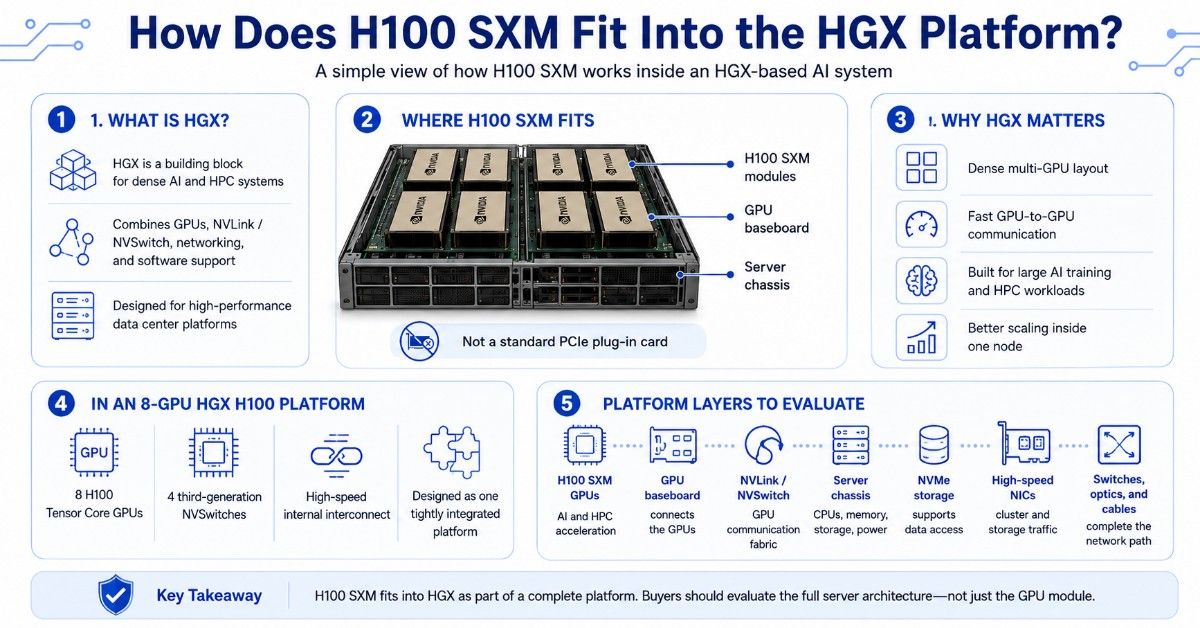
The HGX platform gives server makers a building block for dense AI and HPC systems. It combines NVIDIA GPUs, NVLink, NVSwitch, networking, and optimized software support into a platform design for high-performance data centers.
In an HGX H100 system, the SXM GPUs sit on a GPU baseboard instead of plugging into standard PCIe slots like a card. This allows the server to support dense GPU layouts and high-speed communication between GPUs.
In an 8-GPU HGX H100 platform, NVIDIA describes the system as using eight H100 Tensor Core GPUs and four third-generation NVSwitches. This detail matters because HGX is designed as a dense GPU platform, not a loose group of separate accelerators. Buyers should evaluate the full server architecture, not only the individual H100 SXM modules.
That is why H100 SXM buying often means buying or sourcing a full HGX-based platform. The GPU, baseboard, server chassis, cooling design, firmware, and power system must work together.
A buyer looking at the H200 HGX option should also understand that H200 is a platform-level decision, not a simple drop-in replacement for every H100 system. Server support, availability, power, cooling, and workload needs all matter.
| HGX system layer | What it includes | Why it matters |
| H100 SXM GPUs | GPU modules on the baseboard | Provide AI and HPC acceleration |
| GPU baseboard | Connects GPUs inside the platform | Supports dense GPU architecture |
| NVLink / NVSwitch | GPU-to-GPU communication fabric | Helps large workloads scale inside the node |
| Server chassis | CPUs, memory, storage, fans, power | Hosts and supports the GPU platform |
| NVMe storage | Local data and cache storage | Reduces data loading bottlenecks |
| High-speed NICs | Cluster and storage traffic | Moves data between nodes and storage |
| Data center switches | Ethernet or InfiniBand fabric | Connects GPU servers into a cluster |
| Optics and cables | QSFP, OSFP, DAC, or AOC links | Complete the physical network path |
This is where H100 SXM becomes different from a normal GPU purchase. The buyer must think like an infrastructure planner, not only a component buyer.
What Workloads Are Best for NVIDIA H100 SXM?
The NVIDIA H100 SXM is best for workloads that need high GPU performance, dense server design, and strong GPU-to-GPU communication. It fits teams that want to train larger models, run HPC simulations, tune foundation models, or build shared AI infrastructure.
It may also support demanding inference, but many inference-only teams should compare it with L40S, L4, H100 PCIe, or other options before buying. H100 SXM makes the most sense when the workload can use the extra platform strength.
AI training workloads
AI training is one of the strongest use cases for H100 SXM. Training large language models, recommendation systems, vision models, and scientific AI workloads can require many GPUs working together.
In these cases, GPU-to-GPU communication can become a major factor. The SXM and HGX design helps support dense GPU systems where multiple H100 GPUs operate as one high-performance node.
Teams planning AI infrastructure should also size the full system around the training job. Slow NVMe storage, weak networking, limited system memory, or poor cooling can reduce the value of the GPUs.
A strong AI training system usually needs:
- Multiple H100 SXM GPUs
- High-core-count CPUs
- Large system memory
- Fast local NVMe storage
- High-speed networking
- Reliable switch fabric
- Proper rack power and airflow
Inference and shared GPU services
H100 SXM can also support large inference workloads. It may fit generative AI, chatbots, embeddings, document intelligence, vision AI, speech AI, and large internal model services.
However, H100 SXM may be more than needed for small inference jobs. If the workload uses smaller models or moderate traffic, buyers may get better value from H100 PCIe, L40S, L4, T4, or A100.
Shared GPU teams should also consider how users will access the platform. Scheduling, storage paths, network bandwidth, and security controls all affect real performance.
HPC and analytics
HPC buyers may use H100 SXM for simulation, scientific computing, genomics, finance, engineering, and data analytics. These workloads often need strong compute performance and fast communication between GPUs.
A dense H100 SXM platform can help teams run larger jobs inside a single node. It can also support multi-node clusters when paired with the right network fabric.
The important point is balance. A system with strong GPUs but weak storage or network design may not meet performance goals.
Who Should Buy the NVIDIA H100 SXM?
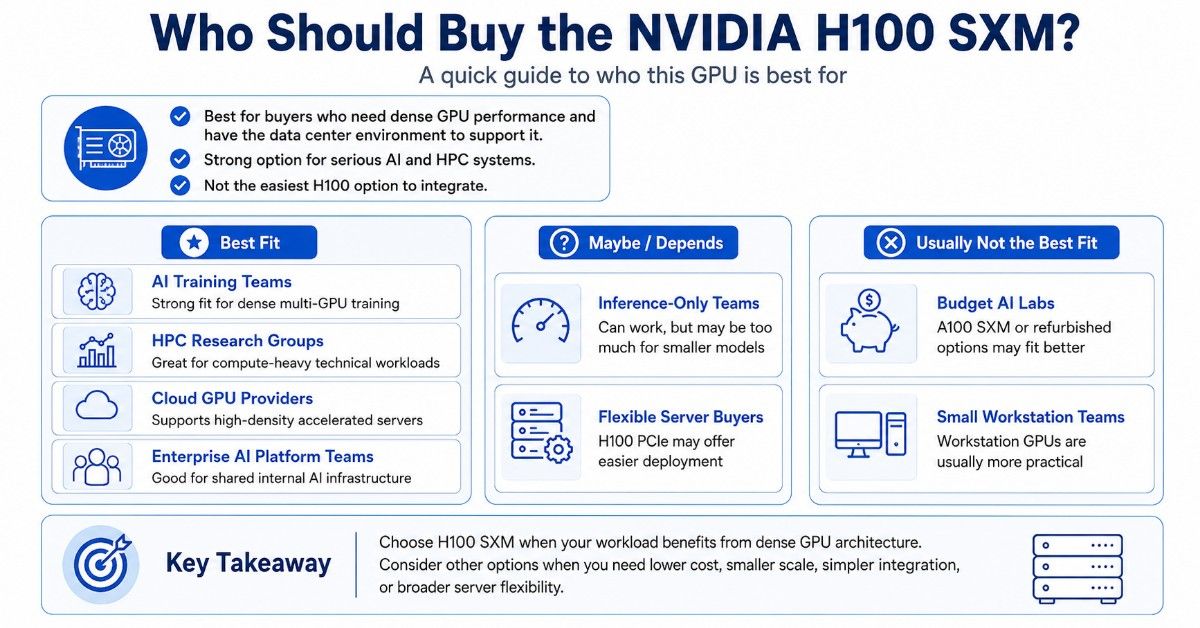
The H100 SXM is best for buyers who need dense GPU performance and have the data center environment to support it. It is not the easiest H100 option to integrate, but it can be the stronger option for serious AI and HPC systems.
| Buyer type | Good H100 SXM fit? | Why |
| AI training team | Yes | Strong fit for dense multi-GPU training |
| HPC research group | Yes | Useful for compute-heavy technical workloads |
| Cloud GPU provider | Yes | Supports high-density accelerated servers |
| Enterprise AI platform team | Yes | Good for shared internal AI infrastructure |
| Inference-only team | Sometimes | May be too much for smaller models |
| Budget AI lab | Usually no | A100 SXM or refurbished options may fit better |
| Flexible server buyer | Maybe not | H100 PCIe may offer easier deployment |
| Small workstation team | No | Workstation GPUs are usually more practical |
Buyers should choose H100 SXM when the workload can use dense GPU architecture. They should choose another option when they need lower cost, smaller scale, simpler integration, or broader server flexibility.
For mature AI and HPC workloads, the A100 SXM GPU may still make sense. It can be a practical option when the budget does not support H100 or when the workload already performs well on A100-class systems.
What Server Platforms Must Support H100 SXM?
The NVIDIA H100 SXM must be installed in a system designed for SXM and HGX-class architecture. It does not install like a standard PCIe GPU. The server must support the correct GPU baseboard, thermal design, power system, firmware, and management stack.
Buyers should confirm the exact server model and configuration before ordering. HPE, Dell, Supermicro, Lenovo, and other server platforms may support NVIDIA GPUs in different configurations, but the exact model matters.
For H100 SXM, physical support is only one part of the question. The server also needs enough power, proper airflow, supported BIOS and firmware, and the correct management tools. A dense 8-GPU system can place heavy demands on the rack and cooling design.
Key checks before ordering:
- Confirm the exact HGX or SXM server platform.
- Verify support for NVIDIA H100 SXM5 80GB.
- Confirm 4-GPU or 8-GPU configuration support.
- Check GPU baseboard and NVSwitch design.
- Confirm CPU, memory, and PCIe Gen5 support.
- Verify NVMe drive bays and storage layout.
- Check NIC placement and supported speeds.
- Confirm rack power and circuit capacity.
- Review airflow, fan design, and cooling limits.
- Verify firmware, BIOS, drivers, and CUDA support.
- Confirm warranty, testing, and service terms.
This is where the GPU decision becomes a platform decision. Buyers should not order H100 SXM modules without knowing the server design that will host them.
A strong server plan should also connect with broader deployment content. For teams building a new platform, Catalyst’s GPU server guide gives useful context for memory, storage, networking, and power planning.
What Should You Buy With NVIDIA H100 SXM?
An H100 SXM deployment usually needs more than GPUs and a server. A production-ready build may require NVMe storage, large system memory, high-speed NICs, Ethernet or InfiniBand switching, optics, DAC or AOC cables, rack power planning, and thermal review.
The right bundle depends on the workload. Training clusters often need faster networking and more storage throughput. HPC clusters may need low-latency fabric. Inference platforms may need redundancy, storage access, and stable service design.
| Component | Why it matters | Buying guidance |
| HGX server | Hosts the SXM GPUs and baseboard | Use a validated platform |
| GPU baseboard | Connects GPUs inside the system | Confirm exact H100 SXM support |
| System memory | Supports CPU-side workloads | Size for data pipelines and preprocessing |
| NVMe storage | Feeds datasets and cache | Use enterprise drives for heavy workloads |
| High-speed NICs | Connects nodes and storage | Match speed to cluster design |
| Data center switches | Builds the server fabric | Use low-latency, high-bandwidth switching |
| QSFP / OSFP optics | Supports fiber links | Match speed, reach, and switch type |
| DAC / AOC cables | Supports short links | Confirm length and connector type |
| Rack power | Supports dense GPU load | Validate circuits before deployment |
| Cooling | Keeps systems stable | Check airflow and heat load early |
Networking should not be left until the end. A missing transceiver, wrong cable length, or underpowered switch plan can delay deployment.
Many AI systems also need a broader network design. Catalyst’s guide to AI network planning gives useful context for east-west traffic, storage access, and data center growth.
What Networking, Storage, and Cabling Do H100 SXM Servers Need?
H100 SXM servers can move large amounts of data between GPUs, storage systems, and other nodes. The network must support that movement. Otherwise, the GPUs may wait for data and the system may underperform.
Dense AI systems often use high-speed Ethernet or InfiniBand. The right choice depends on workload, application stack, storage design, latency needs, and existing data center standards.
A multi-node training cluster needs strong east-west traffic support. A shared inference platform may need high-throughput links to users, storage, and services. HPC users may care more about latency and predictable job performance.
Switching also matters. Arista and Cisco Nexus switches often appear in data center GPU builds because buyers need reliable high-speed connectivity. The final choice depends on port speed, uplink design, rack layout, optics, and budget.
Storage also needs careful planning. Training workloads often need fast dataset access and checkpoint storage. Local NVMe can reduce bottlenecks, but shared storage and network design still matter in larger clusters.
For teams building beyond one server, a good plan may include:
- 100G, 200G, or 400G networking
- Data center switches
- Redundant uplinks
- NVMe storage
- Storage network access
- NICs matched to switch speed
- QSFP or OSFP optics
- DAC or AOC cables
- Cable maps for every port
A practical GPU cluster plan should map the full path from server to switch to storage. Catalyst’s hardware bundle guide is relevant when buyers need switches, optics, and cabling to support the larger build.
When Should Buyers Choose H100 SXM Over PCIe?
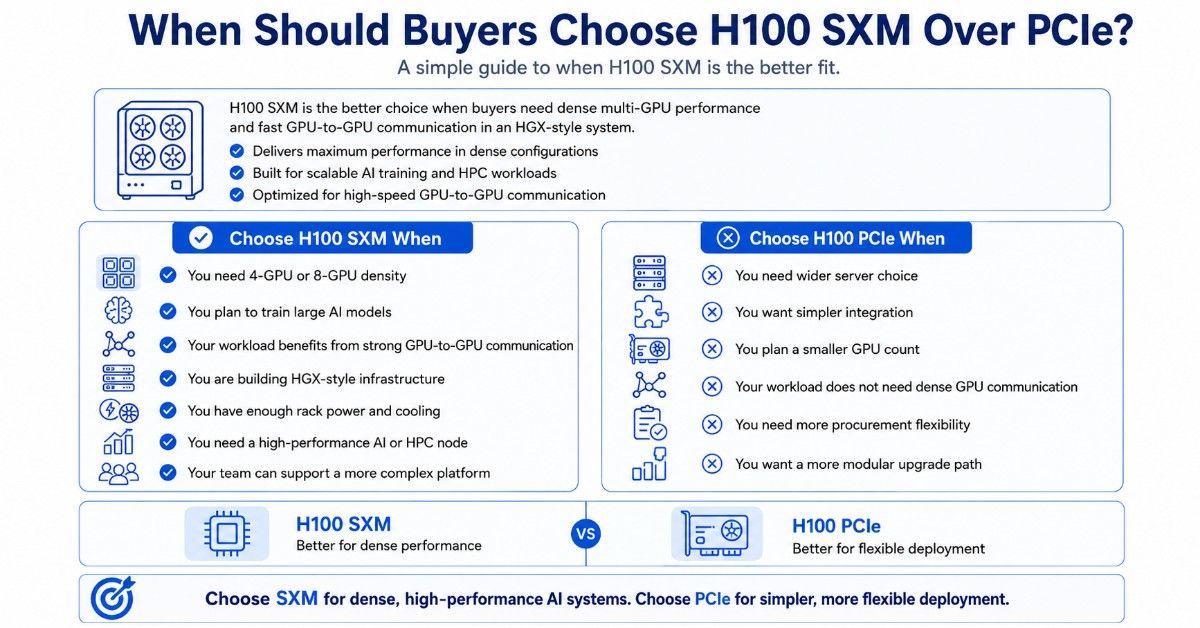
Buyers should choose H100 SXM over PCIe when they need dense multi-GPU performance and the workload depends on fast communication between GPUs. SXM is also a better fit when the buyer plans to use an HGX-style server rather than a flexible PCIe GPU server.
Choose H100 SXM when:
- You need 4-GPU or 8-GPU density.
- You plan to train large AI models.
- Your workload benefits from strong GPU-to-GPU communication.
- You are building HGX-style infrastructure.
- You have enough rack power and cooling.
- You need a high-performance AI or HPC node.
- Your team can support a more complex platform.
Choose H100 PCIe when:
- You need wider server choice.
- You want simpler integration.
- You plan a smaller GPU count.
- Your workload does not need dense GPU communication.
- You need more procurement flexibility.
- You want a more modular upgrade path.
SXM is the better choice for dense performance. PCIe is often the better choice for flexible deployment. Both can support serious AI workloads, but they solve different infrastructure problems.
When Is NVIDIA H100 SXM Overkill?
H100 SXM is overkill when the workload does not need dense H100-class performance. Some buyers choose SXM because it is the higher-end option, but that can waste budget if the system will not use the added platform strength.
H100 SXM may be too much when:
- The workload is light inference.
- Models fit easily on lower-cost GPUs.
- The team needs one or two GPUs, not a dense node.
- Storage and networking budgets are limited.
- The data center lacks power or cooling headroom.
- The software stack is not ready for multi-GPU scaling.
- The project needs fast procurement more than maximum density.
In those cases, buyers should compare H100 PCIe, A100 SXM, L40S, L4, or refurbished options. A balanced platform often gives better value than the highest-end GPU alone.
A practical buying decision should compare cost per workload, not only peak performance. If a server cannot feed the GPUs with enough data, memory, and network bandwidth, the deployment may not meet expectations.
Should Buyers Choose New, Refurbished, or Hard-to-Find H100 SXM?
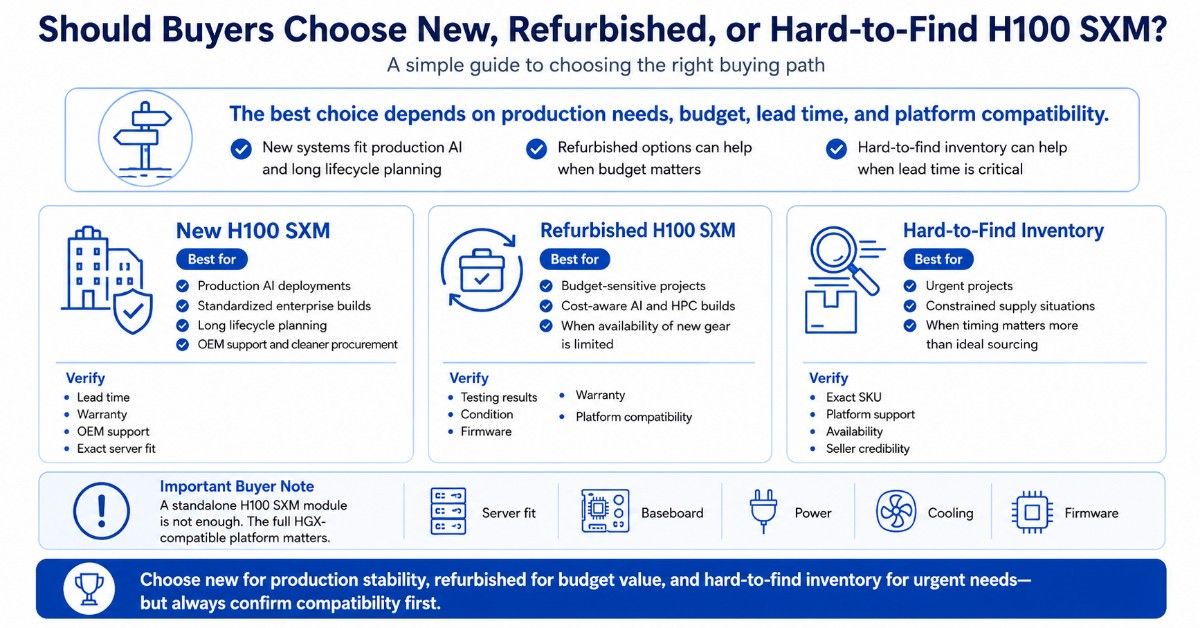
New H100 SXM systems are often best for production AI, standardized enterprise builds, and long lifecycle planning. New systems may also fit better when the buyer needs OEM support, clean procurement records, and predictable warranty coverage.
Refurbished or hard-to-find H100 SXM options may help when budget, lead time, or inventory limits matter. However, buyers should be careful. SXM hardware depends heavily on platform compatibility, so testing and seller credibility matter.
| Buying path | Best for | What to verify |
| New H100 SXM | Production AI and long lifecycle planning | Lead time, warranty, OEM support, server fit |
| Refurbished H100 SXM | Budget-sensitive projects | Testing, condition, firmware, warranty |
| Hard-to-find inventory | Urgent or constrained projects | Exact SKU, platform support, availability |
| H100 PCIe alternative | Flexible server deployment | Slot layout, power, airflow, workload fit |
| A100 SXM alternative | Mature AI and HPC workloads | Performance target, system support, budget |
| H200 HGX alternative | Higher-memory HGX planning | Platform support, power, cooling, timeline |
For refurbished systems, buyers should ask for test results, firmware details, included accessories, warranty terms, and return options. They should also confirm whether the GPU has been validated in the correct HGX server.
A refurbished H100 SXM module without a compatible platform may not solve the buyer’s problem. The full system matters more than the part alone.
What Related NVIDIA GPUs Should Buyers Compare?
H100 SXM should be compared with H100 PCIe, H200 HGX, and A100 SXM before purchase. These products serve different needs.
H100 PCIe is often better for buyers who need flexibility. H200 HGX may fit buyers planning newer high-memory HGX systems. A100 SXM can still work well for mature AI and HPC workloads where budget matters.
| GPU or system | Best fit | Why compare it |
| H100 SXM5 80GB | Dense AI and HPC systems | Strong H100 option for HGX platforms |
| H100 8x SXM Server | Full 8-GPU AI node | Useful for training and dense compute |
| H100 PCIe | Flexible AI servers | Easier platform fit in qualified PCIe servers |
| H200 HGX | Newer HGX planning | Higher-memory platform path |
| A100 SXM | Cost-aware AI and HPC | Strong value for mature workloads |
Buyers should not compare these options only by GPU generation. They should compare platform fit, workload demand, server support, power, cooling, and total build cost.
How Do Buyers Build a Quote-Ready H100 SXM Configuration?
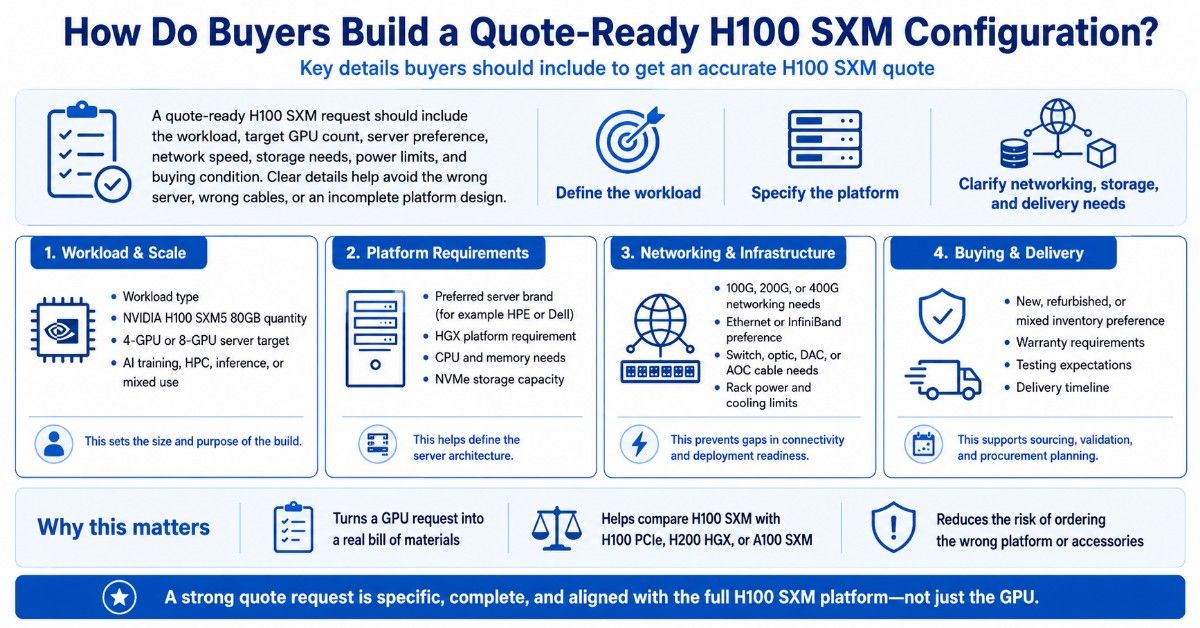
A quote-ready H100 SXM request should include the workload, target GPU count, server preference, network speed, storage needs, power limits, and buying condition. Clear details help avoid the wrong server, wrong cables, or incomplete platform design.
A useful H100 SXM quote request includes:
- NVIDIA H100 SXM5 80GB quantity
- 4-GPU or 8-GPU server target
- Preferred server brand, such as HPE or Dell
- HGX platform requirement
- CPU and memory needs
- NVMe storage capacity
- 100G, 200G, or 400G networking needs
- Ethernet or InfiniBand preference
- Switch, optic, DAC, or AOC cable needs
- Rack power and cooling limits
- New, refurbished, or mixed inventory preference
- Warranty, testing, and delivery timeline
This information helps turn a GPU request into a real bill of materials. It also helps buyers compare H100 SXM with H100 PCIe, H200 HGX, or A100 SXM when those options may fit better.
Catalyst Data Solutions helps organizations source NVIDIA GPUs, HGX servers, GPU baseboards, memory, NVMe storage, networking, switches, optics, and cabling across new, refurbished, and hard-to-find inventory. Catalyst can help buyers align workload, budget, compatibility, and availability before they commit to a full build.
Need a Complete NVIDIA H100 SXM Infrastructure Bundle?
Selecting the NVIDIA H100 SXM is only one part of the deployment. Buyers also need to verify the HGX server platform, GPU baseboard, CPU and memory layout, NVMe storage, network speed, switching, optics, cabling, rack power, and cooling capacity.
Catalyst Data Solutions Inc helps buyers move from GPU selection to full infrastructure planning. Whether the project needs H100 SXM, H100 PCIe, H200 HGX, A100 SXM, or a full 8-GPU server, Catalyst can help source compatible hardware for AI training, HPC, inference, and data center workloads.
FAQs
Is the NVIDIA H100 SXM good for AI training?
Yes. NVIDIA H100 SXM is a strong fit for AI training, especially when the workload needs dense multi-GPU performance. It is commonly used in HGX-style systems for large models, fine-tuning, HPC, and shared AI infrastructure.
Is H100 SXM better than H100 PCIe?
H100 SXM is usually better for dense HGX systems and workloads that need strong GPU-to-GPU communication. H100 PCIe is often better when buyers need more server flexibility, easier integration, or smaller GPU configurations.
Can I install H100 SXM in any GPU server?
No. H100 SXM requires an SXM and HGX-compatible platform. It does not install like a standard PCIe card. Buyers must confirm the exact server, GPU baseboard, firmware, power, cooling, and support terms.
What should I buy with NVIDIA H100 SXM?
Most deployments need an HGX server, GPU baseboard, system memory, NVMe storage, high-speed NICs, data center switches, optics, DAC or AOC cables, rack power, and cooling support. The exact bundle depends on the workload and cluster design.
When should I choose H100 SXM over H100 PCIe?
Choose H100 SXM when you need dense 4-GPU or 8-GPU systems, strong GPU-to-GPU communication, and high-performance AI or HPC infrastructure. Choose H100 PCIe when you need broader server choice and simpler integration.
Is H100 SXM overkill for inference?
Sometimes. H100 SXM can handle demanding inference, but smaller inference workloads may run more cost-effectively on H100 PCIe, L40S, L4, T4, or A100. Buyers should compare cost per workload before choosing.
Should I buy a new or refurbished H100 SXM?
New H100 SXM is best for production systems, long lifecycle planning, and OEM support. Refurbished can make sense when budget or lead time matters, but buyers should verify testing, condition, firmware, warranty, and platform compatibility.