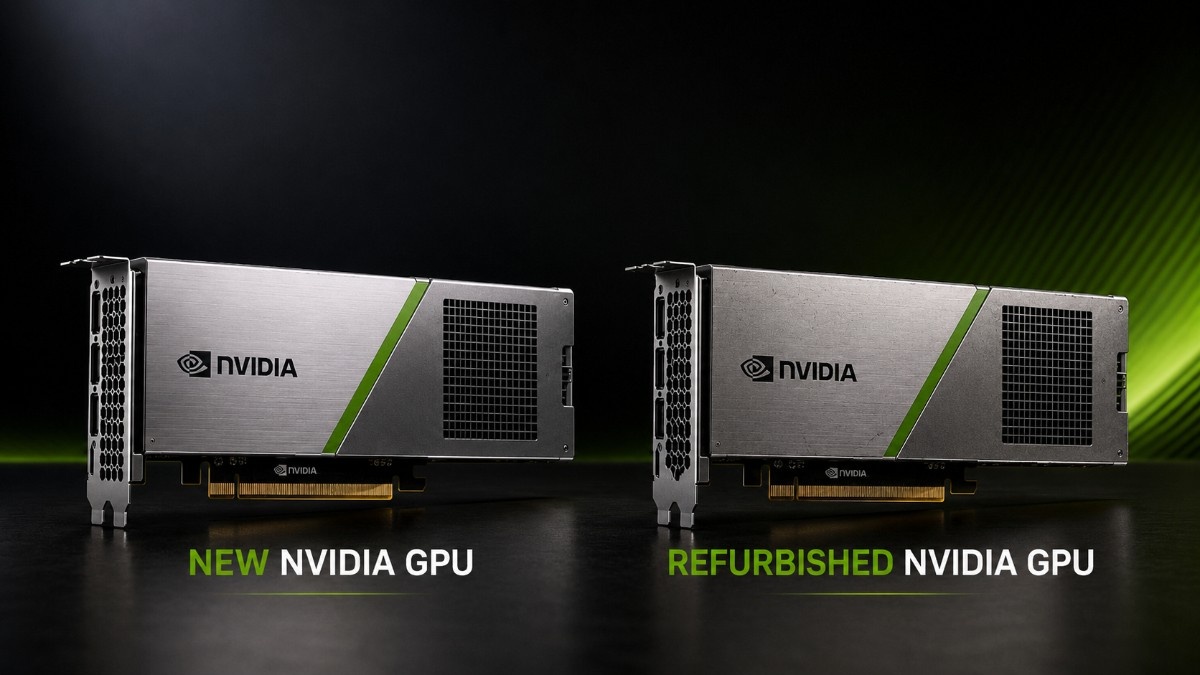
Choosing between new and refurbished NVIDIA GPUs depends on the workload, budget, server platform, delivery schedule, and support needs. The lowest-priced GPU does not always deliver the best value if it requires server upgrades, new cooling, faster storage, or added networking.
New NVIDIA GPUs often suit production systems that need current features, longer support, and a predictable lifecycle. Refurbished GPUs can reduce deployment costs for AI labs, HPC systems, inference, visualization, VDI, and existing GPU environments.
Buyers should compare the complete deployment rather than the accelerator alone. That includes server compatibility, memory, storage, network adapters, switches, optics, cables, power, cooling, testing, warranty, and expected years of use.
Is It Better to Buy New or Refurbished NVIDIA GPUs?
New GPUs make the most sense when a project needs the latest architecture, strong performance per watt, a long production lifecycle, or vendor-backed support. Buyers planning modern AI training may prefer the H100 PCIe accelerator when the server supports PCIe GPUs and the workload justifies a current-generation platform.
Refurbished GPUs make sense when the workload runs well on older hardware or the project has a strict budget. A verified unit can support AI labs, HPC, inference, VDI, rendering, and development without replacing the full system.
Focus on total deployment value. A low GPU price does not help if the server lacks power, airflow, storage speed, network bandwidth, firmware, or cabling.
What Is the Difference Between New and Refurbished NVIDIA GPUs?
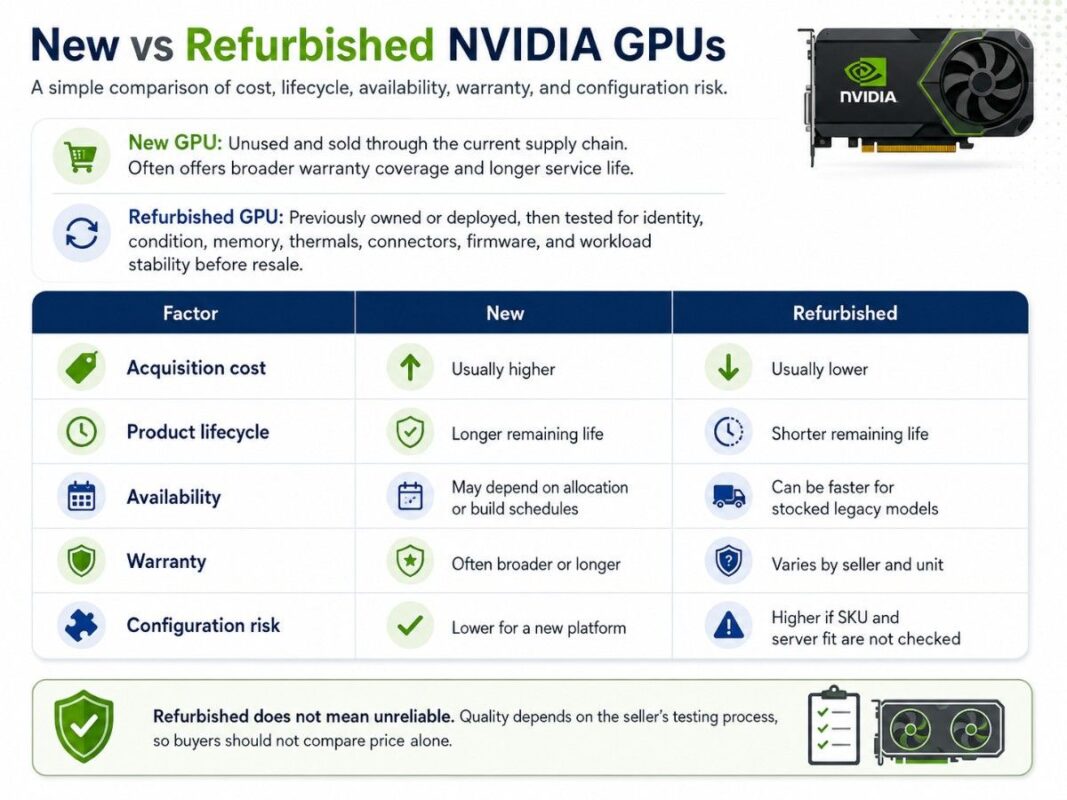
A new GPU arrives unused through a current supply channel. It may include broader warranty coverage, traceable part numbers, and a longer service life.
A refurbished GPU has returned to the market after prior ownership, deployment, or channel recovery. A responsible seller checks identity, condition, function, memory, thermals, connectors, firmware, and workload stability before offering it for resale.
Refurbished does not mean unreliable. Quality depends on the seller’s hardware testing process, so buyers should not compare price alone.
| Factor | New | Refurbished |
| Acquisition cost | Usually higher | Usually lower |
| Product lifecycle | Longer remaining life | Shorter remaining life |
| Availability | May depend on allocation or build schedules | Can be faster for stocked legacy models |
| Warranty | Often broader or longer | Varies by seller and unit |
| Configuration risk | Lower when bought for a new platform | Higher if SKU and server fit are not checked |
How Should Buyers Choose Between New and Refurbished GPUs?
Start With the Workload
Define the workload before choosing the GPU. AI training, inference, HPC, visualization, VDI, video processing, and CAD place different demands on memory, compute, cooling, and server design.
Large training jobs may justify H100 or A100, while inference and virtualization may fit T4 or L40S. Workstation users may get better value from RTX or Quadro.
Set the Budget and Lifecycle
Look beyond the card price. Include the server, CPUs, memory, storage, NICs, switches, optics, cables, power, cooling, support, and deployment labor.
A refurbished V100 may save money in a lab, but a new H100 may create better long-term value for a production platform that will run demanding models for several years. The correct answer depends on cost per useful year, not cost on the invoice.
Measure Risk and Support Needs
Some organizations need strict warranty terms and predictable replacements. Others can accept shorter coverage for labs, spare-backed systems, or noncritical workloads.
Buyers should confirm the exact part number, memory size, form factor, firmware support, physical condition, and return terms. They should also ask whether the seller tested the GPU under sustained load.
Which NVIDIA GPUs Make Sense New or Refurbished?
Generation matters, but workload fit matters more. H100, A100, V100, T4, L40S, and RTX or Quadro serve different buyers.
| GPU family | New purchase makes sense when | Refurbished purchase makes sense when |
| H100 | Modern AI training, dense compute, long lifecycle | Limited cases where tested inventory and platform support are clear |
| A100 | Strong AI/HPC performance with a current support path | Budget AI, research, cluster expansion, and proven A100 workloads |
| V100 | Rarely the first choice for a new platform | Labs, HPC, legacy CUDA workloads, and cost-sensitive nodes |
| T4 | New low-power inference or VDI builds | Existing T4 fleets, compact servers, video, and budget inference |
| L40S | New inference, rendering, and mixed enterprise workloads | Price-sensitive deployments with full compatibility checks |
| RTX / Quadro | New professional workstations and support needs | CAD, rendering, design, and AI development on controlled budgets |
When Should Buyers Choose a New H100 or A100?
H100 suits buyers who need a current AI platform and a longer growth path. PCIe and SXM affect server design, power, cooling, and density, so teams should compare H100 platform options first.
The H100 SXM5 80GB belongs in systems built for SXM modules and high-density GPU computing. Buyers should not treat it as a drop-in alternative to a PCIe card.
A100 remains practical when the workload does not require H100. The A100 40GB PCIe can support cost-aware AI and HPC deployments when the surrounding system keeps it busy.
New H100 or A100 usually makes sense when:
- The system will support production workloads for several years.
- The project needs current performance and software support.
- Downtime carries a high business cost.
- The buyer wants cleaner warranty and supply records.
- The server platform is being purchased at the same time.
When Does a Refurbished V100 or T4 Still Make Sense?
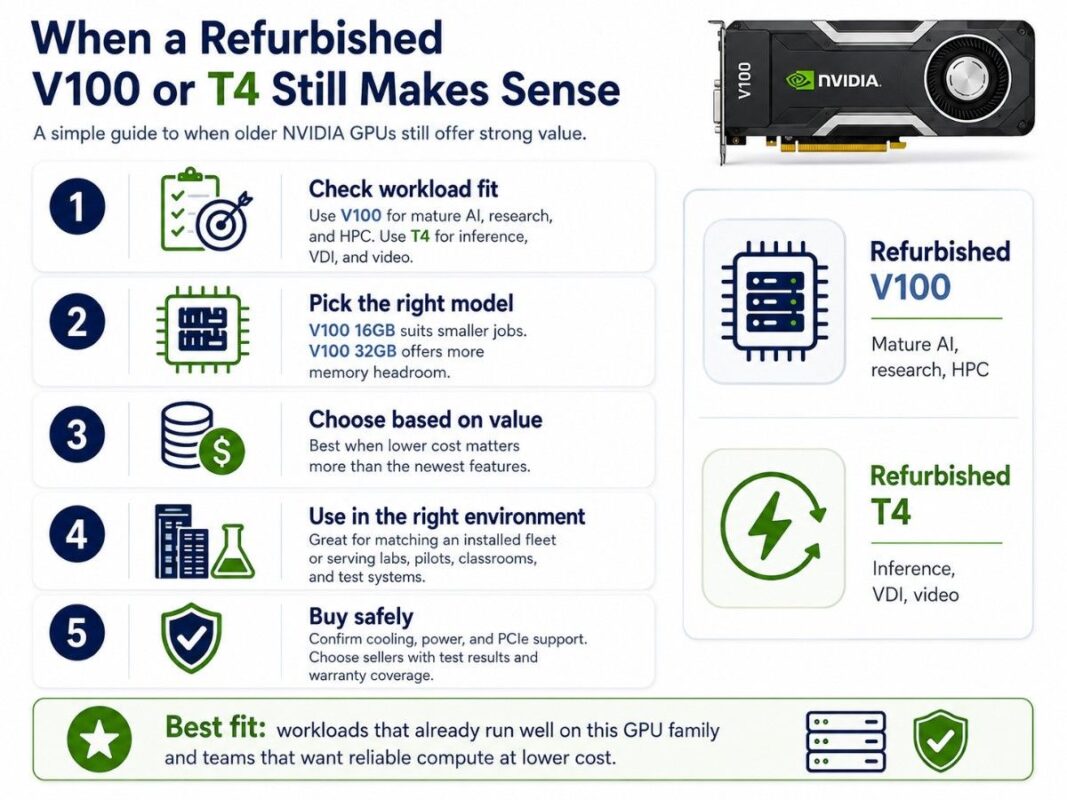
V100 remains useful for mature AI, research, and HPC workloads that already fit its memory and software profile. A tested V100 32GB accelerator can help a lab expand compute without moving every node to A100 or H100.
The 16GB model suits smaller jobs, while 32GB gives more memory headroom. Buyers must still confirm cooling, power, and PCIe support.
T4 targets lower-power inference, VDI, and video workloads. A T4 16GB PCIe GPU can offer strong deployment value when the buyer needs density and efficiency more than training performance.
Refurbished V100 or T4 usually makes sense when:
- The workload already runs well on that GPU family.
- The organization needs to match an installed fleet.
- The project values lower cost over the newest features.
- The system serves a lab, pilot, classroom, or test environment.
- The seller provides test results and warranty coverage.
Should Buyers Choose L40S, RTX, or Quadro?
L40S serves AI inference, rendering, and visualization. A new L40S 48GB GPU can make more sense than H100 when the workload needs graphics and inference without a training-focused platform.
Workstation buyers should compare data center GPUs with RTX and Quadro options. The RTX A6000 48GB fits professional visualization, rendering, CAD, simulation, and local AI development in supported workstations.
A refurbished Quadro RTX 6000 may suit design teams that need proven professional graphics at a lower entry cost. The buyer should verify display needs, driver support, workstation power, and application certification.
How Do Availability and Lead Times Affect the Decision?
Availability can change the best choice. New GPUs may face allocation or build schedules, while refurbished stock can arrive sooner but vary by quantity and condition.
Buyers should ask for firm delivery dates and confirm whether the quote covers only the GPU or a complete server.
Refurbished inventory can help when a company needs to replace a failed unit, match an existing cluster, or deploy a lab quickly. However, a buyer should not assume that the same SKU will remain available for a later expansion.
New hardware offers a cleaner path for repeatable deployments, but projects with DGX or HGX systems, networking, storage, and power changes still need planning.
What Warranty and Testing Should Buyers Require?
Warranty terms should state coverage, returns, replacement, and exclusions. Even with new hardware, buyers should verify who handles failures and replacement timing.
For refurbished GPUs, testing should cover more than basic power-on checks. The seller should confirm model identity, memory size, physical condition, thermal behavior, connectors, firmware visibility, and stable operation under load.
| Verification item | Why it matters |
| Exact SKU and memory | Prevents the wrong capacity or form factor |
| Sustained load test | Finds thermal or stability problems |
| Server compatibility | Avoids blocked airflow, power, or slot issues |
| Warranty terms | Defines repair, replacement, and return options |
| Condition report | Documents wear, damage, and included parts |
Buyers should also ask whether accessories, brackets, power cables, heatsinks, and required modules come with the unit. Missing small parts can stop a deployment even when the GPU works.
What Should You Buy With an NVIDIA GPU?
A GPU needs a balanced platform. Teams should plan the server, CPU, memory, storage, networking, power, cooling, optics, and cabling together.
A complete GPU server build should confirm physical slots, PCIe lanes, airflow, power supplies, firmware, and supported GPU count. For SXM systems, buyers also need the correct baseboard and platform design.
Storage should match the workload. NVMe helps active datasets and checkpoints, while SAS suits capacity-focused storage.
Networking depends on scale. A single server may use 10G or 25G, while multi-node AI and HPC platforms may require 100G, 200G, or a specialized fabric.
Teams should account for NICs, switches, optics, DAC cables, AOC cables, and the networking design limits before ordering GPUs.
Cooling also affects performance and reliability. Dense GPU servers can require rack, room, and airflow changes, so facilities teams should include data center cooling in the buying plan.
How Can Budget-Sensitive Teams Deploy NVIDIA GPUs?
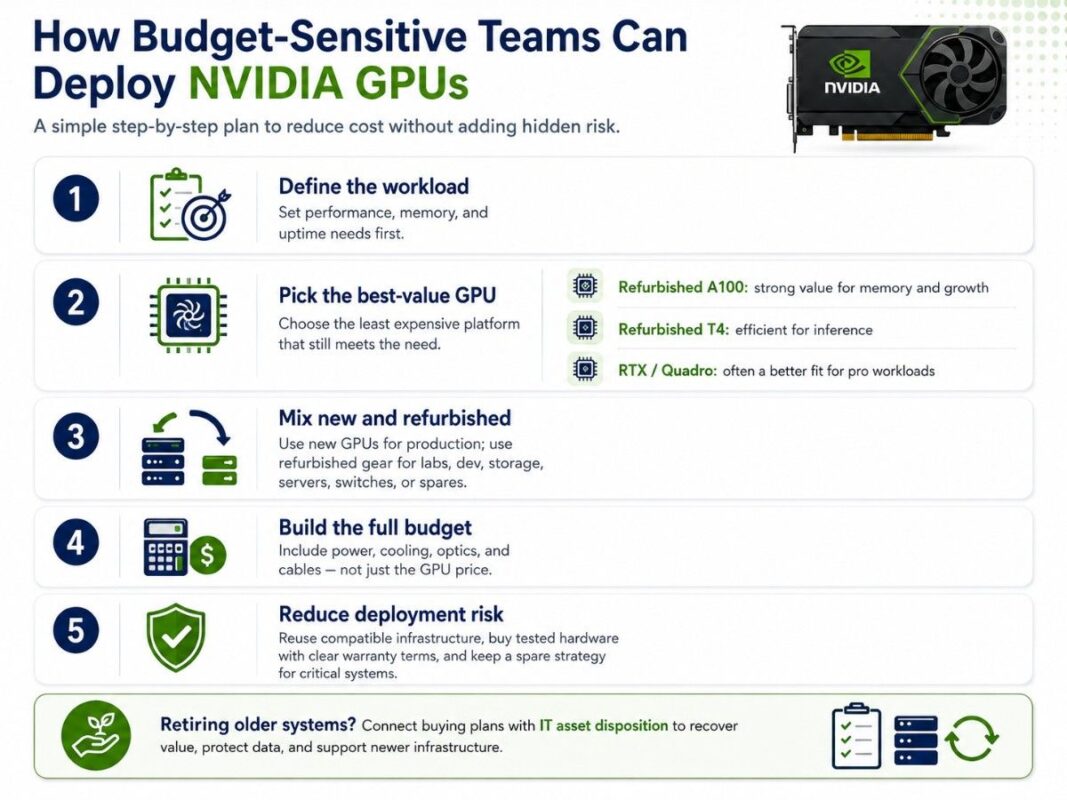
Budget-sensitive deployment should cut cost without adding hidden risk. Define performance, memory, and uptime needs, then choose the least expensive platform that meets them.
A refurbished A100 may provide better long-term value than a new V100 when the project needs more memory and growth.
A refurbished T4 may beat a larger GPU for efficient inference, while RTX or Quadro may fit professional workloads better than a data center card.
Teams can also combine new and refurbished equipment. They may buy new GPUs for production nodes while using refurbished servers, switches, storage, or spare GPUs for labs and development.
A practical budget plan should:
- Prioritize the workload and required memory.
- Reuse compatible servers and networking where safe.
- Buy tested hardware with clear warranty terms.
- Include power, cooling, optics, and cables in the budget.
- Keep a replacement or spare strategy for critical systems.
Organizations retiring older systems should connect buying plans with IT asset disposition so they can recover value, manage data security, and fund newer infrastructure.
When Should You Avoid Refurbished NVIDIA GPUs?
Avoid refurbished hardware when the workload needs new features, long support, or failure would cause major loss. New hardware also suits large quantities of identical units with repeatable coverage.
A refurbished GPU may also be the wrong choice when the seller cannot document condition, testing, SKU, warranty, or server fit. A low price should not override missing evidence.
Do not buy an older GPU only because it fits the current budget. Choose a newer platform when memory limits, software support, power efficiency, or planned growth would force another upgrade too soon.
How Can Catalyst Help With New and Refurbished NVIDIA GPUs?
Catalyst Data Solutions sources NVIDIA GPUs, servers, storage, networking, optics, cables, and supporting infrastructure across new, refurbished, and hard-to-find inventory. Each configuration should match workload, budget, compatibility, and availability.
Buyers can use the refurbished hardware catalog for budget-focused options or review the broader GPU product inventory for available NVIDIA models and related components.
For a complete quote, include the GPU family, quantity, workload, server preference, memory, storage, network speed, switch needs, warranty, delivery target, and budget. Contact Catalyst to verify compatibility and build a quote-ready GPU configuration.
FAQs
Are refurbished NVIDIA GPUs reliable?
They can be reliable when the seller verifies the SKU, memory, physical condition, thermal behavior, firmware, and stable operation under load. Buyers should also require clear warranty and return terms.
Is a refurbished A100 better than a new V100?
Often, yes, when the workload needs more memory, stronger AI performance, or a longer growth path. A new V100 may still make sense only in limited cases, while a tested refurbished A100 can offer a better balance of capability and cost.
Should I buy a new or refurbished H100?
Choose new H100 for current production AI, long lifecycle needs, and consistent support. Consider refurbished H100 only when the exact unit, server platform, warranty, and test history are clear.
What is the best refurbished NVIDIA GPU for AI labs?
V100 and A100 often fit AI labs, depending on memory, model size, software, and budget. T4 can suit inference and VDI, while RTX or Quadro can support local development and visualization.
Do refurbished GPUs include a manufacturer warranty?
Not always. Coverage may come from the reseller instead of NVIDIA, so buyers should confirm the warranty period, replacement process, and exclusions before purchase.
Can I install an NVIDIA GPU in any server?
No. The server must support the GPU’s form factor, power draw, airflow, slot layout, firmware, and cooling needs. Buyers should verify the exact server model and GPU part number.
What other components do I need for a GPU deployment?
Most projects need a compatible server, CPUs, system memory, storage, NICs, switches, optics, cables, rack power, and cooling. Multi-node systems may also need faster networking and shared storage.
Which option gives the best value?
The best value comes from the GPU that meets the workload for the full planned lifecycle. Compare purchase price, platform cost, support, energy, availability, and upgrade timing before deciding.