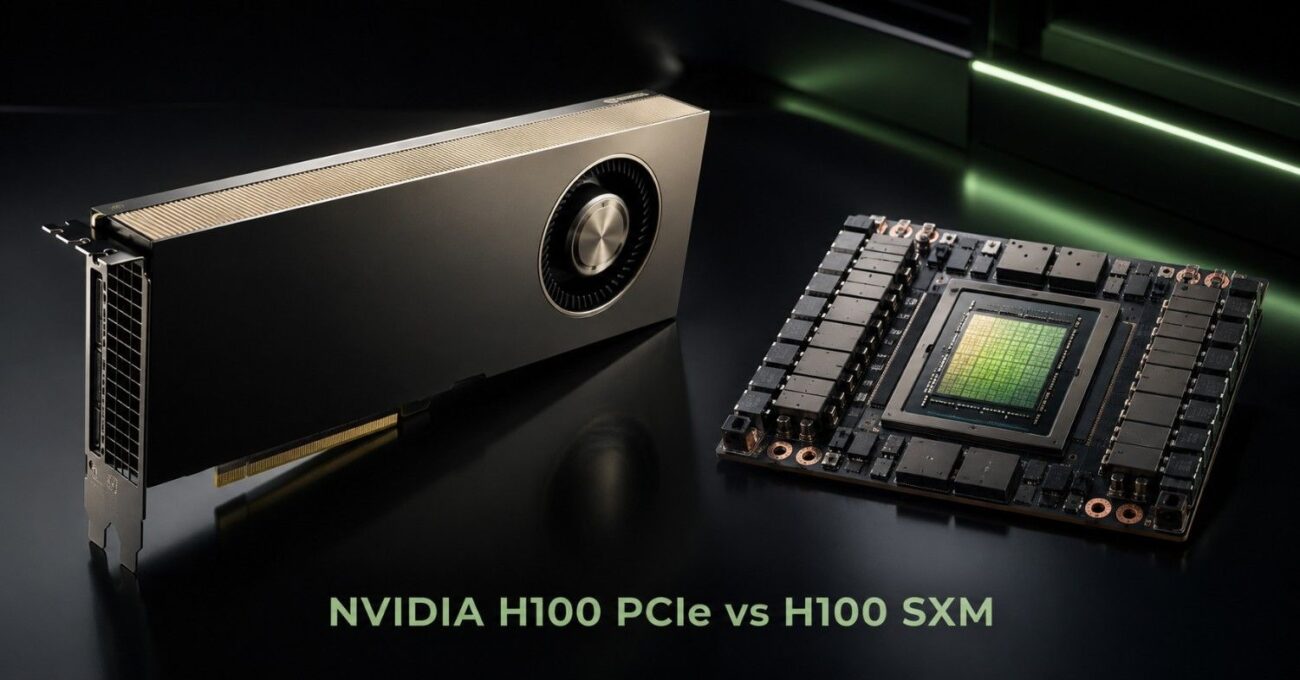
Choosing between NVIDIA H100 PCIe vs H100 SXM is not only a GPU performance decision. It is also a server, power, cooling, networking, and budget decision.
Both GPUs use NVIDIA Hopper architecture. Both support AI training, inference, HPC, analytics, and enterprise data center workloads. The right choice depends on how the GPU fits into the full system.
Buyers should compare more than peak performance. They need to confirm server support, GPU count, PCIe layout, airflow, rack power, storage, NICs, switches, optics, cables, and availability before placing an order.
For many teams, H100 PCIe is the more flexible option. For dense AI clusters, H100 SXM inside an HGX H100 system may be the better platform.
NVIDIA H100 PCIe vs H100 SXM: Quick Answer
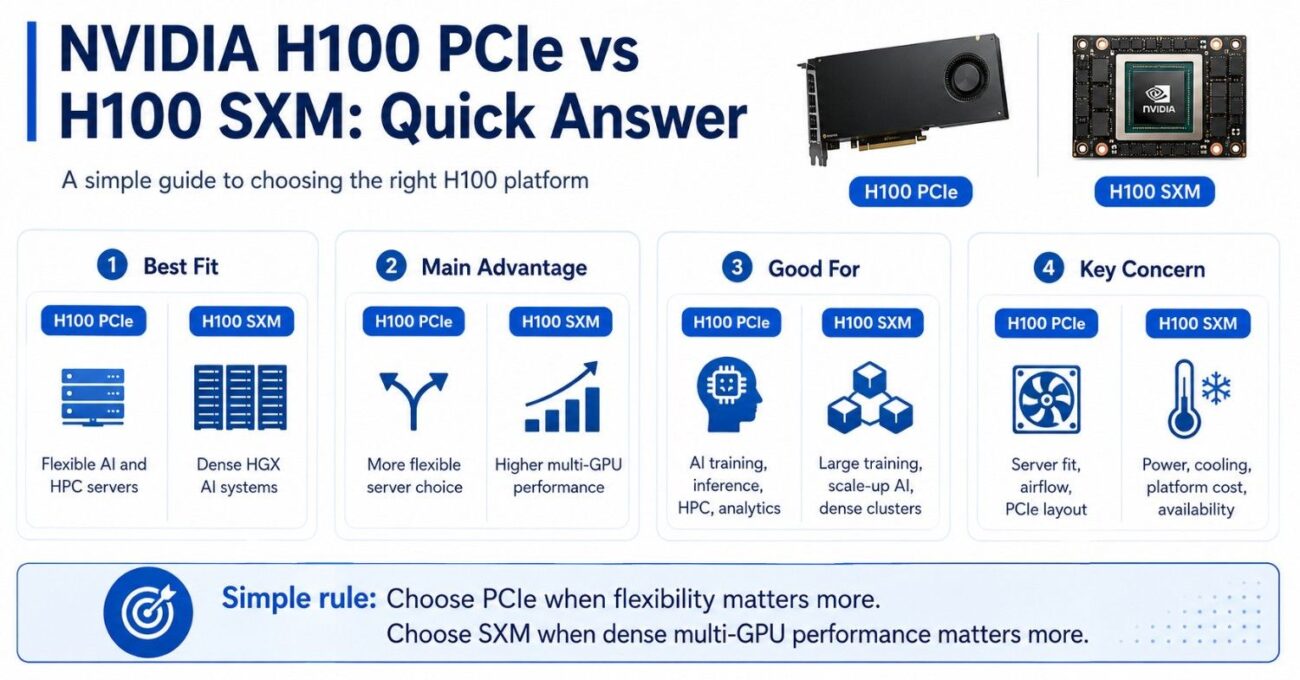
H100 PCIe is usually better for buyers who want strong Hopper GPU performance in more flexible server platforms. It fits qualified PCIe GPU servers and can work well for AI training, inference, HPC, analytics, and model tuning.
H100 SXM is usually better for dense AI systems that need higher GPU-to-GPU bandwidth, stronger scale-up performance, and HGX-style 4-GPU or 8-GPU platforms. It makes more sense when the workload depends on many GPUs working together inside one system.
| Decision Point | H100 PCIe | H100 SXM |
| Best fit | Flexible AI and HPC servers | Dense HGX AI systems |
| Server type | Qualified PCIe GPU servers | HGX or DGX-style platforms |
| Main advantage | Easier platform flexibility | Higher multi-GPU performance |
| Buying complexity | Lower, but still needs validation | Higher because platform matters more |
| Good for | Training, inference, HPC, analytics | Large training, scale-up AI, dense clusters |
| Key concern | Server fit, airflow, PCIe layout | Power, cooling, platform cost, availability |
The simple rule is this: choose PCIe when flexibility matters more. Choose SXM when dense multi-GPU performance matters more.
What Is the Main Difference Between H100 PCIe and H100 SXM?
The main difference is the platform design. H100 PCIe is a card-based GPU that installs into qualified PCIe GPU servers. H100 SXM is a module that fits into HGX systems with GPU baseboards and high-speed GPU interconnects.
Platform Design Comparison
| Feature | H100 PCIe | H100 SXM |
| Form factor | PCIe card | SXM module |
| Installation | Plugs into PCIe slot | Mounted on GPU baseboard |
| Server type | Qualified PCIe GPU servers | HGX or DGX-style systems |
| Interconnect | PCIe-based | NVLink / NVSwitch |
| Flexibility | Higher server choice | Platform-dependent |
| Deployment complexity | Moderate | Higher |
Key Differences Explained
- H100 PCIe
- Installs into supported PCIe GPU servers.
- Offers broader compatibility across Dell, HPE, Supermicro, Lenovo, and similar platforms.
- Requires validation for:
- Slot spacing
- Power delivery
- Airflow design
- BIOS and firmware support
- A standard PCIe slot alone does not guarantee compatibility.
- H100 SXM
- Designed for HGX or DGX-style systems.
- Uses a GPU baseboard with integrated NVLink connectivity.
- Depends heavily on:
- Chassis design
- Cooling architecture
- Power distribution
- Platform-level integration
- Less flexible but optimized for dense GPU performance.
Buying Considerations
- Choose PCIe when:
- You need flexibility in server selection.
- You are deploying smaller or modular GPU environments.
- You want easier sourcing and phased expansion.
- Choose SXM when:
- You need dense multi-GPU performance.
- Your workload depends on fast GPU-to-GPU communication.
- You are building an HGX-based AI cluster.
Teams comparing a qualified H100 PCIe card with an H100 SXM module should decide based on workload, server fit, and deployment plan.
The GPU deployment guide also supports this decision because H100 buyers need to plan around the complete infrastructure, not only the accelerator.
How Do H100 PCIe and H100 SXM Compare on Performance?
H100 SXM generally delivers stronger performance in dense multi-GPU systems. The difference becomes most important when several GPUs must share data quickly during training, simulation, or large model work.
H100 PCIe is still a high-end data center GPU. It can support serious AI and HPC workloads, but it uses a more flexible PCIe server path.
| Performance Area | H100 PCIe | H100 SXM |
| Single-GPU performance | Very strong | Stronger in many top-end workloads |
| Multi-GPU scaling | Depends on server and PCIe topology | Better for dense GPU-to-GPU communication |
| Interconnect design | PCIe-based server design | HGX baseboard with NVLink/NVSwitch design |
| Best performance use | Flexible AI nodes and inference | Large training and scale-up AI |
| Bottleneck risk | Storage, CPU lanes, PCIe layout, network | Power, cooling, cluster design, fabric planning |
Single-GPU Workloads
For a single-GPU or small-node workload, H100 PCIe can be the practical choice. Many AI teams do not need the full density of an SXM platform.
H100 PCIe works well for model tuning, inference, analytics, RAG pipelines, scientific workloads, and shared GPU environments. It also helps when teams want Hopper performance but do not want to commit to a full HGX system.
Multi-GPU Workloads
H100 SXM becomes more attractive when the workload needs several GPUs to act as one high-speed compute platform. Large model training, distributed training, and heavy simulation can benefit from the SXM platform design.
SXM is not only about one GPU being faster. It is about how several GPUs communicate inside an HGX system. Buyers who need dense AI performance may compare complete HGX H100 systems instead of buying GPUs alone.
Which Server Platforms Support H100 PCIe and H100 SXM?
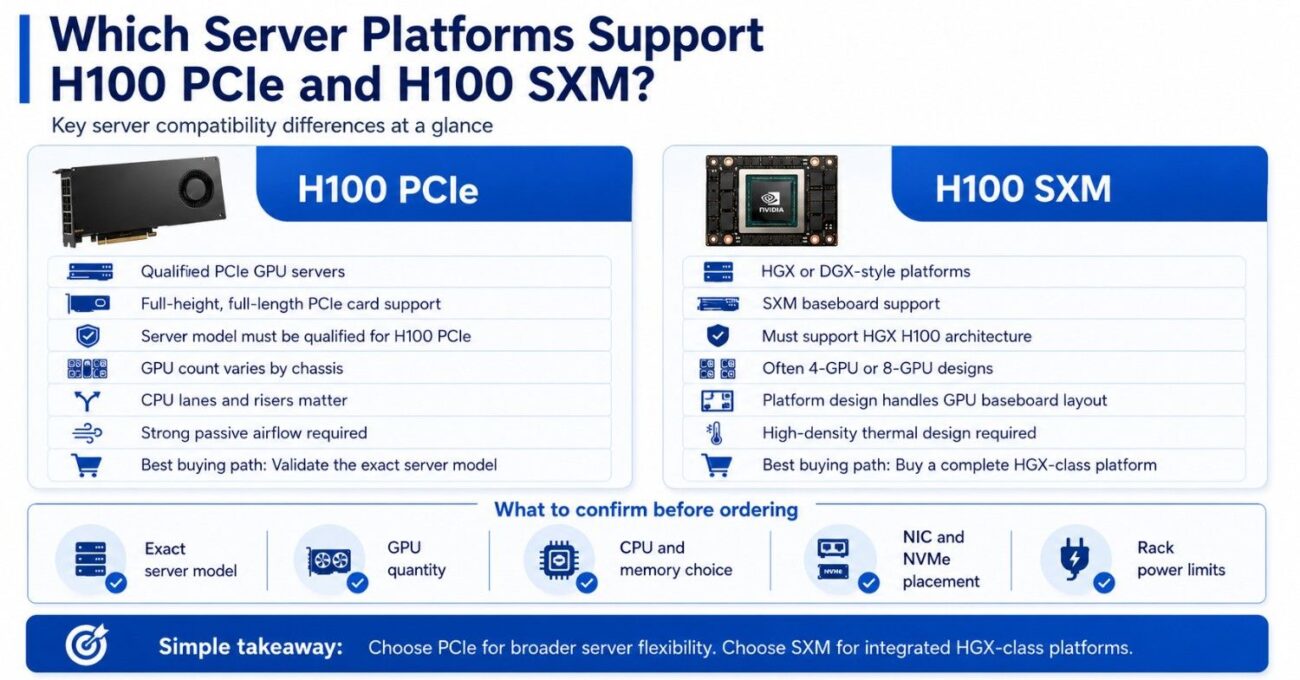
Server compatibility is one of the biggest differences in the NVIDIA H100 PCIe vs H100 SXM decision.
H100 PCIe goes into qualified GPU servers with the correct chassis, slot spacing, power supply, riser layout, firmware, BIOS, CPU lane design, and airflow path. A server may have PCIe slots but still fail to support the GPU correctly.
H100 SXM uses a more complete platform model. Buyers normally choose an HGX H100 system or a similar OEM system built around SXM modules and the GPU baseboard.
The GPU server build process should include the GPU, CPU, memory, storage, networking, power, and rack plan before the order is placed.
| Compatibility Check | H100 PCIe | H100 SXM |
| Physical fit | Full-height, full-length PCIe card support | SXM baseboard support |
| Server model | Must be qualified for H100 PCIe | Must support HGX H100 architecture |
| GPU count | Varies by chassis | Often 4-GPU or 8-GPU designs |
| PCIe layout | CPU lanes and risers matter | Platform design handles GPU baseboard layout |
| Airflow | Strong passive server airflow required | High-density thermal design required |
| Best buying path | Validate server by exact model | Buy complete HGX-class platform |
Buyers should confirm the exact server model before ordering either option. This includes GPU quantity, CPU choice, memory channels, NIC placement, NVMe bay use, and rack power limits.
For buyers already standardizing on HPE infrastructure, HPE AI systems may shape the decision between a flexible PCIe node and a denser platform.
What Power and Cooling Does Each H100 Option Need?
Power and cooling can decide the project before performance does. H100 GPUs require server-grade airflow, power delivery, and rack planning.
H100 PCIe usually fits into more server designs, but it still needs a chassis built for high-power passive GPUs. The server must push enough airflow through the card and leave room for NICs, storage controllers, and other PCIe devices.
H100 SXM uses more power and creates more heat in a denser system. The advantage is that the platform is designed around that density. The challenge is that the data center must support it.
The cooling strategy guide matters here because dense GPU systems can stress rack airflow, room cooling, power circuits, and deployment timelines.
Key power and cooling checks include:
- Confirm rack power before choosing GPU count.
- Match airflow direction to the server design.
- Leave space for NICs and storage devices.
- Check facility cooling before cluster rollout.
A buyer should not select H100 SXM only because it is faster. The data center must handle the thermal load. A buyer should not select H100 PCIe only because it is easier to source. The server must still feed and cool the GPU.
How Do Cost and Availability Compare?
H100 PCIe often gives buyers more flexibility in cost, server selection, and sourcing. It may work better when the buyer needs one GPU server, a few AI nodes, or a phased rollout.
H100 SXM often carries a higher platform cost because it usually comes inside a complete HGX-class system. The GPU module, baseboard, chassis, power, cooling, and network design all matter.
Availability can also vary. A buyer may find H100 PCIe inventory sooner in some markets, while SXM systems may depend more on complete platform availability.
| Buying Factor | H100 PCIe | H100 SXM |
| GPU cost | Often easier to compare by unit | Usually tied to full system cost |
| Server cost | Depends on qualified PCIe server | Higher due to HGX platform design |
| Availability | Can be more flexible | Often depends on complete systems |
| Deployment speed | Faster when server fit is clear | Slower if rack and platform planning lag |
| Refurbished angle | May be easier to source by part | Requires deeper platform validation |
Buyers with budget limits should also compare H100 against mature options. An A100 value option may still make sense for known AI and HPC workloads that do not need Hopper-level performance.
For inference, rendering, and mixed visualization work, an L40S workload fit may offer better value than either H100 option.
Refurbished and hard-to-find inventory can also change the decision. The refurbished testing process should cover condition, firmware, compatibility, warranty, and seller credibility before the hardware is approved.
Which Workloads Need H100 SXM?
H100 SXM is best for workloads that need dense GPU performance and strong GPU-to-GPU communication. It fits buyers who need to train larger models, run multi-GPU simulation, or build a high-density AI cluster.
SXM makes the most sense when the workload can use the full platform. It may not be worth the extra cost if the system will run small jobs, light inference, or low-utilization development work.
H100 SXM is a strong fit for:
- Large model training and fine-tuning.
- Dense 4-GPU or 8-GPU AI servers.
- Scale-up workloads with heavy GPU communication.
- HPC jobs that benefit from fast multi-GPU design.
SXM buyers should also plan networking early. Cluster traffic, storage access, checkpointing, and node-to-node communication can affect real performance. The networking challenge guide supports that planning because GPU servers often depend on more than internal GPU speed.
Which Buyers Should Choose H100 PCIe?
H100 PCIe is often the better choice for buyers who need Hopper performance with more server flexibility. It fits many enterprise AI teams, research groups, cloud teams, and data center buyers who do not need a full HGX system.
PCIe is also practical when a buyer wants to expand in phases. A team can start with a qualified PCIe GPU server, then add memory, NVMe storage, high-speed NICs, switches, optics, and cables as the deployment grows.
| Buyer Type | Better Choice | Reason |
| Enterprise AI team | H100 PCIe | Strong performance with flexible server options |
| Large model training team | H100 SXM | Better dense multi-GPU scaling |
| Inference platform team | H100 PCIe | Often easier to size and deploy |
| Budget-sensitive AI lab | Depends | A100 or refurbished options may fit better |
| HGX cluster buyer | H100 SXM | Platform is built for dense AI systems |
| Mixed HPC and analytics team | H100 PCIe | Good balance of power and flexibility |
PCIe buyers should still avoid shortcuts. The server must support the GPU’s physical size, power draw, airflow, BIOS, firmware, driver stack, and PCIe topology.
Teams open to refurbished hardware can compare refurbished GPU inventory against new H100 PCIe, A100, and other data center GPU options.
What Should You Buy With H100 PCIe or H100 SXM?
An H100 order often needs more than GPUs. A quote may include servers, CPU and memory, storage, NICs, switches, optics, DAC cables, AOC cables, rack power planning, and compatibility validation.
H100 PCIe builds usually start with a qualified GPU server. Buyers then size DDR5 memory, NVMe storage, 100G or 200G networking, and the correct cable path.
H100 SXM builds usually start with the HGX platform. Buyers then plan the cluster around storage, networking fabric, rack power, cooling, and service support.
Common bundle components include:
- GPU server or HGX H100 system.
- DDR5 memory and NVMe storage.
- 100G or 200G NICs and switches.
- QSFP optics, DAC cables, or AOC cables.
This is also where IT lifecycle planning matters. If the project includes retired systems, resale, or redeployment, an IT asset plan can help align new AI infrastructure with old hardware recovery.
How Should Buyers Make a Quote-Ready Decision?
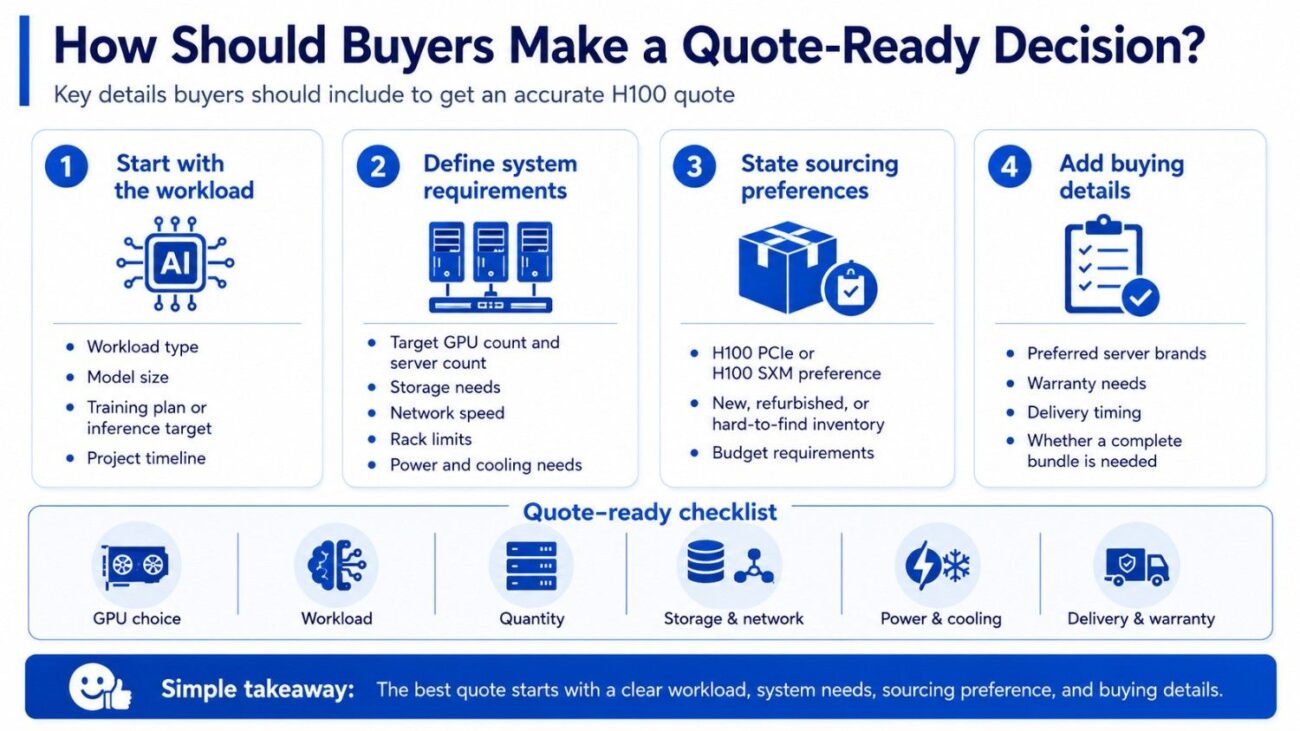
A quote-ready request should explain the workload first. The GPU choice should follow the model size, training plan, inference target, storage need, network speed, rack limit, and budget.
Buyers should also state whether they want new, refurbished, or hard-to-find inventory. This helps the sourcing team compare realistic options instead of quoting one narrow path.
Quote-Ready Checklist
A strong H100 request should include:
- H100 PCIe or H100 SXM preference.
- Target GPU count and server count.
- Workload type, model size, and timeline.
- Storage, networking, power, and cooling needs.
Buyers should also include preferred server brands, warranty needs, delivery timing, and whether they need a complete bundle. That avoids delays caused by missing NICs, switches, optics, rails, cables, or power planning details.
Need Help Choosing H100 PCIe or H100 SXM?
Choose H100 PCIe when your team needs Hopper performance, flexible server options, simpler sourcing, and a phased deployment path. Choose H100 SXM when your workload needs dense HGX performance, faster GPU-to-GPU communication, and an 8-GPU platform built for large training or HPC clusters at scale.
Catalyst Data Solutions Inc can help compare H100 PCIe, H100 SXM, HGX H100 systems, A100, L40S, servers, storage, switches, optics, and cables. Buyers can request availability, verify compatibility, compare new or refurbished options, and build a complete GPU infrastructure bundle around clear workload and budget requirements.
FAQs About NVIDIA H100 PCIe vs H100 SXM
Is H100 SXM faster than H100 PCIe?
H100 SXM usually has the advantage in dense multi-GPU systems because the platform supports stronger GPU-to-GPU communication. H100 PCIe is still a high-end Hopper GPU and can perform very well in qualified PCIe servers.
Can H100 PCIe fit in any server with a PCIe slot?
No. H100 PCIe needs a qualified GPU server with the right slot spacing, power, passive airflow, firmware, BIOS, CPU lane design, and thermal support.
Who should choose H100 PCIe?
H100 PCIe is a strong fit for buyers who want high-end AI, HPC, inference, or analytics performance with more server flexibility and a simpler procurement path than HGX systems.
Who should choose H100 SXM?
H100 SXM is best for buyers building dense AI training platforms, HGX systems, or multi-GPU clusters where GPU-to-GPU communication matters.
Is H100 SXM better for large AI training?
Yes, in many cases. Large training jobs often benefit from the SXM platform because it supports dense GPU designs and stronger scale-up performance.
Is H100 PCIe better for inference?
Often, yes. H100 PCIe can be easier to size for inference platforms, especially when the buyer does not need a full HGX system. For lighter inference, L40S, L4, or T4 may be more cost-effective.
Should I buy new or refurbished H100 GPUs?
New hardware works best for standardized production deployments. Refurbished or hard-to-find options may help with budget, lead time, or supply limits, but buyers should verify testing, firmware, condition, warranty, and compatibility before ordering.