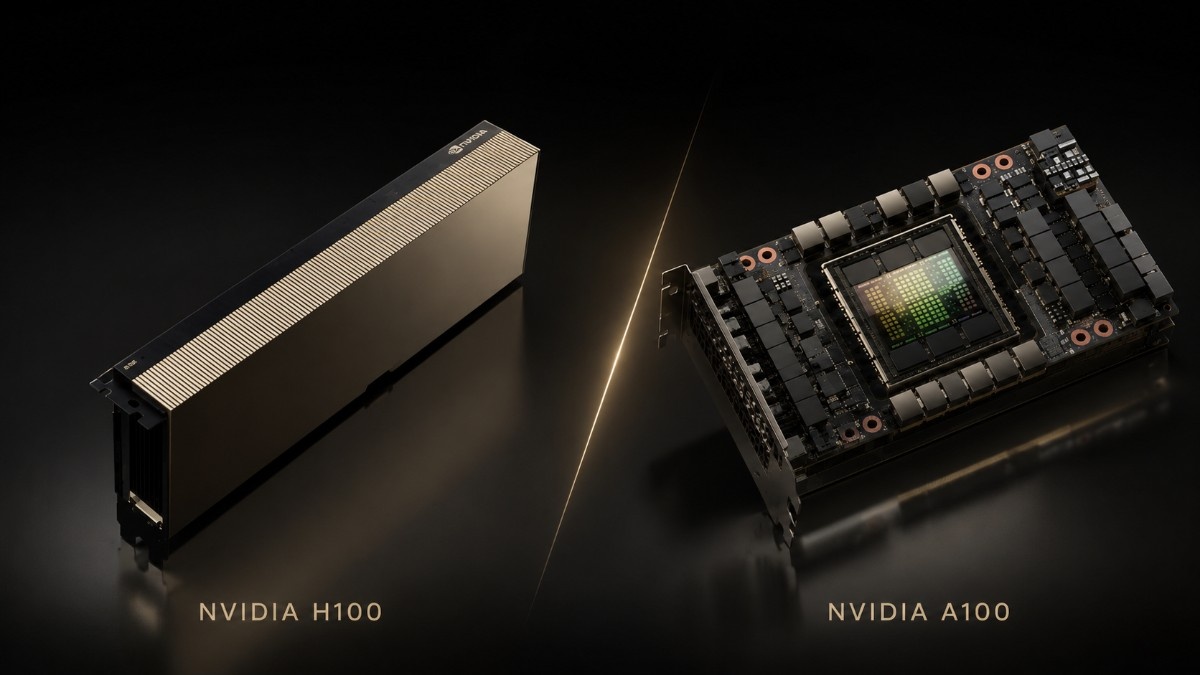
The NVIDIA H100 is worth the upgrade when training time, large-model inference, or cluster scale has become a real limit. The A100 still offers strong value for mature AI, HPC, analytics, and shared GPU work, especially when budget matters more than peak speed.
This comparison focuses on real buying and deployment decisions.
The choice is not only about the GPU. Buyers must also confirm server support, PCIe or SXM design, system memory, storage, networking, power, cooling, optics, and cabling. A faster accelerator will not deliver full value in an unbalanced platform.
Teams can compare the H100 PCIe option with current A100 systems before replacing working hardware. The best answer comes from cost per completed workload, not peak specifications alone.
Is NVIDIA H100 Worth Upgrading From A100?
Yes, for teams training large transformer models, serving demanding generative AI, or building new high-density clusters. H100 adds Hopper architecture, fourth-generation Tensor Cores, FP8 support through the Transformer Engine, PCIe Gen5, and faster NVLink in SXM systems.
No, not for every deployment. A100 remains practical when models fit within 80GB, deadlines are acceptable, and current servers can support the work. A well-priced A100 PCIe configuration may give a better return for steady enterprise use.
The upgrade matters most when H100 cuts training hours, raises inference throughput, or avoids extra nodes. If those gains do not cover the added platform cost, keeping A100 can be the better business choice.
What Is the Main Difference Between NVIDIA H100 and A100?
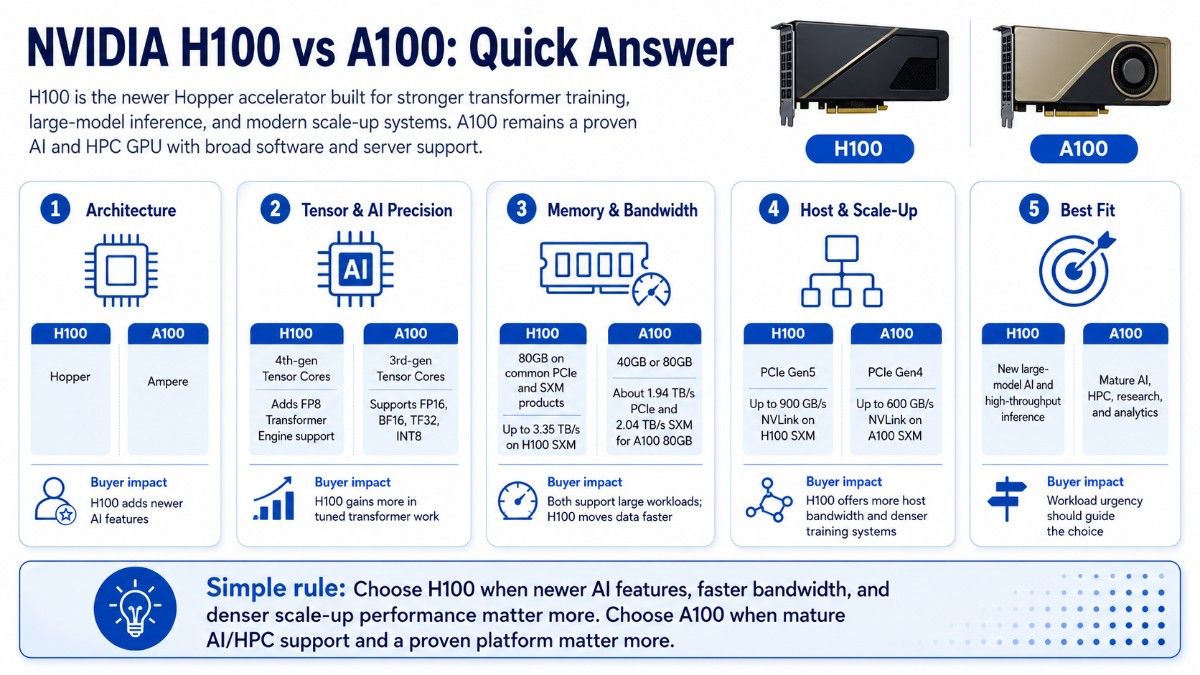
H100 is the newer Hopper accelerator, while A100 uses Ampere architecture. NVIDIA built H100 for stronger transformer training, large-model inference, and modern scale-up systems. A100 remains a proven AI and HPC GPU with broad software and server support.
| Decision area | NVIDIA H100 | NVIDIA A100 | Buyer impact |
| Architecture | Hopper | Ampere | H100 adds newer AI features |
| Tensor Cores | Fourth generation | Third generation | H100 gains more in tuned transformer work |
| AI precision | Adds FP8 Transformer Engine support | Supports FP16, BF16, TF32, INT8, and other modes | H100 can raise throughput in supported models |
| Memory | 80GB on common PCIe and SXM products | 40GB or 80GB | Both support large workloads |
| Memory bandwidth | Up to 3.35TB/s on H100 SXM | About 1.94TB/s PCIe and 2.04TB/s SXM for A100 80GB | H100 moves data faster |
| Host interface | PCIe Gen5 | PCIe Gen4 | H100 offers more host bandwidth |
| Scale-up link | Up to 900GB/s NVLink on H100 SXM | Up to 600GB/s NVLink on A100 SXM | H100 fits denser training systems |
| Best fit | New large-model AI and high-throughput inference | Mature AI, HPC, research, and analytics | Workload urgency should guide the choice |
NVIDIA lists A100 80GB memory bandwidth at 1,935GB/s for PCIe and 2,039GB/s for SXM. Standard power is 300W and 400W. NVIDIA lists H100 SXM with 80GB, 3.35TB/s bandwidth, up to 700W, and 900GB/s NVLink.
How Much Faster Is H100 for AI Training?
H100 can deliver a major gain when software uses Hopper features and the cluster keeps the GPUs busy. NVIDIA reports up to four times faster GPT-3 training than A100 in its stated system test. The H100 setup also used newer networking, so buyers should not treat this as a fixed result.
Real gains depend on the model, precision, batch size, framework, GPU count, interconnect, storage, and data pipeline. Test a typical job before building the upgrade case.
Where H100 Creates the Most Value
H100 is strongest for transformer training, large language models, large recommendation systems, and mixed AI-HPC jobs that can use FP8. Shorter training cycles can support more tests and faster model updates.
A100 still works well for established FP16, BF16, and TF32 pipelines. It may remain the better choice when jobs meet deadlines or when teams have already tuned their stack around A100.
| Training situation | Better fit | Reason |
| Large transformer pretraining | H100 | Transformer Engine and higher platform throughput |
| Frequent tuning with tight deadlines | H100 | Faster runs can create business value |
| Mature models with stable run times | A100 | Gains may not justify replacement cost |
| Research or budget AI lab | A100 or mixed fleet | More GPUs may matter more than peak speed |
| New dense eight-GPU system | H100 SXM | Stronger scale-up fabric |
A buyer planning dense training should compare the H100 SXM platform with the full cost of keeping or adding A100 SXM nodes. Server cost, network design, rack power, and cooling can shape the final answer.
Which GPU Is Better for AI Inference?
H100 is usually better for high-volume generative AI, large language models, and latency-sensitive services. NVIDIA reports large gains on its biggest tested models, but each result depends on the stated model, network, software, and system design.
A100 remains effective for recommendation, vision, speech, embeddings, analytics, and many production models. It supports Multi-Instance GPU, which can divide one accelerator into as many as seven isolated GPU instances.
When Inference Favors H100
Choose H100 when the service needs more tokens per second, lower latency, larger batches, or more output per node. It may also reduce server count, but only when the software keeps the GPUs well used.
Choose A100 when demand is stable and current systems meet service goals. Teams running moderate inference should also check the L40S workload fit before paying for H100-class compute.
How Do Memory Capacity and Bandwidth Affect the Choice?
Common H100 and A100 enterprise products in this comparison use 80GB of GPU memory. Capacity may look equal, but bandwidth and interconnect change how fast the GPU moves model weights, tensors, and checkpoints.
H100 SXM has much higher memory bandwidth than A100 SXM. This helps transformer training, memory-heavy HPC, and large-model inference. A100 80GB still has enough capacity for many mature models and scientific datasets.
Buyers should also measure optimizer states, activation memory, batch size, precision, and model parallel needs. Memory capacity alone should not decide the purchase.
The future-facing H200 raises memory to 141GB with 4.8TB/s bandwidth. It matters when an 80GB limit forces heavy model splitting or reduces useful batch size.
Should You Choose H100 or A100 in PCIe or SXM Form?
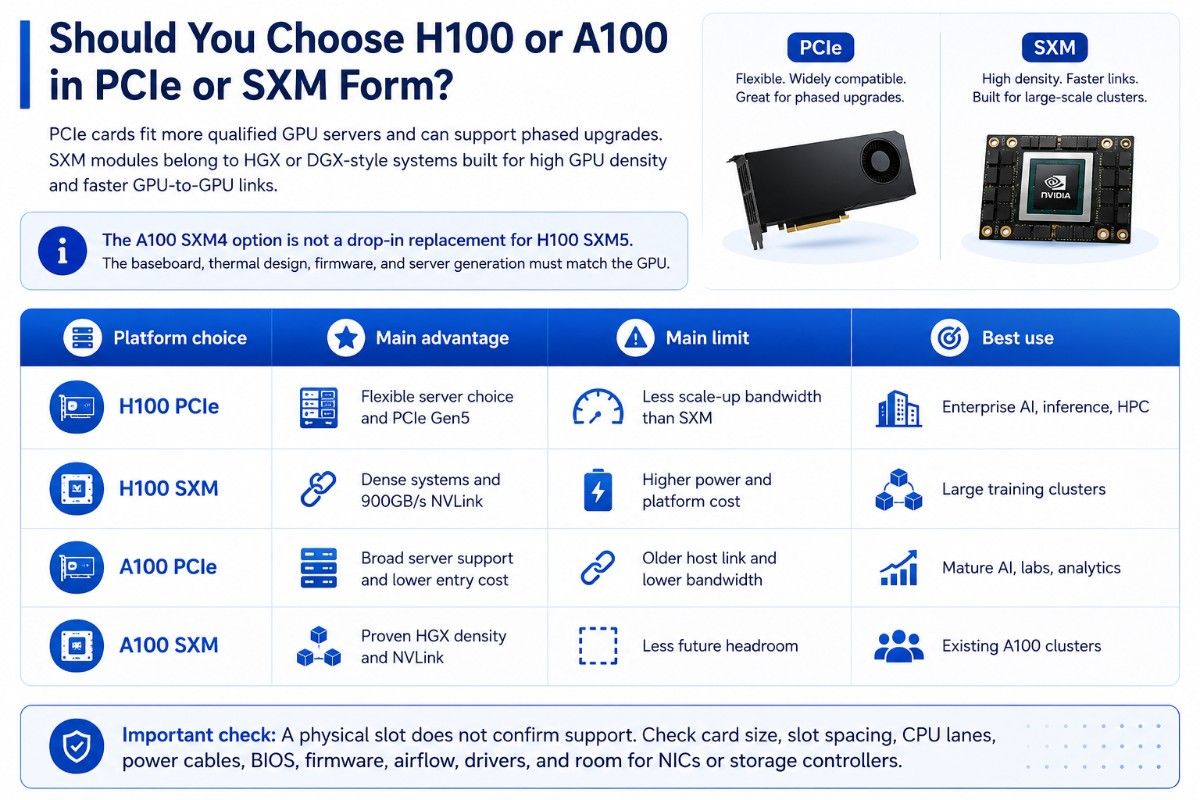
PCIe cards fit more qualified GPU servers and can support phased upgrades. SXM modules belong in HGX or DGX-style systems built for high GPU density and faster GPU-to-GPU links.
The A100 SXM4 option is not a drop-in replacement for H100 SXM5. The baseboard, thermal design, firmware, and server generation must match the GPU.
| Platform choice | Main advantage | Main limit | Best use |
| H100 PCIe | Flexible server choice and PCIe Gen5 | Less scale-up bandwidth than SXM | Enterprise AI, inference, HPC |
| H100 SXM | Dense systems and 900GB/s NVLink | Higher power and platform cost | Large training clusters |
| A100 PCIe | Broad server support and lower entry cost | Older host link and lower bandwidth | Mature AI, labs, analytics |
| A100 SXM | Proven HGX density and NVLink | Less future headroom | Existing A100 clusters |
A physical slot does not confirm support. Check card size, slot spacing, CPU lanes, power cables, BIOS, firmware, airflow, drivers, and room for NICs or storage controllers.
What Server Infrastructure Does H100 or A100 Need?
Both GPUs depend on the full server and data center stack. A qualified platform needs enough CPU power, system memory, storage speed, network bandwidth, power, and cooling.
The GPU server build guide gives a practical model for balancing those parts. H100 may need a wider upgrade because PCIe Gen5, higher SXM power, and faster cluster traffic can expose old system limits.
Build the System Around the GPU
Start with a server qualified for the exact PCIe card or SXM baseboard. Then size DDR4 or DDR5 memory for data work, NVMe storage for datasets and checkpoints, and fast NICs for storage and node traffic.
A production cluster may need 100G, 200G, or faster networking. The AI networking challenges grow with GPU count because slow east-west traffic can leave costly accelerators idle.
The network also needs matching switches, optics, DAC cables, or AOC cables. Review power and airflow at server, rack, and room level. Good data center cooling planning helps prevent throttling and rack limits.
Does H100 Deliver Better Cost per Performance?
H100 can lower cost per completed job even with a higher purchase price. Faster training, higher inference output, or fewer nodes may cover the upgrade.
A100 can offer better capital value when the workload does not use H100 features. It also appears more often in new, refurbished, and secondary-market channels.
| Cost factor | H100 impact | A100 impact | What to calculate |
| GPU purchase | Usually higher | Usually lower | Cost per GPU and node |
| Server upgrade | May need newer platforms | Existing systems may remain usable | Chassis, CPU, memory, risers |
| Networking | Fast clusters may need upgrades | Current fabric may be enough | NICs, switches, optics, cables |
| Power and cooling | Higher for dense SXM systems | Often easier in current facilities | Watts per job and rack density |
| Time to result | Can be much lower | May already meet goals | Cost per training run or request |
| Lifecycle | More future headroom | Lower cost but older generation | Support and workload growth |
Use a workload formula: total platform cost divided by completed training runs, served requests, tokens, simulations, or research jobs. This is more useful than comparing GPU prices without utilization.
When Is a Refurbished A100 the Better Buy?
A refurbished A100 can fit budget AI labs, universities, development teams, mature HPC work, and companies adding to an A100 fleet. It can provide 80GB memory and strong mixed-precision speed without the cost of a new H100 platform.
Buyers should verify the exact part number, form factor, memory, condition, firmware, tests, warranty, and server support. A clear refurbished testing process shows how hardware is checked before use.
Refurbished A100 is less suitable when the project needs the longest lifecycle, Hopper-only features, or maximum generative AI speed. Buyers can compare refurbished GPU inventory with workload risk and support needs.
A staged upgrade can keep costs under control. Teams can move the hardest jobs to H100 and retain A100 for development, analytics, batch work, and lower-priority queues.
Where Does NVIDIA H200 Fit in Future Planning?
H200 is a future-facing option for buyers who need more memory than H100 or A100. NVIDIA lists 141GB of HBM3e memory and 4.8TB/s bandwidth for H200 SXM and H200 NVL.
H200 matters when memory limits model size, batch size, context length, or HPC datasets. NVIDIA also reports up to two times H100 inference performance on selected Llama 2 tests, under the stated conditions.
It is not a universal replacement. Buyers must confirm platform support, supply, budget, power, networking, and whether the larger memory creates real value.
Who Should Upgrade From A100 to H100?
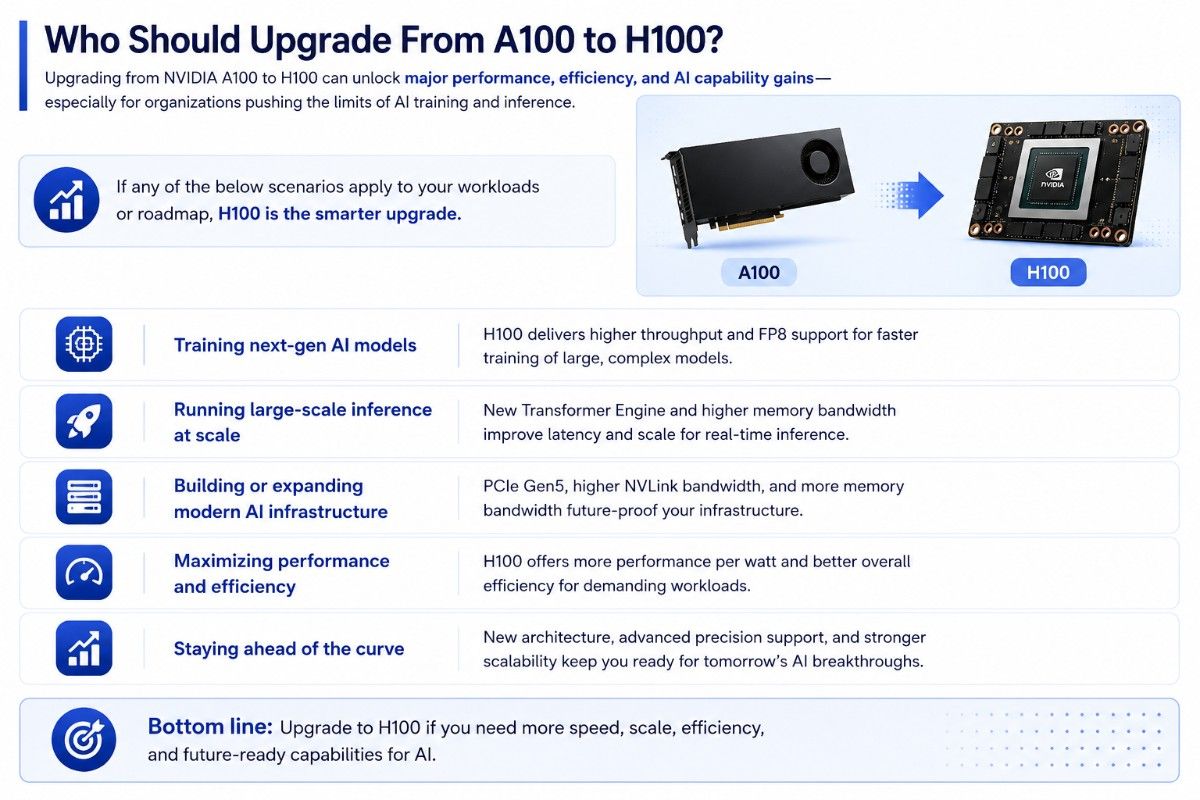
Upgrade when training delays block product work, inference demand exceeds capacity, or a new cluster needs more long-term headroom. H100 also makes sense when fewer nodes can meet the same target.
Keep or add A100 when current jobs meet goals and budget matters more than peak speed. The broader NVIDIA A100 review helps show where Ampere still offers strong AI and HPC value.
A mixed fleet often gives the best balance:
- Use H100 for large-model training and high-demand inference.
- Use A100 for mature training, research, analytics, and batch work.
- Keep test jobs away from premium H100 capacity.
- Match each workload to the right GPU tier.
Need a Quote-Ready H100 or A100 Configuration?
Catalyst Data Solutions Inc can help compare H100 PCIe, H100 SXM, A100 PCIe, A100 SXM, and H200 paths based on workload, server support, budget, supply, and lifecycle.
A complete build may include GPUs, qualified servers, memory, NVMe storage, NICs, Arista or Cisco Nexus switches, optics, cables, power planning, and compatibility checks. Request a quote to compare new, refurbished, and hard-to-find options for a complete AI or HPC deployment.
Frequently Asked Questions
Is H100 always faster than A100?
H100 has newer AI features and much higher peak ability in supported workloads. The real gain changes with the model, precision, software, form factor, storage, network, and server design.
Is H100 worth it for AI training?
It often is for large transformers, repeat training cycles, and strict deadlines. It may not be when A100 already completes jobs within acceptable time and cost limits.
Which GPU is better for inference?
H100 is better for demanding LLM inference, high throughput, and low latency. A100 remains strong for vision, speech, recommendation, analytics, and moderate generative AI.
Do H100 and A100 both have 80GB memory?
Yes, common enterprise versions offer 80GB. H100 SXM has much higher bandwidth, while H200 raises capacity to 141GB.
Can H100 replace A100 in the same server?
Not automatically. PCIe and SXM products have different needs. Even PCIe upgrades require checks for power, cooling, firmware, lane layout, card spacing, and qualified support.
Is refurbished A100 suitable for enterprise use?
It can be when the seller provides test details, correct part data, warranty coverage, and compatibility checks. Buyers should match hardware condition and support terms to workload risk.
What should buyers purchase with either GPU?
Most builds need a qualified GPU server, enough CPU and system memory, enterprise NVMe storage, fast NICs, switches, optics, DAC or AOC cables, and proper power and cooling.