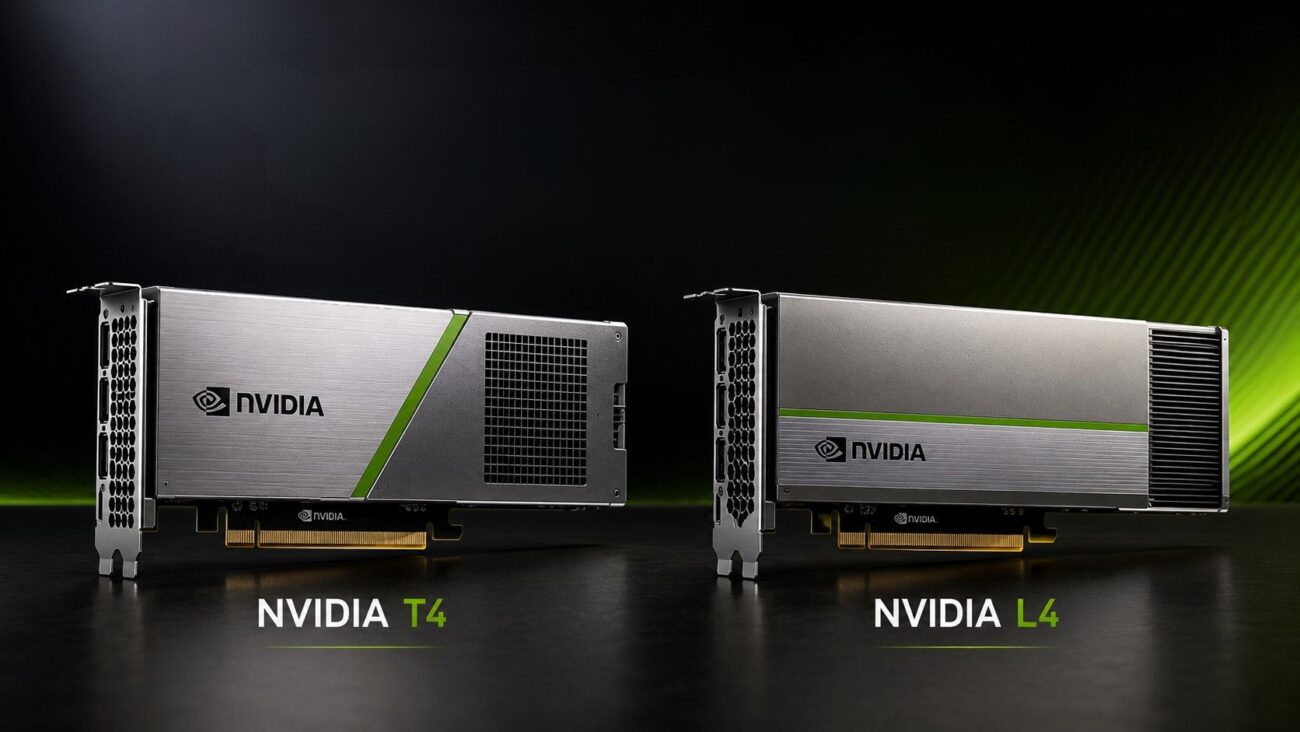
Choosing between NVIDIA T4 and L4 requires more than comparing memory, power, and architecture. Buyers also need to confirm server support, airflow, PCIe layout, software, storage, networking, and long-term workload needs.
NVIDIA L4 is the stronger option for new inference, generative AI, video, and virtual workstation deployments. NVIDIA T4 still offers value for mature inference, VDI, transcoding, and budget-sensitive systems.
This guide covers workload fit, server compatibility, supporting hardware, upgrades, and refurbished options.
What Is the Main Difference Between NVIDIA T4 and L4?
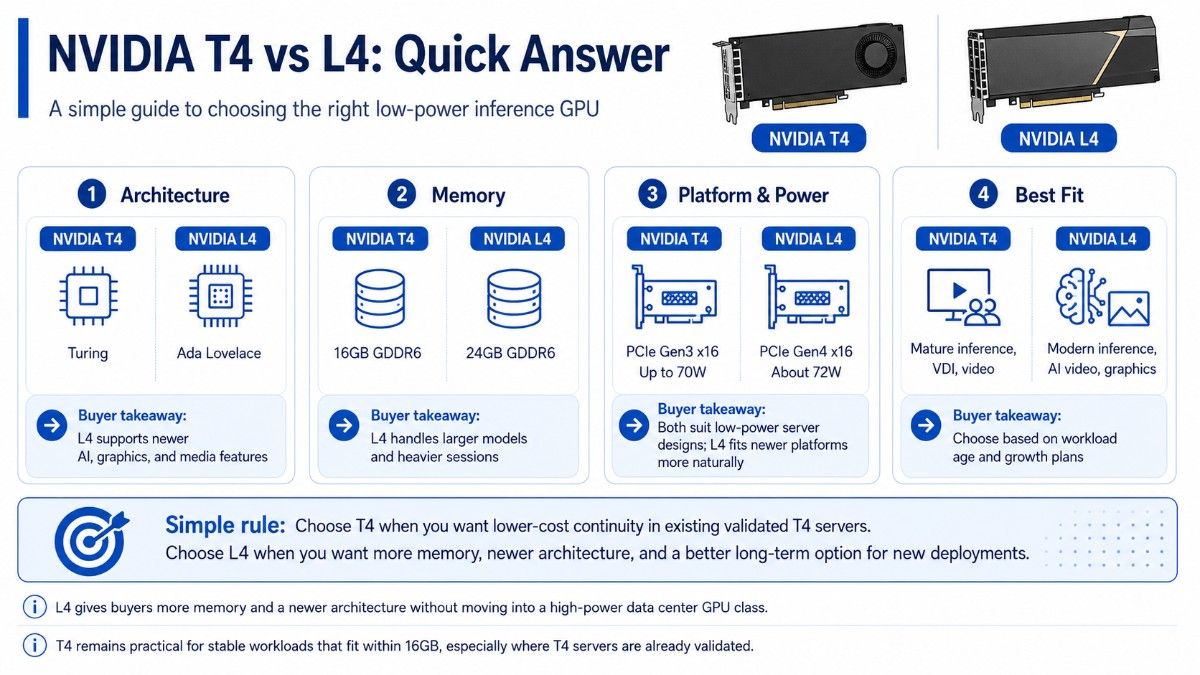
NVIDIA T4 uses the older Turing architecture and includes 16GB of GDDR6 memory. NVIDIA L4 uses the newer Ada Lovelace architecture and includes 24GB of GDDR6 memory.
T4 uses PCIe Gen3 x16 and draws up to 70W. L4 uses PCIe Gen4 x16 and draws about 72W, which keeps it in the same low-power class while giving buyers a newer platform.
| Decision point | NVIDIA T4 | NVIDIA L4 | What it means for buyers |
| Architecture | Turing | Ada Lovelace | L4 supports newer AI, graphics, and media features |
| GPU memory | 16GB GDDR6 | 24GB GDDR6 | L4 handles larger models and heavier sessions |
| PCIe interface | PCIe Gen3 x16 | PCIe Gen4 x16 | L4 fits newer server platforms more naturally |
| Power | Up to 70W | About 72W | Both suit low-power server designs |
| Best fit | Mature inference, VDI, video | Modern inference, AI video, graphics | Workload age and growth plans should guide the choice |
The NVIDIA L4 24GB GPU gives buyers more memory and a newer architecture without moving into a high-power data center GPU class. It is often the better long-term option for new deployments.
The Tesla T4 16GB accelerator remains practical when a team already runs validated T4 servers. It can also lower acquisition cost for stable workloads that fit within 16GB.
Which GPU Is Better for AI Inference?
L4 is the better choice for most new inference systems. It offers more memory, newer Tensor Cores, and stronger support for modern AI, video, and graphics workloads.
T4 can still handle recommendation, vision, speech, language, classification, and video analytics. It works best with tested models, stable software, and moderate capacity needs.
When Does NVIDIA T4 Still Make Sense?
T4 makes sense when an organization wants to extend a proven platform. Existing servers may already support it, and teams may already use established drivers and TensorRT pipelines.
T4 remains useful for:
- Established real-time inference workloads
- VDI and virtual application delivery
- Video transcoding and media processing
- Shared development or test servers
- Budget-sensitive expansion
Buyers must confirm the server model, airflow, GPU count, firmware, and drivers. A matching slot does not guarantee a production-ready installation.
A broader GPU deployment strategy can help teams compare latency, utilization, model size, and growth plans before they expand an older T4 environment.
When Is NVIDIA L4 the Better Choice?
L4 is better for newer models, more concurrent requests, richer media, or virtual workstations. Its 24GB memory adds room for larger models and future software needs.
L4 is especially useful for generative AI, AI video, high-volume recommendations, virtual workstations, and new low-power servers.
CPU speed, memory capacity, NVMe throughput, and network bandwidth can still limit the value of a faster GPU.
Is NVIDIA T4 or L4 Better for VDI?
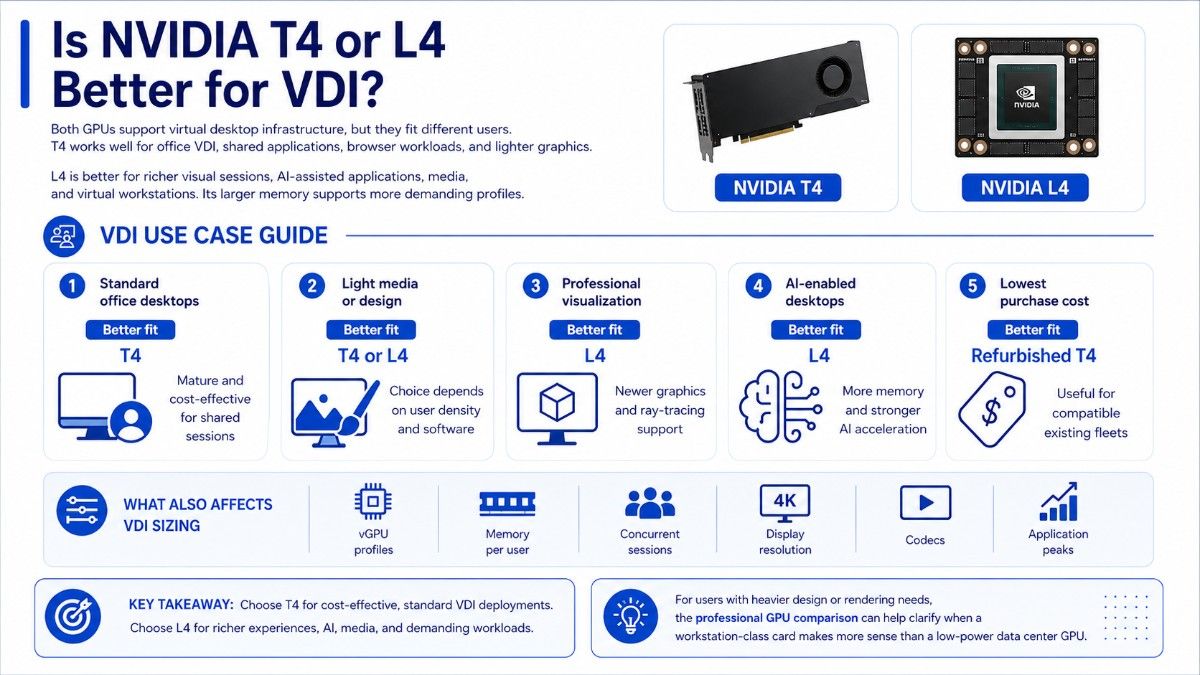
Both GPUs support virtual desktop infrastructure, but they fit different users. T4 works well for office VDI, shared applications, browser workloads, and lighter graphics.
L4 is better for richer visual sessions, AI-assisted applications, media, and virtual workstations. Its larger memory supports more demanding profiles.
| VDI requirement | Better fit | Reason |
| Standard office desktops | T4 | Mature and cost-effective for shared sessions |
| Light media or design | T4 or L4 | Choice depends on user density and software |
| Professional visualization | L4 | Newer graphics and ray-tracing support |
| AI-enabled desktops | L4 | More memory and stronger AI acceleration |
| Lowest purchase cost | Refurbished T4 | Useful for compatible existing fleets |
VDI sizing also depends on vGPU profiles, memory per user, concurrent sessions, display resolution, codecs, and application peaks.
For users with heavier design or rendering needs, the professional GPU comparison can help clarify when a workstation-class card makes more sense than a low-power data center GPU.
Which GPU Fits Low-Power Servers Best?
T4 and L4 fit low-profile, single-slot servers. Since their power ratings are close, server qualification, PCIe support, airflow, and workload density matter more.
L4 uses PCIe Gen4 x16, while T4 uses PCIe Gen3 x16. That difference matters when the server also hosts NVMe drives, NICs, storage controllers, or several GPUs.
Before ordering, confirm:
- Exact server and riser support
- PCIe lane allocation
- Passive cooling and fan capacity
- Supported GPU quantity
- BIOS, firmware, and driver support
The GPU server build guide explains why CPU, memory, storage, networking, and power must work together. Low GPU power still requires proper planning.
A server that accepts one T4 may not support several L4 cards. Slot spacing, thermal design, firmware, and power rules vary by chassis and riser.
What Should You Buy With NVIDIA T4 or L4?
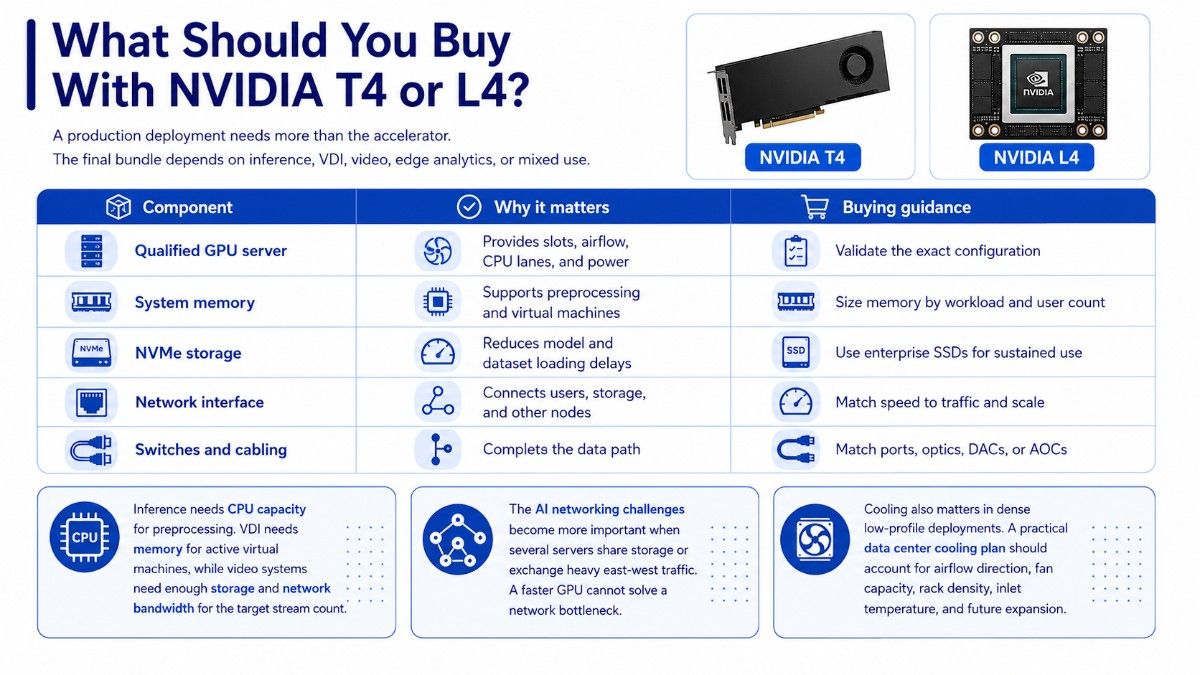
A production deployment needs more than the accelerator. The final bundle depends on inference, VDI, video, edge analytics, or mixed use.
| Component | Why it matters | Buying guidance |
| Qualified GPU server | Provides slots, airflow, CPU lanes, and power | Validate the exact configuration |
| System memory | Supports preprocessing and virtual machines | Size memory by workload and user count |
| NVMe storage | Reduces model and dataset loading delays | Use enterprise SSDs for sustained use |
| Network interface | Connects users, storage, and other nodes | Match speed to traffic and scale |
| Switches and cabling | Complete the data path | Match ports, optics, DACs, or AOCs |
Inference needs CPU capacity for preprocessing. VDI needs memory for active virtual machines, while video systems need enough storage and network bandwidth for the target stream count.
The AI networking challenges become more important when several servers share storage or exchange heavy east-west traffic. A faster GPU cannot solve a network bottleneck.
Cooling also matters in dense low-profile deployments. A practical data center cooling plan should account for airflow direction, fan capacity, rack density, inlet temperature, and future expansion.
Where Does NVIDIA A2 Fit?
NVIDIA A2 is an entry-level alternative for edge inference and compact servers. It uses a low-profile, single-slot design, includes 16GB of GDDR6 memory, and supports a configurable power range of 40W to 60W.
The NVIDIA A2 16GB GPU can fit strict thermal and space limits better than T4 or L4. It is useful when power efficiency matters more than peak performance.
A2 works well for edge inference, compact servers, branch analytics, light computer vision, and space-constrained systems.
A2 is not a direct L4 replacement for demanding generative AI, graphics, or high-volume media. It is a lower-power entry point.
Where Does Tesla P4 Fit Today?
Tesla P4 is the older comparison point. It uses the Pascal architecture, includes 8GB of memory, and fits a low-profile PCIe form factor with up to 75W power.
P4 served scale-out inference and video, but its smaller memory and older platform now make it a legacy option.
| GPU | Best role today | Main concern |
| A2 | Entry-level edge inference | Lower performance ceiling |
| T4 | Mature inference, VDI, and video | Older architecture and 16GB limit |
| L4 | Modern inference, AI video, graphics | Higher purchase cost |
| P4 | Exact legacy replacement | Age, support, and 8GB memory |
P4 mainly makes sense when an organization needs an exact replacement in a validated server. New systems should usually focus on A2, T4, or L4.
Should You Upgrade From T4 to L4?
L4 is the clearest replacement when T4 no longer meets model size, throughput, graphics, or video needs. Its 24GB memory also supports growth.
Teams should review utilization, memory use, queue depth, latency, user density, and server age before changing hardware.
Upgrade to L4 when:
- Models approach the T4 memory limit
- Latency or throughput misses targets
- New video or graphics features matter
- A server refresh already supports PCIe Gen4
- Longer lifecycle value justifies the cost
Keep T4 when it meets service levels and software support remains acceptable. Mixed environments can assign L4 to new services and T4 to stable workloads.
Buyers planning larger AI platforms may also compare low-power GPUs with dense NVIDIA systems. T4 and L4 solve a different problem than HGX or DGX platforms.
Is a Refurbished T4 Better Value Than a New L4?
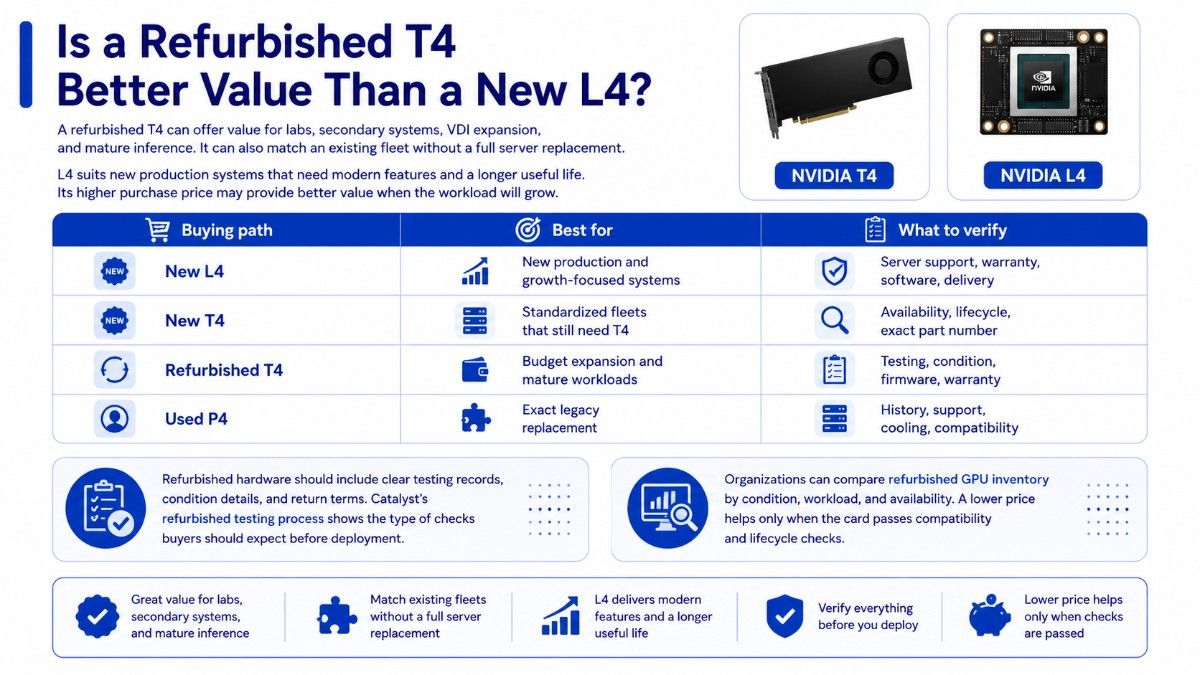
A refurbished T4 can offer value for labs, secondary systems, VDI expansion, and mature inference. It can also match an existing fleet without a full server replacement.
L4 suits new production systems that need modern features and a longer useful life. Its higher purchase price may provide better value when the workload will grow.
| Buying path | Best for | What to verify |
| New L4 | New production and growth-focused systems | Server support, warranty, software, delivery |
| New T4 | Standardized fleets that still need T4 | Availability, lifecycle, exact part number |
| Refurbished T4 | Budget expansion and mature workloads | Testing, condition, firmware, warranty |
| Used P4 | Exact legacy replacement | History, support, cooling, compatibility |
Refurbished hardware should include clear testing records, condition details, and return terms. Catalyst’s refurbished testing process shows the type of checks buyers should expect before deployment.
Organizations can compare refurbished GPU inventory by condition, workload, and availability. A lower price helps only when the card passes compatibility and lifecycle checks.
Who Should Choose NVIDIA T4?
T4 is the better fit when the workload is proven, 16GB is enough, and mature compatibility matters more than new features. It remains a sensible option for stable inference, standard VDI, video processing, test systems, and cost-controlled expansion.
T4 also works when an organization owns qualified servers and needs matching accelerators. Extending that platform may cost less than replacing it.
Who Should Choose NVIDIA L4?
L4 is the stronger choice for new low-power GPU deployments. It suits modern inference, generative AI, AI video, media, graphics, and richer virtual workstation use.
Its 24GB memory and newer architecture make it a better long-term choice for growing workloads. Buyers must still validate the server, storage, memory, and network.
Organizations considering larger data center GPUs can use the L40S workload review to compare when a higher-power inference and visualization platform makes more sense.
How Do You Build a Quote-Ready T4 or L4 Configuration?
A clear quote request reduces compatibility problems and procurement delays. Buyers should describe the workload and complete system instead of listing only the GPU model.
Include:
- GPU model, quantity, and condition
- Exact server brand and model
- Inference, VDI, or video workload
- Memory, storage, and network needs
- Warranty, testing, budget, and timeline
Catalyst Data Solutions can turn these requirements into a bill of materials covering GPUs, servers, memory, NVMe storage, NICs, switches, optics, cables, and compatibility validation.
Need a Complete Low-Power NVIDIA GPU Solution?
Catalyst Data Solutions Inc sources NVIDIA T4, L4, A2, and other GPUs across new, refurbished, and hard-to-find inventory. The team can also verify server fit and supporting infrastructure.
Buyers can review available hardware through the Catalyst GPU store or submit a GPU configuration request for pricing, availability, and compatibility support.
Frequently Asked Questions
Is NVIDIA L4 better than T4?
L4 is better for most new deployments because it offers 24GB of memory, a newer architecture, and stronger support for current inference, video, graphics, and generative AI. T4 can still be better when cost and existing compatibility matter most.
Can T4 and L4 fit in the same server?
Sometimes, but buyers should never assume they are interchangeable. Confirm the supported GPU list, PCIe generation, riser layout, airflow, BIOS, firmware, and driver requirements for the exact server configuration.
Which GPU is better for VDI?
T4 works well for standard VDI and mature virtual application environments. L4 is better for graphics-rich desktops, AI-enabled applications, media workloads, and virtual workstations that need more memory.
Is NVIDIA T4 still good for inference?
Yes. T4 remains useful for models that fit within 16GB and already meet latency and throughput targets. It is especially practical for stable TensorRT pipelines and budget-sensitive expansion.
When should buyers choose NVIDIA A2?
Choose A2 for entry-level inference in edge or compact servers with strict power and thermal limits. It gives buyers a smaller power envelope when T4 or L4 performance is not required.
Should enterprises buy a refurbished T4?
A refurbished T4 can make sense for labs, VDI expansion, secondary systems, or established inference. Buyers should verify testing, condition, warranty, firmware, seller credibility, and exact server compatibility.
What should you buy with T4 or L4?
Most deployments need a qualified server, adequate system memory, NVMe storage, suitable NICs, switches, optics or cables, and enough rack cooling. The final bundle should match the workload, user count, and growth plan.