Buying server RAM is not as simple as matching DDR4 or DDR5. A memory module can use the correct generation and still be incompatible because of the server model, processor, DIMM type, capacity, speed, rank, or slot population rules.
Before buying, confirm the exact server, supported memory technology, CPU limits, DIMM capacity, memory speed, and installation pattern. These checks help prevent boot problems, reduced memory performance, and unnecessary returns.
The goal is not to memorize every server memory specification. It is to identify the few platform details that determine whether a DIMM will work correctly and support future upgrades.
How Do You Check Server RAM Compatibility Before Buying?
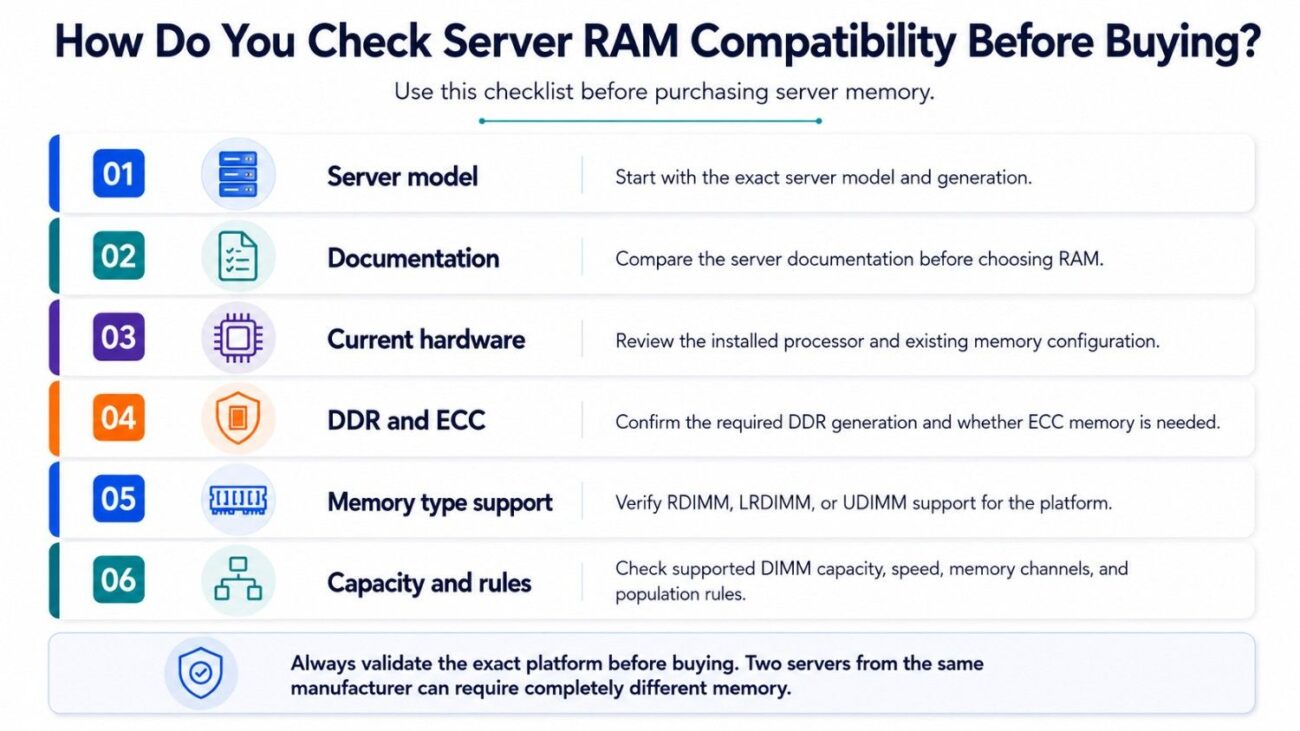
Start with the exact server model and generation. Then compare the server documentation, installed processor, existing memory, and the specifications of the RAM you plan to buy.
A complete server RAM compatibility check should confirm:
- Server model and generation
- DDR generation and ECC requirement
- RDIMM, LRDIMM, or UDIMM support
- Supported DIMM capacity and speed
- Memory channel and population rules
Two servers from the same manufacturer can require completely different memory. Always validate the exact platform rather than buying RAM based only on the server brand.
1. Identify the Exact Server Model and Generation
The first step is identifying the complete server model. Knowing only that the system is a Dell PowerEdge or HPE ProLiant is not enough because each product family includes several generations.
A Dell PowerEdge R750 and R760, for example, belong to different platform generations. HPE ProLiant Gen10 and Gen11 systems also have different processors, memory technologies, supported speeds, and DIMM requirements.
These differences in server platform compatibility are why buyers should confirm the exact model before comparing replacement or upgrade memory.
You can normally find the server model through the chassis label, service tag, BIOS, iDRAC, iLO, or original purchase records.
Do not assume that RAM is compatible simply because the DIMM fits into the physical slot. Electrical, processor, firmware, and memory-controller requirements also determine whether the module is supported.
2. How to Know What RAM a Server Supports
Once you know the server model, check the manufacturer’s memory specifications. The service manual, technical guide, QuickSpecs, or memory configuration document should identify supported memory types and configurations.
Look for these details:
- DDR generation
- Supported DIMM technologies
- Available capacities and speeds
- Maximum memory capacity
- DIMM population requirements
The installed processor must also be checked. Modern server CPUs include the memory controller, so processor generation can affect available channels, memory speed, maximum capacity, and supported DIMM configurations.
Before buying, match three things together: server model, installed CPU, and DIMM specification.
A RAM listing that says “compatible with servers” is not enough. Compatibility should be tied to the exact server platform and configuration.
3. DDR4 vs DDR5 Server Memory: Which One Do You Need?
DDR4 and DDR5 are different memory generations and cannot be used interchangeably. A DDR4 server requires supported DDR4 memory, while a DDR5 platform requires compatible DDR5 modules.
DDR5 provides newer memory architecture and higher potential bandwidth, but that does not make it an upgrade for an existing DDR4 server. Moving to DDR5 normally requires a newer server, motherboard, and processor platform.
For accelerated systems, GPU server memory planning should consider the approved memory modules together with CPUs, GPUs, storage, and networking.
The server documentation should always be the final reference for DDR generation.
Does Server Memory Voltage Matter?
Yes, but voltage should not be checked independently from the memory standard. Each DDR generation and DIMM technology is designed around specific electrical requirements.
Two modules with similar voltage specifications are not automatically interchangeable.
Older servers can also have special memory requirements. Confirm the approved DIMM specification rather than trying to match server RAM by voltage alone.
4. ECC vs Non-ECC RAM: What Does a Server Require?
Most enterprise servers use ECC memory. ECC, or Error-Correcting Code memory, is designed to detect and correct certain memory errors that could otherwise affect system stability or data integrity.
ECC is especially important in systems running databases, virtualization, AI, HPC, storage, and other workloads that stay active for long periods.
However, ECC does not fully define compatibility.
A server may require:
- ECC UDIMM
- ECC RDIMM
- ECC LRDIMM
- A specific DDR generation
An ECC module can still be incompatible if the server requires a different DIMM technology.
For this reason, do not search only for “ECC server RAM.” Confirm the complete DIMM type and platform support before purchase.
5. RDIMM vs LRDIMM vs UDIMM: What Is the Difference?
RDIMM, LRDIMM, and UDIMM are different memory technologies. They should not be treated as interchangeable versions of the same server RAM.
RDIMM is widely used in enterprise rack and tower servers. LRDIMM has traditionally been used where supported platforms need higher memory capacity, while ECC UDIMM is common in some entry-level servers and workstations.
| Memory type | Typical use | Main compatibility check |
| ECC UDIMM | Entry servers and workstations | CPU and board support |
| RDIMM | Enterprise servers | Generation, speed, rank, capacity |
| LRDIMM | High-capacity systems | Explicit platform support |
| High-density DIMMs | Memory-heavy servers | CPU and population limits |
A server that supports RDIMM does not automatically support every LRDIMM or UDIMM configuration.
Mixing different DIMM technologies is also commonly restricted. Follow the memory population rules for the exact server rather than assuming different module types can operate together.
6. How Does Server RAM Speed Compatibility Work?
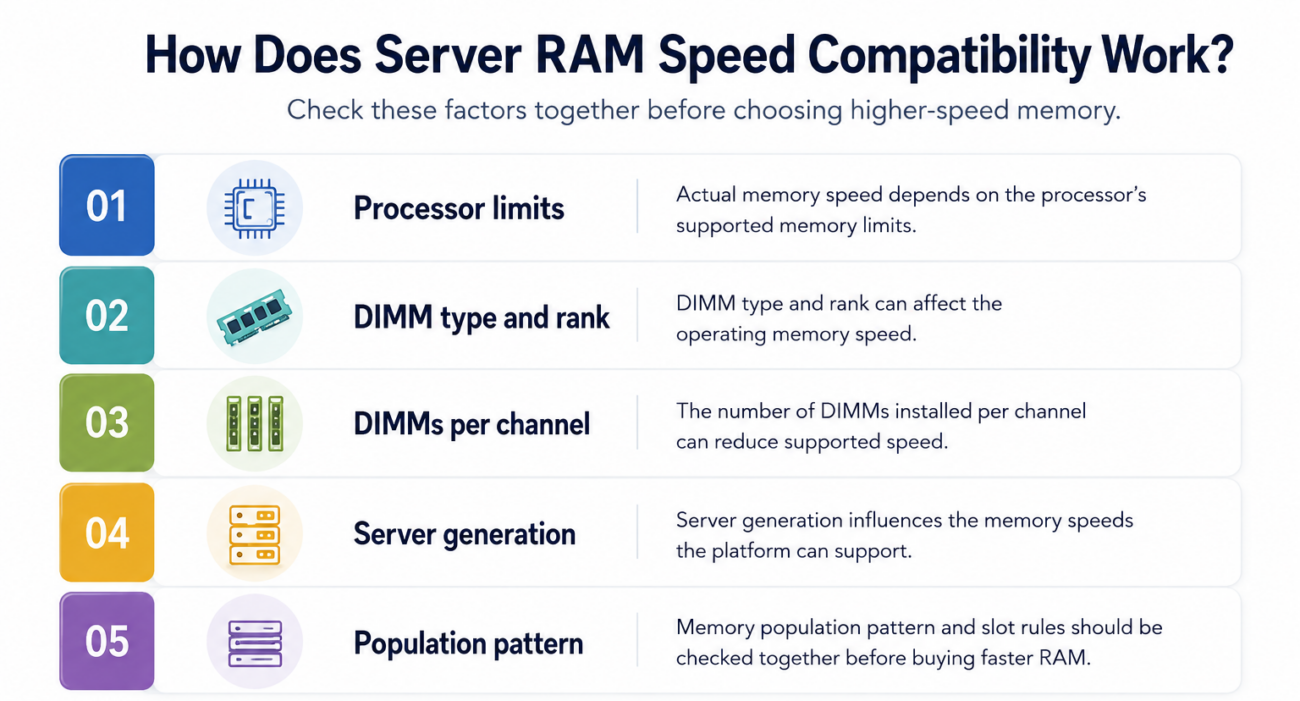
The speed printed on a DIMM is its rated capability. It is not a guarantee that the server will operate the memory at that exact speed.
Actual memory speed can depend on:
- Processor memory limits
- DIMM type and rank
- Number of DIMMs per channel
- Server generation
- Memory population pattern
For this reason, DIMM speed and slot rules should be checked together before choosing higher-speed memory.
Suppose a DIMM is rated for 4800 MT/s, but the installed processor supports a lower maximum speed in that configuration. The memory may operate at the lower supported speed instead.
Adding more DIMMs per memory channel can also reduce operating speed on some platforms.
Buying faster RAM does not always produce higher performance. The CPU, server, and memory layout must all support the target speed.
7. Check Capacity per DIMM and Maximum RAM Supported
Every server has limits on both individual DIMM capacity and total system memory. A server might support 32 GB and 64 GB modules while rejecting a higher-capacity DIMM from another platform.
Maximum memory can also depend on processor count.
For example, a dual-socket server may provide memory slots attached to each CPU. If only one processor is installed, memory slots connected to the second socket may not be available.
When checking capacity, verify:
- Supported capacity per DIMM
- Number of active DIMM slots
- Maximum memory per processor
- Maximum total system memory
- Supported high-capacity DIMM types
Workload requirements matter as much as the hardware maximum. Guidance on system memory planning is particularly useful when balancing RAM with processors, GPUs, storage, and networking.
Do not buy the largest DIMMs available simply because they fit your budget. Choose a supported capacity that meets the workload and leaves a practical upgrade path.
8. Server RAM Population Rules Matter
Server memory slots are organized into channels connected to the processor. DIMMs normally need to be installed in a specific order to maintain a supported and balanced configuration.
The server manual may identify primary slots that should be populated before secondary slots.
Population rules can control:
- Which slots should be filled first
- How memory is balanced across channels
- Which slots belong to each processor
- Supported DIMMs per channel
- Allowed capacity combinations
Ignoring these rules may lead to reduced memory bandwidth or unsupported configurations.
Before upgrading, record the existing memory layout. Note each DIMM’s capacity, type, speed, rank, and slot position.
Then build the new slot configuration before ordering additional RAM.
9. Can You Mix Server RAM Sizes?
Some server platforms allow different DIMM capacities, but the configuration still has to follow the server’s memory population rules.
For example, a server may support both 32 GB and 64 GB RDIMMs individually. That does not mean those capacities can be placed randomly across its memory channels.
Mixed-capacity configurations can affect channel balance and future expansion.
For production environments, matching DIMMs often makes planning easier. Using the same capacity, speed, rank, and memory technology reduces the number of variables that must be checked.
If mixed capacities are necessary, confirm the complete slot map first.
Do not assume that a server will automatically arrange mismatched memory in the most efficient configuration.
10. Can You Mix RAM Speeds in a Server?
Different RAM speeds may work together in some supported server configurations, but the modules normally cannot operate independently at different speeds within the same memory subsystem.
The system may reduce memory operation to a common supported speed.
For example, installing a faster DIMM alongside supported slower memory does not guarantee the faster module will operate at its full rated speed.
Mixing speed ratings can also make troubleshooting and future upgrades more complicated.
A better approach is to match the existing DIMM specifications when possible.
Before adding memory, record:
- Current DIMM speed
- Capacity
- Rank
- DIMM type
- Part number
Checking the complete part information is more reliable than looking only at the memory speed shown in the operating system.
11. Real Server RAM Compatibility Examples
The exact specifications vary by generation, but common server families show why model-specific checks matter.
Dell PowerEdge Example
Consider two PowerEdge servers from different generations. Even when both use enterprise ECC memory, they can require different DDR generations, processors, DIMM speeds, and population patterns.
A buyer upgrading a PowerEdge should first identify the complete model and service tag.
Then confirm the supported DIMM type, processor memory limits, capacity, speed, rank, and required slot order. Buying generic “Dell server RAM” does not provide enough compatibility information.
HPE ProLiant Example
The same rule applies to HPE ProLiant servers.
A ProLiant Gen10 platform and a newer generation can use different CPU architectures and memory technologies. Even within one generation, different ProLiant models can have different DIMM counts and capacity limits.
HPE server RAM compatibility should therefore be checked against the exact model and generation.
For HPE systems, also verify whether the proposed module is qualified for the platform and whether the planned population follows the correct memory channel sequence.
Dual-Processor Server Example
Consider a two-socket server currently operating with only one CPU.
The chassis may physically contain memory slots for both processors, but the slots attached to CPU 2 may remain inactive until the second processor is installed.
A buyer cannot calculate usable memory simply by counting empty slots.
CPU configuration, channel ownership, and DIMM population must be checked together before planning the upgrade.
12. How Much System Memory Does a Server Need?
Compatibility answers one question: Will the RAM work?
Sizing answers another: How much RAM does the workload actually need?
A file server, database server, virtualization host, and AI system can require very different amounts of system memory even when they use the same server platform.
Virtualization servers may need additional capacity to support multiple virtual machines. Databases can use large amounts of memory for caching, while AI and HPC systems need RAM for preprocessing, application data, and CPU-side workloads.
For virtualization and accelerated workloads, server memory sizing should be considered with the CPU count and application requirements.
AI infrastructure also needs balanced system design. AI and HPC memory works best when RAM capacity is planned alongside processors, GPUs, storage, PCIe resources, and networking.
More RAM is useful only when the workload can benefit from it.
Do not fill every DIMM slot automatically. A balanced configuration that leaves room for future expansion can be more practical.
13. What Server RAM Should I Buy?
The best server RAM is the memory that matches the exact server, processor, workload, and expansion plan.
Do not choose only by price, capacity, or the highest speed shown in a product listing.
Before purchasing, prioritize:
- Exact platform support
- Correct ECC and DIMM technology
- Supported DDR generation and speed
- Appropriate capacity and rank
- Tested condition and warranty
For refurbished server memory, condition and testing are particularly important.
A technically compatible module can still be a poor purchase if the seller cannot provide clear part information, testing details, warranty terms, or return options.
New vs Refurbished Server RAM
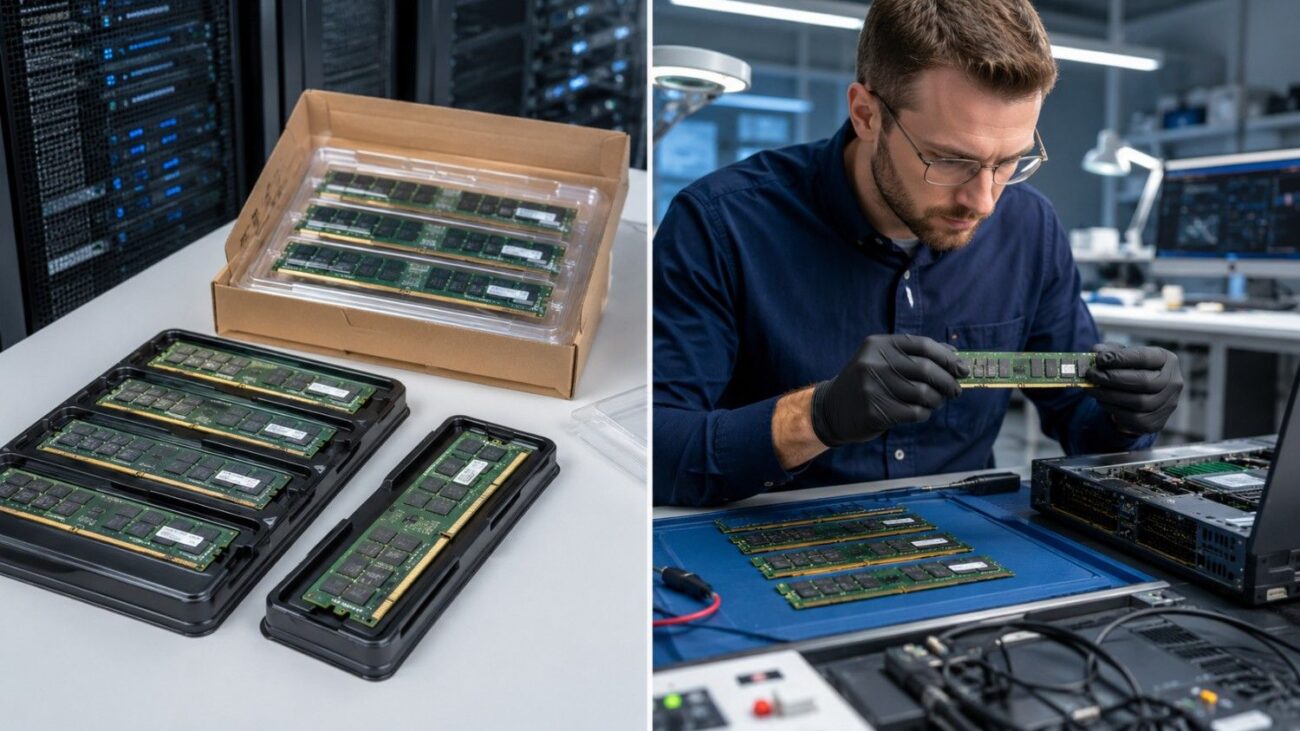
Both new and refurbished server memory can make sense.
New memory may be preferred for standardized deployments, support requirements, or new server builds. Refurbished memory can provide better value for older systems, capacity expansion, labs, backup infrastructure, or budget-sensitive projects.
For refurbished DIMMs, verify the exact part number and specifications before purchase.
The seller should also provide clear information about:
- Testing process
- Physical condition
- Warranty coverage
- Return policy
- Available quantity
Avoid purchasing server RAM based only on a generic capacity and DDR description.
The more accurately the module can be identified, the easier it is to validate compatibility.
Pre-Purchase Server RAM Compatibility Checklist
Before ordering server memory, document the current platform and the planned configuration.
Use this checklist:
- Confirm server model, generation, and installed CPU
- Verify DDR, ECC, and DIMM technology
- Match capacity, rank, speed, and part number
- Check maximum supported system memory
- Confirm memory channels and slot population order
If any of these details are unclear, validate the configuration before purchase.
A few minutes spent checking the memory layout can prevent ordering incompatible DIMMs or creating an unbalanced server.
FAQs
How do I check RAM compatibility by server model?
Find the complete server model and generation, then review the manufacturer’s memory documentation.
Match the supported DDR generation, DIMM type, ECC requirement, capacity, speed, rank, CPU configuration, and population rules with the RAM you plan to buy.
Can I put any ECC RAM in a server?
No. ECC is only one part of compatibility.
The server may require a specific DDR generation and memory technology such as ECC UDIMM, RDIMM, or LRDIMM. Capacity, rank, speed, and population rules must also match the platform.
Can you mix server RAM sizes?
Sometimes.
A server may support multiple capacities while placing restrictions on where different DIMMs can be installed. Check the platform’s population rules before combining memory sizes.
Can you mix different RAM speeds?
Some supported configurations can operate DIMMs with different rated speeds, usually at a common speed supported by the system.
However, matched memory is generally easier to validate and manage. Always confirm the server documentation before mixing different DIMM speeds.
What is the maximum RAM supported by a server?
Maximum RAM depends on the server model, processor generation, CPU count, memory technology, supported DIMM capacity, and number of available memory channels.
Do not calculate the maximum only from the physical number of slots.
How do I check Dell PowerEdge RAM compatibility?
Identify the exact PowerEdge model and service tag. Then check its technical or memory configuration documentation for supported DDR generation, RDIMM or other DIMM requirements, speed, capacity, rank, and population rules.
The installed CPU should also be included in the compatibility check.
How do I check HPE server RAM compatibility?
Identify the exact HPE ProLiant model and generation, then check its QuickSpecs and memory population information.
Confirm the supported DIMM type, capacity, speed, processor configuration, and memory slot sequence before ordering.
Is faster server RAM always better?
No.
A faster-rated DIMM can still operate at a lower speed if the server, CPU, memory channel configuration, or number of DIMMs per channel limits the operating frequency.